1
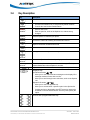
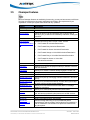
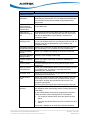
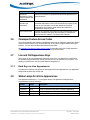
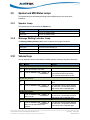
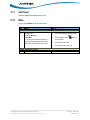
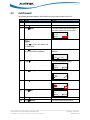
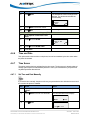
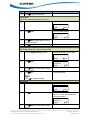
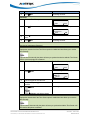
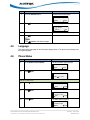
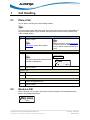
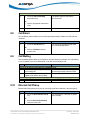
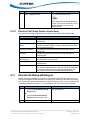
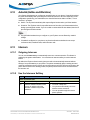
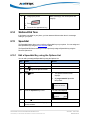
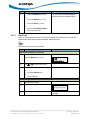
6.16 Speed Dial/Xfer A Speeddial key allows you to use one key to dial a frequently dialed number. An Xfer key allows you to transfer a call. The Speeddial/Xfer key combines the Speeddial and Xfer key's functionality together allowing you to transfer calls with one key. The Speeddial/Xfer key has the following capabilities: 6.17 Function Description Speeddial/Xfer and Speeddial Pressing the Speeddial/Xfer key while the phone is idle causes the phone to go off-hook and dial the predefined extension. Speeddial/Xfer and Blind Transfer When the phone is connected to a call, pressing the Speeddial/Xfer key blind-transfers the call to the predefined destination. If the transfer fails, the message “Transfer Failed” displays, and you can retry the call by pressing the line key again. Speeddial/Xfer and Call Forward Pressing the Speeddial/Xfer key while the phone is ringing forwards the call to the predefined number. Speeddial/Conf The Speeddial/Conf key allows you to conference another party at a pre-defined number while on an active call. The line focus changes to the dialing line. A cancel softkey displays on the phone allowing you to abort the conference speeddial if required. The following messages display: Ringing… - Displays when the far end is ringing. Conf. Unavailable - Briefly displays when a conference is already in progress. For example, while on a call, you can use the Speeddial/Conf softkey to dial a recording service and have the resulting conference recorded. If currently in a conference, the Speeddial/Conf softkey is disabled on the active call. 6.18 Shared Call Appearance Call Retrieve Shared Call Appearance (SCA) is when incoming calls are presented to multiple phones simultaneously. For example, it is the ability to assign the boss' extension to a button on the secretary's phone. Calls can be transferred between two phones with the same extension button by simply putting the call on hold at one phone and picking it up on the other. Status LEDs flash in unison, allowing all people sharing the extension to see the status at a glance. The phones include an enhanced SCA for the servers that support call bridging and allows two or more SCA users to be connected in a call with a third party. Refer to the following example. ___________________________________________________________________________________________ CS AASTRA 6731i IP PHONE USER GUIDE V3.2.2 CLEARSPAN® IS A RGISTERED TRADEMARK OF AASTRA TECHNOLOGIES LTD. AASTRA – 2817-002 PAGE 61 OF 82