1
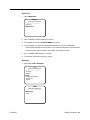
USBTest:
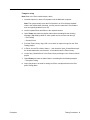
1. Connect the iPod USB cable to the iPod and computer.
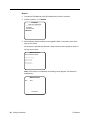
2. Select IO > Comms > USBTest. (Comms stands for Communication)
iPod Diagnostics
SRV Oct 08 2004
------------------------------Memory
> IO
Power
Status
SysCfg
Diskmode
Reset
IO
SRV Oct 08 2004
------------------------------> Comms
Wheel
LCD
HeadphoneDetect
HardDrive
Audio
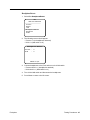
Comms
SRV Oct 08 2004
------------------------------> USBTest
FirewireTest
Remote
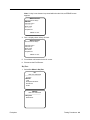
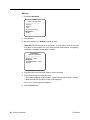
3. Pass = the following display:
USB Test
ID = 0x22FA05
MENU to exit
Note: If no USB cable is detected, “No Cable Conn” is displayed.
4. Press Menu to return to the Comms screen.
5. Disconnect the USB cable.
20 - Testing Procedures
iPod photo