1
6-8
Installing the Operating System Drivers
DOS Partitions and NetWare Fault
Tolerance
NetWare does not mirror information on DOS partitions. Only hardware fault
tolerance supports mirrored DOS partitions. If you have a mirrored drive
containing a DOS partition, you need to restore the DOS partition information
from another back-up source.
If the failed drive contains a DOS partition, NetWare cannot access information
on that partition. For example, files on the DOS partition include
STARTUP.NCF and Novell disk drivers. To prevent NetWare from attempting
to read from or write to the failed device, execute the following command from
the console.
REMOVE DOS
Recovering a DOS Partition without Hardware
Fault Tolerance
If your server is not configured for hardware fault tolerance, and if the failed
drive contained the DOS partition used to boot your server, you will not be able
to restart the server once it has been powered off. Schedule maintenance time as
soon as possible and:
1.
Power-down your server.
2.
Replace the failed drive.
3.
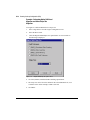
Reboot the system with the Compaq System Configuration Utility
diskette.
4.
Select the option to Install a System Partition on your DOS boot device.
This partition should contain the Compaq System Configuration Utility
and the Compaq Diagnostic Utility. Exit the System Configuration
Utility.
5.
Locate a DOS bootable diskette that contains the DOS FDISK and
FORMAT programs.
6.
Use the FDISK program to create a primary DOS partition on the
replaced drive. Compaq recommends that your DOS partition be at least
15 MB.
Writer: Rickard Project: Compaq Smart Array 3200 Controller Reference Guide Comments: 340862-002
File Name: G-CH06.DOC Last Saved On: 12/7/98 9:23 AM
COMPAQ CONFIDENTIAL - NEED TO KNOW REQUIRED