1
Auto Listen/Skip
Expert mode is a series of automatic features designed for experienced voice mail
users.
The auto mode can be changed back to the normal mode at any time by dialing
0.
Auto Listen / Skip
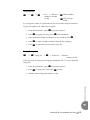
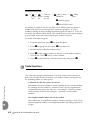
1 → #1 → Listen to the message
When messages are listened to using Auto Listen/Skip, the system plays all
messages one after the other until interrupted by the user. messages listened to in
this fashion are considered skipped, and appear as new messages the next time
the user listens to messages.
To auto listen to the messages in your mailbox, and then skip to the following
messages:
1. At the main menu, press 1.
2. Press #1. The system plays your messages. After the message is
played it is placed in the skipped message queue.
Expert Mode
5.1
Expert Mode
5
5
Emerald ICE HD Voicemail Mailbox User Guide
5-1