1
Operation Guide 5216
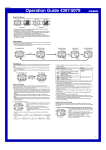
To turn an alarm on and off
/N/FFSTATUS
1. In the Alarm Mode, use D to select an alarm.
2. Press A to toggle it on (
displayed) and off (
displayed).
To turn the Hourly Time Signal on and off
1. In the Alarm Mode, use D to select the Hourly Time
/N/FFSTATUS
).
Signal (
2. Press A to toggle it on (
displayed) and off (
displayed).
E-30
Illumination
An LED (light-emitting diode) illuminate the display for easy reading in the dark.
Illumination Precautions
x The illumination provided by the light may be hard to see when viewed under direct
sunlight.
x Illumination automatically turns off whenever an alarm sounds.
x Frequent use of illumination runs down the battery.
To turn on illumination manually
In any mode (except when a setting screen is on the display), press B to turn on
illumination.
x You can use the procedure below to select either one second or three seconds as
the illumination duration. When you press B, the illumination will remain on for
about one second or three seconds, depending on the current illumination duration
setting.
E-31
To specify the illumination duration
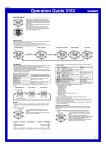
1. In the Timekeeping Mode, hold down A until “ADJ”
appears on the display. Release A and the city code
of your currently selected Home City will flash on the
display, which indicates the setting screen.
2. Press C ten times so the illumination duration setting
screen is on the display.
3. While the illumination duration setting is flashing, press
D to toggle the setting between one second (
) and
three seconds (
).
4. Press A to exit the setting screen.
E-32
Reference
This section contains more detailed and technical information about watch operation.
It also contains important precautions and notes about the various features and
functions of this watch.
Button Operation Tone
The button operation tone sounds any time you press one of the watch’s buttons. You
can turn the button operation tone on or off as desired.
x Even if you turn off the button operation tone, alarms, the Hourly Time Signal, and
other beepers all operate normally.
E-33
To turn the button operation tone on and off
1. In the Timekeeping Mode, hold down A until “ADJ”
appears on the display. Release A and the city code
of your currently selected Home City will flash on the
display, which indicates the setting screen.
2. Press B nine times until the current button operation
tone setting (
or
) appears.
3. Press C to toggle the setting between
(tone on)
and
(tone off).
4. Press A to exit the setting screen.
Auto Return Feature
If you leave a screen with flashing digits on the display for two or three minutes
without performing any operation, the watch automatically exits the setting screen.
E-34
Scrolling
The B and D buttons are used in various modes and setting screens to scroll
through data on the display. In most cases, holding down these buttons during a scroll
operation scrolls through the data at high speed.
Initial Screens
When you enter the World Time or Alarm Mode, the data you were viewing when you
last exited the mode appears first.
Timekeeping
x Resetting the seconds to
while the current count is in the range of 30 to 59
causes the minutes to be increased by 1. In the range of 00 to 29, the seconds are
reset to
without changing the minutes.
x With the 12-hour format, the P indicator appears on the display for times in the
range of noon to 11:59 p.m. and no indicator appears for times in the range of
midnight to 11:59 a.m.
x With the 24-hour format, times are displayed in the range of 0:00 to 23:59, without
any indicator.
E-35
x The year can be set in the range of 2000 to 2099.
x The watch’s built-in full automatic calendar makes allowances for different month
lengths and leap years. Once you set the date, there should be no reason to change
it except after you have the watch’s batteries replaced.
x The current time for all city codes in the Timekeeping Mode is calculated in
accordance with the UTC time offset of each city, based on your Home City time
setting.
World Time
x The seconds count of the World Time is synchronized with the seconds count of the
Timekeeping Mode.
x All World Time Mode times are calculated from the current Home City time in the
Timekeeping Mode using UTC time offset values.
x The UTC offset is a value that indicates the time difference between a reference
point in Greenwich, England and the time zone where a city is located.
E-36
x The letters “UTC” is the abbreviation for “Coordinated Universal Time”, which is the
world-wide scientific standard of timekeeping. It is based upon carefully maintained
atomic (cesium) clocks that keep time accurately to within microseconds. Leap
seconds are added or subtracted as necessary to keep UTC in sync with the Earth’s
rotation.
E-38
E-37
Specifications
Accuracy at normal temperature: ±30 seconds a month
Digital Timekeeping: Hour, minutes, seconds, p.m. (P), month, day, day of the week
Time format: 12-hour and 24-hour
Calendar system: Full Auto-calendar pre-programmed from the year 2000 to 2099
Other: 3 screen formats (Month – Day, Hour: Minutes, Day of the Week); Home City
code (can be assigned one of 48 city codes); Daylight Saving Time (summer
time)/Standard Time
Analog Timekeeping: Hour, minutes (hand moves every 20 seconds)
World Time: 48 cities (31 time zones)
Other: Daylight Saving Time/Standard Time
Stopwatch
Measuring unit: 1/100 second
Measuring capacity: 59'59.99"
Measuring mode: Elapsed time
E-39