1
Checking the Hardware Requirements
The volume space requirement for databases that use
Automatic Storage Management or shared disk storage is described
in Chapter 5.
Note:
Additional disk space, either on a file system or in an Automatic Storage
Management disk group, is required for the Fast recovery area if you choose to
configure automated backups.
See Also:
Oracle Database Storage Administrator's Guide
2.6.3 Display Resolution and Color Depth
The monitor or display visual on which you run the installation must be capable of
displaying a color depth of at least 256 colors.
Setting Display and X11 Forwarding Configuration for
operating system display configuration
See Also:
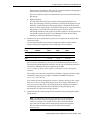
2.7 Checking the Hardware Requirements
To ensure that each system meets these requirements, follow these steps:
1.
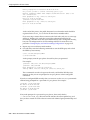
To determine the physical RAM size, enter the following command:
# grep MemTotal /proc/meminfo
If the size of the physical RAM installed in the system is less than the required
size, then you must install more memory before continuing.
2.
To determine the size of the configured swap space, enter the following command:
# grep SwapTotal /proc/meminfo
If necessary, refer to your operating system documentation for information about
how to configure additional swap space.
3.
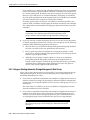
To determine the amount of disk space available in the /tmp directory, enter the
following command:
# df -k /tmp
This command displays disk space in 1 kilobyte blocks. On most systems, you can
use the df command with the -h flag (df -h) to display output in
"human-readable" format, such as "24G" and "10M." If there is less than 400 MB of
disk space available in the /tmp directory (less than 4194304 1-k blocks), then
complete one of the following steps:
■
■
4.
Delete unnecessary files from the /tmp directory to make available the disk
space required.
Extend the file system that contains the /tmp directory. If necessary, contact
your system administrator for information about extending file systems.
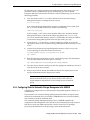
To determine the amount of free RAM and disk swap space on the system, enter
the following command:
# free
Note that available RAM and swap space change, depending on user activity on
the server.
Oracle Clusterware Preinstallation Tasks 2-13