1
matches its main outs. This can be used, for
example, to record a final stereo mix for reference
and archiving purposes.
☛
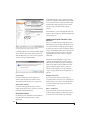
Warning: the Mix1 Return 1-2 return inputs
can cause feedback loops! DO NOT assign this
input to a track assigned to the 8pre USB main
outs.
For Mix1 Return 1-2, you can choose whether or
not to include audio being sent to the main outs
from the computer. See “Mix1 Return Includes
Computer Output” on page 52.
The “Phones 1-2” output
Host audio tracks assigned to the Phones 1-2
output pair will be heard on the headphone jack
only. If the Phones are set to mirror another output
(such as the main outs), the mirrored audio stream
is mixed with the phones audio output. For further
explanation, see “Phones Assignment” on page 30.
Audio Input and output names
The 8pre USB audio driver supplies text string
labels for its inputs and outputs to clearly identify
each one, but some applications do not display
these labels.
PROCESSING LIVE INPUTS WITH HOST
PLUG-INS
If you patch a live input (such as a MIDI
synthesizer) through a plug-in effect in your host
software, you might hear a slight delay. There are
several ways to reduce this delay. For details, see
chapter 8, “Reducing Monitoring Latency”
(page 41).
with your host project, be sure to use the file save
features in CueMix FX to save the 8pre USB
settings as a file in your host project folder for
instant recall of all settings. See chapter 9, “CueMix
FX” (page 47) for complete details.
SYNCHRONIZATION
You may encounter situations in which you need to
synchronize your audio software and the 8pre USB
to the other components of your system.
Synchronizing digital audio connections
If you have devices connected to the 8pre USB
digital optical ports, you need to be concerned
with the synchronization of the 8pre USB’s digital
audio clock with other devices connected to it
digitally (if any). For example, if you have a digital
mixer connected to the 8pre USB via an ADAT
optical light pipe cable, you need to make sure that
their audio clocks are phase-locked. For details, see
“Syncing optical devices” on page 24. If you don’t
have any digital audio devices connected to the
8pre USB, digital audio phase-lock does not apply
to you.
Resolving directly to time code (with no
synchronizer)
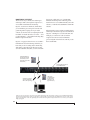
If your host audio software supports ASIO2 or 3’s
sample-accurate positioning protocol, then it can
resolve to the 8pre USB’s built-in time code
synchronization feature. To resolve your 8pre USB
directly to SMPTE time code with no additional
synchronization devices, use the setup shown in
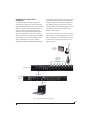
“Setup for SMPTE time code sync” on page 76.
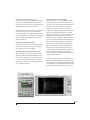
WORKING WITH CUEMIX FX MIXING
The 8pre USB provides external mixing, which you
can operate hand-in-hand with your host’s mixing
environment. For example, the 8pre USB can serve
as a monitor mixer routing channels to musicians,
or it can serve as an integrated extension of your
host’s mixing environment. If you program an 8pre
USB mixing configuration that goes hand in hand
39
CONFIGURING HOST AUDIO SOFTWARE