1
Installing attachments
Attachments can be installed into the DRA to increase its flexibility and versatility.
The following are optional attachments:
•
•
•
•
•
•
Liquid sample holder
Small sample holder;
Powder cell
Small sample mount
Polarizer/Depolarizer
Double Aperture
Installing the liquid sample holder
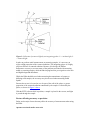
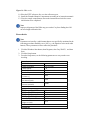
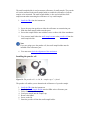
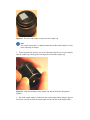
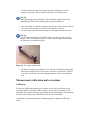
Figure 17. The liquid cell holder. "A" the flat side that must sit against the DRA, "B"
the raiser screw and "C" the screw for securing the attachment to the posts on the
DRA.
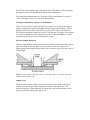
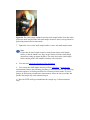
1. Screw the posts into position at the transmission port of the sphere.
2. Slide the liquid sample holder onto the posts. The flat side must sit against the
DRA.
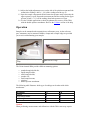
3. Check the alignment of the cell holder using the target supplied. Ensure that
the beam is not clipping the edge of the sample holder and is centered on the
sample.
Hot Tip
To assist in preventing the beam from being clipped by the edge of any of the
attachments a SBW of 2 nm is recommended.
4. If necessary recheck the alignment of the DRA.
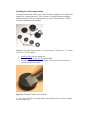
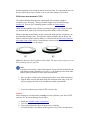
5. Load a cuvette into the sample holder so that transmission measurements of a
liquid sample can be taken.
Using the liquid sample holder to perform transmission measurements