1
PC BIOS
10.5 User Selectable NVRAM Defaults
The BIOS provides a facility through which the user can save preferred setup option settings to
Flash memory (NVRAM). Then, if the BIOS detects that the contents of NVRAM is corrupt, the
user can elect to restore the contents from the saved settings, rather than loading factory
configured defaults. This facility also allows the board to operate without fitting the battery, but with
NVRAM settings different to the factory defaults.
The Save User Defaults option in the BIOS Setup Exit menu is used to write the current
NVRAM settings to Flash memory. When settings are saved to Flash memory, the current BIOS
date and time will also be stored; this allows the board to start operating with an appropriate date
and time.
NOTE: Saving settings to Flash memory may take several seconds to complete.
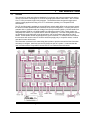
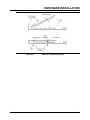
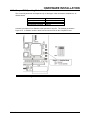
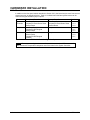
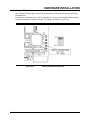
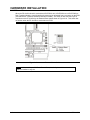
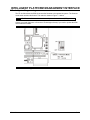
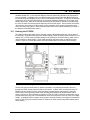
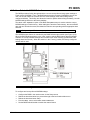
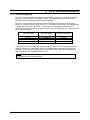
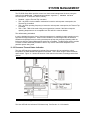
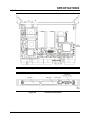
The NVRAM restore feature is controlled by the BIOS Defaults option switch (see Figure 10-2).
When the BIOS Defaults switch is in the “User” position and the BIOS detects that the NVRAM
contents are corrupt, NVRAM settings will be restored from Flash memory (provided that valid
settings have been saved). When the switch is in the “Factory” position, the factory-configured
defaults will be used.
Figure 10-2
BIOS Defaults Switch
To configure and save preferred NVRAM settings:
•
•
•
•
•
PP 41x/03x
Configure the BIOS in the usual manner via the Setup menus
Reboot the board and allow it to proceed through to the boot loader without error
Reboot the board and enter Setup
From the Exit menu, select Save User Defaults
Set the BIOS Defaults switch to enable the restore feature
10-11