1
3
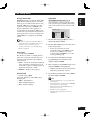
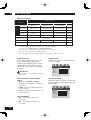
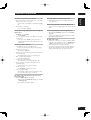
Controls & Displays
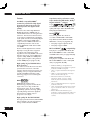
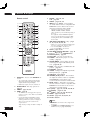
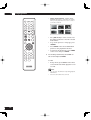
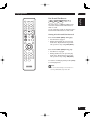
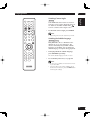
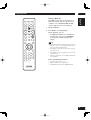
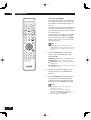
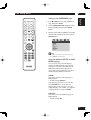
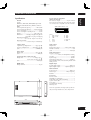
Remote control
5
1
6
7
2
3
4
5
!
@
#
6
%
^
7
&
8
9
0
8
¡
9
10
11
12
13
14
™
15
~
16
17
18
19
20
1
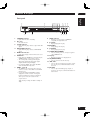
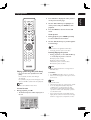
AUDIO EX – Press to turn AUDIO EX off
and on
• The sound quality of analog audio output is
improved by turning off analog video signal
output and the front panel display.
21
• HDMI video output cannot be switched off.
2
3
4
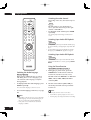
OPEN/CLOSE – Disc tray open/close –
page 15
ZOOM – pages 24, 29
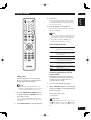
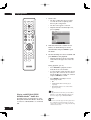
HDMI – page 45
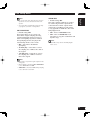
• The HDMI on/off state toggles when pressed
for three seconds or more. When on, the HDMI
indicator is lit.
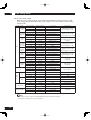
• Pressing this button while HDMI is enabled
displays the current resolution. Pressing this
button again while the resolution is displayed
allows you to select the resolution in the
sequence below:
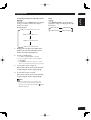
14
480p Æ 576p Æ 720p Æ 1080i Æ 1080p Æ
480p
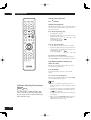
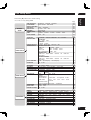
4 (PREV.)/¢ (NEXT)– Skip – pages
15, 16, 18, 19, 28, 29, 49
• Allows you to search forward/backward through a
disc. Use to skip the title, chapter or track.
• Press and hold (4) for Fast Reversed.
• Press and hold (¢) for Fast Forward.
+
=
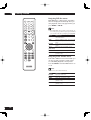
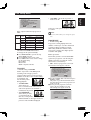
• Applicable models: PM-11S1, PM-15S1,
PM6001, PM7001, PM8001, SR9600.
(These models may not be handled depending on
the area.)
Non-applicable models: MARANTZ Amplifiers
and receivers which had released before 2006,
including PM-14, PM-17 and PM4001 except
above models.
$
*
(
)
_
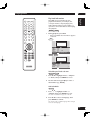
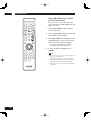
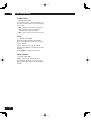
REPEAT – pages 21, 28
A–B – page 22
ANGLE – pages 23, 29
INPUT (%/fi) button – These buttons
can switch between devices compatible with
MARANTZ receivers. Refer to the receiver
instruction manual for further details.
22
23
24
25
26
27
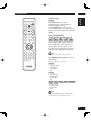
SCAN – pages 17, 18
TOP MENU (TOP-M)/RETURN – page 16
Cursor (2/3/5/∞) / ENTER button
DISPLAY (DISP.) – page 25
DISC SKIP – It is not used on this set.
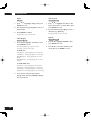
POWER – Switches the player on or into
standby – page 15
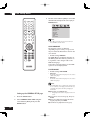
SOUND MODE– Selects Audio out mode
and change the Super Audio CD Play back
area – pages 24, 37
PAGE – Turns the pages of DVD-Audio still
pictures – page 21
RANDOM – page 22
AUDIO – Changes the Hybrid Super Audio
CD Play back layer – page 24
SUBTITLE – pages 23, 31
VOLUME (5/∞) button – These buttons
can adjust the volume of devices compatible
with MARANTZ receivers. Refer to the
receiver instruction manual for further details.
MUTE button – This button can activate
the mute function of devices compatible with
MARANTZ receivers. Refer to the receiver
instructions for further details.
3 (PLAY) – pages 15, 19, 20, 28, 30, 31
8 (PAUSE) – pages 15, 20
7 (STOP) – pages 15, 29, 30, 32, 47
MENU – pages 16, 18, 23
SETUP – pages 32, 34, 37, 42, 47
Number buttons
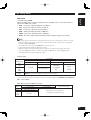
Note
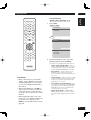
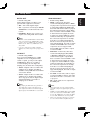
• HDMI ON is set when the unit is shipped from
the factory.
• Set HDMI under the DVD Setup Menu to use
HDMI functions (see pages 39, 40, 45).