1
SET UP
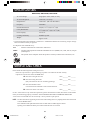
SET UP has six functions.
1. Clock
2. Auto Start
3. Sound Adjustment
4. Child Lock
5. Video Demo
6. Screen Contrast
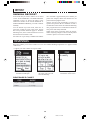
To use any function, press SET UP, touch desired function and follow directions on the screen.
1.CLOCK
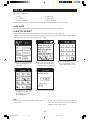
Press the SET UP pad, touch Clock and follow the directions on the screen. See page 14.
2.AUTO START
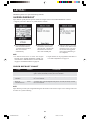
The Auto Start function allows you to set your oven to start automatically at a later time.
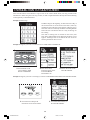
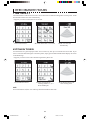
• Suppose you want to start cooking a stew for 20 minutes on 50% power at 4:30 P.M. Before setting, check to
make sure the clock is showing the correct time of day.
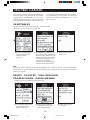
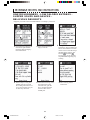
1 Press SET UP pad and then
touch the desired function:
Auto Start.
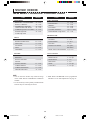
2 Enter start time (4:30) using
the screen choices and then
touch PM. Press START pad.
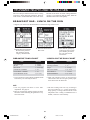
4 Touch 50%. The top line of
the display will show time
and chosen power level.
Press START pad.
5 Auto Start time will appear.
NOTE:
1. Auto Start can be used for manual cooking only, if
clock is set.
3 Enter cooking time, 2, 0, 0,
0 by using numbers on the
screen. Touch Power Level.
2. Be sure to choose foods that can be left in the oven
safely until the Auto Start time. Acorn or butternut
squash are often a good choice.
29
1.DC/DMT2420 #323
29
11/14/02, 11:41 AM