1
OPERATING INSTRUCTIONS (continued)
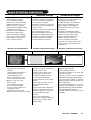
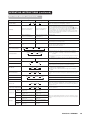
Volume Adjustment
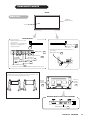
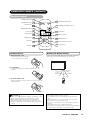
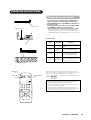
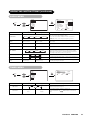
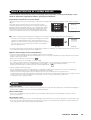
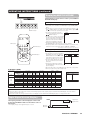
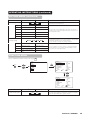
The volume can be adjusted by pressing the VOL+ and
VOL- buttons of the remote control (or the ▲ and ▼
volume buttons of the monitor unit).
Volume setting value
▼ ▲
Volume 15
VOLUME UP/DOWN
buttons
INPUT SELECT button
• When a button is pressed, the volume adjustment
status guide will be displayed.
MUTE button
• The volume will increase when the VOL+ (or ▲) button is
pressed while the guide is being displayed.
• The volume will decrease when the VOL- (or ▼) button is
pressed while the guide is being displayed.
VOL
RGB buttons
Adjustment status guide display
VOLUME
UP/DOWN buttons
RGB 1
RGB 2
MUTE
VOL
AV1
AV2
AV3
AV4
AUTO
PinP
SIZE
RECALL
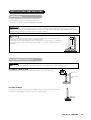
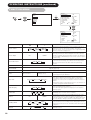
Audio Mute
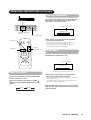
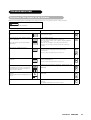
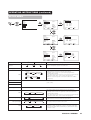
The audio volume can be temporarily muted by pressing
the MUTE button of the remote control.
MENU
OK
ID
ID SET
Volume setting value
Volume 15
Adjustment status guide display
(The display color will change to magenta.)
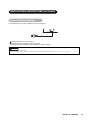
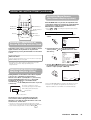
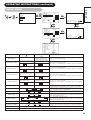
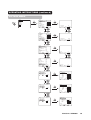
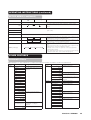
Input Switching
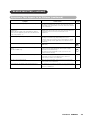
・ Input can be switched by pressing the RGB1, RGB2,
buttons of the remote control.
・ Input can be switched in the sequence of RGB1 →
RGB2 by pressing the INPUT SELECT button of the
monitor.
RGB1
RGB2
• When a button is pressed, the volume adjustment
status guide (magenta) will be displayed.
• The volume setting can be lowered by pressing the VOL- button
while the audio is mute.
• The muting can be cancelled by pressing the VOL+ button or
MUTE button while the audio is mute.
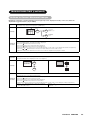
When the MUTE button of the remote control is pressed
again, the audio will be restored and the volume display
(green) will appear.
ViewSonic VPW5500
17