1
Back to Contents Page
About Your Monitor
Dell™ E157FPT Touch Screen Monitor Contents
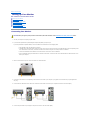
Front View
Back View
Side View
Bottom view
Specifications
Caring for Your Monitor
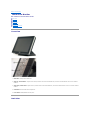
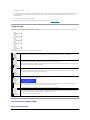
Front View
1.
Menu button - Enters/exits the OSD menu.
2.
Adjust up / Contrast button - Adjusts screen contrast, increases value of the selected OSD item, and moves the OSD selection cursor in the clockwise
direction.
3.
Adjust down /Volume button - Adjusts volume, decreases value of the selected OSD item, and moves the OSD selection cursor in the counter-clockwise
direction.
4.
Select button- Enters an OSD item for adjustment.
5.
Power button- Enables/disables monitor power.
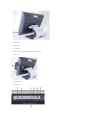
Back View