1
Appendix A About the EPSON Projector USB-COM Driver
A.2 Installing the EPSON Projector USB-COM Driver
This section explains how to install the EPSON Projector USB-COM Driver.
For Windows PC
Follow the procedure below to install the EPSON Projector USB-COM Driver. Make sure to exit any
application that is still running.
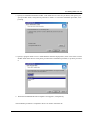
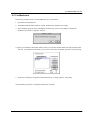
1. Double-click the downloaded file Setup.exe.
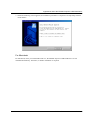
2. The installation program starts and displays the following screen. Click [Next] to continue the
installation procedure, or [Cancel] to cancel it.
EPSON EMP Link 21L User’s Guide 19