1
Contents
2
Introduction
Making effective use of your projector. . . . . . . . . . . . . . . . . . . . . . . . . 6
Sending Images Via a Network (EMP NS Connection) (EB-826W/825/85). . . . . . . . .
Monitor, configure, and control the projector from a remote location. . . . . . . . . . .
Projecting directly from saved JPEG images on a USB device (Slideshow)(EB-826W/
825/824/85). . . . . . . . . . . . . . . . . . . . . . . . . . . . . . . . . . . . . . . . . . . . . . . . . .
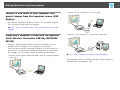
Connect a USB cable to your computer and project images from the computer screen
(USB Display). . . . . . . . . . . . . . . . . . . . . . . . . . . . . . . . . . . . . . . . . . . . . . . . .
Projecting a computer screen with the optional Quick Wireless Connection USB Key
(EB-826W/825/85). . . . . . . . . . . . . . . . . . . . . . . . . . . . . . . . . . . . . . . . . . . . . .
EMP NS Connection Useful Functions (EB-826W/
825/85)
. 6
. 6
Projecting Only a PowerPoint Slide Show (Presentation Mode)
. . . . . . . . . . . . . . . . . . . . . . . . . . . . . . . . . . . . . . . . . . . . . . . . . . . . . . . . . . . 21
. 6
Using Multi-Screen Display. . . . . . . . . . . . . . . . . . . . . . . . . . . . . . . . . . 22
. 7
. 7
Installing the Software (EB-826W/825/85). . . . . . . . . . . . . . . . . . . . . . 8
Software Supplied. . . . . . . . . . . . . . . . . . . . . . . . . . . . . . . . . . . . . . . . . . . . . . . 8
Installing. . . . . . . . . . . . . . . . . . . . . . . . . . . . . . . . . . . . . . . . . . . . . . . . . . . . . 8
Example of Adjusting the Virtual Display. . . . . . . . . . . . . . . . . . . . . . . . . . .
Procedure before using the Multi-screen Display Function. . . . . . . . . . . . . .
Setting the Virtual Display. . . . . . . . . . . . . . . . . . . . . . . . . . . . . . . . . . . .
Enable the virtual display driver (Windows only). . . . . . . . . . . . . . . . . . .
Adjusting the Virtual Display. . . . . . . . . . . . . . . . . . . . . . . . . . . . . . . . .
Allocating the image to be projected. . . . . . . . . . . . . . . . . . . . . . . . . . . . .
Projecting the allocated images. . . . . . . . . . . . . . . . . . . . . . . . . . . . . . . .
.
.
.
.
.
.
.
.
.
.
.
.
.
.
.
.
.
.
.
.
.
.
.
.
.
.
.
.
23
23
24
24
24
29
29
Connecting with EMP NS Connection (EB-826W/
825/85)
Connecting to a Projector on a Different Subnet
(EB-826W/825/85)
EMP NS Connection Summary. . . . . . . . . . . . . . . . . . . . . . . . . . . . . . . 11
Connecting to a Projector on a Different Subnet. . . . . . . . . . . . . . . 32
Two Connection Modes and their Main Functions. . . . . . . . . . . . . . . . . . . . . . .
Advanced Connection Mode. . . . . . . . . . . . . . . . . . . . . . . . . . . . . . . . . . . .
Quick Connection Mode (Only when the optional Wireless LAN unit is installed)
.... .. ...... ..... ..... .. ...... ..... ...... .. ..... ...... .
Main functions. . . . . . . . . . . . . . . . . . . . . . . . . . . . . . . . . . . . . . . . . . . . .
Steps for Connecting in Advanced Connection Mode. . . . . . . . . . . . . . . . . . . . .
. 11
. 11
Specifying Either an IP Address or Projector Name and
Performing a Search (Advanced Connection Mode Only). . . . . . . 33
. 11
. 11
. 12
Performing a Search with a Profile. . . . . . . . . . . . . . . . . . . . . . . . . . . 34
Preparing to Connect. . . . . . . . . . . . . . . . . . . . . . . . . . . . . . . . . . . . . . . 13
Preparing the Computer. . . . . . . . . . . . . . . . . . . . . . . . . . . . . . . . . . . . . . . . . 13
For Windows. . . . . . . . . . . . . . . . . . . . . . . . . . . . . . . . . . . . . . . . . . . . . . . 13
For Macintosh. . . . . . . . . . . . . . . . . . . . . . . . . . . . . . . . . . . . . . . . . . . . . . . 13
Connecting to a Projector on a Network and Projecting. . . . . . . . 14
Operating the Projector. . . . . . . . . . . . . . . . . . . . . .
Operating the Computer. . . . . . . . . . . . . . . . . . . . .
Using the Connection Screen. . . . . . . . . . . . . . . . . .
Using the toolbar. . . . . . . . . . . . . . . . . . . . . . . . . .
.
.
.
.
.
.
.
.
.
.
.
.
.
.
.
.
.
.
.
.
.
.
.
.
.
.
.
.
.
.
.
.
.
.
.
.
.
.
.
.
.
.
.
.
.
.
.
.
.
.
.
.
.
.
.
.
.
.
.
.
.
.
.
.
.
.
.
.
.
.
.
.
.
.
.
.
.
.
.
.
14
14
15
17
Making a Profile. . . . . . . . . . . . . . . . . . . . . . . . . . . . . . . . . . . . . . . . . . . . . . . 34
Searching by Specifying a Profile. . . . . . . . . . . . . . . . . . . . . . . . . . . . . . . . . . . . 35
Managing a Profile. . . . . . . . . . . . . . . . . . . . . . . . . . . . . . . . . . . . . . . . . . . . . 36
Setting the EMP NS Connection Operation (EB-826W/
825/85)
Using Set options. . . . . . . . . . . . . . . . . . . . . . . . . . . . . . . . . . . . . . . . . . . 39
General settings Tab. . . . . . . . . . . . . . . . . . . . . . . . . . . . . . . . . . . . . . . . . . . . 39
Adjust performance Tab. . . . . . . . . . . . . . . . . . . . . . . . . . . . . . . . . . . . . . . . . . 40