1
AXIS 5470e/570/670e User’s Guide
Mainframe TN3270E Printing
Mainframe TN3270E Printing
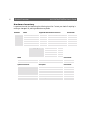
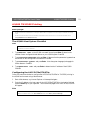
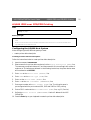
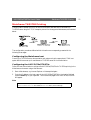
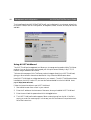
Communication between the AXIS 5470e/570/670e and Mainframe host is achieved via a
TN3270E server using the TCP/IP transport protocol for the supported data streams, as illustrated
below:
The configuration procedures defined within this section are consequently presented in the
following three stages:
Configuring the Mainframe host
Consult your TN3270E server documentation and make sure that the appropriate VTAM host
system definitions are set up for mainframe-to-TN3270E server SNA communication.
Configuring the AXIS 5470e/570/670e
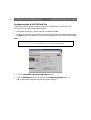
Follow the instructions below to configure the AXIS 5470e/570/670e for TN3270e printing in the
Mainframe environment using a Web browser:
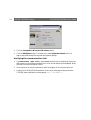
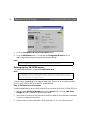
1. Start a Web browser, e.g. Internet Explorer or Netscape Navigator.
2. Enter the IP address or the host name of the AXIS 5470e/570/670e in the location field and
press the Enter key on your keyboard. The internal Web pages of the AXIS 5470e/570/670e
will appear.
Note:
To protect the admin pages and the Configuration Wizard from unauthorized use, enter a
password (default Pass) in the Root Password field under admin | General Settings.
21