1
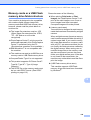
Printing photos from a memory card or USB Flash memory drive
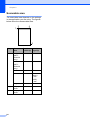
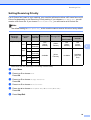
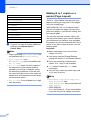
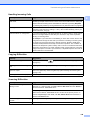
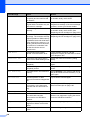
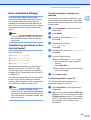
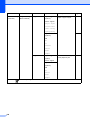
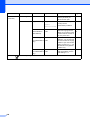
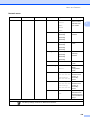
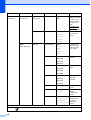
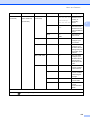
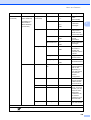
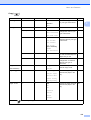
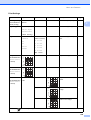
Menu Selections
Options 1
Options 2
Page
Color Enhance
On/Off
—
116
(Not available when
Enhance Photos is
chosen)
White Balance
Sharpness
Color Density
Exit
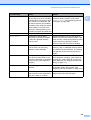
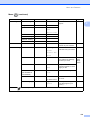
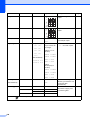
Cropping
On/Off
—
117
Borderless
On/Off
—
117
Date Print
On/Off
—
117
Set New Default
Yes/No
—
118
Factory Reset
Yes/No
—
118
(Not available for
DPOF printing)
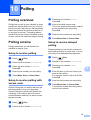
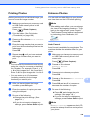
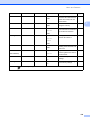
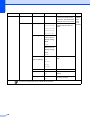
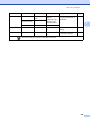
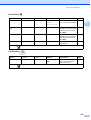
Print Speed and Quality
12
Paper and print size
12
a
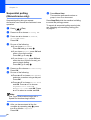
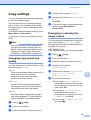
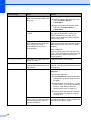
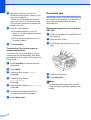
Press a or b to choose
Print Quality.
a
b
Press a or b to choose Paper Size.
b
Press d or c to choose Normal or
Photo.
Press OK.
c
If you chose A4 or Letter, press d or c to
choose the Print Size.
Press OK.
c
If you do not want to change additional
settings, press Colour Start to print.
Press d or c to choose the paper size
you are using, 10x15cm, 13x18cm, A4,
A3, Letter or Ledger.
Press OK.
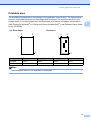
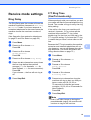
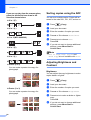
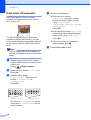
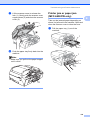
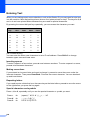
Example: Printed Position for A4 paper
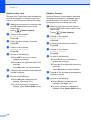
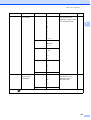
Paper options
12
1
2
8 x 10cm
Paper Type
a
b
c
3
9 x 13cm
10 x 15cm
12
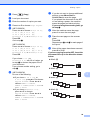
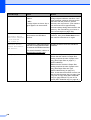
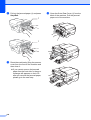
Press a or b to choose Paper Type.
Press d or c to choose the paper type
you are using, Plain Paper,
Inkjet Paper, Brother BP71 or
Other Glossy.
Press OK.
4
5
6
13 x 18cm
15 x 20cm
Max. Size
If you do not want to change additional
settings, press Colour Start to print.
d
If you do not want to change additional
settings, press Colour Start to print.
115
12