1
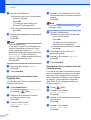
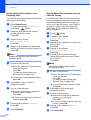
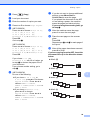
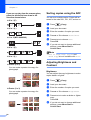
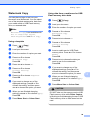
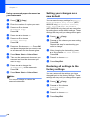
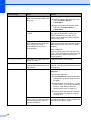
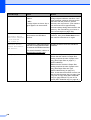
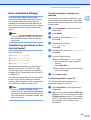
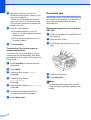
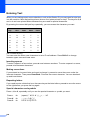
Chapter 8 Storing Speed Dial numbers from Outgoing Calls 8 You can also store Speed Dial numbers from the Outgoing Call history. Storing Speed Dial numbers from the Caller ID history If you have the Caller ID subscriber service from your telephone company you can also store Speed Dial numbers from incoming calls in the Caller ID History. (See Caller ID on page 67.) (See Caller ID on page 69.) (See Caller ID (For Singapore and Hong Kong) on page 71.) a Press Redial/Pause. You can also choose Outgoing Call by pressing (Fax). b Press a or b to choose the name or number you want to store. Press OK. a b Press a or b to choose Add To Phone Book. Press OK. c c d Press a or b to choose the Speed Dial location you want to store the number in. Press OK. d Note e Speed Dial numbers begin with # (for example, # 0 2). e Do one of the following: Enter the name (up to 16 characters) using the dial pad. Press OK. (To help you enter letters, see Entering Text on page 206.) Press OK to confirm the fax or telephone number. g Do one of the following: Enter the second fax or telephone number (up to 20 digits). Press OK. Press a or b to choose Complete. Press OK. i Press Stop/Exit. 80 Press a or b to choose Caller ID hist. Press OK. Press a or b to choose the number you want to store. Press OK. Press a or b to choose Add To Phone Book. Press OK. Press a or b to choose the 2-digit Speed Dial location you want to store the number in. Press OK. Speed Dial numbers begin with # (for example, # 0 2). f g h If you do not want to store a second number, press OK. h (Fax). Note To store the number without a name, press OK. f Press i j Do one of the following: Enter the name (up to 16 characters) using the dial pad. Press OK. (To help you enter letters, see Entering Text on page 206.) To store the number without a name, press OK. Press OK to confirm the fax or telephone number. Do one of the following: Enter the second fax or telephone number (up to 20 digits). Press OK. If you do not want to store a second number, press OK. Press a or b to choose Complete. Press OK. Press Stop/Exit. 8