1
Useful Features (Continued)
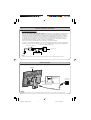
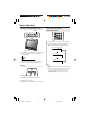
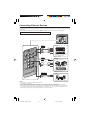
● Setting BLOCK CONTENT (TV GUIDELINES)
V-CHIP Settings (Continued)
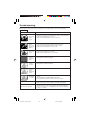
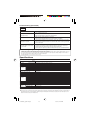
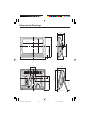
V-CHIP settings allow you to set MPAA rating, TV GUIDELINES, Canadian English ratings and Canadian French ratings.
■ Setting V-CHIP
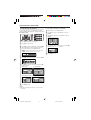
1
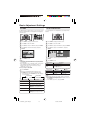
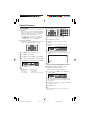
Repeat steps 1 to 4 of Setting V-CHIP.
2
Press '/" to select “TV GUIDELINES”, and press
ENTER.
3
Press '/" to select “BLOCK CONTENT”, and press
ENTER.
T
T
T
T
T
T
B
[
1
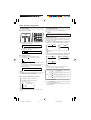
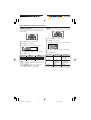
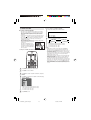
Press MENU to display the Menu screen.
2
Press \/| to select “SETUP”.
3
4
Press '/" to select “V-CHIP BLOCK”, and press ENTER.
4
“INPUT SECRET NO.” will be displayed. Input the 4digit secret number by using Channel Select.
5
5
–
–
Y
Y
G
P
1
M
C
L
7
G
4
A
K
B
B
B
B
B
B
CO
S
V
L
L
L
L
L
L
N
O
O
O
O
O
O
T
F
CK
CK
CK
CK
CK
CK
ENT
V]
B
B
B
B
B
L
L
L
L
L
O
O
O
O
O
C
C
C
C
C
K
K
K
K
K
Press MENU to exit.
Press '/" to select the desired item, and press ENTER.
M
T
C
C
S
6
–
–
–
–
–
–
–
O
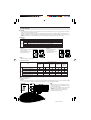
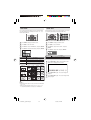
Press '/" to select the desired item, and press \/| to
select “BLOCK” or “– – – – – ” (unblock).
D
L
S
V
FV
A
• When you input the secret number for the first time, press
ENTER to register. Otherwise, continue to step 5.
–
V
V
V
V
V
V
L
D
P
V
A
A
T
AA
G
N.
N.
AT
U
E
F
U
IDELINES
NGLISH
RATINGS
RENCH
RATINGS
S
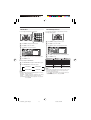
Press '/" to select the desired item, and press \/|
to select “BLOCK”.
(MPAA rating)
(TV GUIDELINES)
G
PG
PG–13
R
NC–17
X
–
B
B
B
B
B
–
L
L
L
L
L
–
O
O
O
O
O
–
C
C
C
C
C
T
T
T
T
T
T
B
[
–
K
K
K
K
K
V
V
V
V
V
V
L
D
–
–
–
–
–
–
O
Y
Y
G
P
1
M
C
L
7
G
4
A
K
–––––
BLOCK
BLOCK
BLOCK
BLOCK
BLOCK
CONTENT
S
V
FV]
(Canadian English ratings) (Canadian French ratings)
C
C
G
P
1
1
7
8+
G
4+
8+
B
B
B
B
B
B
L
L
L
L
L
L
O
O
O
O
O
O
C
C
C
C
C
C
K
K
K
K
K
K
G
8
13
16
18
a
a
a
a
n
n
n
n
s
s
s
s
+
+
+
+
B
B
B
B
B
L
L
L
L
L
O
O
O
O
O
C
C
C
C
C
K
K
K
K
K
Press MENU to exit.
A
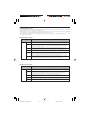
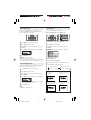
• The setting automatically enters “BLOCK” for any ratings below
your selection.
LC-20SH3U_E_P19-23.p65
21
05.6.8, 1:21 PM