1
BA_M55.QXD
13.03.2003
20:00 Uhr
Seite 1
s
Be inspired
Issued by
Information and Communication mobile
Haidenauplatz 1
D-81667 Munich
© Siemens AG 2003
All rights reserved. Subject to availability.
Rights of modification reserved.
Siemens Aktiengesellschaft
www.my-siemens.com
M55
cyan magenta yellow black
Liebreich Medienproduktion
M55 Barracuda english, A31008-H6300-A1-1-7619 (30. April 2003, 10:40)
Contents
Safety precautions ..................... 3
Overview of the phone .............. 5
Display symbols (selection) ....... 7
Getting started ........................... 9
Insert SIM card/battery ............. 9
Charge battery ....................... 10
Switch on, off / PIN entry ......... 11
Switching on for the first time .. 11
Standby mode ........................ 12
General instructions ................. 13
See also InUser guide ............................. 13
dex at the end
Menu controls ........................ 13
of this User
Security .................................... 15
Guide
Codes .................................... 15
Preventing accidental
activation ............................... 16
My phone ................................. 17
Calling ...................................... 18
Dialling with number keys ...... 18
End call .................................. 18
Set volume ............................. 18
Redial previous numbers ........ 18
If the number is busy .............. 19
Accept call ............................. 19
Reject call .............................. 20
Handsfree .............................. 20
Swapping between 2 calls ...... 20
Conference ............................ 22
Babysitter ............................... 23
Text entry ................................. 24
è Default book ........................ 28
© Siemens AG 2001, I:\Mobil\L55\M55_Barracuda\en\mit_LG\fug\M55_BarracIVZ.fm
Contents
1
Phonebook ................................29
<New entry> ..........................29
Call (search for an entry) .........30
Change entry ..........................30
Addressbook .............................32
<New entry> ..........................32
Change entry ..........................33
Call (search for an entry) .........34
Addressbook menu .................34
Voicedialling ...........................35
Groups ......................................36
Z Records ..................................37
Z Durat/charges ........................38
] Voice mail/mailbox .............39
] SMS .....................................40
Writing and sending
text messages (SMS) ...............40
Picture&sound .......................41
SMS to group ..........................42
Read SMS ..............................42
Ringtones, icons ... .................43
SMS archive ............................44
] MMS ....................................45
Writing/sending
MMS messages .......................45
Receive MMS ..........................48
Read MMS ..............................48
] E-mail ..................................51
Write/send e-mails ..................51
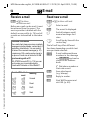
Receive e-mail ........................52
Read new e-mail .....................52
See also Index at the end of this User Guide
M55 Barracuda english, A31008-H6300-A1-1-7619 (30. April 2003, 10:40)
2
Contents
] Message profiles ............... 55
© Siemens AG 2001, I:\Mobil\L55\M55_Barracuda\en\mit_LG\fug\M55_BarracIVZ.fm
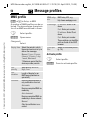
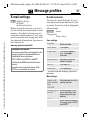
SMS profiles ........................... 55
MMS profile ........................... 56
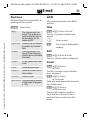
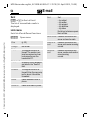
E-mail settings ....................... 57
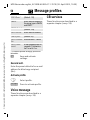
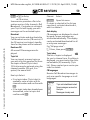
] CB services .......................... 59
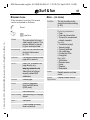
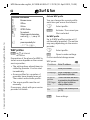
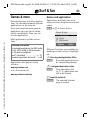
É Surf & fun ............................ 60
Internet browser (WAP) .......... 60
Games & more ....................... 63
m Setup ................................. 66
Display ................................... 66
Audio ..................................... 68
See also Index at the end
Dynamic Light ........................ 70
of this User
Keys ....................................... 71
Guide
Phone setup ........................... 71
Clock ..................................... 74
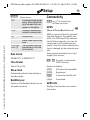
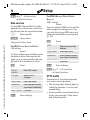
Connectivity ........................... 75
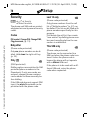
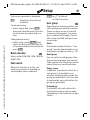
Security ................................. 78
Network ................................. 80
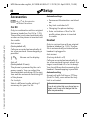
Accessories ............................ 82
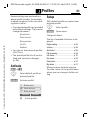
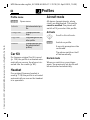
~ Profiles ............................... 83
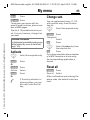
My menu .................................. 85
ç Organiser ........................... 86
Calendar ................................ 86
Alarm ..................................... 88
Tasks ..................................... 90
Notes ..................................... 91
Missed appointments ............. 92
Dictating machine .................. 93
Time zones ............................ 94
[ Extras ....................................95
Alarm clock ............................95
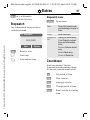
Calculator ...............................95
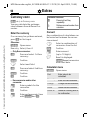
Currency conv ........................96
Stopwatch ..............................97
Countdown ...........................97
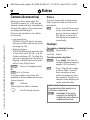
Camera (Accessories) ..............98
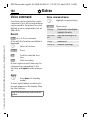
Voice command ....................100
Remote synchronisation .......101
SIM services (optional) ..........102
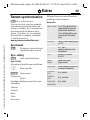
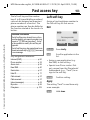
Fast access key .......................103
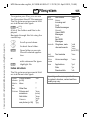
Ñ Filesystem ........................105
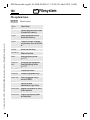
Send... .....................................107
Notes A-Z ................................108
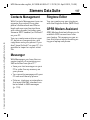
Siemens Data Suite .................116
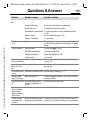
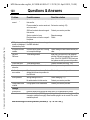
Questions & Answers ..............118
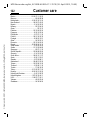
Customer care ........................121
Care and maintenance ...........123
Product data ...........................124
SAR - European Union (RTTE) ...125
SAR - International (ICNIRP) ....127
Accessories .............................128
Battery quality statement ......130
Guarantee certificate (UK) .....131
Guarantee certificate (IRL) .....133
Index .......................................135
See also Index at the end of this User Guide
M55 Barracuda english, A31008-H6300-A1-1-7619 (30. April 2003, 10:39)
Safety precautions
3
Safety
Information for parents
precautions Please read the operating instructions and safety precautions carefully before use.
Explain the content and the hazards associated with using the phone to your children.
© Siemens AG 2001, I:\Mobil\L55\M55_Barracuda\en\mit_LG\fug\M55_Security.fm
Remember to comply with legal
requirements and local
restrictions when using the
phone. For example in
aeroplanes, petrol stations,
hospitals or while driving.
Mobile phones can interfere
with the functioning of medical
devices such as hearing aids or
pacemakers. Keep at least
20 cm/9 inches between phone
and pacemaker. When using
the mobile phone hold it to the
ear which is further away from
the pacemaker. For more information consult your doctor.
The SIM card may be removed.
Caution! Small parts like this
could be swallowed by young
children.
The mains voltage specified on
the power supply unit (V) must
not be exceeded. Otherwise the
charging device may be
destroyed.
The ringtone (p. 68), info tones
(p. 70) and handsfree talking
are reproduced through the
loudspeaker. Do not hold the
phone to your ear when it rings
or when you have switched on
the handsfree function (p. 20).
Otherwise you risk serious
permanent damage to your
hearing.
Only use original Siemens
batteries (100 % mercury-free)
and – charging devices.
Otherwise you risk serious
damage to health and property.
The battery could explode, for
instance.
You may only open the phone
tore place the battery (100 %
mercury-free) or SIM card. You
must not open the battery under
any circumstances. All other
changes to this device are
strictly prohibited and will
invalidate the guarantee.
M55 Barracuda english, A31008-H6300-A1-1-7619 (30. April 2003, 10:39)
4
Safety precautions
Important:
Please dispose of unwanted
batteries and phones as
permitted by the laws in your
country.
© Siemens AG 2001, I:\Mobil\L55\M55_Barracuda\en\mit_LG\fug\M55_Security.fm
The phone may cause
interference in the vicinity of TV
sets, radios and PCs.
Use only Siemens original
accessories. This will avoid
potential risks to health or
property and ensure compliance
with all relevant regulations.
Improper use will invalidate the guarantee!
The phone may only be used if the keypad
is fully closed or fully opened; for optimum
audio quality, however, it is recommended
you open the keypad completely.
M55 Barracuda english, A31008-H6300-A1-1-7619 (30. April 2003, 10:39)
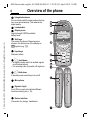
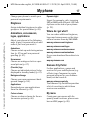
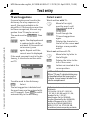
Overview of the phone
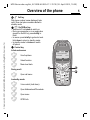
Overview of c A Call key
the phone
Dial phone number /name displayed, take
calls. Show last phone numbers dialled in
standby mode.
B On/Off/End key
• Switched off: hold down to switch on.
• During a conversation or in an application
(except for Surf &Fun): press briefly to
finish.
• In menus: press briefly to go back a level.
Hold down to return to standby mode.
• In standby mode: hold down to switch
off phone.
© Siemens AG 2001, I:\Mobil\L55\M55_Barracuda\en\mit_LG\fug\M55_Overview.fm
d
e Control key
In lists and menus:
G
D
C
Scroll up/down.
Select function.
Menu level back.
During a call:
D
Open call menu.
In standby mode:
E
F
D
C
Voice control (hold down).
Open Addressbook/Phonebook.
Open menu.
GPRS info.
_
ª g
Service provider
01.06.2003
10:10
NewMMS Menu
5
M55 Barracuda english, A31008-H6300-A1-1-7619 (30. April 2003, 10:39)
Overview of the phone
6
c Integrated antenna
Do not interfere with the phone above the battery cover unnecessarily. This reduces the
signal quality.
d Loudspeaker
e Display icons
© Siemens AG 2001, I:\Mobil\L55\M55_Barracuda\en\mit_LG\fug\M55_Overview.fm
Signal strength/ GPRS available/
battery level.
f Soft keys
The current functions of these keys are
shown in the bottom line of the display as
§text§/symbol (e.g. d).
g Input keys
Numbers, letters
*
h
Hold down
• In standby mode: switch all audible signals
on/off (except alarm).
• For incoming calls: only switch off ringtones.
i
Hold down
In standby mode: switch key lock on/off.
j Microphone
k Dynamic Light
Two LEDs on each side indicate different
functions visually (set, p. 70).
l Device interface
Connection for charger, headset etc.
_ ª g
Service provider
01.06.2003
10:10
NewMMS Menu
M55 Barracuda english, A31008-H6300-A1-1-7619 (30. April 2003, 10:40)
Display symbols (selection)
© Siemens AG 2001, I:\Mobil\L55\M55_Barracuda\en\mit_LG\fug\M55_DisplaySymbols.fm
Display
symbols
(selection)
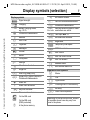
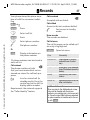
Display symbols
_ Signal strength.
h Charging.
d Battery charging status,
è
Z
É
ç
]
~
[
Ñ
m
n
j
k
l
e.g., 50 %.
Phonebook/Addressbook
Records
Surf & Fun
Profiles
Extras
File system
Settings
All calls are diverted.
Ringer off.
Short ring (beep) only.
Ringer only if caller is stored in
Phonebook/Addressbook.
Ø Alarm set.
Ö Alarm clock activated.
µ Key lock activated.
¢
¡
v
² No network access.
p,o Function activated/deactivated.
N Phonebook/Addressbook.
ABC/ Indicates whether upper or lowerAbc/abc case letters are active.
™ Text input with T9.
« Activated and available.
ª Registered.
Organiser
Messages
Phone numbers/names:
On the SIM card
On the SIM card
(PIN2 protected).
In the phone memory.
7
Temporarily interrupted.
© GPRS download.
Ê WAP online.
Ë WAP via GPRS online.
Ì
WAP no network.
Headset mode.
± Auto answer feature on.
Organiser/Extras symbols
u
v
w
x
{
y/æ
Memo.
Call.
Appointment.
Dictating mach./Voice memory.
Birthday.
Alarm clock/stopwatch.
Depending on the service provider, some of
the symbols shown here may vary from
those in the phone.
M55 Barracuda english, A31008-H6300-A1-1-7619 (30. April 2003, 10:40)
Display symbols (selection)
8
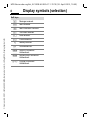
Soft keys
]
Message received.
MMS received.
© Siemens AG 2001, I:\Mobil\L55\M55_Barracuda\en\mit_LG\fug\M55_DisplaySymbols.fm
\
—
–
MMS notification received.
Voice mail received.
Data received.
Picture received.
Melody received.
Unanswered call.
Store in Phonebook/
Addressbook.
· Retrieve from Phonebook/
Addressbook.
O Change Phonebook/
Addressbook.
M55 Barracuda english, A31008-H6300-A1-1-7619 (30. April 2003, 10:39)
Getting started
Getting
started
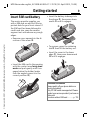
Insert SIM card/battery
The service provider supplies you
with a SIM card on which all the important data for your line is stored. If
the SIM card has been delivered in
credit-card size, snap the smaller
segment out and remove any rough
edges.
9
• Insert the battery sideways into
the phone p, then press downwards q until it engages.
q
• Remove cover upwards in the direction of the arrow n.
p
© Siemens AG 2001, I:\Mobil\L55\M55_Barracuda\en\mit_LG\fug\M55_Startup.fm
r
n
• To remove, press the retaining
tab r then lift the battery out.
• Insert the cover in the lower
edge s, then press downwards
t until it engages.
• Insert the SIM card in the opening
with the contact area facing downwards and push gently until it engages below the holder (make
sure the angled corner is in the
correct position o).
t
s
o
Additional information
Always switch off your phone before removing the battery!
Only 3V SIM cards are supported. Please
contact your service provider if you have an
older card.
Functions without SIM card .............p. 115
M55 Barracuda english, A31008-H6300-A1-1-7619 (30. April 2003, 10:39)
Getting started
10
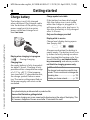
Charge battery
c
6
9
b
© Siemens AG 2001, I:\Mobil\L55\M55_Barracuda\en\mit_LG\fug\M55_Startup.fm
0
g
rs
p
7
q
4
h
i
8t
u
v
5
jk
l
2a
w
xy
z
m
The battery is not fully charged
when delivered. Plug charger cable
into the bottom of the phone, plug
power supply unit into a mains
power socket and charge for at
least two hours.
Charge symbol not visible
If the battery has been discharged
fully the charge icon is not visible
when the charger is plugged in. It
will appear after up to two hours. In
this case the battery is fully charged
after 3–4 hours.
Only use the charger provided!
Display while in service
Charge level display during operation (empty-full):
a
Display when charging is in progress
During charging.
h
Charging time
An empty battery is fully charged after about 2 hours. Charging is only
possible within a temperature range
of +5 °C to +40 °C. If the temperature rises/falls 5 °C above/below this,
the charge symbol flashes a warning. The mains voltage specified on
the power supply unit must not be
exceeded.
d
g
A beep sounds when the battery is
nearly empty. The battery level is only shown correctly during an unbroken charging/discharging cycle. You
should therefore not remove the battery unnecessarily and where possible
not finish the charging process early.
Additional information
The charger heats up when used for long
periods. This is normal and not dangerous.
Operating time.................................p. 112
Outside your home network ............p. 112
Note
Your phone's display is delivered with a protective film.
Remove this film before getting started.
Electrostatic charging can in rare cases lead to discolouring at the edge of the display. This
will, however, disappear of its own accord after 10 minutes at the most.
M55 Barracuda english, A31008-H6300-A1-1-7619 (30. April 2003, 10:39)
Switch on, off / PIN entry
Switch on, off
/ PIN entry
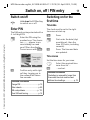
Switch on/off
B
Hold down On/Off/End key
to switch on or off.
Enter PIN
The SIM card can be protected with a
4- to 8-digit PIN.
© Siemens AG 2001, I:\Mobil\L55\M55_Barracuda\en\mit_LG\fug\M55_Startup.fm
J
Enter the PIN using the
number keys. The characters **** appear to ensure nobody can read
your PIN on the display.
Correct errors with §Clear§.
Please enter
your PIN:
****
Clear
§OK§
OK
Confirm entry with right
soft key. Logging on to
the network will take a
few seconds.
Additional information
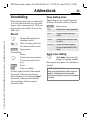
Change PIN ...................................... p. 15
Other network ................................... p. 80
SIM card problems.......................... p. 113
Clear SIM card barring ...................... p. 16
11
Switching on for the
first time
Time/date
The clock must be set to the right
time once at start-up.
§Yes§
J
§OK§
Press.
First enter the date (day/
month/year), then the
time (24 hours, including
seconds).
Press. The time and date
are updated.
Time zones
Set the time zone for your area.
F
Select the required time
zone from list ...
§Set§
... and set.
Additional information
If the battery is removed for longer than
30 seconds, the clock must be reset.
Additional clock settings ...................p. 74.
M55 Barracuda english, A31008-H6300-A1-1-7619 (30. April 2003, 10:39)
12
Switch on, off / PIN entry
Phonebook or Addressbook
You can choose whether you want
to use the Phonebook on the SIM card
or the internal Addressbook as standard.
© Siemens AG 2001, I:\Mobil\L55\M55_Barracuda\en\mit_LG\fug\M55_Startup.fm
You can copy the SIM card Phonebook to the Addressbook on the
phone. Please do not interrupt this procedure. During this time do not accept
incoming calls. Follow instructions in
the display.
Emergency number
(SOS)
Only to be used in real emergencies!
By pressing the soft key §SOS§ you can
make an emergency call on any network without a SIM card and without
entering a PIN (not available in all
countries).
Standby mode
To copy data on the SIM card at a later time, highlight entries (see
p. 111) and copy these with the
function Copy into 9 (Phonebook
options menu, p. 30).
_
Service provider
01.06.2003
10:10
You can change the standard phonebook at any time (p. 28).
Signal strength
_
^
Strong receive signal.
A weak signal reduces the
call quality and may lead
to loss of the connection.
Change your location.
g
NewMMS
Menu
When the name of the service provider appears on the display, the
phone is in standby mode and ready
for use.
The left soft key may have different
functions pre-assigned.
B
Hold down the On/Off/End
key to return to standby
mode from any situation.
Additional information
} SIM services (optional)............p. 102
M55 Barracuda english, A31008-H6300-A1-1-7619 (30. April 2003, 10:39)
General instructions
General
instructions
User guide
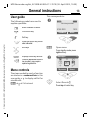
The following symbols are used to
explain operation:
J
© Siemens AG 2001, I:\Mobil\L55\M55_Barracuda\en\mit_LG\fug\M55_Startup.fm
B
A
D
<
>
§Menu§
L
13
This corresponds to:
n
Enter numbers or letters.
_
g
Service provider
01.06.2003
On/Off/End key.
NewMMS
10:10
Menu
Call key.
Press the control key on the
side indicated.
Soft keys
§Menu§
Open menu.
From standby mode: press
right soft key.
Displays a soft-key function.
Function dependent on service provider, may require
special registration.
o
§Menu§KZKCalls missed
è
ç
[
E
É
Z
]
]
Ñ
My menu
Menu controls
The steps needed to reach a function
are shown in a condensed form in this
user guide, e. g. to display call list for
missed calls:
Messages
~
m
Select
Select Records Z.
Press top of control key.
5
M55 Barracuda english, A31008-H6300-A1-1-7619 (30. April 2003, 10:39)
General instructions
14
p
Records
è
ç
[
Z
Z]
Ñ
© Siemens AG 2001, I:\Mobil\L55\M55_Barracuda\en\mit_LG\fug\M55_Startup.fm
My menu
§Select§
É
2
~
m
Press.
Z Records
Calls missed
Calls received
Calls dialed
2-1
F
Press.
Press right soft key to open the
Calls missed list.
Options
Scroll to the required entry.
Press control key at the bottom to scroll down.
s
Select
§Select§
Z Calls missed
Office
+55523765489
Carol
View
Select
Press right soft key to open the
Records submenu.
q
r
Z Calls missed
+55523765489
Carol
Service provider
View
§View§
t
Options
Press.
Press left soft key to show
phone number with date, time
and number of calls.
N View
Carol
+55524765476
01.06.2003 10:10
OK
Options
§5§
M55 Barracuda english, A31008-H6300-A1-1-7619 (30. April 2003, 10:39)
Security
Security
Codes
§Select§
The phone and SIM card are protected against misuse by several security
codes.
© Siemens AG 2001, I:\Mobil\L55\M55_Barracuda\en\mit_LG\fug\M55_Startup.fm
Keep these confidential numbers in a
safe place where you can access them
again if required.
PIN
Protects your SIM card (personal identification number).
PIN2
This is needed to set the charge
detail display and to access additional functions requiring special SIM cards.
PUK
PUK2
Key code. Used to unlock SIM
cards after the wrong PIN has
been entered repeatedly.
Phone
code
Protects your phone. Must be
entered at the first security
setting.
§Menu§KmKSecurity
KCodes
KSelect function
PIN control
The PIN is usually requested each
time the phone is switched on. You
can deactivate this feature but you
risk unauthorised use of the phone.
Some service providers do not permit deactivating the control.
J
15
Press.
Enter PIN.
§OK§
Confirm input.
§Change§
Press.
§OK§
Confirm.
Change PIN
You can change the PIN to any 4 to
8 digit number you find easier to remember.
J
Enter current PIN.
§OK§
Press.
J , §OK§ Enter new PIN.
J , §OK§ Repeat new PIN.
Change PIN2
(Display only if PIN2 is available).
Proceed as with Change PIN.
M55 Barracuda english, A31008-H6300-A1-1-7619 (30. April 2003, 10:39)
16
Security
§Menu§KmKSecurity
KCodes
Chg.phonecode
© Siemens AG 2001, I:\Mobil\L55\M55_Barracuda\en\mit_LG\fug\M55_Startup.fm
(Change phone code)
You define the phone code
(4–8 digits) when you call up a
phone-code protected function for
the first time (e.g. Babysitter p. 23).
It is then valid for all phone-code
protected functions.
Following the third unsuccessful attempt, access to the phone code and
the functions that use it is denied. If
this happens please contact Siemens
Service (p. 121).
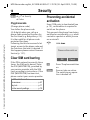
Preventing accidental
activation
Even if PIN entry is deactivated (see
p. 15), confirmation is required to
switch on the phone.
This prevents the phone from being
switched on accidentally, e. g. when
carried in a pocket or whilst you are
on an aircraft.
B
Please confirm switch on
Clear SIM card barring
If the PIN is entered incorrectly three
times, the SIM card is barred. Enter
the PUK (MASTER PIN), provided by
your service provider with the SIM
card, according to instructions. If the
PUK (MASTER PIN) has been lost,
please contact your service provider.
Additional information
Screensaver...................................... p. 67
Key lock ............................................ p. 71
Further security settings.................... p. 78
Hold down.
OK
Cancel
§OK§
Press. The phone switches
on.
§Cancel§
Press or take no action.
The switching-on operation is broken off.
M55 Barracuda english, A31008-H6300-A1-1-7619 (30. April 2003, 10:40)
My phone
My phone
Change your phone to match your
personal requirements.
Ringtones
Assign individual ringtones to caller
groups or for special dates (p. 69).
© Siemens AG 2001, I:\Mobil\L55\M55_Barracuda\en\mit_LG\fug\M55_MyPhone.fm
Animations, screensavers,
logos, applications
Adjust your phone in the following
ways to give it a personal touch and
make it just how you want it:
Animations
Choose a start-up and closing animation (p. 67) as well as a personal
greeting (p. 67).
Screensaver
Choose an analogue clock or a personal picture (p. 67).
(Provider) logo
Choose an individual picture (to be
displayed in standby mode) (p. 67).
Background image
Choose your own permanent background image (p. 66).
Applications
Download your own applications
from the Internet (p. 63).
Colour scheme
Choose a colour scheme for the entire service system (p. 66).
17
Dynamic Light
Signal, for example, calls, incoming
SMS or MMS with different LED flash
rhythms on the side of your phone
(p. 70).
Where do I get what?
You can order additional ringtones,
logos and screensavers on the Internet and receive them by SMS/MMS:
www.my-siemens.com/ringtones
www.my-siemens.com/logos
www.my-siemens.com/screensaver
www.my-siemens.com/animations
Or you can download them direct via
WAP:
wap.my-siemens.com
Siemens City Portal
Further applications, games and
services for your mobile phone (e.g.
a Photo Logo Composer to create
personal pictures for your Addressbook) can be found at:
www.my-siemens.com/city
The Siemens City Portal also provides
a list of countries in which these
services are available.
My menu
Create your own menu with frequently used functions, phone numbers or WAP pages (p. 85).
M55 Barracuda english, A31008-H6300-A1-1-7619 (30. April 2003, 10:39)
Calling
18
Calling
Dialling with number
keys
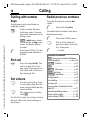
Redial previous numbers
The phone must be switched on
(standby mode).
A
© Siemens AG 2001, I:\Mobil\L55\M55_Barracuda\en\mit_LG\fug\M55_Phone.fm
J
A
Enter number (always
with area code, if necessary with international dialling code).
§Clear§ A short press clears
the last digit, a long press
clears the entire phone
number.
Press the Call key. The displayed phone number is
dialled.
End call
B
Press End key briefly. The
call is ended. Press this
key even if the person on
the other end of the line
has hung up first.
Set volume
E
G
Use the control key (top)
to start adjusting the volume (only possible during
conversation).
Set volume and confirm
with §OK§.
If a Car Kit is used, its volume setting
will not affect the usual setting on
the phone.
To redial the phone number last
called:
Press Call key twice.
To redial other numbers that were
dialled previously:
A
G
A
Press the Call key once.
Pick out the required
phone number from the
list, then press ...
... to dial.
Additional information
Save phone number in Addressbook/Phonebook .....................p. 29, p. 32
§Options§ Call lists............................p. 37
§Hold§.................................................p. 20
y menu§ Call menu.........................p. 22
§Divert§ Set divert .............................p. 71
§Handsfr.§ Handsfree .......................p. 20
Microphone off ..................................p. 22
Voice dialling .....................................p. 35
Auto key lock .....................................p. 71
Phone number transmission off/on
(Hide ID)............................................p. 71
International dialling codes..............p. 110
Phone number memo......................p. 113
Control codes (DTMF).....................p. 109
M55 Barracuda english, A31008-H6300-A1-1-7619 (30. April 2003, 10:39)
Calling
19
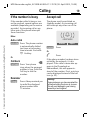
If the number is busy
Accept call
If the number called is busy or cannot be reached, several options are
available (depending on the service
provider). An incoming call or any
other use of the phone interrupts
these functions.
The phone must be switched on
(standby mode). An incoming call
will interrupt any other use of the
phone.
i
Either
+5552764556
© Siemens AG 2001, I:\Mobil\L55\M55_Barracuda\en\mit_LG\fug\M55_Phone.fm
Auto. redial
§Auto dial§ Press. The phone number
is automatically dialled
ten times at increasing
time intervals. End with:
Or
B
End key.
L
Call back
§Call back§ Press. Your phone
rings when the engaged
number is free. Press the
Call key to dial the
number.
Reminder
§Prompt§
Press. A beep reminds you
to redial the displayed
phone number after
15 minutes.
Answer
§Answer§
Reject
Press.
Or
A
Press.
If the phone number has been transmitted by the network, it is displayed. If the caller's name also appears in the Phonebook or
AddressBook, this will appear instead of the number. If set, a picture
can be displayed instead of the bell
icon (p. 32).
Warning!
Please make sure you have accepted the
call before holding the phone to your ear.
This will avoid damage to your hearing
caused by a loud ringtone!
M55 Barracuda english, A31008-H6300-A1-1-7619 (30. April 2003, 10:39)
Calling
20
Reject call
§Reject§
Press. The call will be diverted if this has been set
previously (p. 71).
Or
© Siemens AG 2001, I:\Mobil\L55\M55_Barracuda\en\mit_LG\fug\M55_Phone.fm
B
Press briefly.
Additional information
Missed calls ................................ p. 37
Accept call using any key.................. p. 71
Switch off ringer .............................. p. 108
G
Use the control key to adjust the volume.
§Handsfr.§ Switch off.
Warning!
Always switch off "handsfree talking"
before holding the phone to your ear! This
will avoid damage to hearing!
y menu§ Call menu ..........................p. 22
L
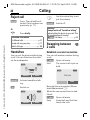
Swapping between
2 calls
Handsfree
Establish a second connection
You can put the phone aside during
a call. You can then hear the caller
via the loudspeaker.
You can call another number during
a call.
_
v
g
Carol
Handsfr.
y menu§
Open call menu.
Hold
The current call is put on
hold.
v
_
menu
g
Call held
§Handsfr.§ Activate handsfree talking.
§Yes§
Switch on.
_
Handsfr.
g
menu
Back
Now dial the new number (Phonebook/Addressbook F).
When the new connection is established:
y menu§
Open call menu
Swap
Swap back and forth between the calls.
M55 Barracuda english, A31008-H6300-A1-1-7619 (30. April 2003, 10:39)
Calling
• End current call
B
End the current call and
press §Yes§. You are now
connected to the caller.
• Reject waiting call
§Reject§
Or
§Divert§
Incoming calls during a call
© Siemens AG 2001, I:\Mobil\L55\M55_Barracuda\en\mit_LG\fug\M55_Phone.fm
You may need to register for this
service with your service provider
and set your phone accordingly
(p. 71).
During a call, you may be advised
that there is another call waiting.
You will hear a special tone during
the call. You have the following
options:
• Accept the waiting call
§Swap§
Accept the waiting call,
putting the current call on
hold to do so. Always proceed as above to swap between the two calls.
End call
Press the End key B. The
following is displayed:
Return to call on hold?
Accept the waiting call by
pressing §Yes§.
Or
End the second call also
by pressing §No§.
21
Reject the waiting call.
The waiting call is diverted, for example, to the
mailbox.
• Accept the waiting call and end the
current call
B
§Answer§
End the current call.
Accept the new call.
M55 Barracuda english, A31008-H6300-A1-1-7619 (30. April 2003, 10:39)
22
Calling
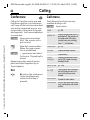
Conference
L
Call up to 5 parties one by one and
link them together in a conference
call. Some of the functions described
may not be supported by your service provider or may have to be enabled specially. You have established
a connection:
© Siemens AG 2001, I:\Mobil\L55\M55_Barracuda\en\mit_LG\fug\M55_Phone.fm
y menu§
J
y menu§
Open menu and select
Hold. The current call is
put on hold.
The following functions are only
available during a call:
y menu§
Open menu.
Hold
(p. 20)
Microphone on
Switch microphone on/off. If
switched off, the person on
the other end of the line
cannot hear you (muting).
Also: * hold down.
Now dial a new number.
When the new connection is established ...
Handsfree
… open menu and select
Conference. The held call is
joined.
Conference (See above)
Repeat procedure until all participants are linked together (up to
5 participants).
End
B
Call menu
All calls in the conference
finish simultaneously
when the End key is
pressed.
Volume
Durat/
charges
(p. 20)
Adjust handset volume.
Display call duration and if
set (p. 38) costs accruing
during the call.
Send DTMF (p. 109)
Call transfer L
The original call is connected to the second one. For
you, both calls are now
ended.
Main menu
Access to main menu.
Call status
List all held and active calls
(e.g. conference call participants).
M55 Barracuda english, A31008-H6300-A1-1-7619 (30. April 2003, 10:39)
Calling
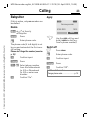
Babysitter
23
Apply
_
g
Service provider
If this is active, only one number can
be dialled.
© Siemens AG 2001, I:\Mobil\L55\M55_Barracuda\en\mit_LG\fug\M55_Phone.fm
Enable
§Menu§KmKSecurity
KBabysitter
§Select§
Press.
J
Enter phone code.
The phone code (4 to 8 digits) is set
by you and entered at the first security setting.
Please don’t forget the number (see also
p. 16) !
§OK§
Confirm input.
§Change§
Press.
· / J Select phone number
from the Addressbook
(p. 33) or Phonebook
(p. 30) or enter new
number.
§OK§
Confirm "On".
01.06.2003
>
10:10
Carol
Use the right soft key and
hold it down to dial (e.g.
Carol's phone number).
Switch off
J
Press down.
Enter phone code.
§OK§
Confirm input.
§Change§
Press.
§OK§
Confirm "Off".
Additional information
Change phone code ..........................p. 16
M55 Barracuda english, A31008-H6300-A1-1-7619 (30. April 2003, 10:39)
24
Text entry
Text entry
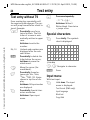
Text entry without T9
Press number key repeatedly until
the required letter appears. The cursor will jump forward after a brief interval. Example:
2
Press briefly once for a,
twice for b etc. The first
letter of a name is automatically written in upper
case.
© Siemens AG 2001, I:\Mobil\L55\M55_Barracuda\en\mit_LG\fug\M55_text.fm
Hold down to write the
number.
Ä,ä,1-9
§Clear§
H
Umlauts and numbers are
displayed after the relevant letters.
Press briefly to delete the
letter before the cursor,
hold down to erase the
whole word.
Move the cursor (forwards/back).
Press briefly: Swap between abc, Abc, T9abc,
T9Abc, T9ABC, 123. Status
shown in top line of display.
*
Hold down: All input modes
are displayed.
Press briefly: Special characters are shown.
Hold down: Open input
menu.
0
Press once/repeatedly:
.,?!’"0-()@/:_
Hold down: Writes 0.
1
Writes blank. Press twice
= jumps a line.
Special characters
*
Press briefly. The symbols
chart is displayed:
1)
¿ ¡
_ ;
.
,
? !
"
’
*
(
)
& # [
]
¤ ¥ $ £
{ } % ~
:
€ @ \
< = > |
/
+ -
^ § Γ ∆ Θ Λ Ξ
π Σ Φ Ψ Ω
1) Line
skip
G, H
§Select§
Navigate to character.
Press.
Input menu
With text input:
*
Hold down. The input
menu is displayed:
Text format (SMS only)
Input language
Mark text
Copy/Add
M55 Barracuda english, A31008-H6300-A1-1-7619 (30. April 2003, 10:39)
Text entry
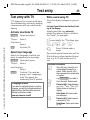
Text entry with T9
Write a word using T9
"T9" deduces the correct word from
the individual key entries by making
comparisons with an extensive dictionary.
Since the display changes as you proceed,
Activate, deactivate T9
§Options§
Open text menu.
T9 input
Select.
T9 preferred
Select.
© Siemens AG 2001, I:\Mobil\L55\M55_Barracuda\en\mit_LG\fug\M55_text.fm
25
§Edit§
Activate T9.
Select Input language
Select the language in which you
want to compose your message.
§Options§
Open text menu.
T9 input
Select.
Input language
Select.
§Select§
Confirm. The new language is set. Languages
with T9 support are
marked by the T9 symbol.
T9 language versions
If you want to load a dictionary in another
language, you will find a large selection to
download from the Internet as well as installation instructions under:
www.my-siemens.com/t9
it is best if you finish a word without looking at the display.
Simply press the keys once only
where the relevant letter is located.
For "hotel", for example:
press briefly for T9Abc then type
468 3 5
1
Press. A blank ends a
word.
Do not use special characters such as
Ä but rather use the standard characters, e.g. A; T9 will do the rest for
you.
0
Additional information
Set a full stop. A word is concluded when followed by a
space. Within a word, a full
stop represents an apostrophe
or hyphen:
e.g. §provider.s§ = provider’s.
Go to the right. Ends a word.
D
Press briefly: Swap between:
abc, Abc, T9abc, T9Abc, 123.
Status shown in top line of
display.
Hold down: All input modes
are displayed.
Press briefly: Select special
characters (p. 24).
Hold down: Open input menu
(p. 24).
*
M55 Barracuda english, A31008-H6300-A1-1-7619 (30. April 2003, 10:39)
Text entry
26
T9 word suggestions
Correct a word
If several options are found in the
dictionary for a key sequence (a
word), the most probable is displayed first. If the word you want has
not been recognised, the next suggestion from T9 may be correct.
Words written with T9:
The word must be §highlighted§. Then
press
© Siemens AG 2001, I:\Mobil\L55\M55_Barracuda\en\mit_LG\fug\M55_text.fm
»
»
»
Move left or right,
word by word, until
the required word is
§highlighted§.
Scroll through the
T9-word suggestions
again.
again. The displayed word
is replaced with a different word. If this word is also incorrect, press
§Clear§
again. Repeat until the
correct word is displayed.
Words not written with T9:
If the word you want is not in the dictionary, it can also be written without T9.
™ SMS
1
At 8 we are ___
Spell
748
»
To add a word to the dictionary:
§Spell§
H
E
§Clear§
J
Deletes the character to
the left of the cursor and
displays a new possible
word!
Move letter by letter to
the left/right.
Deletes the letter to the
left of the cursor.
Letters are inserted at the
cursor position.
Additional information
Within a "T9-word", individual letters may
not be edited without first removing the
T9-status. In most cases it is better to rewrite the complete word.
Select.
The last suggestion is deleted and
the word may now be entered without T9-support. Press §Save§ to add it
automatically to the dictionary.
T9® Text Input is licensed under one or more of
the following:
U.S. Pat. Nos. 5, 818, 437, 5, 953, 541,
5, 187, 480, 5, 945, 928, and 6, 011, 554;
Canadian Pat. No. 1,331,057;
United Kingdom Pat. No. 2238414B;
Hong Kong Standard Pat. No. HK0940329;
Republic of Singapore Pat. No. 51383;
Euro.Pat. No. 0 842 463 (96927260.8)
DE/DK, FI, FR, IT, NL, PT, ES, SE, GB;
and additional patents are pending worldwide.
M55 Barracuda english, A31008-H6300-A1-1-7619 (30. April 2003, 10:39)
Text entry
Text modules
Text modules can be stored in the
phone for adding to your messages
(SMS, MMS, e-mail).
Write text modules
§Menu§K]KText modules
© Siemens AG 2001, I:\Mobil\L55\M55_Barracuda\en\mit_LG\fug\M55_text.fm
§Options§
Select New text.
J
Write text module.
§Options§
Select Save.
Accept the default name
or give it a new name,
then save with §OK§.
Use text modules
J
Write message (SMS,
MMS, e-mail).
§Options§
Open text menu.
G
G
Select Text modules.
Select text module from
the list.
§Select§
Confirm. The text module
is displayed.
§Select§
Confirm. The text module
is inserted in the message
to the right of the cursor.
27
M55 Barracuda english, A31008-H6300-A1-1-7619 (30. April 2003, 10:40)
28
è Default §Menu§Kè
KSelect function.
book
è Default book
Show entries
Entries in the standard directory (Addressbook or Phonebook) are shown
for selection.
© Siemens AG 2001, I:\Mobil\L55\M55_Barracuda\en\mit_LG\fug\M55_Pref_Book.fm
J /G Select a name with the
A
first letter and/or scroll.
The number is dialled.
<New entry>
Create new entry in standard
directory.
Phonebook (see p. 29)
Addressbook (see p. 32)
Default book
Select the Phonebook (only one
phone number possible per entry) or
the Addressbook as your standard directory (default book). Your preference should be for the Addressbook,
because more entries and functions
(e.g. pictures, birthdays, several
phone numbers per entry, etc.) are
possible.
F
Select Phonebook or Addressbook.
§Select§
Set as standard.
Groups
(see p. 36)
Businesscard
Create your own business card.
Send it as an SMS/MMS to another
GSM-phone.
If no business card has been created
yet, you will be asked for your input.
G
Move from field to field to
put in your details. You
will find explanations of
these input fields on p. 32
and p. 33.
Last name:
E-mail 2:
First name:
URL:
Phone:
Company:
Phone/office:
Street:
Phone/mobile: Post code:
Fax:
City:
Fax 2:
Country:
E-Mail:
Birthday:
§Save§
Press.
Additional information
The content of the business card corresponds to international standards (vCard).
·
Copy numbers from Addressbook/Phonebook.
§Options§ See Addressbook menu
(p. 34).
Service numbers
(see p. 113)
M55 Barracuda english, A31008-H6300-A1-1-7619 (30. April 2003, 10:39)
Phonebook
© Siemens AG 2001, I:\Mobil\L55\M55_Barracuda\en\mit_LG\fug\M55_Phonebook.fm
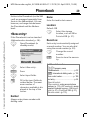
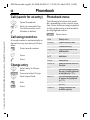
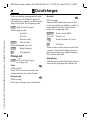
Phonebook Entries in the Phonebook (on the SIM
card) are managed separately from
those in the Addressbook. You can,
however, exchange data between
the Phonebook and the Addressbook.
29
Name:
Enter first and/or last names.
Location:
Default: SIM
<New entry>
H
If the Phonebook is set as standard
(Addressbook as standard, p. 28):
Record no.:
F
Open Phonebook (in
standby mode).
N Phonebook
<Special books>
<New entry>
Carol
D
§Select§
G
J
O
Ú
Select
Select the storage
location, such as SIM or
Protected SIM (p. 31).
Each entry is automatically assigned
a record number. You can also dial
using the record number (p. 30).
H
§Save§
Change the record
number.
Press to store the new entry.
Additional information
Select <New entry>.
Press.
Select input fields.
Fill in the input fields described below. The maximum number of
characters available is displayed at the top of the
screen.
Number:
Always enter phone number with
dialling code.
O Temporary swap
to Addressbook ................................ p. 32
§+List§ International dialling code ...p. 110
Store control codes .........................p. 109
Text entry ..........................................p. 24
<Special books>:
<Own numbrs>: enter personal phone
numbers, (p. 112), <VIP numbers>: assign
important numbers to group, <SIM phonebook> (p. 31), <Protected SIM> (p. 31),
<Service numb.> (p. 113).
M55 Barracuda english, A31008-H6300-A1-1-7619 (30. April 2003, 10:39)
Phonebook
30
Call (search for an entry)
F
Open Phonebook.
A
Number is dialled.
J/ G
Select a name with the
first letter and/or scroll.
© Siemens AG 2001, I:\Mobil\L55\M55_Barracuda\en\mit_LG\fug\M55_Phonebook.fm
Call using record no.
A record number is automatically assigned to every new entry in Phonebook.
J
A
Open menu.
View
Display entry.
Change
Open the entry to edit.
New entry
Create new entry.
Press.
Copy all
to9
Press.
Copy all entries to the Addressbook.
Delete
Delete entry.
Delete all
Delete all entries after confirmation.
Mark
Activate highlighting mode;
the entry currently selected
is highlighted (p. 111).
Mark all
Activate highlighting mode;
all entries are highlighted
(p. 111).
Send...
(p. 107)
Capacity
Display maximum and
available capacity.
Select entry in Phonebook.
§Options§
Press and select Change.
§Save§
§Options§
Copy into 9 Copy entry/entries to the
Addressbook.
G
J
The following functions are available, depending on the current situation. Some functions may be applied
to the current entry as well as multiple highlighted entries:
Enter record number.
Change entry
G
Phonebook menu
Select input field.
Edit.
Press.
M55 Barracuda english, A31008-H6300-A1-1-7619 (30. April 2003, 10:39)
Phonebook
Location:
An entry can be moved from one
storage location to another.
© Siemens AG 2001, I:\Mobil\L55\M55_Barracuda\en\mit_LG\fug\M55_Phonebook.fm
SIM (Standard)
Entries stored in the Phonebook on
the SIM card can also be used on other GSM phones.
Protected SIM
L
On special SIM cards, phone
numbers can be stored in a
protected location. PIN2 is required
for editing (p. 15).
Activate with the function Only ‚
(p. 78).
31
M55 Barracuda english, A31008-H6300-A1-1-7619 (30. April 2003, 10:39)
Addressbook
32
© Siemens AG 2001, I:\Mobil\L55\M55_Barracuda\en\mit_LG\fug\M55_Adressbook.fm
AddressbookThe Addressbook can store up to
500 entries, each with a variety of
telephone and fax numbers as well
as additional address details. These
entries are managed separately from
those in the Phonebook in the phone
memory. However, you can exchange data between the Addressbook and the Phonebook on the SIM
card.
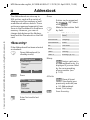
<New entry>
If the Addressbook has been selected
as standard:
F
Open Addressbook (in
standby mode).
N Addressbook
<New entry>
<Groups>
Carol
Import
§Select§
Ú
Group
D
URL: (Internet address)
Phone/office:
Company:
Phone/mobile:
Street:
Fax:
Post code:
Fax 2:
City:
E-Mail:
Country:
E-mail 2:
Birthday: (p. 33)
Bitmap
§Select§ Assign a picture to
an Addressbook entry. It is
displayed if you are called
by the corresponding
phone number (see
p. 105).
All fields
§Select§ Show all input
fields if the display was
previously reduced (see
p. 34, Addressbook
menu, Field setup).
š
New entry
Last name:
§Smith§
First name:
Clear
J
Make further entries field
by field.
Phone:
Select
Press.
Entries can be organised
by groups (p. 36). Select
with §Change§.
Save
Enter first and/or last
name.
§Save§
Save the entry.
M55 Barracuda english, A31008-H6300-A1-1-7619 (30. April 2003, 10:39)
© Siemens AG 2001, I:\Mobil\L55\M55_Barracuda\en\mit_LG\fug\M55_Adressbook.fm
Addressbook
Additional information
<Groups> Group functions (p. 36).
Birthday After entering the date of birth,
the "reminder box" can be activated. You can now enter the
time for the reminder. The
phone will then remind you
with an accoustic tone and also with a display one day before the birthday and on the
birthday.
Copy data from another
Addressbook entry.
§+List§
Copy international dialling
code from the list (p. 110).
O Temporarily switch to Phonebook.
Synchronising with a PC
Using XTNDConnect® PC (p. 116) you can
synchronise your Addressbook with Outlook® or Lotus Notes™.
Using Remote sync. you can synchronise
your mobile with an organiser stored on the
Internet (p. 101).
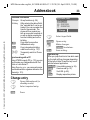
Change entry
F
G
§View§
Open Addressbook (in
standby mode).
Select required entry.
Press.
33
N Smith, John
§Smith§,§John
¿ 055512389
v 0555987654
Change
F
Select input field.
§Change§
Open entry.
J
§Save§
Make changes.
§Options§ See below.
Save setting.
Right soft key:
When you jump from line to line while reading, the right soft key changes depending
on the type of data. Press this key to activate the relevant application:
§VoiceDial§ Voice dialling menu (p. 35).
§E-mail§
Create e-mail (p. 51).
§Link§
Visit URL (p. 60).
§Show§
Display respective picture.
M55 Barracuda english, A31008-H6300-A1-1-7619 (30. April 2003, 10:39)
Addressbook
34
Call (search for an entry)
Copy to SIM
Copy entry/entries with
name and selected phone
number to SIM card.
Delete
Delete entry.
Delete all
Delete all entries after confirmation.
Mark
Switch on highlighting
mode (p. 111).
Mark all
Activate highlighting mode;
all entries are highlighted
(p. 111).
Filter
Display only those Addressbook entries with the
following criteria:
• Voicedialling
• E-mail
• URL
• Birthday
• Bitmap
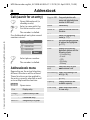
Addressbook menu
Businesscard
Define an entry as your
own business card.
Depending on the actual situation,
different functions will be offered.
These functions can be applied to
the entry currently selected as well
as to multiple selected entries:
Voicedialling Apply voice dialling to an
entry (p. 35).
F
Open Addressbook (in
standby mode).
J /G Select a name with the
A
first letter and/or scroll.
The number is dialled.
© Siemens AG 2001, I:\Mobil\L55\M55_Barracuda\en\mit_LG\fug\M55_Adressbook.fm
If an Addressbook entry has several
numbers stored:
N Smith, John
¿ 0555123454
v 0555987654
À 0555222345
Select
G
A
§Options§
Select phone number.
The number is dialled.
Open menu.
View
Display entry.
Change
Open the entry to edit.
New entry
Create new entry.
Move to ...
Assign entry to a group.
Send...
(p. 107)
Capacity
Display maximum and
available capacity.
Field setup
Select visible input fields
for new entry.
M55 Barracuda english, A31008-H6300-A1-1-7619 (30. April 2003, 10:39)
Addressbook
Voicedialling
Voice dialling menu
Dial numbers by voice command. Up
to 20 recorded names for voice dialling or voice commands (p. 100) can
be saved on the mobile (not on the
SIM card).
Depending on the actual situation,
different functions will be offered.
Record
© Siemens AG 2001, I:\Mobil\L55\M55_Barracuda\en\mit_LG\fug\M55_Adressbook.fm
35
F
Open Addressbook (in
standby mode).
J /G Select a name with the
first letter and/or scroll.
§Options§
Open menu.
Play
Play back a voice command.
New
Record a new voice command.
Delete
Delete voice command from
an entry.
Delete all
After confirmation delete
all voice commands for this
entry.
§Options§
Open menu.
Voicedialling
Select.
F
Choose phone numbers,
if there are more than
one.
§Record§
Press.
§Start§
Start recording.
A short signal sounds. Now speak
the name. After a second beep
and message in the display, repeat
the name. A beep now confirms
the recording, which is saved
automatically.
Apply voice dialling
E
Hold down. Start voice dialling (in standby mode).
Now speak the name. The number is
dialled.
Additional information
Noisy environments may affect voice recognition. If attempt was unsuccessful,
press the control key once more and repeat
the name.
M55 Barracuda english, A31008-H6300-A1-1-7619 (30. April 2003, 10:40)
Groups
36
Groups
Nine groups are specified in your
phone to enable you to arrange your
Addressbook entries clearly. You can
rename seven groups.
F
§Options§
Open menu.
Open
Display all members of the selected group.
§View§ Addressbook, p. 33.
§Options§ See p. 34.
Group
symbol
Assign a symbol to a group,
see below.
Rename
group
Change name of group.
Move
Transfer one or more highlighted entries from one group
to another.
Delete all
After confirmation, delete all
members of the current
group.
Open Addressbook (in
standby mode).
<Groups> Select (the number of entries is listed behind the
group name).
© Siemens AG 2001, I:\Mobil\L55\M55_Barracuda\en\mit_LG\fug\M55_Groups.fm
Group menu
N Groups
t Leisure
à Private
Ä Business
Open
G
Select group.
§Options§
Open menu.
(5)
(23)
(11)
Options
Rename group
Select and give group a
name.
Additional information
No group: Contains all Addressbook entries that do not belong to a group (name
cannot be changed).
Received: Contains vCard Addressbook
entries received by SMS (name cannot be
changed).
SMS to group .................................... p. 42
Group symbol
Assign to a group a symbol that appears on the display when one of its
members calls you.
G
Select group.
§Options§
Open menu.
Group symbol
Select.
H
Choose a symbol.
§OK§
Confirm.
M55 Barracuda english, A31008-H6300-A1-1-7619 (30. April 2003, 10:40)
Z Records
Z Records Your phone stores the phone numbers of calls for convenient redialling.
§Menu§KZ
§Select§
G
© Siemens AG 2001, I:\Mobil\L55\M55_Barracuda\en\mit_LG\fug\M55_Records.fm
§Select§
G
A
Press.
Select call list.
Press.
Select phone number.
Dial phone number.
Or
§View§
Calls received
Accepted calls are listed.
10 phone numbers can be stored in
each call list:
Calls missed
L
The phone numbers of calls
that you have received but not answered are stored for call back purposes.
Icon for missed call (in
standby mode). Press the
control key (on the left) to
display phone number.
Requirement: the network supports
the "Caller Identity" feature.
L
Calls dialed
Access to the last numbers dialled.
A
Fast access in standby
mode.
Erase records
The records are deleted.
Call list menu
The call list menu can be called up if
an entry is highlighted.
§Options§
Display information on
the phone number.
37
Open list menu.
View
View entry.
Correct no.
Load number to display
and edit there if necessary.
Copy into 9 Store entry in the Addressbook/Phonebook (see also
below).
Delete
Delete entry after confirmation.
Delete all
Delete all entries in call list
after confirmation.
Additional information
When copying to the Addressbook a new
entry can be created with the phone
number or an existing entry can be corrected. Once the input field has been selected,
the phone number is transferred to the entry with §Paste§.
M55 Barracuda english, A31008-H6300-A1-1-7619 (30. April 2003, 10:40)
Z Durat/charges
38
Z Durat/
charges
You can display charge details and
the duration of different types of
calls while you speak, as well as setting a unit limit for outgoing calls.
§Menu§KZKDurat/charges
Select type of call:
© Siemens AG 2001, I:\Mobil\L55\M55_Barracuda\en\mit_LG\fug\M55_TimeCharge.fm
(PIN 2 prompt)
Special SIM cards allow you or the
service provider to define a credit or
a period after which the phone is
barred for outgoing calls.
Last call
§Change§
Press, enter PIN2.
All calls
A/c limit
Switch on.
Remain. units
§Select§
L
A/c limit
Show data.
Once displayed you can:
§Reset§
Reset display.
§OK§
End display.
Charge sett.
§Menu§KZKDurat/charges
KCharge sett.
Conv.
L
(PIN2 prompt)
Enter the currency in which the
charge details are to be shown.
Personal rate
L
(PIN2 prompt)
Enter the charges per unit/period.
J
§OK§
Enter number of units.
Confirm.
Then confirm the credit or reset the
counter. The status display for prepaid cards may vary, depending on
the service provider.
Auto display
Call duration and call charges are automatically displayed for each call.
M55 Barracuda english, A31008-H6300-A1-1-7619 (30. April 2003, 10:40)
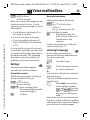
] Voice mail/mailbox
] Voice §Menu§K]KSetup
KVoice message
mail/mailbox
Most service providers supply an external voice mail service. A caller
may leave a voice message for you in
this mailbox
• if your phone is switched off or
not ready to receive,
© Siemens AG 2001, I:\Mobil\L55\M55_Barracuda\en\mit_LG\fug\M55_Mailbox.fm
• if you do not want to answer,
• if you are making a phone call
(and Call Waiting is not activated,
p. 71).
If voice mail is not part of your service provider's package, you will need
to register and settings may have to
be made manually. The following
description may vary slightly, depending on the service provider.
Settings:
The service provider supplies
you with two phone numbers:
L
Save mailbox number
Call this phone number to listen to
the voice mails left for you.
§Menu§K]KSetup
KVoice message
·/ J Select number from
Phonebook/Addressbook
or enter/change it.
§OK§
Confirm.
39
Save call divert number
Calls are diverted to this phone
number.
§Menu§KmKPhone setup
KDivert
Ke.g., UnansweredKSet
Enter call divert number.
§OK§
Registration with network. Divert will be confirmed after a few
seconds.
Further information on call divert
can be found on p. 71.
Listening to message
L
A new voice mail can be announced as follows, depending on
the service provider:
\
Icon plus beep.
Or
]
A text message announces a new voice mail.
Or
You receive a call with an automatic
announcement.
Call your mailbox and play the message(s) back.
Hold down (if necessary
enter mailbox number
once only). Confirm with
§OK§ and §Mailbox§ depending on your service provider.
Away from your home network you
may have to dial a different mailbox
number and enter a password before
you can listen to any messages.
1
M55 Barracuda english, A31008-H6300-A1-1-7619 (30. April 2003, 10:39)
] SMS
40
] SMS
You can transmit and receive very
long messages (up to
760 characters) on your phone. They
are automatically composed of several "normal" SMS messages (note
higher charges).
© Siemens AG 2001, I:\Mobil\L55\M55_Barracuda\en\mit_LG\fug\M55_Messages.fm
Additionally you can insert pictures
and sounds in an SMS.
Depending on the service provider,
e-mails and faxes can also be sent
and e-mails received via SMS
(change setting if necessary, p. 55).
Writing and sending text
messages (SMS)
§Menu§K]KNew SMS
Text input using "T9" (p. 25)
J
allows you to create longer messages very quickly
using just a few key
strokes.
A
§Clear§ Press briefly to delete letter by letter, hold
down to delete an entire
word.
Press.
·/ J Dial number or pick out
from the Phonebook/Addressbook.
§Groups§ SMS to group
(p. 42).
§OK§
Confirm. Send the SMS to
the service centre for
transmission. The sent
SMS is saved in the "Sent"
list.
§OK§
Return to Edit mode.
Display in the uppermost line:
™ SMS 1
We start at 8.
739
™
T9 active.
abc/Abc/
ABC/123
Switch between upper-case/
lower-case letters and digits.
SMS
Display title.
1
Number of SMS messages
required.
739
Number of characters still
available.
Additional information
Insert pictures & sounds into text ......p. 41
SMS profile........................................p. 55
Message type, Validity period,
Service centre may be requested ... p. 55
SMS status report............................p. 113
Enter special characters....................p. 24
M55 Barracuda english, A31008-H6300-A1-1-7619 (30. April 2003, 10:39)
] SMS
Picture&sound
Text menu
§Options§
Send
© Siemens AG 2001, I:\Mobil\L55\M55_Barracuda\en\mit_LG\fug\M55_Messages.fm
Save
41
Open text menu.
Enter recipient's phone
number/select from Phonebook/Addressbook, then
send.
Save composed text in draft
list.
Insert pictures and sounds into
message.
J
§Options§
G
PicAdd pictures, animations
ture&sound and sounds into message
(see following text).
Text modules
Insert text module (p. 27).
Format
Line feed
Small font, Medium font,
Large font
Underline
Left, Right, Centre (align)
Mark text (highlight text using control key)
Clear text
Delete the whole text.
Insert
from...
Insert entry from Phonebook/Addressbook.
T9 input
(p. 24)
T9 preferred:Activate/deactivate T9.
Input language: Select language for text.
Send via ... Select an SMS profile for
transmission (p. 55).
Write message.
Open text menu at the
end of a word.
SelectPicture&sound .
The menu contains:
Fix animations
Fix sounds
Own anim.
Own pictures
G
§Select§
G
Own sounds
Select section.
Confirm.
The first entry of the selected section is displayed.
Scroll to entry required.
For Fix animations/Fix sounds:
§Select§
The selection is added to
the SMS.
For Own anim./Own pictures/Own
sounds:
§Load§
The selection is displayed/
played back.
§Select§
The selection is added to
the SMS.
M55 Barracuda english, A31008-H6300-A1-1-7619 (30. April 2003, 10:39)
] SMS
42
Additional information
Playback only occurs if the destination
phone supports the EMS standard (p. 110).
In input mode, a wildcard is shown when a
melody is selected.
Read SMS
]
_
g
Service provider
SMS to group
01.06.2003
© Siemens AG 2001, I:\Mobil\L55\M55_Barracuda\en\mit_LG\fug\M55_Messages.fm
You can send an SMS message as a
"circular" to a recipient group.
§Options§
Open menu.
Send
Select.
§Groups§
Press. The Addressbook is
opened in highlighting
mode (p. 111). There are
the following options:
• Highlight individual entries.
• Select <Groups>, open a group and
highlight individual entries/all entries there.
• Select <Groups>. Select a group.
§Send§
Press. The first of the
highlighted recipients is
displayed. If this recipient
has several phone numbers, one number can be
selected.
§Skip§ Skip recipient.
§Send§
Transmission is started after confirmation.
Arrival of new SMS announced on display.
<
Date/time
]
10:10
Menu
To read the SMS, press the
left soft key.
01.06.2003
10:10
Tel. no./sender 55536989876
Message
Are we meeting tomorrow?
Reply
Options
G
Scroll through message
line by line.
§Reply§
See below.
§Options§
See p. 44.
Additional information
Pictures and sounds in SMS .............p. 41
T Message memory full ..............p. 112
Use §highlighted§ phone number/e-mail
address/WAP-address ....................p. 113
M55 Barracuda english, A31008-H6300-A1-1-7619 (30. April 2003, 10:39)
] SMS
Lists
Reply menu
© Siemens AG 2001, I:\Mobil\L55\M55_Barracuda\en\mit_LG\fug\M55_Messages.fm
§Reply§
43
Open reply menu.
Write mess.
Create a new reply
text.
Change
Edit received SMS or
add new text.
Answer is YES
Add YES to the SMS.
Answer is NO
Add NO to the SMS.
Call back
Delay
Thank you
Add a standard text as
a reply to the SMS.
When the SMS has been edited in
the edit mode, it can be saved or
sent with §Options§.
Ringtones, icons ...
You can receive links for downloading ringtones, logos, screensavers,
animations and informationen
about applications (p. 64) with an
SMS. Please highlight this link and,
by pressing the Call key A, start the
download.
Please ensure that the HTTP profile
(p. 65) and the connection (p. 76)
are configured.
All SMS messages are archived in
four different lists, according to their
status:
Inbox
§Menu§K]KInboxKSMS
The list of received SMS messages is
displayed.
] Inbox
ƒ 0555123454
… Carol
… Mike
View
Options
Draft
§Menu§K]KDraftKSMS
The list of not yet transmitted SMS
messages is displayed.
Unsent
§Menu§K]KUnsentKSMS
The list of concatenated SMS messages not yet completely sent is
displayed. Transmission can be
restarted.
Sent
§Menu§K]KSent KSMS
The list of sent SMS messages is displayed.
M55 Barracuda english, A31008-H6300-A1-1-7619 (30. April 2003, 10:39)
] SMS
44
Lists menu
© Siemens AG 2001, I:\Mobil\L55\M55_Barracuda\en\mit_LG\fug\M55_Messages.fm
Each list offers different functions:
§Options§
Open menu.
View
View entry.
Reply
Answer incoming SMS messages immediately.
Delete
Delete selected SMS messages.
Delete all Delete all SMS messages after
confirmation.
Send
Dial number or select from the
Phonebook, then send.
Change
Open SMS message to edit.
Capacity Display free capacity on SIM
card/phone. In case of segments: number of concatenated SMS messages.
Mark
Mark message as unread.
a.unread
Save to
9
Copy a highlighted phone
number to Phone/Addressbook.
Archive
Move SMS message to archive.
Send via Select an SMS profile for
...
transmission (p. 55).
Picture& Save pictures or sounds from
sound
the SMS.
SMS archive
§Menu§K]KSMS archive
The list of SMS messages stored in
the phone is displayed.
Ñ\SMS archive
INBOX
DRAFT
UNSENT
…
ƒ
‚
„
¢
X
Open
Options
Unread
Read
Draft
Sent
Entry on SIM card.
Concatenated message.
Different functions are available, depending on the context:
Archive menu
§Options§
Open menu.
View
View entry.
Send
Dial number or select from
the Phonebook, then send.
Change
Open edit mode for changes.
For further services, see Filesystem,
p. 105.
M55 Barracuda english, A31008-H6300-A1-1-7619 (30. April 2003, 10:39)
© Siemens AG 2001, I:\Mobil\L55\M55_Barracuda\en\mit_LG\fug\M55_Messages.fm
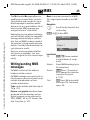
] MMS
] MMS
The Multimedia Messaging Service
enables you to send texts, pictures
(also photos) and sounds in a combined message to another mobile
phone or to an e-mail address. All elements of an MMS message are
merged to form a "slide show".
Depending on your phone's settings,
you will receive either the complete
message automatically or notification that an MMS has been saved in
the network, giving sender and size
details. You may then download it to
your phone to read it.
Ask your service provider whether
this service is available. You may
need to register for this service separately.
Writing/sending MMS
messages
An MMS consists of the address
header and the content.
An MMS message can consist of a series of pages, each one of which may
include a combination of text,
sounds and pictures.
Texts can be written with the help of
T9 (p. 25).
Pictures and graphics that have been
produced with accessories such as
digital cameras can be attached in
JPEG, WBMP, GIF or GIF format. See
also Filesystem, p. 105.
45
Music is sent and received in a MIDI
file, single tones/sounds in an AMR
file.
Navigation
G
Scroll line by line with the
control key.
§Menu§K]KNew MMS
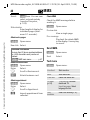
Ÿ MMS editor
To:
Subject: 1
º
Options
Input fields:
·/ J Phone number/
To:
e-mail address of recipient(s).
Subject:
Enter MMS heading (up to
40 characters)
Picture:
§Insert§ Press. The picture
list is opened for selection
(see also Filesystem,
p. 105).
Text:
§Edit§ Press. Write text with
the help of T9. Text menu,
see p. 46.
M55 Barracuda english, A31008-H6300-A1-1-7619 (30. April 2003, 10:39)
] MMS
46
Sound:
Check MMS
Check the MMS message before
sending it:
Open menu.
Slide duration
Enter length of display for
individual pages (minimum 0.1 seconds).
§Options§
Attach extra pages
Prev. message
Play back the whole MMS
in the display. Use any key
to cancel.
§Options§
© Siemens AG 2001, I:\Mobil\L55\M55_Barracuda\en\mit_LG\fug\M55_Messages.fm
§Insert§ Press. You can now
select a stored melody
(see also Filesystem,
p. 105).
Open menu.
New slide Select.
Additional information
No more than 20 phone numbers/addresses, (of 50 characters each) can be addressed.
§Options§ MMS main menu.............. p. 47
Attach business card
§Options§ Open menu.
Extras
F
·
Select.
Scroll to Businesscard.
Attach business card.
Attach appointment
§Options§
Open menu.
Extras
Select.
F
é
Preview slide
View a single page.
Send MMS.
§Options§
Open menu.
Send
Select.
Text menu
§Options§
Line feed
Start new line.
Save
Save MMS text.
Clear text
Delete the whole text.
T9 input
(p. 24)
T9 preferred: Activate/
deactivate T9.
Input language: Select
language for text.
Text
modules
Insert text module (p. 27).
Scroll to Appointment.
Import appointment from
calendar.
Open menu.
M55 Barracuda english, A31008-H6300-A1-1-7619 (30. April 2003, 10:39)
] MMS
MMS menu
Different functions are available, depending on the context:
© Siemens AG 2001, I:\Mobil\L55\M55_Barracuda\en\mit_LG\fug\M55_Messages.fm
§Options§
Open menu.
Insert line
Extend address field by
one line.
Delete
Delete entries.
Insert from... Insert number from
Phonebook/Addressbook
and appointments/tasks.
Send
Send MMS.
Save
Store MMS in the draft list.
New slide
Insert new page behind
current one.
Delete item
Delete element on a page.
Delete slide
Delete page currently displayed.
Preview slide Playback of complete
page.
Slide list
Display pages available
for selection.
47
Prev. message
Playback of complete
MMS. Use any key to
cancel.
T9 input
(p. 25)
T9 preferred:Activate/
deactivate T9.
Input language: Choose
language in which the text
is to be written.
Attributes
Date:, Size:, Priorität: of
the MMS must be shown.
Extras
Enter other features
of MMS and attach
Businesscard and
Appointment.
M55 Barracuda english, A31008-H6300-A1-1-7619 (30. April 2003, 10:39)
] MMS
48
Receive MMS
/
Attachment
Indicates receipt of an
MMS/a notification.
_
g
Service provider
© Siemens AG 2001, I:\Mobil\L55\M55_Barracuda\en\mit_LG\fug\M55_Messages.fm
01.06.2003
<
10:10
Menu
Press the left soft key to
read the MMS or notification.
Depending on the setting, (p. 56)
the
• complete MMS is received
• the notification is opened. Press
§Receiving§ to receive the complete
MMS.
Press any key to break off function.
Read MMS
§Play§
G
J
Automatic presentation
of the MMS. Use any key
to cancel.
Scroll page by page with
the control key.
Call up individual pages
directly by number key.
A single MMS can contain several attachments.
§Options§
Attachment
G
Open menu.
Select.
Select attachment.
§Open§
The attachment is opened
with the available application.
§Save§
The attachment is saved
under a name.
Pictures and sounds
Pictures and sounds received in an
MMS can be saved separately e.g.,
for use as a ringtone or background
image. To do this, stop the MMS by
pressing any key, or alternatively
scroll through to the required page.
§Options§
Open menu.
Content
Select.
Proceed as for attachments above. Show as
icons at the top of every
page.
Functions for editing MMS can be found under §Options§.
M55 Barracuda english, A31008-H6300-A1-1-7619 (30. April 2003, 10:39)
] MMS
Lists
Lists menu
All MMS messages are saved in four
different lists:
Each list offers different functions:
Inbox
§Menu§K]KInboxKMMS
The list of MMS messages and notifications received is displayed. To receive an MMS subsequently, open
notification and press §Receiving§.
© Siemens AG 2001, I:\Mobil\L55\M55_Barracuda\en\mit_LG\fug\M55_Messages.fm
49
Draft
§Menu§K]KDraftKMMS
The list of stored drafts is displayed.
Unsent
§Menu§K]KUnsentKMMS
The list of the MMS messages not yet
completely transmitted is displayed.
Sent
§Menu§K]KSentKMMS
The list of sent MMS messages is displayed.
§Options§
Open menu.
Play
Play back MMS.
Change
Open edit mode for changes.
Reply
Reply to MMS immediately.
Receive
MMS
Start inward transmission
of MMS when only notification is highlighted (p. 56).
Receiv.all
MMS
Start receipt of all new
MMS messages.
Forward
Forward MMS to new recipients.
Delete
Delete selected MMS messages.
Delete all
Delete all entries after confirmation.
Mark a.unread
Mark MMS as unread.
Save to 9
Copy phone number/e-mail
address into Phonebook/
Addressbook.
Attributes
Information on MMS is displayed:
• Sender
• Arrival time
• Subject
• Size
• Priority
Capacity
Size of current MMS as well
as capacity still available
are shown.
M55 Barracuda english, A31008-H6300-A1-1-7619 (30. April 2003, 10:39)
] MMS
50
Preview
slide
Play back current page.
Slide list
Display pages available for
selection.
© Siemens AG 2001, I:\Mobil\L55\M55_Barracuda\en\mit_LG\fug\M55_Messages.fm
Attachment Open list of attachments received.
Content
Selection of page contents
to be archived, such as picture or sound.
Save
Store MMS in outbox list.
Icon
‰
‡
†
Ý
Þ
Û
Ü
Meaning
MMS unread
MMS read
MMS draft
MMS sent
MMS read and forwarded
MMS read with despatched
confirmation
Notification unread
Notification read
M55 Barracuda english, A31008-H6300-A1-1-7619 (30. April 2003, 10:39)
] E-mail
] E-mail
Your phone has an e-mail program
(client). You can use it to create and
receive e-mails.
Write/send e-mails
§Menu§K]KNew e-mail
© Siemens AG 2001, I:\Mobil\L55\M55_Barracuda\en\mit_LG\fug\M55_Messages.fm
Enter e-mail address
·/ J To: E-mail address of re-
G
Open file system.
Select file to be inserted.
ceiver(s).
Cc: E-mail address for the
copy recipient.
Copy file as an attachment.
E-mail editor menu
ters such as @ (p. 24).
T9 helps you write e-mails (p. 25).
Send
§Attach.§
Highlight file.
* Press briefly to write special charac-
§Options§
A file from the file system (e.g. ringtone) can be inserted in an e-mail as
an attachment (p. 105).
§OK§
Attach.: See below.
J
Add attachments
§Mark§
Bcc: E-mail address for
blind copy recipients (the
other recipients are not
shown the Bcc recipient).
J
51
§Options§
Open menu.
Insert line
Extend address field by
one line.
Delete line
Delete line in address field.
T9 input
(p. 24)
T9 preferred:Activate/deactivate T9.
Input language: Select
language for text.
Subject:
Enter e-mail heading
(max. 255 characters).
Insert from... Insert entry from Phonebook/Addressbook.
Content: Enter text.
Attach.
See above.
Open menu.
Save
Save in draft list.
Send e-mail.
Send
Establish connection with
server and send e-mail. If
necessary, select different
access (p. 76).
Send later
Transfer to outbox list to be
sent later.
M55 Barracuda english, A31008-H6300-A1-1-7619 (30. April 2003, 10:39)
] E-mail
52
Receive e-mail
© Siemens AG 2001, I:\Mobil\L55\M55_Barracuda\en\mit_LG\fug\M55_Messages.fm
§Menu§K]KInbox
KReceive e-mail
Before an e-mail can be read, it must
be retrieved from the server. The
service provider is dialled with the
default access profile (p. 76) and all
e-mails are transmitted to the inbox
list.
Additional information
The e-mail client always receives complete
messages including header, content and, if
applicable, attachments. You can restrict
the size of the received messages (p. 57).
A maximum of 50 e-mails can be stored in
the phone. E-mail size is limited to 99 KB.
Read new e-mail
§Menu§K]KInboxKE-mail
G
Select e-mail.
§View§
The e-mail is displayed.
G
‹
Š
Œ
”
Unread
Read
Draft
“
Sent
Scroll line by line with the
control key.
The left soft key offers different
functions depending on which text
area you have selected:
E-mail addresses/phone
numbers in the message
are §highlighted§ and can be
stored in the Addressbook.
Synchronising with a PC
With XTNDConnect® PC (p. 116) you can
synchronise your incoming/outgoing
e-mails with Outlook® or Lotus Notes™.
E-mail With attach- Meaning
ment
Switch between small,
normal and large font
sizes.
A Dial phone number or
start new e-mail.
§Save§
Save attachment
(e.g. bitmap).
§Reply§
Reply to sender.
§Link§
Start WAP browser and
visit URL (p. 60).
M55 Barracuda english, A31008-H6300-A1-1-7619 (30. April 2003, 10:39)
] E-mail
Read menu
Lists
Different functions are possible, depending on the context:
All e-mails are stored in four different lists:
§Options§
Reply
© Siemens AG 2001, I:\Mobil\L55\M55_Barracuda\en\mit_LG\fug\M55_Messages.fm
53
Open menu.
Inbox
§Menu§K]KInboxKE-mail
The original e-mail is retrieved. The sender is entered as recipient and can
be changed as can the
header and CC.
The list of received e-mails is displayed.
Reply to all
As above, but all recipients
are listed in the "Send to"
field.
§View§
Forward
The original e-mail is retrieved. Enter the new recipient to whom it should be
forwarded.
Change
To edit, open e-mail in edit
mode.
Delete
Delete selected e-mail.
Delete all
Delete all e-mails in the inbox or outbox.
Font size
Select font size.
Save attach. The attachment is stored in
the file system (Filesystem,
p. 105).
G
Select e-mail.
The e-mail is displayed for
reading.
Draft
§Menu§K]KDraftKE-mail
The list of draft e-mails is displayed.
Unsent
§Menu§K]KUnsent
KE-mail
The list of e-mails not yet transmitted is displayed.
§Menu§K]KUnsent
KSend e-mail
Send all e-mails queued for transmission to the server.
§Menu§K]KUnsent
KSend/rec. mail
Transmit all e-mails queued for
transmission to the server and
receive all new e-mails from the
server.
M55 Barracuda english, A31008-H6300-A1-1-7619 (30. April 2003, 10:39)
] E-mail
54
Sent
§Menu§K]KSentKE-mail
The list of transmitted e-mails is
displayed.
Sort
Lists menu
Each list offers different functions:
© Siemens AG 2001, I:\Mobil\L55\M55_Barracuda\en\mit_LG\fug\M55_Messages.fm
§Options§
Open menu.
View
(p. 52)
Change
Edit e-mail.
Reply
The original e-mail is retrieved. The sender is entered as recipient and can
be changed as can the
header and CC.
Reply to all As above, but all recipients
are listed in the "Send to"
field.
Forward
The original e-mail is retrieved. Enter the new recipient to whom it should be
forwarded.
Delete
Delete selected e-mail in
phone.
Delete all
Delete all e-mails in phone.
Sort
• by subject
• by sender
• by recipient
• by date/time
• by status
Not all sort criteria are possible in all lists.
Send e-mail Establish connection with
server and send e-mails.
Receive email
Establish connection with
server and receive incoming
e-mails.
Send/rec.
mail
Establish connection with
server, send e-mails and receive incoming
e-mails.
M55 Barracuda english, A31008-H6300-A1-1-7619 (30. April 2003, 10:39)
] Message SMS profiles
© Siemens AG 2001, I:\Mobil\L55\M55_Barracuda\en\mit_LG\fug\M55_Messages.fm
profiles
] Message profiles
§Menu§K]KSetupKSMS
Up to 5 SMS profiles can be set.
The transmission characteristics of
an SMS are defined in these. The presetting depends on the SIM card
inserted.
G
Select profile.
§Options§
Open menu.
Change sett.
Select.
Service
centre
Enter or change the servicecentre phone numbers as
supplied by service provider.
Recipient Enter the standard recipient
for this transmission profile or
select from Phonebook.
Message Manual
type
The message type is requested for each message.
Standard text
Normal SMS message.
Fax
Transmission via SMS.
E-mail
Transmission via SMS.
New
You may need to obtain the
required code number from
your service provider.
Validity
period
55
Select the period in which the
service centre is to try to deliver the message:
Manual, 1 hour, 3 hours,
6 hours, 12 hours, 1 day,
1 week, Maximum *
*) Maximum period that the
service provider permits.
Status re- You will receive confirmation
port L whether delivery of a message has been successful or
unsuccessful. This service
may be subject to a charge.
Direct re- The reply to your SMS mesply L sage is handled via your service centre when Direct Answer
is activated (for information
please contact your service
provider).
SMS via
GPRS
Send SMS automatically by
GPRS (if available).
Requirement: GPRS is activated (p. 75). Ensure that
your service provider offers
this function.
Save aft.
send
Sent SMS messages are
saved in the Sent list.
L
Activate profile
G
Select profile.
§Activate§
Press to activate profile.
M55 Barracuda english, A31008-H6300-A1-1-7619 (30. April 2003, 10:39)
] Message profiles
56
MMS profile
© Siemens AG 2001, I:\Mobil\L55\M55_Barracuda\en\mit_LG\fug\M55_Messages.fm
§Menu§K]KSetup KMMS
A number of MMS profiles can be selected. The transmission characteristics of an MMS are defined in these.
G
Select profile.
§Options§
Open menu.
MMS relay- MMS relay URL, e.g.
srv.
http://www.webpage.com
IP settings
IP address: Enter IP address.
Port: Enter port number.
IP address: Enter IP-address.
Port: Enter port number.
These settings can be different from those of the WAP
browser.
Conn.profile:
Select or set access profile
(p. 76).
Change sett.
Select.
Expiry time Select the period in which
the service centre is to try to
deliver the message:
Manual, 1 hour, 3 hours,
6 hours, 12 hours, 1 day,
1 week, Maximum*
*) Maximum period that the
service provider permits.
Def.
priority
Send priority: Medium,
High, Low
Def.
duration
Length of display for an
MMS page (standard requirement).
Retrieval
Receive complete MMS or
only notification of arrival.
Automatic
Receive complete MMS immediately.
Auto.homenet
Receive complete MMS immediately in home network
Manual
Only the notification is received.
Activate profile
G
Select profile.
§Activate§
Press to activate profile.
M55 Barracuda english, A31008-H6300-A1-1-7619 (30. April 2003, 10:39)
] Message profiles
© Siemens AG 2001, I:\Mobil\L55\M55_Barracuda\en\mit_LG\fug\M55_Messages.fm
E-mail settings
§Menu§K]KSetup
KE-mail
KSelect function.
Before using this service, you must
set the server access and your e-mail
options. The data for these may already have been entered. If not, your
service provider will supply you with
the relevant information. See also on
the Internet at:
www.my-siemens.com/m55
Additional information
Your service provider must support the following protocols for successful data exchange with the e-mail server:
POP3, IMAP4 and SMTP or eSMTP.
E-mails will be MIME-encoded for transmission.
Encryption of e-mail transmission (SSL,
APOP) is not possible at present.
57
E-mail accounts
5 accounts can be defined. If no access data have been defined for the
account, the entry card is displayed.
Alternatively:
§Options§
Press.
Change sett.
Press, then:
User settings
Provider
Select provider.
User name:
Your name.
E-mail addr.: * Your e-mail address,
e.g.,: [email protected]
Reply-t.addr.:
Additional e-mail address for replies.
User ID: *
Your user ID.
Password: *
Your password.
* Your service provider will supply you with this
information.
Mail settings
Downl. only
mails smaller
than
<10> KB
Leave copy on
server?
Set maximum size for incoming e-mails.
E-mails remain on the
server after they have
been retrieved or are
deleted.
POP3 server: * Enter Internet address if
the server type is POP3
and SMTP.
M55 Barracuda english, A31008-H6300-A1-1-7619 (30. April 2003, 10:39)
] Message profiles
58
POP3 Port: *
(Default: 110)
IMAP4 *
Enter Internet address if
the server type is IMAP4
and SMTP.
IMAP4 Port: *
(Default: 143)
SMTP server: * Enter Internet address.
© Siemens AG 2001, I:\Mobil\L55\M55_Barracuda\en\mit_LG\fug\M55_Messages.fm
SMTP port: *
(Default: 25)
SMTP Authen- Authentication: Yes/No
tic.:
SMTP PassA user password will be
word:
required if "Authentication" is set to Yes.
* Your service provider will supply you with this
information.
§OK§
Save and activate
settings.
General sett.
Enter the preset default of an e-mail
address for blind-copy recipient
(Bcc).
Activate profile
G
Select profile.
§Activate§
Press to activate profile.
Voice message
These functions are described in a
separate chapter (see p. 39).
CB services
These functions are described in a
separate chapter (see p. 59).
M55 Barracuda english, A31008-H6300-A1-1-7619 (30. April 2003, 10:40)
] CB
services
] CB services
§Menu§K]KSetup
KCB services
Some service providers offer information services (info channels, Cell
Broadcast). If reception is activated,
your Topic list will supply you with
messages on the activated topics.
© Siemens AG 2001, I:\Mobil\L55\M55_Barracuda\en\mit_LG\fug\M55_CB.fm
Broadcast
You can activate and deactivate the
Cell Broadcast service (CB service). If
the CB service is activated, standby
time for the phone will be reduced.
Read new CB
All unread CB messages are displayed.
Topic list
You can import as many topics as
you wish into this personal list from
the topics offered (Topic index).
10 Entries may be entered using the
channel number (ID) and, if required, the name itself.
New topic Select.
• If no topic index (Topic index) is
available, enter a topic with its
channel number and confirm with
§OK§.
• If the topic index has already been
transmitted, select a topic and
confirm with §OK§.
Channel:
Select
§Options§
Open list menu.
59
If a topic is selected in the list you
can view it, activate/ deactivate it,
edit it or delete it.
Auto display
CB messages are displayed in standby mode, longer messages are
scrolled automatically. This display
can be activated/deactivated for all
or only new messages.
For "full page view":
Press, then press §View CB§.
Topic index
L
The list of topics is displayed
for you to choose from. If nothing is
displayed, you must enter the channel numbers (ID) manually (Topic
list). Please contact your service provider for details.
CB languages
Receive Cell Broadcast messages in
only one specific language or in all
languages.
Displays
p, o
…
ƒ
Topic activated/deactivated.
New messages received on
the topic.
Messages already read.
M55 Barracuda english, A31008-H6300-A1-1-7619 (30. April 2003, 10:39)
É Surf & fun
60
É Surf & funInternet browser (WAP)
© Siemens AG 2001, I:\Mobil\L55\M55_Barracuda\en\mit_LG\fug\M55_Surf&Fun.fm
Get the latest information from the
Internet that is specifically adapted
to the display options of your phone.
In addition, you can download
games and applications to your
phone. Internet access may require
registration with the service provider.
L
Internet access
§Menu§KÉKInternet
The browser is activated as soon as
you call up the function. The functions of the soft keys vary, depending on the internet page, for example "link" or "menu". The contents of
the option menus are also variable. If
necessary, set the way in which WAP
access should be made (see Browser
menu, Setup, Start with..., p. 61).
For example the start menu appears:
Í Start menu
É
1 Home
2§Bookmarks§§§§§§§§§§§§§§§§§§§§§§§§§§§§§
3 Resume
Select
G
Select required function.
§Select§
Confirm.
Start menu
Home
The connection to the provider's portal is set up. This
may be defined or pre-set
by your service provider.
Bookmarks
List of URLs stored in the
phone for fast access.
Resume
Call up recently visited
pages that are still in memory.
Inbox
Inbox for messages from
the WAP server (WAP
push).
Profiles
The list of profiles is displayed for activation/setting (p. 62).
Exit browser Close browser and clear
down connection.
Additional information
Operating instructions .....................p. 114
End connection
B
Hold down to clear down
the connection and to
close the browser.
Your Internet browser is licensed by:
M55 Barracuda english, A31008-H6300-A1-1-7619 (30. April 2003, 10:39)
É Surf & fun
Browser menu
More ... (in menu)
If the browser is active, the menu
can be activated as follows:
Profiles
The list of profiles is displayed for activation/setting
(p. 62).
Setup
Font size
Protocol parameters
• Push
• Push can force online
• Timeout for unanswered
network requests
Security
• Connection prompt
• Secure prompt
• Current certificate
• CA certificates
• Private Key PINs
• Encryption
Start with...
• Start menu
• Browser menu
• Home
• Resume
• Bookmarks
Reset
Restart session and clear
cache.
About
Openwave
Display browser version.
A
Press
E
Í confirm.
or
© Siemens AG 2001, I:\Mobil\L55\M55_Barracuda\en\mit_LG\fug\M55_Surf&Fun.fm
61
Home
The connection to the provider's portal is set up. This
may be defined or pre-set
by your service provider.
Bookmarks
Up to 50 URLs stored in the
phone for fast access
(p. 115).
Resume
Call up most recently visited
page still in memory.
Go to...
Enter URL to access WAP
page directly, e.g.
wap.my-siemens.com
Select from list of most
recently visited WAP
addresses.
Reload
Reload page.
Inbox
Inbox for messages
from the WAP server
(WAP push).
Disconnect
End connection.
Save bitmap Save picture(s) on the page
shown.
More ...
See below.
Exit browser Close browser and clear
down connection.
M55 Barracuda english, A31008-H6300-A1-1-7619 (30. April 2003, 10:39)
62
É Surf & fun
Additional information
Í
Browser menu.
É
Offline.
Ê
Online.
Ë
GPRS Online.
Ì
No network.
Select special characters,
such as @, ~, \ , see p. 24.
or
0
press repeatedly for:
.,?!’"0-()@/:_
© Siemens AG 2001, I:\Mobil\L55\M55_Barracuda\en\mit_LG\fug\M55_Surf&Fun.fm
*
WAP profiles
§Menu§KÉKInternet
KProfiles
Preparation of the phone for WAP Internet access depends on the current
service provider:
• The settings have already been installed by provider. You can start
immediately.
• Access profiles for a number of
providers have already been set.
Then select and activate profile.
Activate WAP profile
You can change the current profile
each time you access the Internet.
G
§Select§
Select profile.
Activate. The current profile is selected.
Set WAP profile
Up to 5 WAP profiles can be set (if
not barred by provider). The entries
may vary depending on the service
provider:
G
Select profile.
§Edit§
Open to make settings.
Profile nameEnter/change name.
WAP param.
IP address: Enter IP address.
Port:
L
Enter port number.
Homepage: Enter homepage, if not set
by the service provider.
• The access profile must be set
manually.
GPRS lingertime
CSD lingertime
Time in seconds after which
a connection should be ended if no input or data exchange takes place.
If necessary, check with your service
provider for details.
Conn.profile:
Select or set access profile
(p. 76).
§Save§
Save settings.
M55 Barracuda english, A31008-H6300-A1-1-7619 (30. April 2003, 10:39)
É Surf & fun
Games & more
Games and applications
Download games and other applications. You are advised about relevant
applications on the Internet.
Applications and links that are already stored on the phone are found
under:
Once you have selected a game or
application you can start to download it immediately. Then you can
use the application.
§Menu§KÉKGames & more
Games & more
¦ Application
§ Game
É MySiemens
Most applications include instructions.
© Siemens AG 2001, I:\Mobil\L55\M55_Barracuda\en\mit_LG\fug\M55_Surf&Fun.fm
63
Additional information
To download applications, the WAP profile
(p. 62), HTTP profile (p. 65) and access
(p. 76) must be configured.
Java™ information .......................... p. 111
Sounds (ringer)/silent alert on/off ...... p. 68
Applications and games can be
found at:
wap.my-siemens.com
or on the Internet at:
www.my-siemens.com/city
Options
Select
Different functions are available depending on which entry is highlighted:
§ Execute game/application offline
§Select§
Runnable application can
be started immediately.
¦ Load game/application online
§Select§
Only description file
(p. 111); application has
still to be loaded.
É Load link (optional)
§Internet§
The selected Internet
page is loaded.
M55 Barracuda english, A31008-H6300-A1-1-7619 (30. April 2003, 10:39)
É Surf & fun
64
Receive information
© Siemens AG 2001, I:\Mobil\L55\M55_Barracuda\en\mit_LG\fug\M55_Surf&Fun.fm
If information required, say, by an
application that has already been installed, is received via SMS, the ¦
symbol appears in the display. By
pressing the left soft key, the relevant application is started and the information is processed.
Additional information
The following key control is used for many
games (virtual joystick):
123
456
789
Games&More menu
All functions required for editing and
managing your applications and
folders are found in the Options
menu:
§Options§
Delete all
Delete all applications/folders after confirmation.
Rename
Rename highlighted applications/folders.
Move
Move applications between
folders.
HTTP profile
The list of profiles is displayed for activation/setting
(p. 65).
Reinstall
Reinstall an application (update).
More info
Download further instructions via Internet (WAP), if
available.
Details
Show details of the application/folder (name, version,
size, path, producer, date).
Sort
Set sort criteria (alphabetical, time).
Security
Checks before applications
are downloaded:
Confirm everytime
Confirm once
No confirmation
Capacity
Display maximum and
available capacity.
Open menu.
Start
Start application.
Download
An application is downloaded from the Internet and installed.
New folder
Create and name new folder.
Delete
Delete selected application/
folder.
M55 Barracuda english, A31008-H6300-A1-1-7619 (30. April 2003, 10:39)
É Surf & fun
HTTP profile
§Menu§KÉKGames & more
§Options§
G
Open menu
Select HTTP profile.
© Siemens AG 2001, I:\Mobil\L55\M55_Barracuda\en\mit_LG\fug\M55_Surf&Fun.fm
Preparation of the phone depends
on current service provider:
• The settings have already been installed by provider. You can start
immediately.
• Access profiles have already been
set by your provider. Then select
and activate profile.
• The access profiles must be set
manually.
If necessary, check with your service
provider for details.
65
WAP can be used to download applications from
the Internet. Downloading or running applications
will not affect or change the software already installed on your Java™-enabled mobile phone.
Siemens excludes all warranty and liability claims
in respect of or in connection with any applications subsequently installed by the customer and
any software not included in the original delivery
package. This also applies to functions enabled
subsequently at the customer's instigation. The
purchaser bears sole risk for the loss of, damage
to, and any defects arising in, this device or the
applications or software and for any direct damage or consequential damage of whatever nature
resulting from the use of these applications or
software. For technical reasons, such applications or software and subsequent enabling of certain functions are lost in the event of the device
being replaced/re-supplied and may be lost if it is
repaired. In these cases the purchaser will need
to download the application again or re-enable it.
Siemens does not offer any warranty, or guarantee or accept any liability for the customer's ability
to download or enable applications again or to do
so free of charge. Save your applications on a PC
with Siemens Data Suite Software, see p. 116.
M55 Barracuda english, A31008-H6300-A1-1-7619 (30. April 2003, 10:39)
66
© Siemens AG 2001, I:\Mobil\L55\M55_Barracuda\en\mit_LG\fug\M55_Setup.fm
m Setup
m Setup
Display
Logo
§Menu§KmKDisplay
KSelect function.
Choose picture to be displayed instead of the provider logo.
Language
Color scheme
Set the language of the display text.
When "automatic" is set, the language of your service provider is
used. If a language that you do not
understand happens to be set, the
phone can be reset to the language
of your service provider with the following input (in standby mode):
Select colour scheme for the whole
service system.
*#0000# A
T9 input
(see also p. 25)
T9 preferred
Activate/deactivate intelligent text
entry.
Input language
Select language for text entry. Languages with T9 support are marked
by the T9 symbol.
Wallpaper
Set wallpaper graphic for display.
Activate colour scheme
G
§Activate§
Select colour scheme.
Activate.
Load colour scheme
Up to three colour schemes can
be included in the selection list in
places 2 to 4. These can be loaded
by WAP, for example.
§Options§
Load
Open menu.
Select colour scheme.
M55 Barracuda english, A31008-H6300-A1-1-7619 (30. April 2003, 10:39)
© Siemens AG 2001, I:\Mobil\L55\M55_Barracuda\en\mit_LG\fug\M55_Setup.fm
m Setup
67
Screensaver
Start up anim.
The screensaver shows a picture in
the display when a period set by you
has elapsed. The function is ended
by an incoming call or by pressing
any key.
Select animation to be shown when
phone is switched on.
Enable
Activate/deactivate screensaver.
Style
Analog clock, Bitmap or
Energy saving.
Bitmap
Select picture in file system.
Preview
Display screensaver.
Timeout
Set period after which the
screensaver starts.
Security
Phone-code protected termination of screensaver.
Auto key
lock
The keypad is locked automatically if no key has been
pressed for one minute in
standby mode.
Unlocking:
Hold down.
Additional information
You can also receive individual logos,
screensavers and animations by SMS
(p. 40), MMS (p. 45) or WAP (p. 60).
See also My phone (p. 17).
Shutdn anim.
Select animation to be shown when
phone is switched off.
Own greeting
Enter greeting to be displayed instead of animation when phone is
switched on.
§Edit§
J
§OK§
Activate/deactivate.
Delete old message and
create new message.
Confirm changes.
Big letters
You can choose between two font
sizes for the display.
Illumination
Set display light brighter/darker. The
darker the setting the longer the
standby time.
G
Press the control key repeatedly to adjust up or
down.
M55 Barracuda english, A31008-H6300-A1-1-7619 (30. April 2003, 10:39)
m Setup
68
Contrast
Set display contrast.
G
Press the control key repeatedly to adjust up or
down.
© Siemens AG 2001, I:\Mobil\L55\M55_Barracuda\en\mit_LG\fug\M55_Setup.fm
Audio
§Menu§KmKAudio
KSelect function.
You can set the tones to match your
needs.
The silent alert is activated if the
loudest setting is set for the ringtone. This is to remind you not to hold
the phone to your ear when ringing in order to avoid damaging your hearing.
Volume
Set different volumes for types of
call/functions.
G
Ringer setting
On/Off
Activate/deactivate all
tones.
Beep
Reduce ringtone to a
short signal (beep).
Additional information
k
Display: Beep.
j
Display: Ringer off.
Switch off ringer .............................. p. 108
Silent alert
To avoid the disturbance caused by a
ringing phone, you can activate the
silent alert function as an alternative. The silent alert can also be activated in addition to the ringer (e.g.
in noisy environments). This function is deactivated when the battery
is charged.
§Select§
G
§OK§
Select:
Incoming call (see below)
Alarm
Alarm clock
Messages
Cell broadcast
Start melody
End melody
Applications
Press. The ringtone is
played.
Set volume.
Confirm.
Incoming call
You can assign different volumes to
d Calls, Other calls and each group in
the Addressbook.
M55 Barracuda english, A31008-H6300-A1-1-7619 (30. April 2003, 10:39)
m Setup
Additional information
Please make sure you have accepted the
call before holding the phone to your ear.
This will avoid damage to your hearing
caused by a loud ringtone!
If two independent phone numbers are
registered on your phone, you can set different volumes for them (p. 114).
§Menu§KmKAudio
KSelect function.
© Siemens AG 2001, I:\Mobil\L55\M55_Barracuda\en\mit_LG\fug\M55_Setup.fm
Melodies
Set different ringtones for types of
call/functions.
G
§Select§
G
§OK§
Select:
Incoming call (see below)
Alarm
Alarm clock
Messages
Cell broadcast
Start melody
End melody
Press. The melody is
played.
69
Incoming call
You can assign different melodies to
d Calls, Other calls and each group in
the Addressbook.
Additional information
You can receive individual ringtones via
SMS/MMS or download them via WAP
(p. 60). See also My phone, p. 17, File formats, p. 105.
Call screening
L
Only calls from phone numbers that
are in the Phonebook/Addressbook
or in a group are signalled audibly or
by silent alert. Other calls are merely
displayed.
If you do not accept these calls, they
are diverted to your mailbox (if set,
p. 71).
l
Display in standby mode:
call screening is activated.
Key tones
You can set the type of acoustic key
tone:
Click or Tone or Still
Select ringtone.
Minute beep
Confirm.
During a call, you will hear a beep after every minute as a reminder of the
time elapsed. The recipient does not
hear this beep.
M55 Barracuda english, A31008-H6300-A1-1-7619 (30. April 2003, 10:39)
m Setup
70
Info tones
Incoming msgs
Set service and alarm tones:
Select a flash rhythm to signal that
an SMS/MMS has been received.
On/Off
Activate/deactivate tones.
Extended If switched on, a wider
range of service tones is
available, e.g.:
© Siemens AG 2001, I:\Mobil\L55\M55_Barracuda\en\mit_LG\fug\M55_Setup.fm
• end of menu reached,
Alarm
Select a flash rhythm to signal an
appointment.
• max. text entry reached,
CarKit conn.
• network connection lost.
Switch the flash rhythm on or off
that is to flash when connected with
the Carkit.
Dynamic Light
§Menu§KmKDynamic Light
KSelect function.
You can switch on the visual signals
(LEDs) on both sides of the phone for
the following functions. The LEDs
then flash in different rhythms depending on the current function.
Play demo
All flash rhythms are displayed in sequence. End with §Cancel§.
Incoming call
You can assign different flash
rhythms to d Calls, Other calls and
each group.
During call
Select a flash rhythm to flash during
the call.
Net search
Switch the flash rhythm on or off
that is to flash during a netsearch.
Low battery
Switch the flash rhythm on or off
that signals a low battery.
Switch on/off
Switch the flash rhythm on or off
that is to flash when the phone is
switched on/off.
Net sync.
Switch the flash rhythm on or off
that is to flash when the phone and
network are synchronised.
M55 Barracuda english, A31008-H6300-A1-1-7619 (30. April 2003, 10:39)
m Setup
Keys
Phone setup
Any to answer
Call waiting
Incoming calls can be accepted by
pressing any key
If you are registered for this service,
you can check whether it is set and
you can activate/deactivate it (see also p. 20).
§Menu§KmKKeys
KSelect function.
(except
B ).
Auto key lock
© Siemens AG 2001, I:\Mobil\L55\M55_Barracuda\en\mit_LG\fug\M55_Setup.fm
71
If activated, the keypad is locked automatically if no key has been
pressed for one minute in standby
mode. This prevents the phone from
being used accidentally. However,
you can still be called and you can
still make an emergency call.
Additional information
The keypad can also be directly locked and
unlocked in idle state.
In each case:
Hold down.
Key tones
You can set the type of acoustic key
tone:
Click or Tone or Still
§Menu§KmKPhone setup
KSelect function.
Hide ID
L
L
When you make a call, your phone
number can be displayed on the recipient's display (depending on the
service providers).
To suppress this display, you can enable the "Hide ID" mode for all subsequent calls or just for the next call.
You may need to register separately
with your service provider for these
functions.
Divert
You can set the conditions under
which calls are diverted to your mailbox or other numbers.
Set up call divert (example):
The most common condition for call
divert is, for example:
M55 Barracuda english, A31008-H6300-A1-1-7619 (30. April 2003, 10:39)
m Setup
72
Unanswered
G
© Siemens AG 2001, I:\Mobil\L55\M55_Barracuda\en\mit_LG\fug\M55_Setup.fm
Select Unanswered.
(Includes the conditions
Not reachable, No reply,
Busy, see below)
§Select§
Press.
Set
Select.
J
L
Enter the phone number
to which the caller will be
diverted (if not already
done)
Or
·
§OK§
Select this phone number
from the Addressbook/
Phonebook or via §Mailbox§.
Confirm. After a short
pause, the setting is confirmed by the network.
All calls
All calls are diverted.
n
L
Icon in top line of display
in standby mode.
Not reachable
Divert occurs if phone is switched off
or is out of range.
No reply
A call is only diverted after a delay
that is determined by the network.
The period can be set to a maximum
of 30 seconds in 5 second intervals.
Busy
Divert occurs if a call is in progress. If
Call waiting is activated (p. 71), you
will hear the call waiting tone during
a call.
Receiving fax
L
Fax calls are diverted to a
number with a fax connection.
Receiving data
L
Data calls are diverted to a
phone number with a PC connection.
Status check
You can check the current divert status for all conditions.
After a short pause, the current situation is transmitted by the network
and displayed.
p
o
s
Condition set.
Not set.
Display if status is unknown (e.g. with a new
SIM card).
M55 Barracuda english, A31008-H6300-A1-1-7619 (30. April 2003, 10:39)
m Setup
Clear all
© Siemens AG 2001, I:\Mobil\L55\M55_Barracuda\en\mit_LG\fug\M55_Setup.fm
All set diversions are cleared.
L
73
§Menu§KmKPhone setup
KSelect function.
Additional information
Note that the divert is stored in the network
and not in the phone (e. g., when the SIM
card is changed).
Fact. settings
Check condition or delete it
First select the condition.
§Select§
Press.
Check status
Select.
Alternative input in standby mode:
*#9999#A
Or
Delete
Format
Select.
Reactivate divert
The last divert has been stored. Proceed as
with "Set divert". The stored phone number
is displayed. Confirm phone number.
Edit phone number
Proceed as with "Set divert". When the
stored number is displayed:
§Delete§
Press. The phone number is
deleted.
Enter new number and confirm.
The phone is reset to the default values (factory setting) (does not apply
to SIM card or network settings).
Filesystem
(Phone-code protected)
The file system memory is formatted
and all data that has been saved is
deleted, including Addressbook,
ringtones, organiser entries, etc.
Save important data in advance
(p. 116).
Clean up
The file system is defragmented.
M55 Barracuda english, A31008-H6300-A1-1-7619 (30. April 2003, 10:39)
74
§Menu§KmKPhone setup
KSelect function.
m Setup
Phone identity
The phone identity number (IMEI) is
displayed. This information may be
useful for customer service.
Alternative input in standby mode:
*#06#
Check software version p. 114.
© Siemens AG 2001, I:\Mobil\L55\M55_Barracuda\en\mit_LG\fug\M55_Setup.fm
Auto off
The phone switches off each day at
the set time.
Activate:
§Time§
J
§OK§
Press.
Enter time
(24-hour-clock).
Confirm.
Deactivate:
§Manual§ Press.
§OK§
Confirm.
Clock
§Menu§KmKClock
KSelect function.
Time/date
The clock must be set to the right
time once at start-up.
§Edit§
J
Press.
First enter the date (day/
month/year), then the
time (12 hours, including
seconds).
Additional information
If the battery is removed for longer than
30 seconds, the clock must be reset.
Setting date format:
DD:
Day (2-digit)
MM:
Month (2-digit)
YYYY: Year (4-digit)
Time zones
Set the time zone for your area.
F
Select the required time
zone from list ...
§Set§
... and set.
M55 Barracuda english, A31008-H6300-A1-1-7619 (30. April 2003, 10:39)
m Setup
© Siemens AG 2001, I:\Mobil\L55\M55_Barracuda\en\mit_LG\fug\M55_Setup.fm
§Options§
Open menu.
75
Connectivity
DST
Activate/deactivate daylight
saving. When daylight saving is activated a sun icon
appears on the display.
§Menu§KmKConnectivity
KSelect function.
View
Display the selected time
zone with name and date.
(General Packet Radio Service)
Set
Set time zone.
Rename
Assign a new name to time
zone.
Auto timezoneL
The time zone is switched
automatically to local time
by the network.
Date format
DD.MM.YYYY or MM/DD/YYYY
Time format
Select 24h or 12h.
Show clock
Activate/deactivate time display in
standby mode.
Buddhist year
Switch to the Buddhist date (not on
all model variants).
GPRS
L
GPRS is a new method for transmitting data faster in the mobile network. Use GPRS and if the network
has sufficient capacity, you can be
connected to the Internet permanently. Only the actual transmission
time is charged by the network operator.
Some service providers do not yet
support this service.
§Yes§ / §No§ Activate or deactivate
GPRS function.
Shown in display:
«
ª
Activated and available.
©
Download.
Registered.
Connection briefly lost.
GPRS info
Display of information on connection status.
M55 Barracuda english, A31008-H6300-A1-1-7619 (30. April 2003, 10:39)
76
§Menu§Km KConnectivity
KSelect function.
m Setup
Data services
For the MMS, Wap and Mail,Java,Rms
applications at least one connection
profile must be set up and activated.
G
Select profile.
§Options§
Open menu.
© Siemens AG 2001, I:\Mobil\L55\M55_Barracuda\en\mit_LG\fug\M55_Setup.fm
Change sett. Press, then:
For GPRS (General Packet Radio
Service)
GPRS settings
Select.
You can activate GPRS for the profile
and change the settings here. You
can only start to use GPRS once you
have activated GPRS on your phone
(p. 75).
§Edit§
Press.
For CSD (Circuit Switched Data)
CSD settings
Select.
APN:
Enter service provider
address.
Login name:
Enter login name.
If it has not been pre-installed, enter
the data or enter the required settings (your service provider will supply you with information on this):
Password:
Enter password (shown
as a series of asterisks).
DNS1 / DNS2:
(Optional).
§Edit§
Press.
§Save§
Save settings.
Dial-up
number
Enter ISP number.
§Menu§Km KConnectivity
KSelect function.
Call type:
Select ISDN or
analogue.
HTTP profile
Login name:
Enter login name.
Password:
Enter password (shown
as a series of asterisks).
DNS1 / DNS2: (Optional).
§Save§
Save settings.
Preparation of the phone depends
on current service provider:
• The settings have already been installed by provider. You can start
immediately.
• Access profiles have already been
set by your provider. Then select
and activate profile.
M55 Barracuda english, A31008-H6300-A1-1-7619 (30. April 2003, 10:39)
m Setup
• The access profiles must be set
manually.
If necessary, check with your service
provider for details.
© Siemens AG 2001, I:\Mobil\L55\M55_Barracuda\en\mit_LG\fug\M55_Setup.fm
Fax/data mod.
Fax/data mode using a PC
With the phone and a connected PC,
you can transmit and receive faxes
and data. Appropriate software for
fax and data communication must
be available on your PC and there
must be a connection to the phone.
Fax and data services must be enabled by the service provider. There
are variations in fax and data reception, depending on the network.
Please ask your service provider
about this.
§Edit§
Set the required mode.
Rec fax/data
L
Your service provider has given
you a number for telephoning and a
fax/data number.
The call is signalled by a special ringtone and the type of call (fax or data)
is displayed.
Now start the communication program in your PC to receive the fax/
data.
77
Send vce/fax
L
Set this function on the phone before
transmission so that you can switch
from voice mode to fax mode.
While the connection is being set up,
the following function is available
for two seconds:
§Voice/fx§
Switch to Send vce/fax
mode; you may now send
a fax.
Voice/fax rec
(Only if no special fax or data number
is available).
Start the required communication
program on your PC and select the
function on the phone during the
call (the PC will take over the
connection).
End transmission
End transmission with PC software
and/or press B.
Authentication
§Edit§
Activate encrypted WAP
dial-up (CHAP: Challenge
Authentication Procedure) or deactivate (PAP:
Personal Authentication
Procedure).
M55 Barracuda english, A31008-H6300-A1-1-7619 (30. April 2003, 10:39)
78
m Setup
Security
Last 10 only
§Menu§KmKSecurity
KSelect function
The phone and SIM card are protected against misuse by several security
codes.
Codes
© Siemens AG 2001, I:\Mobil\L55\M55_Barracuda\en\mit_LG\fug\M55_Setup.fm
PIN control, Change PIN, Change PIN2,
Chg.phonecode, (p. 15).
Babysitter
Only one phone number can be dialled. Hold down the right soft key
(p. 23).
(PIN2 protected)
L
Dialling options are restricted to SIMprotected phone numbers in the
Phonebook. If only area codes are
entered, relevant phone numbers
can be added to these manually before dialling.
If the SIM card does not support PIN2
input, the whole Phonebook can be
protected with the phone code.
L
Only phone numbers from the call
list of "dialled numbers" (p. 37) can
be dialled. This list can be filled with
phone numbers specifically for this
purpose.
First delete the call list, then create
"new entries" by dialling phone numbers and cancelling before the connection is established.
This SIM only
(Phone-code protected)
Only ‚
(Phone-code protected)
(Phone-code protected)
L
The phone can be connected to a
SIM card when the phone code is entered. Unless the phone code is
known the phone will not operate
with a different SIM card.
If the phone is to be used with a different SIM card, enter the phone
code when requested.
M55 Barracuda english, A31008-H6300-A1-1-7619 (30. April 2003, 10:39)
§Menu§KmKSecurity
KSelect function
Barrings
m Setup
Status check
L
Barring restricts the use of your SIM
card (this is not supported by all service providers). You need a 4-digit
password which your service provider will give you. You may need to
register each barring separately with
your service provider.
© Siemens AG 2001, I:\Mobil\L55\M55_Barracuda\en\mit_LG\fug\M55_Setup.fm
79
All outgoing
All outgoing calls except emergency
numbers 999 and 112 are barred.
Outgo internat
(International outgoing)
Only national calls can be made.
Out.int.x home
(International outgoing without
home country)
International calls are not permitted.
However you can make calls to your
home country when abroad.
All incoming
The phone is barred for all incoming
calls (forwarding of all calls to mailbox provides a similar effect).
When roaming
You do not receive calls when you
are outside your home network. This
means that no charges are incurred
for incoming calls.
The following information can be
displayed after a status check:
p
o
s
Barring set.
Barring not set.
Status unknown (e.g.
new SIM card).
Clear all
All barrings are deleted. A password
which the service provider will give
you is needed for this function.
M55 Barracuda english, A31008-H6300-A1-1-7619 (30. April 2003, 10:39)
m Setup
80
Network
§Menu§KmKNetwork
KSelect function
Line
Choose network
L
This function is only displayed if it is
supported by the service provider.
Two separate phone numbers must be
registered on the phone.
© Siemens AG 2001, I:\Mobil\L55\M55_Barracuda\en\mit_LG\fug\M55_Setup.fm
Select
Select phone number in current use.
‘
Display current phone
number.
Additional information
Settings for phone numbers ............ p. 114
Block line
(Phone-code protected)
You may limit usage to one phone
number.
Network info
The list of GSM networks currently
available is displayed.
²
Indicates forbidden service providers (depending
on SIM card).
Network search is restarted. This is
useful if you are not on your home
network or want to register on a different network. The network list is rebuilt when Auto network is set.
Auto network
Activate/deactivate, see Choose network above. If "Automatic network" is
activated, the next network on the
list is dialled in ranking order of your
"preferred networks". Alternatively
select a different network manually
from the list of the available GSM
networks.
Pref. network
Enter your preferred service providers here for when you leave your
home network (e.g. if there are differences in price).
Additional information
If the signal strength of the preferred network is inadequate when you switch on the
phone, the phone may register in a different
network. This can change when the telephone is next switched on or if another network is selected manually.
M55 Barracuda english, A31008-H6300-A1-1-7619 (30. April 2003, 10:39)
m Setup
Your service provider is displayed:
§List§
Display list of preferred
networks.
Create new entry:
• Select empty line, press §Entry§,
then select another entry from the
list of service providers and confirm.
© Siemens AG 2001, I:\Mobil\L55\M55_Barracuda\en\mit_LG\fug\M55_Setup.fm
Change/delete entry:
• Select entry, press §Change§ then
select another entry from the list
of service providers and confirm or
press §Clear§.
Band selection
L
Select either GSM 900, GSM 1800 or
GSM 1900.
Fast search
When this function is active, network reconnection is speeded up
(and standby time is reduced).
§Menu§KmKNetwork
KSelect function.
User group
81
L
Depending on service provider, you
can create groups with this service.
These can have access to internal
(company) information, for example, or special tariffs apply. The details can be clarified with your service provider.
Active
Activate/deactivate function. "User
group" must be deactivated for normal phone use (phone code, p. 16).
Select group
You can select or add groups other
than preferred groups (see below).
Code numbers for the groups are obtained from your service provider.
Outgo. access
In addition to network control for a
user group, it is possible to set
whether outgoing calls outside the
group are permitted. If the function
is deactivated, only calls within the
group are permitted.
Preferred grp
If activated, only calls within this
standard user group can be made
(depending on the network configuration).
M55 Barracuda english, A31008-H6300-A1-1-7619 (30. April 2003, 10:39)
m Setup
82
Accessories
§Menu§KmKAccessories
KSelect function.
Car Kit
© Siemens AG 2001, I:\Mobil\L55\M55_Barracuda\en\mit_LG\fug\M55_Setup.fm
Only in combination with an original
Siemens handsfree Car Kit (p. 129).
The profile is activated automatically
as soon as the phone is inserted into
the cradle.
Auto answer
(Factory default: off)
Calls are accepted automatically after a few seconds. Eavesdropping is
possible!
±
Shown on the display.
Auto off
(Factory default: 2 hours)
The phone is powered by the car's
power supply. You can adjust the
time between switching off the ignition and the automatic switching off
of the phone.
Car loudspk.
Select a different audio setting if
necessary for your Car Kit.
Automatic settings:
• Permanent illumination: switched
on.
• Key lock: switched off.
• Charging the phone battery.
• Auto. activation of the Car Kit
profile when phone is inserted
in cradle.
Headset
Only in conjunction with an original
Siemens headset (p. 128). The profile is automatically activated when
headset is plugged in.
Auto answer
(Factory default: off)
Calls are accepted automatically after a few seconds (except where the
ringer is switched off or set to beep).
You should therefore be wearing the
headset. Eavesdropping is possible!
Automatic setting
Accept call with Call key or PTT key
(Push To Talk), even when the keylock is activated.
Auto answer
If you do not notice that your phone has accepted a call, there is the danger that the
caller may eavesdrop.
M55 Barracuda english, A31008-H6300-A1-1-7619 (30. April 2003, 10:39)
~ Profiles
~ Profiles Several settings can be stored in a
phone profile in order, for example,
to adapt the phone to the surrounding level of noise.
• Five standard profiles are provided
with default settings. They can be
changed however:
Normal envi.
Car Kit
© Siemens AG 2001, I:\Mobil\L55\M55_Barracuda\en\mit_LG\fug\M55_Profile.fm
Edit a default profile or create a new
personal profile:
G
Select profile.
§Options§
Open menu.
The list of available functions is displayed:
Noisy environ.
Headset
• You can set two personal profiles
(<No Title>).
• The special profile Aircraft mode is
fixed and cannot be changed,
(p. 84).
Activate
§Menu§K~
G
Select default profile or
personal profile.
§Activate§
Activate profile.
¾ Normal envi.
½ Quiet environ.
¾ Noisy environ.
½
Setup
Change sett.Select.
Quiet environ.
Activate
83
Options
Active profile.
Ringer setting ....................................p. 68
Volume ..............................................p. 68
Silent alert .........................................p. 68
Call screening....................................p. 69
Info tones...........................................p. 70
Key tones ..........................................p. 69
Illumination ........................................p. 67
Big letters ..........................................p. 67
When you have finished setting a
function, return to the profile menu
where you can change a further setting.
M55 Barracuda english, A31008-H6300-A1-1-7619 (30. April 2003, 10:39)
~ Profiles
84
Aircraft mode
Profile menu
© Siemens AG 2001, I:\Mobil\L55\M55_Barracuda\en\mit_LG\fug\M55_Profile.fm
§Options§
Open menu.
Activate
Activate selected profile.
Change sett.
Change profile settings.
Copy from
Copy settings from another profile.
Rename
Change personal profile (except default
profiles).
Car Kit
If a Siemens original Car Kit is used
(p. 129) the profile is activated automatically as soon as the phone is inserted into the cradle (p. 82).
Headset
If an original Siemens headset is
used (p. 128) the profile is activated
automatically as soon as the headset
is in operation.
All alarms (appointments, alarm
clock) are deactivated. This profile
cannot be modified. The phone will
switch off if you select this profile.
Activate
G
Scroll to Aircraft mode.
§Select§
Switch on profile.
A security prompt must be
confirmed.
The phone switches itself
off automatically.
Normal mode
When you switch on your phone
again, the previously set profile will
be reactivated automatically.
M55 Barracuda english, A31008-H6300-A1-1-7619 (30. April 2003, 10:40)
My menu
My menu
§Menu§
Press.
§My menu§ Press.
Create your own menu with frequently used functions, phone numbers or WAP pages.
© Siemens AG 2001, I:\Mobil\L55\M55_Barracuda\en\mit_LG\fug\M55_MyMenu.fm
The list of 10 possible entries is preset. You can, however, change it as
you want.
Additional information
For fast access from standby mode you can
set the function My menu on the left soft
key (p. 103).
Activate
85
Change sett.
You can replace each entry (1–10)
with another entry from the selection list.
G
Select the required entry.
§Options§
Press.
Change sett.
Select.
§Set§
G
§Set§
Press.
Select the new entry from
the selection list.
Press.
G
Select the required entry.
§Select§
Press.
If you have selected a phone number
or a WAP favourite as a new entry,
the corresponding application is
started.
Or
§Options§
Press.
Reset all
Activate
Select.
§Options§
Press.
§Select§
Press.
Reset all
Select.
Or
A
If the entry selected is a
phone number, you can
also call it with the Call
key.
After confirmation and entering the
phone code, the default entries are
reset.
M55 Barracuda english, A31008-H6300-A1-1-7619 (30. April 2003, 10:39)
ç Organiser
86
ç
Organiser
Calendar
Weekly overview
§Menu§KçKCalendar
You can enter appointments and
tasks in the Calendar. It offers a
Tu
Aug 2003
M
T
W
T
F
W32
S
S
• monthly overview,
• weekly overview,
• daily overview.
© Siemens AG 2001, I:\Mobil\L55\M55_Barracuda\en\mit_LG\fug\M55_Organizer.fm
Time and date must be set for the
Calendar to work correctly (p. 74).
Monthly overview
Tu
G
H
§Day§
Aug 2003
W32
Day
Agenda
Scroll by the hour from
0:00 to 24:00 hours.
Scroll between days.
Display the daily overview.
Daily overview
Tu
Week
G
H
Aug 2003
W32
Agenda
Scroll between weeks.
Month
Scroll between days.
§Week§
Display weekly view.
§Agenda§
List of the day's appointments and tasks.
Additional information
Calendar days in bold face indicate appointments or birthdays (p. 94) on this day.
Agenda
Each day is divided into six blocks of
four hours (morning + afternoon).
H
Scroll between days.
Additional information
Appointments are displayed
by vertical bars.
Time overlaps in appointment
entries are highlighted.
M55 Barracuda english, A31008-H6300-A1-1-7619 (30. April 2003, 10:39)
ç Organiser
Agenda
§Agenda§
© Siemens AG 2001, I:\Mobil\L55\M55_Barracuda\en\mit_LG\fug\M55_Organizer.fm
View
w
v
Options
Appointments (p. 88) and where applicable any outstanding tasks
(p. 90) for the current day are displayed in chronological order in the
agenda.
<New entry>
Create new entry as appointment or
as task.
Options
Different functions are provided, depending on the Calendar item selected or the current organiser function:
§Options§
View
Filter
Select feature:
Memo, Speech memo,
Call, Meeting, Birthday,
All.
All entries with the selected
feature are displayed.
Delete
Delete selected recording.
Delete all
Delete all entries after confirmation.
Delete until
Delete all entries prior to a
certain date.
Select in the current overview.
Tue 05.08.03
<New entry>
q 20:00 Cinema
i 13:00 Garage
Open menu.
Display entry.
Activate/De- Switch alarm on/off.
activate
Done
Change task to "completed".
Change
Open the entry to edit.
New entry
Create new entry as Appointment (p. 88) or Task
(p. 90).
87
Delete done Delete all completed tasks.
Mark
Activate highlighting mode;
the entry currently selected
is highlighted (p. 111).
Mark all
Activate highlighting mode;
all entries are highlighted
(p. 111).
Send...
(p. 107)
Capacity
Display available capacity.
M55 Barracuda english, A31008-H6300-A1-1-7619 (30. April 2003, 10:39)
© Siemens AG 2001, I:\Mobil\L55\M55_Barracuda\en\mit_LG\fug\M55_Organizer.fm
88
ç Organiser
Additional information
For additional calendar settings see below
under Calend. setup (p. 94).
i Appointment with alarm activated.
j Appointment with alarm deactivated.
Appointment with repeated alarm
activated.
Appointment with repeated alarm
deactivated.
o Task.
r Priority task.
p Task completed.
q Task deadline exceeded.
Synchronising with a PC
With XTNDConnect® PC (p. 116) you can
synchronise your appointments with Outlook® or Lotus Notes™.
With Remote sync. you can synchronise
your phone with an organiser stored on the
Internet (p. 101). For this a time zone must
be set (p. 74).
Alarm
§Menu§KçKAlarm
All appointment entries are displayed in chronological order. If an
alarm is missed it appears in the list
of missed appointments (p. 92).
Enter new appointment
§Select§
F
§Edit§
Press.
Make the entries field by
field.
Browse through displays
in the selection fields.
Y New entry
Type:
§Memo§
Description:
Edit
Save
M55 Barracuda english, A31008-H6300-A1-1-7619 (30. April 2003, 10:39)
ç Organiser
© Siemens AG 2001, I:\Mobil\L55\M55_Barracuda\en\mit_LG\fug\M55_Organizer.fm
Type:
Alarm:
u
Memo.
x
Speech memo.
v
w
Description with up to
50 characters.
Record a voice memo at
the end of the input procedure (see also p. 93).
Call.
Enter phone number.
Shown with alarm.
Meeting.
Description with up to
50 characters.
Description:
Display in the agenda list.
Location:
Location of appointment, e.g. meeting room.
Start date:
Start time:
End date:
End time:
89
§ON§
J
H
Activate alarm.
Enter start time of the
alarm before the appointment.
Select:
Minutes, Hours, Days.
Reoccurrence:
Select a timeframe for repeating the
appointment:
None, Daily, Weekly, Monthly, Annual.
Enter a parameter for repeating:
Forever, Until, Occurrences (number)
If Weekly is selected, certain weekdays can be highlighted.
§Save§
Save the appointment.
The alarm is automatically
activated. If Speech memo
is selected as type, the
dictating machine is started for recording (p. 93).
M55 Barracuda english, A31008-H6300-A1-1-7619 (30. April 2003, 10:39)
90
ç Organiser
Tasks
Alarm
When the set date and time are
reached there is an audible and a visual alarm. If an alarm is missed it appears in the list of missed appointments (p. 92).
Alarm type Memo/Meeting: the text is
shown in the display.
© Siemens AG 2001, I:\Mobil\L55\M55_Barracuda\en\mit_LG\fug\M55_Organizer.fm
Alarm type Call: the phone number is
displayed for dialling.
§Menu§KçKTasks
A task is displayed like an appointment in the agenda of the selected
day. However, unlike an appointment it does not require a time.
When no time is entered the task appears at the top of the list every day
until it is marked as completed.
ç Tasks
<New entry>
o 25.08 21:15
Alarm type Speech memo: playback
with dictation key.
§Pause§
The alarm stops for
5 minutes.
§Off§
The alarm is stopped.
Additional information
Message in display that alarms have been
set:
Ö Alarm clock.
Ø Appointments.
An alarm sounds even when the phone is
switched off (the phone does not switch to
standby mode). To deactivate it press any
key.
Deactivate all alarms......................... p. 84
Set alarm tone................................... p. 68
Clock................................................. p. 74
§Options§........................................... p. 87
Import
w
Select
Enter new task
§Select§
G
Press.
Select appointment type
(see appointments,
p. 88).
Description:
Display in the list.
Status:
Choose between: Done or Outstanding
Priorität:
Select between 1 (high) and 5 (low).
Default is 3.
Use date
When Yes is selected, the following
option is provided.
Due date:
Enter date.
M55 Barracuda english, A31008-H6300-A1-1-7619 (30. April 2003, 10:39)
ç Organiser
Due time:
Enter time.
Alarm:
Enter a time (0–99) and a time unit
(minutes, hours, days) at which an
audible/visual notification of an impending task should be made.
§Save§
91
Notes
§Menu§KçKNotes
Use your phone as a notepad.
ç Notes
<New entry>
Shopping list
Flight number
Save task.
© Siemens AG 2001, I:\Mobil\L55\M55_Barracuda\en\mit_LG\fug\M55_Organizer.fm
Select
New entry
§Select§
J
Press.
Enter text, 150 characters
maximum.
§Options§
Open menu.
Save
Store entry.
Text entry menu
§Options§
Open menu.
Save
Store entry.
T9 input
(p. 25)
T9 preferred: Activate/deactivate T9.
Input language: Select
language for text.
Line feed
Enter line break.
Clear text
Delete note.
Send
Send entry as SMS
message.
M55 Barracuda english, A31008-H6300-A1-1-7619 (30. April 2003, 10:39)
ç Organiser
92
Display entry
G
Select entry.
§View§
Open note.
Notes menu
§Options§
Open menu.
© Siemens AG 2001, I:\Mobil\L55\M55_Barracuda\en\mit_LG\fug\M55_Organizer.fm
View
Display entry.
Confidential Protect note with phone
code (also refer to "Additional information").
Change
Display entry for editing.
New entry
Create new note.
Delete
Delete entry.
Delete until
Delete all entries prior to a
certain date.
Delete all
Delete all notes after confirmation.
Mark
Switch to highlighting mode
(p. 111).
Mark all
Activate highlighting mode;
all entries are highlighted
(p. 111).
Send
Send entry as SMS message.
Capacity
Display available capacity.
Additional information
Protect confidential data using a phone
code (p. 16). Please note that with the aid of
suitable programs it is possible for confidential notes to be read from the phone when
connected to a PC.
We recommend that you do not store any
passwords (PIN, TAN etc.) as notes.
A total of 500 entries (appointments, tasks,
notes) can be stored in the organiser.
Enter special characters....................p. 24
Missed appointments
§Menu§KçKMissed alarms
Events with an alarm to which you
have not reacted are listed for reading.
Y Missed alarms
j 03.08
21:15 w
q 05.08 12:30 u
j 05.08
18:00
v
View
Options
M55 Barracuda english, A31008-H6300-A1-1-7619 (30. April 2003, 10:39)
ç Organiser
Missed appointments menu
© Siemens AG 2001, I:\Mobil\L55\M55_Barracuda\en\mit_LG\fug\M55_Organizer.fm
§Options§
Open menu.
View
Display entry.
Delete
Delete entry.
Delete all
Delete all entries after confirmation.
Send...
(p. 107)
Dictating machine
Use the dictating machine to record
short voice memos.
• Use your phone as a dictating machine when on the move.
• Record a memo as a reminder or
as a note for others.
• Add a voice memo to an alarm in
the Calendar (p. 89).
• Record a call – useful for remembering numbers or addresses.
Warning!
The use of this feature may be subject to
restrictions under criminal law.
Please inform the other party to the conversation in advance if you want to record the
conversation and please keep such recordings confidential.
You may only use this feature if the other
party to the conversation agrees.
93
New recording
§Menu§KçKDictating machine
The list of recordings is opened.
x Dictating machine
<New record>
Customer query
Shopping
Select
§Select§
Press.
§Record§
Start recording
§Stop§
End recording.
§Pause§ Recording pause.
Recording is automatically saved with a time
stamp.
§Save§
Name recording.
§Save§
Save recording.
Or
§Play§
Play back recording before storing it.
M55 Barracuda english, A31008-H6300-A1-1-7619 (30. April 2003, 10:39)
ç Organiser
94
Play back
§Menu§KçKDictating machine
Calend. setup
G
Show Birthd.
The list of recordings is opened.
§Play§
Select recording.
Press. If Handsfree is set in
the options menu, Play
loud is now offered.
© Siemens AG 2001, I:\Mobil\L55\M55_Barracuda\en\mit_LG\fug\M55_Organizer.fm
Dictating machine menu
§Options§
Open menu.
Play
Play recording back.
Handsfree
Activate/deactivate playback in handsfree mode.
New record
Start new recording.
Delete
Delete selected recording.
Delete all
Delete all entries after confirmation.
Rename
Replace time/date stamp of
recording with a name.
Time zones
§Menu§KçKTime zones
Set the time zone for where you currently are (p. 74).
§Menu§KçKCalend. setup
Switch birthdays display on/off.
Birthdays are highlighted in colour
and shown in bold type. Birthdays
may only be entered in the Addressbook.
Begin of week
You can set which weekday is listed
first on the left in the monthly and
weekly overviews.
M55 Barracuda english, A31008-H6300-A1-1-7619 (30. April 2003, 10:40)
[ Extras
[ Extras
§Menu§K[
KSelect function.
Calculator
J
Alarm clock
The alarm will ring at the time set by
you, even when the phone is
switched off.
Setting
© Siemens AG 2001, I:\Mobil\L55\M55_Barracuda\en\mit_LG\fug\M55_Extras.fm
§Edit§
H
Display options: alarm call
time and days.
Set time for the alarm call
(hh:mm).
Navigate to the days.
§Edit§
Set days for alarm calls.
§OK§
Confirm settings.
y Alarm clock
z 07:30
Mo Tu We Th Fr Sa Su
Edit
On§ / §Off§
On
Activate/deactivate the
alarm.
Additional information
Alarm clock switched on.
Alarm clock switched off.
Screen display in standby
mode: alarm clock activated.
y
z
Ö
95
Enter number (up to
8 digits).
I+
/
—
J
x
Select calculator function.
Repeat procedure with
other numbers.
Result is displayed.
Calculator functions
§.§=§+§-§*§/§ Press right soft key repeatedly.
±
Toggle between "+" and "-".
%
Convert to percentage.
Ï
Save the number displayed.
Ð
Retrieve the number saved.
e
Exponent (max. two digits).
Special keys:
*
Set decimal point.
Add (Hold down).
0
M55 Barracuda english, A31008-H6300-A1-1-7619 (30. April 2003, 10:40)
[ Extras
96
Currency conv
§Menu§K[KCurrency conv
You may calculate the exchange
rates between three different currencies.
Enter the currency
© Siemens AG 2001, I:\Mobil\L55\M55_Barracuda\en\mit_LG\fug\M55_Extras.fm
If no currency has yet been entered,
press §OK§ for first input.
Otherwise:
§Options§ Open menu
New entry Select, then if:
• Only Euro currencies:
§List§
Press and select 1st Euro
currency:
§Select§
Confirm.
F
Convert
Any combination of calculations can
be carried out between the currencies entered.
G
Select a combination of
currencies from the list.
§Start§
Confirm.
J
Press and select 2nd Euro
currency.
§Select§
Confirm.
§OK§
Confirm.
• Euro currencies and/or other
currencies:
J
Enter symbols for the
currencies.
§OK§
Confirm.
Enter exchange rate. Save
with §Options§ and §OK§.
Enter amount
(up to 12 digits).
Result is displayed.
§Repeat§ Repeat conversion
with other data.
Select next field.
§List§
J
Calculator functions
§.§=§
Press right soft key
repeatedly.
Ð
Retrieve a saved number from
calculator.
Calculator menu
§Options§
Open menu.
Start
Enter value to be
calculated.
New entry
Enter two new currencies.
Change
Change the two currencies.
Delete
Delete the two currencies.
Delete all
Delete all currency pairs after confirmation.
M55 Barracuda english, A31008-H6300-A1-1-7619 (30. April 2003, 10:40)
[ Extras
§Menu§K[KStopwatch
KSelect function.
Stopwatch menu
§Options§
Stopwatch
Two intermediate times can be recorded and saved.
æ Stopwatch
© Siemens AG 2001, I:\Mobil\L55\M55_Barracuda\en\mit_LG\fug\M55_Extras.fm
00:00:00.000
Start
§Reset§
*
97
Save
Record the time(s) measured and assign a name to
them.
Reset
Reset stopwatch.
Stopwatch
list
Display the stored times.
View Display the stored
times and intermediate
times.
Rename Rename stored
entry.
Delete Delete entry.
Delete all Delete list.
Options
Reset to zero.
Start/stop.
Intermediate time.
Open menu.
Countdown
A set time elapses. The last
3 seconds are indicated by a beep.
At the end a special beep sounds.
§Set§
Set period of time.
§Start§
Start counter.
§Stop§
Interrupt counter.
§Edit§
Change period of time.
§Reset§
Reset counter to starting
time.
M55 Barracuda english, A31008-H6300-A1-1-7619 (30. April 2003, 10:40)
[ Extras
98
Camera (Accessories)
Picture
Photos you have taken with the
"QuickPic camera" (p. 128) may be
viewed, saved and sent immediately
through the phone. The camera has
an integrated flashlight.
A picture (especially in high resolution) requires a few seconds to be
processed.
§Take§
© Siemens AG 2001, I:\Mobil\L55\M55_Barracuda\en\mit_LG\fug\M55_Extras.fm
Pictures can be taken in two different formats:
• Low resolution:
QQVGA 160x120 pixels, memory
size up to 6 KB to send as a picture
message (p. 45).
• High resolution:
VGA 640x480 pixels, memory size
of one shot up to 40 KB – e.g. for
further editing on PC. To allow the
picture to be viewed on the phone
display, a QQVGA picture is created for every VGA picture.
§Camera§
Press (in standby mode).
Or
§Menu§K[KCamera
First the number of pictures still
available is shown (depends on resolution chosen).
§OK§
Confirm.
The last picture taken is shown.
G
Scroll through photos.
Press. You will hear an advisory tone when the exposure time has expired.
The photo is shown on
the display and saved automatically.
Flashlight
First switch on flashlight function:
§Options§ Open menu.
Use flash Select.
Then take a photo using flash:
§Load 7 Press briefly. The flash is
charged (battery capacity
approx. 30 % at least).
§Take§
Press. The photo is taken
with the flash. You will
hear an advisory tone
when the exposure time
has expired. The photo is
shown on the display and
saved automatically.
Additional information
Photograph without flash when the Use
flashfunction is switched on:
§Load 7 Hold down. The charging
process for the flashlight is
omitted and a shot is taken immediately without flash.
M55 Barracuda english, A31008-H6300-A1-1-7619 (30. April 2003, 10:40)
[ Extras
Camera menu
© Siemens AG 2001, I:\Mobil\L55\M55_Barracuda\en\mit_LG\fug\M55_Extras.fm
§Options§
Open menu.
Use flash
Use flashlight (only when
camera is plugged in)
Full screen
Switch to full screen mode.
Delete
Delete current picture after
confirmation.
Delete all
Delete all pictures after
confirmation.
Move
Move currently selected
picture to another folder (if
necessary, first choose resolution). See also Filesystem, p. 105.
Move all
See above.
Send via ...
Send picture by:
MMS (only low resolution),
e-mail.
Info
Display number of shots
still available.
Setup
Set resolution:
Low
High & Low
Set display:
Always use fullscreen?
Yes or No.
99
Additional information
Toggle between reduced/full
screen.
Switch on display illumination with * or
any number keys.
If the memory is full or the camera is not attached:
§Delete§
Delete picture currently
shown.
M55 Barracuda english, A31008-H6300-A1-1-7619 (30. April 2003, 10:40)
[ Extras
100
Voice command
Functions can be started by a voice
command. Up to 20 voice recordings
can be saved in the phone for voice
dialling or voice commands (not on
SIM card!).
G
Highlight required entry.
§Options§
Open menu.
Playing
Play back the recording belonging to the entry.
Record
§Menu§K[KVoice command
New sample
Start new recording for an
entry.
Delete
Delete entry.
G
Select a function.
Delete all
Delete all recordings.
§Record§
Press.
§Yes§
Confirm selected function.
§Start§
Start recording.
A list with the functions available is
displayed.
© Siemens AG 2001, I:\Mobil\L55\M55_Barracuda\en\mit_LG\fug\M55_Extras.fm
Voice command menu
A short signal sounds. Now say the
command corresponding to the
function and repeat it when prompted.
Apply
E
Press down (in standby
mode).
A short signal (beep) sounds and a
prompt appears in the display. Now
say the function.
Noisy environments may affect voice recognition.
M55 Barracuda english, A31008-H6300-A1-1-7619 (30. April 2003, 10:40)
[ Extras
Remote synchronisation
© Siemens AG 2001, I:\Mobil\L55\M55_Barracuda\en\mit_LG\fug\M55_Extras.fm
§Menu§K[KRemote sync.
You can use this function remotely
to access externally filed data (addresses, calendar, etc.) and synchronise these with the data on your
phone. The data can, for example,
be saved on a company computer
or the Internet (e.g.,
www.my-siemens.com/m55syncml).
Synchronise
§Sync§
Computer is selected and
synchronisation started.
Sync. setting
§Setup§
Start synchronisation.
Sync. Profile
A number of profiles can be defined.
G
Select profile.
§Options§
Open menu.
Change sett.
Select.
Highlight database areas to be synchronised:
Calendar
Contacts
Notes
Tasks
Server sett.
101
Different functions are offered depending on the situation:
Server sett.
Sync. mode Fast: Only data that has
changed will be synchronised in both directions.
Slow: All data will be synchronised in both directions.
Provider
Select or set access profile
(p. 76).
Home
E.g., http://
www.my-siemens.com/
m55syncml
Port:
Enter port number,
E.g. 80.
Login
name:
Enter user name
(login name).
Password:
Enter password (shown as
a series of asterisks).
Calendar
path
Address
path
Task path
Notes path
E.g., events
E.g., contacts
E.g., tasks
M55 Barracuda english, A31008-H6300-A1-1-7619 (30. April 2003, 10:40)
[ Extras
102
HTTP authent.
Depends on the service
provider, generally not
required.
HTTP name: Enter user name.
HTTP
passw.:
§Save§
Enter password.
Save settings.
Activate another sync. profile
© Siemens AG 2001, I:\Mobil\L55\M55_Barracuda\en\mit_LG\fug\M55_Extras.fm
Sync. setup Select.
Sync. Profile Select.
G
§Select§
Select profile.
Activate. The current profile is selected.
SIM services
(optional)
L
Your service provider may offer special applications such as mobile
banking, share prices, etc. via the
SIM card.
If you have such a SIM card, the SIM
services will appear in the main
menu under "Extras" or directly
above the control key (on the left).
}
Symbol for SIM services.
Where there are several applications,
these are displayed in a SIM services
menu.
§Menu§K[KSIM services
With the SIM services menu, your
phone is ready to support future additions in your service provider's user
package. For further information,
please contact your service provider.
M55 Barracuda english, A31008-H6300-A1-1-7619 (30. April 2003, 10:39)
Fast access key
© Siemens AG 2001, I:\Mobil\L55\M55_Barracuda\en\mit_LG\fug\M55_FastDial.fm
Fast access The left soft key and the number
keys 2 to 9 (speed dialling numbers)
key
can each be assigned an important
phone number or a function. The
phone number can then be dialled or
the function started at the touch of a
button.
Additional information
The left soft key may already have a function allocated by your service provider (e.g.
access to "} SIM card services"). It may
not be possible to modify this soft key assignment.
The left soft key may also sometimes be replaced automatically by ] /\ to access
a new message.
Key assignments available:
Internet (WAP) ..................................p. 60
Phone number ..................................p. 32
Alarm clock .......................................p. 95
New SMS ..........................................p. 40
Illumination........................................p. 67
Hide ID ..............................................p. 71
Calls missed......................................p. 37
Calls received ...................................p. 37
Inbox (messages) .............................p. 43
My menu ...........................................p. 85
Filesystem.......................................p. 105
103
Left soft key
Assign a function/phone number to
the left soft key for fast access.
Edit
_
g
Service provider
01.06.2003
10:10
Internet
Menu
§Internet§
Press briefly.
§Edit§
Scroll to application in the
list.
• Assign a new application (e.g.
New SMS) to the soft key.
• Special case Phone number. Pick
out a name from the Phonebook/
Addressbook (e.g., "Carol") to assign to the soft key.
§Select§
Confirm setting.
Apply
The setting "Carol" is used here only
as an example.
§Carol§
Hold down.
M55 Barracuda english, A31008-H6300-A1-1-7619 (30. April 2003, 10:39)
Fast access key
104
Speed dialling keys
Apply
Number keys 2 to 9 can be used as
speed dialling numbers for fast access. For available key assignments
see p. 103. Number key 1 is reserved
for the mailbox number (p. 39).
Select a stored phone number or
start a stored application (e. g. New
SMS).
Edit
The assignment of the number key 3
is displayed above the right soft key
e.g.:
© Siemens AG 2001, I:\Mobil\L55\M55_Barracuda\en\mit_LG\fug\M55_FastDial.fm
In standby mode:
J
§Set§
Press a number key (2–9).
If the key is not yet assigned:
Press.
Or
§New SMS§ Press briefly (if New SMS is
assigned, for example).
§Edit§
Scroll to application in the
list.
Special case Phone
number. Pick out a name
from the Phonebook/Addressbook for assignment
to the key.
Special case Bookmarks.
Scroll to a URL in the
bookmark list for assignment to the key.
§Select§
Confirm setting.
In standby mode:
3
Press briefly.
§New SMS§ Hold down.
Or simply
3
Hold down.
M55 Barracuda english, A31008-H6300-A1-1-7619 (30. April 2003, 10:40)
Ñ
Filesystem
Ñ Filesystem
To organise your files, you can use
the file system like a PC file manager.
The file system assigns special folders to different data types.
SMS
archive
Sub-folders:
Inbox:
Incoming mail
Draft:
Drafted messages
Unsent:
Unsent SMS
Messages
Sent:
Sent SMS
Messages
*.smo
*.smi
Sounds
Ringtones, melodies and sounds
*.mid
*.amr
*.wav
(Intel DVI)
§Menu§KÑ
A list of the folders and files is displayed.
© Siemens AG 2001, I:\Mobil\L55\M55_Barracuda\en\mit_LG\fug\M55_Explorer.fm
Navigate through this list using the
control key:
G
C
§Open§
Scroll up and down.
Go back from folder.
Open folder or execute
file with related application
Text
Text modules
modules
*.tmo
with unknown file types:
Voice
memo
Voice recordings
*.vmo
Highlight file.
Java
Applications.
Data.
Download link.
*.jad
*.jar
*.db
or
§Mark§
105
Index structure
The file system assigns special folders to different data types.
Colour Colour scheme
scheme (p. 66)
*.col
Data in- Inbox
box
*.*
Misc
*.*
Other files
Pictures Pictures and
animations
Sub-folder:
Camera
own photos (p. 98)
*.bmx
(anim)
*.bmp
*.png
*.gif
*.jpg
Depending on the service provider the
file system’s structure, content and functionality may vary.
M55 Barracuda english, A31008-H6300-A1-1-7619 (30. April 2003, 10:40)
Ñ Filesystem
106
File system menu
© Siemens AG 2001, I:\Mobil\L55\M55_Barracuda\en\mit_LG\fug\M55_Explorer.fm
§Options§
Open menu
Open
Open folder.
Move
Place highlighted file or folder
in temporary memory.
Copy
Copy highlighted file into
temporary memory.
Paste
Transfer content of temporary memory into current folder.
Delete
Delete current entry.
Delete all
Delete all entries.
Mark
See highlighting mode
(p. 111)
Mark all
entr.
All entries are highlighted.
See Highlighting mode
(p. 111).
New folder Create new folder.
Rename
Change highlighted entry.
Send via... Send highlighted file via
e-mail or MMS.
Sort
Set sort criteria
(alphabetical, type, time).
Attributes Display information on file or
folder selected.
Drive info
Display the capacity used
and available.
M55 Barracuda english, A31008-H6300-A1-1-7619 (30. April 2003, 10:40)
Send...
Send...
The phone provides you with several
methods for sending texts and data
via different transmission routes. Access to these functions is available in
the option menu of the relevant application. These menu items can vary
depending on the application.
© Siemens AG 2001, I:\Mobil\L55\M55_Barracuda\en\mit_LG\fug\M55_SendPrint.fm
Via SMS
Send... KVia SMS
Phonebook and Addressbook entries
as well as appointments can be sent
as an SMS to other suitable mobile
phones.
With larger items, several SMS messages may be generated and sent as
a concatenated message.
SMS as text
Send... KSMS as text
Business cards, Addressbook entries
or appointments can be sent as text
messages by SMS (this may result in
several being generated).
Data objects
Files received via SMS are stored in
the file system (p. 105).
107
M55 Barracuda english, A31008-H6300-A1-1-7619 (30. April 2003, 10:40)
Notes A-Z
108
Notes A-Z
Activate/deactivate tones
*
Hold down.
© Siemens AG 2001, I:\Mobil\L55\M55_Barracuda\en\mit_LG\fug\M55_a-z.fm
In standby mode
All audible signals (including the
ringtone) can be switched off and on
again. The function ends when the
phone is switched off.
During a call
Switch off the ringtone for the current call/alarm (not when Any to answer, p. 71, is active). Accepting or
rejecting the call ends the function.
• The display will continue to show
a call.
• The silent alert function will remain active if it was previously
switched on.
• The audio settings are not
changed.
Completing phone numbers in
the Phonebook/Addressbook
Digits may be replaced by a "?" when
phone numbers are entered in the
Phonebook/Addressbook:
*
Hold down.
These wildcards must be replaced
with numbers before dialling (e.g.,
with the extension numbers in a
phone system).
To make a call, select the phone
number from the Phonebook/Addressbook.
A
J
A
Press.
Replace "?" with numbers.
Press, number is dialled.
M55 Barracuda english, A31008-H6300-A1-1-7619 (30. April 2003, 10:40)
Notes A-Z
Control codes (DTMF)
Copy protection
Send control code
You can, for example, enter control
codes (numbers) for remote access
to an automatic answering machine
while another connection exists.
These entries are transmitted directly as DTMF codes (control codes).
Applications may be copy-protected.
Applications protected in this way
may only be run on devices for
which they are intended. It is, however, always possible to create a
backup copy of these applications on
your PC using the "Siemens Data
Suite" (p. 116).
y menu§
© Siemens AG 2001, I:\Mobil\L55\M55_Barracuda\en\mit_LG\fug\M55_a-z.fm
109
Open call menu.
Send DTMF Select.
CSD connection
Use the Phonebook
Store phone numbers and control
codes (DTMF codes) in the Phonebook/Addressbook in the same way
as a normal entry.
(Circuit Switched Data)
J
0
J
0
J
§Save§
Enter phone number.
Press until a "+" appears in
the display (wait for the
connection to be established).
Enter DTMF codes (numbers).
If necessary, wait again
for three seconds at a
time for the receiver to
process the entries safely.
Enter a name.
Press.
You may also store just the
DTMF codes (numbers) and then
send them during the call.
Data is transferred via a data connection to a dial-in point pre-set by your
network operator or service provider. This connection can be used for
exchanging data, such as, for example, Internet access, or for downloading games and applications as
well as for using WAP services.
As long as you are using this connection for downloading applications
from the Internet or using services,
you must pay connection fees according to your network operator’s
or service provider’s table of charges.
M55 Barracuda english, A31008-H6300-A1-1-7619 (30. April 2003, 10:40)
110
Notes A-Z
EMS
HTTP
(Enhanced Messaging Service)
(Hypertext Transfer Protocol)
In addition to (formatted) texts, you
can also use this service to send
HTTP indicates the protocol which
governs the transfer of data on the
Internet. You can download applications and games (Games & More,
p. 63) and multi-tone (polyphone)
ringtones from the Internet via HTTP. Configure the HTTP connection
using the HTTP profiles (p. 65).
• pictures (bitmaps) up to
32 x 32 pixels (black and white),
• tones,
© Siemens AG 2001, I:\Mobil\L55\M55_Barracuda\en\mit_LG\fug\M55_a-z.fm
• animations (sequence of
4 pictures) 8 x 8 and 16 x 16 pixels
(black and white).
The items referred to above can be
sent together in an SMS or individually.
Pictures and sounds can also be sent
as ringtones and screensavers with
EMS.
This can result in messages that are
longer than a single SMS. If this happens the individual SMS’s are linked
together into a single message.
GPRS connection
(General Packet Radio Service)
L
GPRS is a new method for transmitting data faster in the mobile network. Use GPRS and if the network
has sufficient capacity, you can be
connected to the Internet permanently.
Some service providers do not yet
support this service.
International dialling codes
International dialling codes are
stored in your phone. In standby
mode (the 0 is omitted in the
Phonebook):
0
§+List§
Hold down until a "+"-is
displayed. This replaces
the first two digits of the
international dialling
code.
Press.
Select country. The international dialling code is displayed. Add the national phone number (in many countries the first digit is omitted) and
press the Call key.
M55 Barracuda english, A31008-H6300-A1-1-7619 (30. April 2003, 10:40)
Notes A-Z
JAD ¦ and JAR §
Three types of file are possible when
Java™ is used:
The JAD file (Java Descriptor)
These files contain information
about the application (JAR file) plus
their address for downloading. Activating a JAD file establishes the connection to the Internet and the executable application is loaded.
© Siemens AG 2001, I:\Mobil\L55\M55_Barracuda\en\mit_LG\fug\M55_a-z.fm
The JAR file (Java Archive)
This file contains the executable application. Activating a JAR file starts
the application.
Combined files
These files occur if JAR files are loaded via JAD files. In this case the JAD
file is added to the JAR file. The icon
is the same as for JAR files.
The following icons appear for Java™:
JAD file
JAR file
¦
§
111
Java™
Java™ offers you the opportunity to
use numerous games and applications on your mobile phone. You can
load these applications from the Internet and install them on your mobile phone. Once installed the application can be started. Please always
observe the relevant operating instructions.
Siemens, however, does not guarantee that downloaded and installed
Java applications will work perfectly
on your mobile phone (p. 65).
Highlighting mode
With some applications (e.g. Addressbook) one or more entries in a
list can be highlighted, to carry out a
function jointly.
§Options§
Mark text
Open menu.
Activate highlighting
mode.
N Addressbook
o Anne
o Barbara
p Carol
Mark text
Ú
Options
If an unmarked entry is selected, this
can be highlighted:
§Mark text§ The current entry is highlighted.
M55 Barracuda english, A31008-H6300-A1-1-7619 (30. April 2003, 10:40)
Notes A-Z
112
If a highlighted entry is selected, the
highlighting can be deleted:
§Unmark§
Unmark the current entry.
Highlighting functions in options
menu:
© Siemens AG 2001, I:\Mobil\L55\M55_Barracuda\en\mit_LG\fug\M55_a-z.fm
§Options§
Open menu.
Mark all
Highlight all entries.
Unmark all
Delete highlighting on all
marked entries.
Operating time
A full battery will deliver 60 to
250 hours of standby time or 100 to
300 minutes of talktime.
The operating time depends upon
the use:
Action taken Time Reduces standby
(min) time by
Calling
1
30–60 minutes
Menu speed dialling
Light *
1
30 minutes
All menu functions are numbered internally. A function may be selected
directly by entering these numbers
in sequence.
Network
search
1
5–10 minutes
E.g., write new SMS:
§Menu§
5
1
* Key input, games, Dynamic Light,
organiser etc.
for Messages
Extreme temperatures considerably
reduce the phone’s standby time.
Avoid placing the phone in the sun
or on a heater.
for New SMS
Outside your home network
Press.
T Message memory full
If the message icon flashes the SIM
memory is full. No more SMS messages can be received. Delete or file
text messages (p. 44).
If you are outside your home network, your phone automatically dials
another GSM network (p. 80).
Own numbers
Enter "own" phone numbers in
Phonebook (e.g., fax) for information. These numbers can be
changed, deleted and also sent as an
SMS message.
M55 Barracuda english, A31008-H6300-A1-1-7619 (30. April 2003, 10:40)
Notes A-Z
Phone number memo
SIM card problems
You can use the keypad to enter a
phone number during a conversation. The person to whom you are
speaking can hear these entries.
When the connection has ended you
can save or dial the phone number.
You have inserted your SIM card.
Nonetheless, the following message
appears:
Phone number/URL in SMS
© Siemens AG 2001, I:\Mobil\L55\M55_Barracuda\en\mit_LG\fug\M55_a-z.fm
113
Phone numbers §highlighted§ in the
text can be dialled or saved in the
Phonebook/Addressbook. It is also
possible to call URLs (Internet addresses) directly and start an HTTP
download. The HTTP profile (p. 65)
or WAP profile (p. 62) must be set
and activated.
A
Press to dial phone
number/download.
Service numbers
There might be phone numbers
saved in your Phonebook (<Special
books>, <Service numb.>, p. 29) that
have been provided by your service
provider. They may be used to call local or national information services
or to use services offered by your
service provider.
Set divert
§Divert§
Diverts, for example, to mailbox if
the Busy divert is set (p. 71) and the
Call waiting (p. 71) function is
switched on.
Please insert your SIM card
Please check whether the card has
been inserted correctly or the contacts are dirty. If necessary, clean
with a dry cloth. If the card is damaged, please contact your service
provider.
Also refer to "Questions & Answers",
p. 118.
SMS push
This function allows you to dial an Internet address (URL) directly from a
received SMS. The highlighted URL is
displayed after the highlighting.
Pressing the Call key automatically
starts the WAP browser and dials the
highlighted Internet address.
SMS status report
If the message cannot be transmitted to the service centre you are offered the chance to repeat the transmission. If this also fails, contact
your service provider.
The Message sent! message only indicates transmission to the service
centre. This will then attempt to relay the message within a certain period.
Refer also to "Validity period", p. 55.
M55 Barracuda english, A31008-H6300-A1-1-7619 (30. April 2003, 10:40)
Notes A-Z
114
Software version
WAP operation
Display the software version for your
phone in standby mode:
Start with...
Set which functions are to be shown
in the display after the Internet call.
* # 0 6 # , then press §Info§.
Two phone numbers
L
Special settings may be made for
each phone number (e.g., melody,
call divert etc.) To do this, first switch
to the required phone number.
© Siemens AG 2001, I:\Mobil\L55\M55_Barracuda\en\mit_LG\fug\M55_a-z.fm
Change phone number/connection
in standby mode:
0
§Line 1§
A
Open browser menu.
More ...
Select.
Setup
Select.
Start with... Select, then select from
the list:
Start menu
Press.
Browser menu
Press.
Home
Resume
WAP
(Wireless Application Protocol)
WAP is a technical standard which
forms the basis of the connection between mobile radio networks and
the Internet. WAP allows you to surf
the Internet using your mobile
phone, download games and applications, and to use such WAP services as news, stock exchange prices or
information.
Special characters for using WAP
Press repeatedly for:
.,?!’"0-()@/:_
0
Bookmarks
Enter Internet address (URL) directly
A WAP page must be shown in the
display (online or offline):
A
Open browser menu.
Go to URL Select.
J
Enter URL and confirm.
The connection is established.
M55 Barracuda english, A31008-H6300-A1-1-7619 (30. April 2003, 10:40)
Notes A-Z
Change homepage
The homepage address is entered in
the WAP profiles (p. 62).
A WAP page must be shown in the
display (online or offline):
A
Open browser menu.
More ...
Press.
Profiles
Select.
Add bookmark
The current WAP address
is imported as a bookmark.
Online (save):
(Empty)
Select.
§Menu§
Open menu.
G
© Siemens AG 2001, I:\Mobil\L55\M55_Barracuda\en\mit_LG\fug\M55_a-z.fm
Select the profile, for example:
e-Commerce
Highlight.
§Edit§
The entry card is displayed. Select
WAP param., then Home.
J
Enter new address. Go to
the end of the entry card.
§Save§
Press.
Bookmarks (URL)
L
The list of bookmarks can hold
up to 10 entries or folders. Each folder may in turn contain bookmarks or
further folders.
A
Save:
Open browser menu.
Bookmarks Select.
Online (save):
115
Select New entry and enter
and confirm name/title
and URL.
§Save§
Press.
A
Apply:
Open browser menu.
Bookmarks Select.
G
§Go§
Select bookmark/folder.
The selected bookmark is
dialled.
Without SIM card
If you switch on the phone without a
SIM card you can still use some
phone functions.
§Menu§
Press soft key. The functions are displayed.
§SOS§
Emergency, SOS.
M55 Barracuda english, A31008-H6300-A1-1-7619 (30. April 2003, 10:39)
116
© Siemens AG 2001, I:\Mobil\L55\M55_Barracuda\en\mit_LG\fug\M55_Data Suite.fm
Siemens
Data Suite
Siemens Data Suite
Siemens Data Suite is a software package with which you can increase the
functionality of your mobile together with a Windows® PC. Phone and
PC are connected using the data cable (accessories, p. 128). In order to
ensure fault-free data transfer the
phone must be in standby mode
(e.g., no active application and no
incoming call).
Warning!
When you access the file system, please
ensure that no files are deleted that are essential to running applications on the mobile phone, e.g. the "Licenses" folder.
Synctool (XTNDConnect® PC)
Siemens Data Suite contains the modules described briefly below. You can
purchase the software over the Internet: www.my-siemens.com/m55
With this module you can synchronise the Organiser databases on your
phone with your PC. The software
synchronises your phone automatically with Outlook® or Lotus Notes™.
Data Exchange Software
A detailed list of the PIM versions
supported can be found in the online
help for the Siemens Data Suite.
The Data Exchange software works
with Windows® Explorer like an extra drive and mirrors the contents of
the file system (p. 105) on your
phone.
You have these options:
• Access the data in the applications
on the phone and synchronise
these with the PC by easy drag and
drop.
• Convert voice phone messages
into the well-known WAV format.
Bitmap Editor
You can use the Bitmap Editor to:
• Create a graphic to display instead
of the network operator's logo
(p. 67).
• Create a screensaver (p. 67) on
the PC and transfer this to your
phone.
M55 Barracuda english, A31008-H6300-A1-1-7619 (30. April 2003, 10:39)
© Siemens AG 2001, I:\Mobil\L55\M55_Barracuda\en\mit_LG\fug\M55_Data Suite.fm
Siemens Data Suite
117
Contacts Management
Ringtone Editor
With Contacts Management you can
organise the contacts from your
phone's Addressbook and Phonebook and even synchronise them
with other phones (including your
Siemens DECT handset) or Outlook®
on your PC.
You can create your own ringtones
with the Ringtone Editor (MIDI files).
You can create new entries on your
PC, delete or change entries, and
copy these onto your phone. If you
don't have Outlook® on your PC, it is
possible to import or export a text
file.
Messenger
With Messenger you have the convenient option of organising your
SMS activities from your PC:
• Save your text messages on your
PC in order free up memory on
your phone.
• You can write messages with your
PC and send them by phone.
• Pictures, ringtones or animations
that meet the EMS standard can
be included in SMS messages
(p. 110).
GPRS Modem Assistant
GPRS Modem Assistant allows you to
establish GPRS connections from
your laptop. This means you can access the Internet while travelling using your laptop and phone.
M55 Barracuda english, A31008-H6300-A1-1-7619 (30. April 2003, 10:39)
118
Questions & Answers
Questions &
If you have any questions about using your phone, visit us at www.my-siemens.com/cusAnswers
tomercare anytime. As further help we have listed below some frequently asked questions
and answers.
Problem
Possible causes
Phone cannot On/Off key not pressed long
be switched on. enough.
Possible solution
Press On/Off key for at least two seconds.
Flat battery.
Charge battery. Check charging indicator in display.
Battery contacts dirty.
Clean contacts.
See also below under "Charging
error"
© Siemens AG 2001, I:\Mobil\L55\M55_Barracuda\en\mit_LG\fug\M55_faq.fm
Too little stand- Frequent use of organiser and
by time.
games.
Speed search activated.
Deactivate speed search (p. 81).
Display illumination on.
Switch off display illumination (p. 67).
Unintentional keystrokes (illumination!).
Activate key lock (p. 71).
Charging error Battery totally discharged.
(charge icon
not displayed).
SIM error.
Restrict use if necessary.
1) Plug in charger cable, battery is on charge.
2) Charge icon appears after approx. 2 hours.
3) Charge battery.
Temp. out of range
+5 °C to +40 °C.
Make sure the ambient temperature is right, wait for a
while, then recharge.
Contact problem.
Check power supply and connection to the phone.
Check battery contacts and device interface, clean
them if necessary, then insert battery again.
No mains voltage.
Use different mains power socket, check mains voltage.
Wrong charger.
Only use original Siemens accessories.
Battery faulty.
Replace battery.
SIM card not inserted correctly.
Check that the SIM card is inserted correctly (p. 9).
Dirty SIM card contacts.
Clean SIM card with a dry cloth.
SIM card with wrong voltage.
Use 3V SIM cards only.
SIM card damaged (e.g. broken). Carry out a visual check. Change SIM card at service
provider.
M55 Barracuda english, A31008-H6300-A1-1-7619 (30. April 2003, 10:39)
Questions & Answers
Problem
Possible causes
No network connec- Weak signal.
tion.
119
Possible solution
Move higher, to a window or an open space.
Outside GSM range.
Check service provider's coverage area.
Invalid SIM card.
Complain to the service provider.
New network not authorised. Try manual selection or select a different network
(p. 80).
Network barred.
© Siemens AG 2001, I:\Mobil\L55\M55_Barracuda\en\mit_LG\fug\M55_faq.fm
Phone loses network.
Calls not possible.
Check network barrings (p. 79).
Network overloaded.
Try again later.
Signal too weak.
Reconnection to another service provider is automatic
(p. 80). Switching phone off and on again can speed
this up.
Second line set.
Set first line ‘ (p. 80).
New SIM card inserted.
Check for new barrings.
Charge limit reached.
Reset limit with PIN2 (p. 38).
Credit used up.
Load credit.
Certain uses of
Call restrictions are in place. Barrings can be set by service provider. Check barphone not possible.
rings (p. 79).
Impossible to make Phonebook is full.
entries in Phonebook.
Delete entries in Phonebook or transfer to Addressbook (p. 29).
Voice mail not func- Call divert to mailbox not set. Set call divert to mailbox (p. 71).
tioning.
SMS memory is full.
SMS (text message) T flashing.
To free up capacity, delete (p. 44) or file (p. 44) text
messages (SMS).
Function cannot be Not supported by service
set.
provider or registration required.
Contact your service provider.
Capacity problems Handset memory full.
with, for example,
Games & More,
ringtones, pictures,
SMS archive.
Delete files in the relevant areas.
No WAP access,
downloading not
possible.
Activate (p. 62), set (p. 62) WAP profile or set HTTP
profile (p. 65). If necessary ask your service provider.
Profile not activated, profile
settings wrong/incomplete.
M55 Barracuda english, A31008-H6300-A1-1-7619 (30. April 2003, 10:39)
120
Problem
Questions & Answers
Possible causes
Text message cannot Service provider does not support
be sent.
this service.
Possible solution
Contact your service provider.
Phone number for service centre not Set service centre (p. 55).
set or incorrect.
SIM card contract does not support
this service.
Contact your service provider.
Service centre too busy.
Repeat message.
Recipient does not have a compatible phone.
Check.
© Siemens AG 2001, I:\Mobil\L55\M55_Barracuda\en\mit_LG\fug\M55_faq.fm
EMS pictures and
Destination phone does not support
sounds not displayed the EMS standard.
at destination phone.
No Internet access
possible.
Incorrect WAP profile set, or wrong
or incomplete settings.
Check settings or ask contact service provider.
PIN error/
PIN2 error.
Three wrong entries.
Enter the PUK (MASTER PIN) supplied
with the SIM card according to the instructions. If the PUK (MASTER PIN) has been
lost, please contact your service provider.
Phone code error.
Three wrong entries.
Contact Siemens Service (p. 121).
Service provider
code error.
No authorisation for this service.
Contact your service provider.
Too few/too many
menu entries.
Functions may have been added or
deleted by the service provider via
the SIM card.
Check with your service provider.
No fax possible.
Wrong settings in the PC.
Check settings (p. 77).
No authorisation for this service.
Contact your service provider.
Charge pulse is not transmitted.
Contact your service provider.
Charge meter does
not work.
Damage
Severe shock.
Remove battery and SIM and re-insert them. Do not dismantle the phone!
Phone became wet.
Remove battery and SIM. Dry immediately with a cloth, but do not apply heat. Dry
connector contacts thoroughly. Stand mobile upright in an air current. Do not dismantle the phone!
Reset all settings to factory default (see also p. 73): # 9 9 9 9 # A
*
M55 Barracuda english, A31008-H6300-A1-1-7619 (30. April 2003, 10:40)
Customer care
© Siemens AG 2001, I:\Mobil\L55\M55_Barracuda\en\mit_LG\fug\M55_Hotline.fm
Customer
care
121
Simple, straightforward support for technical and operational queries is available from our
online support service on the Internet:
www.my-siemens.com/customercare
You are given 24 hour support on all aspects of our products. Here you will find an interactive fault-finding system, a compilation of the most frequently asked questions and answers,
plus user guides and current software updates to download.
You will also find the most frequently asked questions and answers in the chapter entitled
"Questions & Answers" in this user guide, p. 118.
Alternatively please contact one of our customer care centres.
When calling, please have ready your receipt, the phone identity number (IMEI, to display,
press # 0 6 #), the software version (to display, press # 0 6 #, then §Info§) and, if applicable, your Siemens Service customer number.
Qualified Siemens employees are waiting to offer you expert information about our products
and installation.
In some countries repair and replace services are impossible where the products are not
sold through our authorised dealers.
If repair work is necessary or you have a claim under warranty or guaranteeyou will receive
rapid, reliable assistance from our Service Centres:
*
Abu Dhabi .........................................0 26 42 38 00
Argentina .....................................0 80 08 88 98 78
Australia..........................................13 00 66 53 66
Austria.............................................05 17 07 50 04
Bahrain .....................................................40 42 34
Bangladesh.......................................0 17 52 74 47
Belgium.............................................0 78 15 22 21
Bolivia ...............................................0 21 21 41 14
Bosnia Herzegovina..........................0 33 27 66 49
Brazil............................................0 80 07 07 12 48
Brunei ..................................................02 43 08 01
Bulgaria................................................02 73 94 88
Cambodia ............................................12 80 05 00
Canada ........................................1 88 87 77 02 11
China ...........................................0 21 50 31 81 49
Croatia ..............................................0 16 10 53 81
Czech Republic...............................02 33 03 27 27
Denmark ..............................................35 25 86 00
Dubai ................................................0 43 96 64 33
Egypt.................................................0 23 33 41 11
Estonia.................................................06 30 47 97
Finland............................................09 22 94 37 00
* 0.12 euros/minute
*
France.............................................01 56 38 42 00
Germany *....................................0 18 05 33 32 26
Greece .........................................0 80 11 11 11 16
Hong Kong...........................................28 61 11 18
Hungary ..........................................06 14 71 24 44
Iceland ...................................................5 11 30 00
India .........................................01 13 73 85 89 - 98
Indonesia .....................................0 21 46 82 60 81
Ireland.............................................18 50 77 72 77
Italy .................................................02 66 76 44 00
Ivory Coast...........................................21 35 02 35
Jordan...............................................0 64 39 86 42
Kenya.....................................................2 72 37 17
Kuwait ....................................................2 45 41 78
Latvia .....................................................7 50 11 18
Lebanon...............................................01 44 30 43
Libya ...............................................02 13 50 28 82
Lithuania ...........................................8 52 74 20 10
Luxembourg........................................ 43 84 33 99
Macedonia ...........................................02 13 14 84
Malaysia..........................................03 21 63 11 18
Malta .....................................00 35 32 14 94 06 32
Mauritius ................................................2 11 62 13
M55 Barracuda english, A31008-H6300-A1-1-7619 (30. April 2003, 10:40)
© Siemens AG 2001, I:\Mobil\L55\M55_Barracuda\en\mit_LG\fug\M55_Hotline.fm
122
Customer care
Mexico .......................................01 80 07 11 00 03
Morocco...............................................22 66 92 09
Netherlands .................................0 90 03 33 31 00
New Zealand...................................08 00 27 43 63
Nigeria ..............................................0 14 50 05 00
Norway.................................................22 70 84 00
Oman........................................................79 10 12
Pakistan..........................................02 15 66 22 00
Paraguay ..........................................8 00 10 20 04
Philippines ........................................0 27 57 11 18
Poland.............................................08 01 30 00 30
Portugal ............................................8 08 20 15 21
Qatar....................................................04 32 20 10
Romania .........................................02 12 04 60 00
Russia..........................................8 80 02 00 10 10
Saudi Arabia .....................................0 22 26 00 43
Serbia .............................................01 13 22 84 85
Singapore ............................................62 27 11 18
Slovak Republic ..............................02 59 68 22 66
Slovenia............................................0 14 74 63 36
South Africa ....................................08 60 10 11 57
Spain.................................................9 02 11 50 61
Sweden.............................................0 87 50 99 11
Switzerland .....................................08 48 21 20 00
Taiwan ............................................02 23 96 10 06
Thailand............................................0 22 68 11 18
Tunisia .................................................71 86 19 02
Turkey..........................................0 21 65 79 71 00
Ukraine ........................................8 80 05 01 00 00
United Arab Emirates........................0 43 31 95 78
United Kingdom ...........................0 87 05 33 44 11
USA .............................................1 88 87 77 02 11
Vietnam................................................45 63 22 44
Zimbabwe ............................................04 36 94 24
M55 Barracuda english, A31008-H6300-A1-1-7619 (30. April 2003, 10:40)
Care and maintenance
© Siemens AG 2001, I:\Mobil\L55\M55_Barracuda\en\mit_LG\fug\M55_Maintenance.fm
Care and
Your phone has been designed and
maintenance crafted with great care and attention
and should also be treated with care.
The suggestions below will help you
to enjoy your phone for many years.
• Protect your phone from moisture
and humidity! Precipitation, humidity and liquids contain minerals that will corrode electronic
circuits. Nevertheless, should your
phone become wet, disconnect it
immediately from the power supply and remove the battery!
• Do not use or store the phone in
dusty, dirty areas. Its moving parts
may become damaged.
• Do not store your phone in hot areas. High temperatures can shorten the life of electronic devices,
damage batteries and warp or
melt certain plastics.
• Do not store your phone in cold areas. When the phone warms up
again (to its normal ambient temperature), moisture can form inside the phone, which may
damage electronic circuit boards.
• Do not drop, knock or shake your
phone. Rough handling can damage internal circuit boards!
• Do not use harsh chemicals, cleaning solvents, or strong detergents
to clean the phone!
123
The suggestions given above apply
equally to your phone, battery,
charger and all accessories. If any of
these parts are not working properly,
take them to your nearest qualified
service outlet. The personnel there
will assist you and, if necessary, repair the device.
M55 Barracuda english, A31008-H6300-A1-1-7619 (30. April 2003, 10:39)
Product data
124
Product data
Declaration of conformity
Siemens Information and Communication mobile hereby declares that
the phone described in this user
guide is in compliance with the essential requirements and other relevant provisions of European Directive 1999/5/EC (R&TTE).
© Siemens AG 2001, I:\Mobil\L55\M55_Barracuda\en\mit_LG\fug\M55_Data.fm
The declaration of conformity (DoC)
concerned has been signed. Please
call the company hotline if you require a copy of the original.
Phone ID
You will need the following details if you
lose your phone or SIM card. Please enter
here:
the number of the SIM card (on the card):
..............................................................
the 15-digit serial number of the phone
(under the battery):
..............................................................
the Customer Service number of the
service provider:
..............................................................
Lost phone
Technical data
GSM class:
4 (2 watt)
Frequency range:
880 - 960 MHz
GSM class:
1 (1 watt)
Frequency range:
1,710 - 1,880 MHz
GSM class:
1 (1 watt)
Frequency range:
1,850 - 1,990 MHz
Weight:
83 g
Size:
101x46x 21 mm
(71 ccm)
Li-Ion battery:
700 mAh
Operating temper- -10 °C… 55 °C
ature:
SIM card:
3.0 V
SAR:
0.64 W/kg *
* This applies to the phone together with the
front and back covers and keyboard supplied with the phone.
If you lose your phone or SIM card contact
your service provider immediately to prevent misuse.
M55 Barracuda english, A31008-H6300-A1-1-7619 (30. April 2003, 10:40)
SAR - European Union (RTTE)
© Siemens AG 2001, I:\Mobil\L55\M55_Barracuda\en\mit_LG\fug\M55_sar.fm
INFORMATION ON RF EXPOSURE /
SAR SPECIFIC ABSORPTION RATE (SAR)
European
Union (RTTE) THIS MOBILE PHONE MEETS THE LIMITS SET BY THE EU (1999/519/EC)
FOR PROTECTION OF THE HEALTH
OF THE PUBLIC FROM THE EFFECTS
OF EXPOSURE TO ELECTROMAGNETIC FIELDS
These limits are part of comprehensive recommendations for the protection of the public. The recommendations were developed and
confirmed by independent scientific
organisations through periodic and
thorough evaluation of scientific studies*. The limits include a substantial safety margin designed to assure
the safety of all persons, regardless
of age and health.
Before a radio equipment may be
placed on the market, compliance
with the European laws and the respective technical limit requirements must be demonstrated. Only
then the CE mark may be affixed**.
The limit for mobile phones recommended by the Council of the European Union employs a unit of
measurement known as the Specific
Absorption Rate, or SAR. This SAR limit is 2.0 W/kg***. This corresponds
with the requirements of the International Commission for Non-Ionizing Radiation Protection ICNIRP and
was adopted into the European
Norm for Mobile Radio Equipment
EN 50360. The SAR of mobile phones is determined in accordance
125
with the European Norm EN 50361.
This involves measuring the maximum value in all frequency bands of
the mobile phone with the phone
transmitting at its highest power level. The actual SAR level of the phone during normal operation may be
well below the maximum value. This
is because the phone is designed to
operate at multiple power levels so
as to use only the power required to
reach the network. In general, the
closer you are to a base station, the
lower the power output.
The highest SAR value for this model
phone when tested for compliance
against the norm is
0.64W/kg****.
The SAR information can also be
found on the Siemens web site at
www.my-siemens.com
While there may be differences
between the SAR levels of various
phones and at various positions, all
Siemens products meet the legal
requirements.
* The World Health Organization
(WHO, CH-1211 Geneva 27, Switzerland) states that present scientific information does not indicate the
need for any special precautions for
use of mobile phones.
Further information:
www.who.int/peh-emf, www.mmfai.org,
www.my-siemens.com
M55 Barracuda english, A31008-H6300-A1-1-7619 (30. April 2003, 10:40)
126
SAR - European Union (RTTE)
** The CE mark confirms that the
product is in compliance with the legal requirements of the European
Union as a prerequisite for the placing on the market and the free movement of goods within the European internal market.
*** averaged over 10g body tissue.
© Siemens AG 2001, I:\Mobil\L55\M55_Barracuda\en\mit_LG\fug\M55_sar.fm
**** SAR values may vary depending on national requirements and
frequency bands. SAR information
for different regions can be found at
www.my-siemens.com
M55 Barracuda english, A31008-H6300-A1-1-7619 (30. April 2003, 10:40)
SAR - International (ICNIRP)
© Siemens AG 2001, I:\Mobil\L55\M55_Barracuda\en\mit_LG\fug\M55_sar.fm
SAR - Inter- INFORMATION ON RF EXPOSURE /
SPECIFIC ABSORPTION RATE (SAR)
national
(ICNIRP)
THIS MOBILE PHONE MEETS THE LIMITS FOR PROTECTION OF THE
HEALTH OF THE PUBLIC FROM THE
EFFECTS OF EXPOSURE TO ELECTROMAGNETIC FIELDS
127
low the maximum value. This is
because the phone is designed to
operate at multiple power levels so
as to use only the power required to
reach the network. In general, the
closer you are to a base station, the
lower the power output.
Your mobile phone is a radio transmitter and receiver. It is designed
and manufactured not to exceed the
limits for exposure to radio frequency (RF) energy recommended by international guidelines from the International Commission on NonIonizing Radiation Protection (ICNIRP). These limits are part of comprehensive guidelines for the protection of the public and establish
permitted levels of RF energy for the
population. The guidelines were
confirmed by independent scientific
organisations through periodic and
thorough evaluation of scientific studies*. The limits include a substantial safety margin designed to assure
the safety of all persons, regardless
of age and health.
The highest SAR value for this model
phone when tested for use at the ear
is
The exposure limit for mobile phones employs a unit of measurement
known as the Specific Absorption Rate, or SAR. The SAR limit stated in the
international guidelines is 2.0 W/
kg**. Tests for SAR are conducted in
all frequency bands using standard
operating positions with the phone
transmitting at its highest power level. The actual SAR level of the phone during operation can be well be-
Further information:
www.who.int/peh-emf, www.mmfai.org,
www.my-siemens.com
0.64W/kg***.
SAR information can also be found at
www.my-siemens.com
While there may be differences between the SAR levels of various phones and at various positions, they all
meet the international guidelines for
safe RF exposure.
* The World Health Organization
(WHO, CH-1211 Geneva 27, Switzerland) states that present scientific information does not indicate the
need for any special precautions for
use of mobile phones.
** averaged over 10g of tissue.
*** SAR values may vary depending
on national requirements and frequency bands. information for different regions can be found at
www.my-siemens.com
M55 Barracuda english, A31008-H6300-A1-1-7619 (30. April 2003, 10:40)
Accessories
128
Accessories
Basics
Data
Li-Ion Battery 700mAh EBA-510
Spare battery.
Data Cable DCA-500
For connecting the phone to the serial
RS232 port of the PC.
© Siemens AG 2001, I:\Mobil\L55\M55_Barracuda\en\mit_LG\fug\M55_Accessory.fm
Travel Charger
ETC-500 (Euro)
ETC-510 (UK)
Travel charger with an extended input voltage range of 100-240 V.
Desk Top Charger EDC-510
The desktop charger makes it easy to
charge the phone plus an additional battery.
Headset PTT HHS-510
Headset with PTT key to activate voice recognition and to accept and end calls.
Carry Set FCS-520
Contains a belt clip and a retaining clip for attaching the phone discreetly to clothing or inside bags.
Carrying Cases
A range of carry cases is available at specialist shops or you can visit the Siemens
Mobile Store online:
Original Siemens Accessories
www.siemens.com/
mobilestore
Data Cable USB DCA-510
For connecting the phone to the USB port of
the PC. With load function.
SyncStation DSC-500
Table cradle for your mobile phone. Allows
data exchange and simultaneously charges
the phone via the power supply unit. Features a desktop charger, a data cable (USB)
and a Y adapter.
Innovations
QuickPic Camera IQP-530
Camera that plugs into the mobile phone. Allows you to take photos and send them via
the mobile phone to other mobile phones using MMS or via email to a PC. Integrated
flashlight that can be switched on or off as
required.
M55 Barracuda english, A31008-H6300-A1-1-7619 (30. April 2003, 10:40)
Accessories
Car Solutions
Car Charger ECC-500
Charger for the cigarette lighter socket in the
car.
© Siemens AG 2001, I:\Mobil\L55\M55_Barracuda\en\mit_LG\fug\M55_Accessory.fm
Car Kit Portable HKP-500
Handsfree kit with integrated loudspeaker
and microphone and auto answer feature.
Simply plug into the cigarette lighter socket.
Ideal for easy transfer between vehicles.
Mobile Holder HMH-540
Cradle without antenna port.
Mobile Holder Antenna HMH-550
Cradle for connecting an outside antenna.
Ideal for use with a Headset PTT or Car Kit
Portable.
Basic Car Pack HKB-500
Allows in-car charging of your mobile phone
as well as handsfree talking. Contains a Car
Charger, a Headset PTT and a Y adapter.
Car Kit Comfort HKC-540
Handsfree kit with first-class digital call quality and supreme ease of use. Includes all
components needed for installation. The antenna set is available separately from specialist shops.
Car Kit Professional Voice
HKV-560 (German)
HKV-570 (English)
HKV-580 (French)
Handsfree kit with voice recognition, capacity for more than 150 names. Electronics box
with connection for fax and e-mail transmission via your notebook. Includes all components needed for installation; the antenna
set is available separately from specialist
shops.
129
Car Kit Upgrade HKO-505
Mobile holder for upgrading your handsfree
Car Kit Comfort and Car Kit Voice.
Car Kit Upgrade HKO-515
Mobile holder for upgrading your handsfree
Car Kit Voice II.
Optional Car Kit accessories
Car Handset HKO-550
VDA Adapter Cable HKO-560
Car Data Adapter HKO-530
Push To Talk Key HKO-520
Products can be obtained in specialist shops
or you can visit the Siemens Mobile Store
online:
Original Siemens Accessories
www.siemens.com/
mobilestore
M55 Barracuda english, A31008-H6300-A1-1-7619 (30. April 2003, 10:40)
130
© Siemens AG 2001, I:\Mobil\L55\M55_Barracuda\en\mit_LG\fug\Akku_Quali.fm
Battery
quality
statement
Battery quality statement
The capacity of your mobile phone
battery will reduce each time it is
charged/emptied. Storage at too
high or low temperatures will also
result in a gradual capacity loss. As a
result the operating time of your mobile phone may be considerably reduced, even after a full recharge of
the battery.
Regardless of this, the battery has
been designed and manufactured so
that it can be recharged and used for
six months after the purchase of
your mobile phone. After six
months, if the battery is clearly suffering from loss of performance, we
recommend that you replace it.
Please buy only Siemens original
batteries.
M55 Barracuda english, A31008-H6300-A1-1-7619 (30. April 2003, 10:40)
Guarantee certificate (UK)
© Siemens AG 2001, I:\Mobil\L55\M55_Barracuda\en\mit_LG\fug\Guarantee_eng.fm
Guarantee
certificate
(UK)
Without prejudice to any claim the
user (customer) may have in relation
to the dealer or retailer, the customer shall be granted a manufacturer's
Guarantee under the conditions set
out below:
• In the case of new devices and
their components exhibiting defects resulting from manufacturing and/or material faults within
24 months of purchase, Siemens
shall, at its own option and free of
charge, either replace the device
with another device reflecting the
current state of the art, or repair
the said device. In respect of parts
subject to wear and tear (including but not limited to, batteries,
keypads, casing), this warranty
shall be valid for six months from
the date of purchase.
• This Guarantee shall be invalid if
the device defect is attributable to
improper treatment and/or failure
to comply with information contained in the user manuals.
• This Guarantee shall not apply to
or extend to services performed
by the authorised dealer or the
customer themselves (e.g. installation, configuration, software
downloads). User manuals and
any software supplied on a separate data medium shall be excluded from the Guarantee.
131
• The purchase receipt, together
with the date of purchase, shall be
required as evidence for invoking
the Guarantee. Claims under the
Guarantee must be submitted
within two months of the Guarantee default becoming evident.
• Ownership of devices or components replaced by and returned to
Siemens shall vest in Siemens.
• This Guarantee shall apply to new
devices purchased in the European Union. For Products sold in the
United Kingdom the Guarantee is
issued by Siemens plc, Siemens
House, Oldbury, Bracknell, Berkshire, RG12 8FZ.
• Any other claims resulting out of
or in connection with the device
shall be excluded from this Guarantee. Nothing in this Guarantee
shall attempt to limit or exclude a
Customers Statutory Rights, nor
the manufacturer's liability for
death or personal injury resulting
from its negligence.
• The duration of the Guarantee
shall not be extended by services
rendered under the terms of the
Guarantee.
• Insofar as no Guarantee default
exists, Siemens reserves the right
to charge the customer for replacement or repair.
• The above provisions does not imply a change in the burden of
proof to the detriment of the customer.
M55 Barracuda english, A31008-H6300-A1-1-7619 (30. April 2003, 10:40)
132
Guarantee certificate (UK)
© Siemens AG 2001, I:\Mobil\L55\M55_Barracuda\en\mit_LG\fug\Guarantee_eng.fm
To invoke this Guarantee, please
contact the Siemens telephone service. The relevant number is to be
found in the accompanying user
guide.
M55 Barracuda english, A31008-H6300-A1-1-7619 (30. April 2003, 10:40)
Guarantee certificate (IRL)
© Siemens AG 2001, I:\Mobil\L55\M55_Barracuda\en\mit_LG\fug\Guarantee_eng.fm
Guarantee
certificate
(IRL)
Without prejudice to any claim the
user (customer) may have in relation
to the dealer or retailer, the customer shall be granted a manufacturer’s
Guarantee under the conditions set
out below:
• In the case of new devices and
their components exhibiting defects resulting from manufacturing and/or material faults within
24 months of purchase, Siemens
shall, at its own option and free of
charge, either replace the device
with another device reflecting the
current state of the art, or repair
the said device. In respect of parts
subject to wear and tear (including but not limited to, batteries,
keypads, casing), this warranty
shall be valid for six months from
the date of purchase.
• This Guarantee shall be invalid if
the device defect is attributable to
improper care or use and/or failure to comply with information
contained in the user manuals. In
particular claims under the Guarantee cannot be made if:
• The device is opened (this is
classed as third party intervention)
• Repairs or other work done by
persons not authorised by Siemens.
• Components on the printed circuit board are manipulated
• The software is manipulated
•
•
•
•
133
• Defects or damage caused by
dropping, breaking, lightning
or ingress of moisture. This also
applies if defects or damage
was caused by mechanical,
chemical, radio interference or
thermal factors (e.g.: microwave, sauna etc.)
• Devices fitted with accessories
not authorised by Siemens
This Guarantee shall not apply to
or extend to services performed
by the authorised dealer or the
customer themselves (e.g. installation, configuration, software
downloads). User manuals and
any software supplied on a separate data medium shall be excluded from the Guarantee.
The purchase receipt, together
with the date of purchase, shall be
required as evidence for invoking
the Guarantee. Claims under the
Guarantee must be submitted
within two months of the Guarantee default becoming evident.
Ownership of devices or components replaced by and returned to
Siemens shall vest in Siemens.
This Guarantee shall apply to new
devices purchased in the European Union. For Products sold in the
Republic of Ireland the Guarantee
is issued by Siemens Ireland Limited, Ballymoss Road, Sandyford Industrial Estate, Dublin 18 - The
Republic of Ireland.
M55 Barracuda english, A31008-H6300-A1-1-7619 (30. April 2003, 10:40)
© Siemens AG 2001, I:\Mobil\L55\M55_Barracuda\en\mit_LG\fug\Guarantee_eng.fm
134
Guarantee certificate (IRL)
• Any other claims resulting out of
or in connection with the device
shall be excluded from this Guarantee. Nothing in this Guarantee
shall attempt to limit or exclude a
Customers Statutory Rights, nor
the manufacturer’s liability for
death or personal injury resulting
from its negligence.
• The duration of the Guarantee
shall not be extended by services
rendered under the terms of the
Guarantee.
• Insofar as no Guarantee default
exists, Siemens reserves the right
to charge the customer for replacement or repair.
• The above provisions does not imply a change in the burden of
proof to the detriment of the customer.
To invoke this Guarantee, please
contact the Siemens helpdesk on
1850 777 277. This number is also to
be found in the accompanying user
guide.
M55 Barracuda english, A31008-H6300-A1-1-7619 (30. April 2003, 10:40)
Index
© Siemens AG 2001, I:\Mobil\L55\M55_Barracuda\en\mit_LG\fug\M55_BarracSIX.fm
Index
A
A/c limit...................................... 38
Accessories............................... 128
Addressbook
Dial entry ................................ 34
New entry............................... 32
Read entry .............................. 33
Agenda....................................... 87
Alarm
Alarm clock............................. 95
Appointment .......................... 89
Switch off ............................... 90
Type ....................................... 90
Alarm clock................................. 95
All calls (call time/charge) ........... 38
All calls (diversion)...................... 72
All incoming (Barrings) ............... 79
Animation, at switch off.............. 67
Answering service (external)....... 39
Any key answer (answer call) ...... 71
Application, download ................ 63
Appointments............................. 88
Archive (SMS)............................. 44
Audio ......................................... 68
Authentication ........................... 77
Auto display
CB........................................... 59
Clock ...................................... 75
Duration/charges .................... 38
Auto key lock.............................. 71
Auto time zone ........................... 75
Auto. redial................................. 19
B
Babysitter ................................... 23
Background ................................ 66
Band selection ............................ 81
Battery
Charge.................................... 10
Insert ........................................ 9
Operating time ..................... 112
quality declaration ................ 130
135
Battery operating time ..............112
Big letters (message on display).....67
Birthday
Addressbook ...........................33
Calendar .................................94
Bitmap Editor ............................116
Bookmarks (WAP)........................60
Browser, WAP..............................61
Business card ..............................28
C
Calculator ...................................95
Calculator functions ....................95
Calendar .....................................86
Call
Accept/finish ...........................19
Barring ....................................79
Charges...................................38
Conference .............................22
Divert......................................71
End .........................................18
Hold........................................20
Menu ......................................22
Reject......................................20
Call back .....................................19
Call diversion ..............................71
Call forwarding ...........................22
Call waiting.................................21
Calling images (Addressbook)......32
Calls dialled (call list) ...................37
Calls received (call list) ................37
Camera .......................................98
Car Kit
Accessories ...........................129
Setting ....................................82
Car kit accessories .....................129
Care of phone ...........................123
CB services ..................................59
Cell Broadcast (CB) ......................59
Charge rate .................................38
Charges ......................................38
Charging the battery ...................10
M55 Barracuda english, A31008-H6300-A1-1-7619 (30. April 2003, 10:40)
© Siemens AG 2001, I:\Mobil\L55\M55_Barracuda\en\mit_LG\fug\M55_BarracSIX.fm
136
Index
Clock .......................................... 74
Codes ......................................... 15
Colour schemes .......................... 66
Command (voice command) ..... 100
Conference................................. 22
Connection profile ...................... 76
Contacts Management.............. 117
Contrast (message on display) .... 68
Control code (DTMF)................. 109
Copy protection ........................ 111
Countdown ................................ 97
CSD .................................. 109, 110
Data ....................................... 76
Currency converter ..................... 96
Customer service, Siemens ....... 121
D
Data exchange (settings) ............ 75
Data Exchange Software ........... 116
Data objects ............................. 107
Date format ................................ 75
Dialling code .............................. 18
Dialling with number keys........... 18
Dial-up access (connection) ........ 76
Dictating machine ...................... 93
Display
Big letters ............................... 67
Colour schemes ...................... 66
Contrast.................................. 68
Illumination ............................ 67
Symbols.................................... 7
Display (settings) ........................ 66
Divert ......................................... 71
DTMF codes (control codes) ...... 109
Duration/charges ........................ 38
Dynamic Light ............................ 70
E
E-mail
Lists ........................................ 53
Profile..................................... 57
Receiving ................................ 52
Writing ................................... 51
Emergency number.....................12
EMS ..........................................110
Entry no. (phonebook) ................29
Extras ................................. 95, 123
F
Factory settings...........................73
Fast access key..........................103
Fast network search ....................81
Fax/data mode ............................77
File system................................105
Filter
Addressbook entries ................34
Incoming calls .........................69
Flashlight....................................98
Folder (file system) ...................106
Forwarding (call).........................22
G
Games & More ............................63
Games (download)......................63
Getting started..............................9
GPRS
Modem Assistant...................117
Switch on/off...........................75
Greeting .....................................67
Group .........................................36
SMS to group ..........................42
Guarantee certificate.................131
H
Handset volume..........................18
Handsfree talking........................20
Headset
Accessories ...........................128
Setting ....................................82
Hide ID........................................71
Highlighting mode ....................111
Hold call......................................20
Home network ............................80
Hotline, Siemens .......................121
HTTP .........................................110
HTTP profile ................................65
M55 Barracuda english, A31008-H6300-A1-1-7619 (30. April 2003, 10:40)
© Siemens AG 2001, I:\Mobil\L55\M55_Barracuda\en\mit_LG\fug\M55_BarracSIX.fm
Index
I
Identity number (IMEI)................ 74
Illumination (display) .................. 67
IMEI number............................... 74
Inbox
E-mail ..................................... 53
MMS....................................... 49
SMS ........................................ 43
Index (file system) .................... 105
Information services (CB) ............ 59
Input language (T9) .................... 25
International dialling code ........ 110
Internet ...................................... 60
J
JAD/JAR file............................... 111
Java.......................................... 111
K
Key tones ................................... 71
Keypad (settings)........................ 71
L
Last 10 only................................ 78
Limit (call time/charge) ............... 38
Logo, provider logo .................... 66
Loss of phone, SIM card ............ 124
M
Mailbox ...................................... 39
Maintenance of phone.............. 123
Melodies .................................... 69
Menu
Controls.................................. 13
My menu ................................ 85
Speed dialling ....................... 112
Message
CB........................................... 59
E-mail ..................................... 51
MMS....................................... 45
SMS .................................. 40, 42
Message memory ..................... 112
Messenger................................ 117
Microphone on/off...................... 22
137
Minute beep ...............................69
Missed appointments ..................92
Missed calls (call list) ...................37
MMS
Lists ........................................49
Profile .....................................56
Receiving ................................48
Writing....................................45
Muting (microphone) ..................22
My menu ....................................85
My phone ...................................17
N
Network
Barring ....................................79
Line.........................................80
Setup ......................................80
New folder (file system) ............106
Notes..........................................91
Notes A-Z..................................108
Number busy ..............................19
O
Only ‚ .....................................78
Only this SIM...............................78
Organiser....................................86
Own (phone) numbers ..............112
P
PC Synchronisation ...................116
Phone (settings)..........................71
Phone barring .............................78
Phone code .................................15
Phone data ...............................124
Phone identity number. (IMEI).....74
Phone number transmission
on/off .........................................71
Phonebook
Call .........................................30
Location ..................................31
New entry ...............................29
Picture (Addressbook) .................32
Pictures & sounds (SMS) ..............41
M55 Barracuda english, A31008-H6300-A1-1-7619 (30. April 2003, 10:40)
© Siemens AG 2001, I:\Mobil\L55\M55_Barracuda\en\mit_LG\fug\M55_BarracSIX.fm
138
Index
PIN
Edit......................................... 15
Enter ...................................... 11
Error ..................................... 120
Usage ..................................... 15
PIN 2 .......................................... 15
POP3 .......................................... 57
Preferred directory...................... 28
Preventing accidental activation.... 16
Product data ............................. 124
Profiles
E-mail ..................................... 57
HTTP....................................... 65
MMS....................................... 56
Phone ..................................... 83
SMS ........................................ 55
WAP........................................ 62
Prompt ....................................... 19
Provider logo .............................. 66
PUK, PUK2 .................................. 15
Q
Questions & Answers ................ 118
R
Records ...................................... 37
Redial ......................................... 18
Reminder.................................... 19
Remote synchronisation ........... 101
Ringtones (tunes/melodies) ........ 69
S
Safety precautions ........................ 3
Screensaver ................................ 67
Second phone number ............... 80
Security ................................ 15, 78
Service centre (SMS)................... 55
Service numbers, Siemens ........ 121
Service tones .............................. 70
Set ringtone ............................... 68
Set time/date .............................. 74
Setup
Accessories .............................82
Audio ......................................68
Clock.......................................74
Data connection ......................75
Display ....................................66
Divert......................................71
Keys ........................................71
Network ..................................80
Phone .....................................71
Security...................................78
Short message (SMS) ..................40
Shown in the display .....................7
Siemens City Portal .....................17
Siemens Data Suite ...................116
Signal strength............................12
Silent alert ..................................68
SIM card
Clear barring ...........................16
Insert ........................................9
Problems ....................... 113, 118
SIM services (optional) ..............102
SMS
Archive....................................44
Lists ........................................43
Pictures & Sounds....................41
Profile .....................................55
Read........................................42
T9 input ..................................25
To group .................................42
Writing....................................40
SMTP ..........................................58
Software version .......................114
SOS.............................................12
Special characters .......................24
Speech time (battery)................112
Speed dialling keys....................104
Standard values ..........................73
M55 Barracuda english, A31008-H6300-A1-1-7619 (30. April 2003, 10:40)
© Siemens AG 2001, I:\Mobil\L55\M55_Barracuda\en\mit_LG\fug\M55_BarracSIX.fm
Index
Standby mode ............................ 12
Standby time ............................ 112
Start animation........................... 67
Start menu (WAP) ....................... 60
Stopwatch .................................. 97
Surf & Fun .................................. 60
Switch off phone
Automatic............................... 74
Manually................................. 11
Switch on ................................... 11
Switch on animation................... 67
Symbols ....................................... 7
Synchronisation with PC ........... 116
Synctool ................................... 116
T
T9
Text entry ............................... 25
Word suggestions ................... 26
Tasks .......................................... 90
Technical data .......................... 124
Text entry with T9....................... 25
Text entry without T9 ................. 24
Text module ............................... 27
Time zones ........................... 11, 74
U
Unanswered ............................... 72
Upper case, lower case ............... 24
User groups ................................ 81
139
V
Validity period
MMS .......................................56
SMS ........................................55
Voice command ........................100
Voice dialling ..............................35
Voice mail (mailbox) ...................39
Volume
Handset volume ......................18
Profiles....................................83
Ringtone .................................68
W
WAP
Browser...................................61
Opeating tips.........................114
Parameters ..............................62
Warning tones ............................70
X
XTNDConnect® PC.....................116