1
Mitel 3000
Installation & Maintenance Manual
T1/ PRI Diagnostics
Alarm Indications
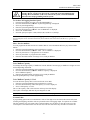
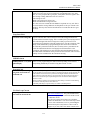
Red Alarm
A red alarm is indicated on the display of Extension 20.
It is also indicated in the MPS (Management and Programming Software) package under T1 diagnostics.
Blue Alarm
Blue alarms are indicated in the MPS only.
Yellow alarm
Yellow alarms are indicated in the MPS only
Loopback tests
Two local loopback tests can be initiated from the MPS, a Transceiver Local Loopback and a Digital Local
loopback. These tests can be run to check if a problem is internal or external to the system.
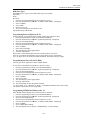
"All Ones" is the default BERT pattern that is automatically sent for the default period of 30 seconds when the
loopback test is run. The test period can be set to any value in the range 1 - 3600 seconds.
Running a loopback test will drop any calls in progress on the T1 / PRI. A Busy Out option is provided which
busies out all the channels, as they become free. Channels should be busied out before running the loopback tests
to ensure that calls are not interrupted.
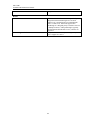
T1 Status
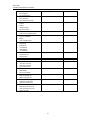
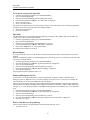
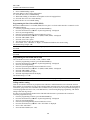
The status of the T1 can be examined from the MPS
The status of the Busy out is shown as: Inactive
Busying Channels
All Channels Busied
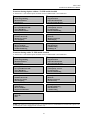
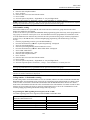
The loopback status is shown in the T1 Loopback screen. The status can be:
Disabled
Transceiver Local Loopback
Transceiver Remote Loopback
Digital Local Loopback
Digital Remote Loopback
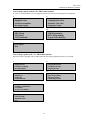
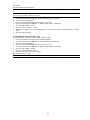
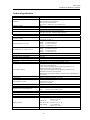
The Line Build-Out value is shown in the T1 Interface screen. The value can be:
0 db
- 7.5 db
- 15.0 db
- 22.5 db
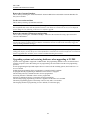
If a Red alarm is present, "Alarm !" is displayed in red.
If a Yellow / RAI alarm is present, "Alarm !" is displayed in yellow.
If a Blue / AIS alarm is present, "Alarm !" is displayed in blue.
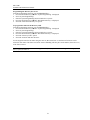
T1 Error Reports
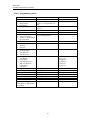
The following errors are shown for 15 minute, hourly, daily and seven-day intervals
BPV CRC-6 OOF/COFA CS ES SES UAS
45