1
XTL Series
USER GUIDE
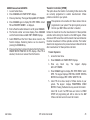
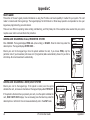
Silencing an Alarm
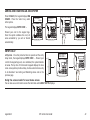
When the alarm siren is sounding, enter your user code or present your card
to a keypad or reader during the Status List display.
IS THIS A FALSE ALARM? YES NO or CANCEL VERIFY displays.
• If a burglar alarm is valid, press NO or VERIFY to send a verification
message to the Central Station. The system will remain armed.
• If a valid alarm has not occurred, press YES or CANCEL to cancel the
alarm and send an Abort or Cancel message to the Central Station
and the security system will be disarmed.
Note: For Area Systems, this prompt is displayed only if the User Code has
the authority to disarm the area.
What to do when a trouble tone is sounding
You can silence the trouble tone by pressing any key. This only silences the
keypad and does not correct the condition that originally caused the problem.
© 2014 Digital Monitoring Products, Inc.
Information furnished by DMP is believed to be accurate and reliable.
This information is subject to change without notice.
XTL Series User Guide
Table of Contents
SectionPage
SectionPage
Introduction...............................................................1
XTL, XTLN, XTLN-WiFi, and XTLC Systems......................... 1
About Your Security System.............................................. 1
Emergency Evacuation Plans............................................. 2
Keypads.......................................................................... 3
Common Keys on All Keypads........................................... 4
Keypad User Options........................................................ 4
Special Keypad Tones....................................................... 4
1100 Series Wireless ....................................................... 5
Special Wireless Displays.................................................. 6
Special Keypad Displays.................................................... 6
Email/Cell Phone Messages............................................... 7
MyAccess™ Text Messaging Commands............................. 7
Understanding Security System Terms............................... 7
Home/Away System Disarming........................................ 15
Keypad Shortcut Keys..................................................... 16
Arming and Disarming................................................ 9
How Your System Operates............................................... 9
Arming Functions............................................................. 9
Key Fob Arming.............................................................. 10
Key Fob Disarming......................................................... 10
Area System Arming....................................................... 10
Area System Disarming................................................... 11
All/Perimeter System Arming........................................... 12
All/Perimeter System Disarming....................................... 13
Home/Away System Arming............................................ 14
User Menu................................................................18
Accessing the User Menu................................................ 18
User Menu Options......................................................... 18
User Check-in................................................................. 19
Zone Activity Check........................................................ 19
Sensor Reset.................................................................. 20
Outputs On Off............................................................. 20
Favorite......................................................................... 20
Z-Wave Setup................................................................ 21
Bypass Zones................................................................. 26
Zone Monitor (Chime)..................................................... 27
Using the Zone Monitor Function..................................... 27
System Test................................................................... 28
User Codes.................................................................... 28
Schedules...................................................................... 31
Permanent Schedules..................................................... 31
Extending Schedules...................................................... 31
Time and Date............................................................... 32
Display Events............................................................... 32
Request Service?............................................................ 32
WiFi Version................................................................... 32
XTL Series User Guide
i
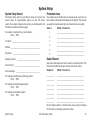
System Setup...........................................................33
System Setup Record..................................................... 33
Protection Areas............................................................. 33
Output Record............................................................... 33
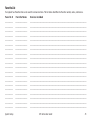
Z-Wave Device Name...................................................... 34
Favorite List................................................................... 35
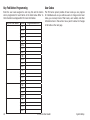
Key Fob Button Programming ......................................... 36
User Codes.................................................................... 36
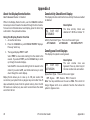
Appendix D...............................................................45
Email/Cell Phone Message User’s Guide........................... 45
MyAccess™ Text Messaging Commands........................... 46
Subscribe to Text Messages............................................ 48
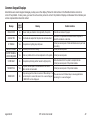
Common Keypad Displays............................................... 49
Quick Reference Wallet Cards..................................52
Appendix A...............................................................38
About the Display Events Section.................................... 38
Zone Activity Check Event Display................................... 38
Zone Bypass Event Displays............................................ 38
Zone Event Displays....................................................... 39
Arming and Disarming Event Displays.............................. 39
User Check-in Event Displays.......................................... 39
User Code Change Event Displays................................... 39
Supervisory Event Displays............................................. 40
System Monitor Event Displays........................................ 40
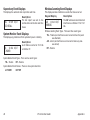
Wireless Jamming Event Displays.................................... 40
Appendix B...............................................................41
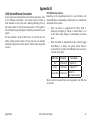
1100 Series Wireless Description .................................... 41
Appendix C...............................................................42
User’s Guide.................................................................. 42
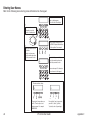
Entering User Names...................................................... 44
ii
XTL Series User Guide
Introduction
XTL, XTLN, XTLN-WiFi, and XTLC Systems
This Guide covers operation of the XTL, XTLN, XTLN-WiFi, and XTLC
systems.
About Your Security System
Your system is designed with your safety and comfort in mind. It uses
the latest in computer technology to create the most advanced,
user friendly, wireless security and fire system available.
The system combines ease of use with a simple to understand
keypad display to offer the full range of features requested by
today’s security system owners. Your security system can protect
both the interior and perimeter of your home or business while you
are away or just the perimeter when you are inside, giving you a
wall of security and peace of mind.
You can turn portions of your protection on or off at any time by
pressing a few keys. You can add, delete, and change personal user
codes at any time or check the status of all protection devices in
the system.
Keypads
This is the device we have placed at certain locations throughout
the premises that allows you to turn the system protection on and
off using your personal user code.
A Note About False Alarms
One of the most important concerns facing the security industry
today is false alarms. The accidental dispatching of police and
fire agencies places others in jeopardy by limiting the response
capability of those emergency service units.
As part of our commitment to reducing false alarms, we would like
to encourage you to read this guide thoroughly. All the information
contained here can help you quickly, and comfortably, learn the
XTL Series system operation.
Note: There may be a 30-second alarm communication delay
pre‑programmed at installation to allow disarming if a false
alarm occurs. This delay is optional and can be removed or
increased to 45 seconds by your alarm dealer.
Test Your System Weekly
It is recommended that you test the burglary portion of your system
at least once each week. Testing should involve an active test of all
doors, windows, and motion detectors connected to your system.
If your system also has fire protection, call the service department
to find out how this portion of your system should be tested.
Refer to the System Test section of this guide for instructions on
testing the burglary portion of your system.
Keypad User Menu
The keypad provides a simple User Menu containing all of the
functions you need to fully operate your system such as performing
a system test or changing a personal user code.
XTL Series User Guide
1
Emergency Evacuation Plans
Overview
The National Fire Protection Association recommends that you
establish an emergency evacuation plan to safeguard lives in the
event of a fire or other emergency.
Practice your escape plans
Devising an escape plan is only the beginning. For the plan to be
effective everyone should practice escape routes from each room.
First Floor
Draw a floor plan of your home or business
On a clean sheet of paper, draw the walls, windows, doors, and
stairs. Also draw any obstacles that a person may encounter while
exiting the building such as large furniture or appliances.
Develop escape routes
Determine at least two routes the occupants in each room can
take to safely escape. One route can be the most obvious such as
the door. Another can be through an easily opened window. If the
window is high off the ground, an escape ladder should be provided.
Second Floor
Fire Escape
Window Ladder
Building Front
Building Back
Draw arrows on the floor plan to show escape routes from each
room.
Decide where to meet
Prearrange a meeting place outside and away from where
emergency personnel are likely to be working. A neighbor’s house
or across the street in front of the house are good locations. Always
perform a head count to make sure all occupants safely exited.
NEVER ENTER A BURNING BUILDING. If the head count shows one
or more persons missing, give this information immediately to the
authorities. Never enter a building to look for someone.
2
Figure 1: Sample Escape Route Map
Early detection
The best way to survive a fire or other emergency is to get out
early. A fire alarm system installation, with smoke and carbon
monoxide detectors in each room, can greatly decrease your risk
of loss or injury.
XTL Series User Guide
Keypads
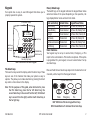
Your system has an easy to use LCD keypad that allows you to
properly operate the system.
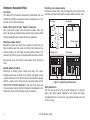
32-Character Display
SMITH HOME
F R I 2 : 51 AM
Select Keys
Backlit Logo
and Proximity
Antenna
1
2
3
4
5
6
7
8
9
0
CMD
COMMAND Key
Back Arrow Key
Data Entry Digit keys
DMP 9000 Series Wireless Keypad
The Select keys
There are four keys under the display called the Select keys. These
keys are one of the features that make your system so easy to
operate. They allow you to make selections by pressing the Select
key under a choice shown in the display.
Note: F
or the purposes of this guide, when instructed to press
the first Select key, press the far left Select key; the
second Select key is the second from the left; third Select
key is second from the right; and the fourth Select key is
the far right key.
Introduction
Power/Armed Logo
The backlit logo on the keypad indicates the keypad Power status
and Armed status of the panel. Depending on the operation, the
logo displays Red or Green as listed in the table.
Color and Activity
Green Steady
Green Blinking
No Light
Red Steady
Red/Green Alternate
Red Blinking
Armed Status
Panel Disarmed
Panel Disarmed
Panel Disarmed
Panel Armed
Panel Armed
Panel Armed
Keypad Power Status
AC Power OK, Battery OK
AC Power OK, Battery Fault
AC Power Fault, Battery OK
AC Power OK, Battery OK
AC Power OK, Battery Fault
AC Power Fault, Battery OK
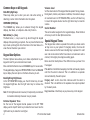
Panic Functions
Your keypad may be set up to send a Panic, Emergency, or Fire
report to the central station. This function is optional. If this option
is programmed for your keypad, icons are located below the top
row Select keys.
Press and hold the two Select keys adjacent to the desired icon for
2 seconds, until a beep from the keypad is heard.
Top Row Select Keys
Police
Emergency
Fire
DMP 9000 Series Wireless Keypad Panic Keys
With Shaded Buttons To Indicate Police Panic Keys
XTL Series User Guide
3
Common Keys on All Keypads
Data Entry Digit keys
These keys allow you to enter your user code when arming or
disarming or enter other information into the system.
COMMAND (CMD) key
The COMMAND key allows you to advance through the keypad
displays, User Menu, or complete a data entry function.
Back Arrow (<—) key
The Back Arrow (<—) key is used to go back through the keypad
displays while operating your system. You can press the Back Arrow
key to back up through the list of functions in the User Menu or to
erase the last character you entered.
Keypad User Options
The User Options menu allows you to make adjustments to your
keypad to best fit your environment and needs.
Press and hold the Back Arrow and COMMAND keys for two seconds.
The keypad display changes to SET BRIGHTNESS. Press the COMMAND
key to display the next option or the Back Arrow key to exit.
Backlighting Brightness
At the SET BRIGHTNESS display, use the left Select key to lower
the keypad brightness. Use the right Select key to increase the
brightness.
Note: If the brightness level is lowered, it temporarily reverts back
to maximum intensity whenever a key is pressed.
Volume level
Set the volume level of the keypad internal speaker for key presses.
During alarm, trouble, and prewarn conditions, the volume is always
at maximum level. At SET VOLUME LEVEL, use the left Select key
to lower the keypad volume. Use the right Select key to raise the
volume.
Serial Number
The serial number assigned to the keypad displays. Press the Back
Arrow key to exit the User Options function.
Special Keypad Tones
Your keypad also contains a speaker that alerts you about events
as they occur on your system. For burglary alarms, the tone will
silence as soon as the first user code digit key is pressed. If a valid
user code is not entered within 5 seconds or an invalid user code is
entered, the burglary tone begins sounding again.
Below are brief descriptions of the different tones you hear from
the keypad.
Fire alert: An intermittent sweeping siren that continuously repeats
until the fire alarm is silenced. This is in addition to a separate
siren activated by the alarm panel.
Burglary alert: A siren tone that continues until the alarm is
silenced. This is in addition to the separate siren output operated
by the alarm panel.
Key press tone: A short beep as you press a key on the keypad.
Internal Speaker Tone
Set the tone of the keypad internal speaker. At the SET TONE
display, use the top left Select key to make the tone lower. Use the
right Select key to make the tone higher.
4
XTL Series User Guide
Introduction
Prewarn tone: A continuous pulsed tone that sounds when you
open an entry delay door on a system that is armed (turned on)
reminding you to disarm the burglary protection.
Your system will silence the tone as soon as the first user code
digit key is pressed. If a valid user code is not entered within 5
seconds or an invalid user code is entered, the prewarn tone begins
sounding again.
Exit tone: When fully arming your system to leave, a continuous
pulsing tone sounds during the exit countdown just after arming to
remind you to exit the premise. At ten seconds prior to the end of
the countdown, the rate of pulsing increases.
Monitor tone: A pulsed tone that sounds one time for one second
each time a door or window is opened while you are using the zone
monitor function from the User Menu. See Zone Monitor.
Trouble tone: A steady tone indicating a trouble condition on your
system. Press any key to silence the trouble tone.
What to do when the trouble tone sounds
You can silence the trouble tone by pressing any key.
This only silences the keypad and does not correct the
condition that originally caused the trouble.
1100 Series Wireless
Your system may include wireless devices such as key fob(s).
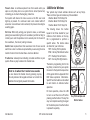
There are three types of wireless key fobs available:
4-Button Model 1145-4 Key Fob
2-Button Model 1145-2 Key Fob
4-Button Layout
LED
1-Button Model 1145-1 Key Fob
The drawing shows the button
layout for all three models for your
reference. Each button on the key
fob is programmed to perform a
specific action. The button names
are listed for your reference.
TOP = the Key Fob Top button
BTM = the Key Fob Bottom button
LFT = the Key Fob Left button
RGT = the Key Fob Right button
The button programming list for the
key fob(s) connected to your system
is located in the System Setup section
of this guide. Refer to Appendix B for
LED Status operation information.
Specific function labels can be added
to each button to indicate button
operation.
For best operation, allow the LED
to turn on and then turn off before
pressing another button. The key fob
may not complete sending the signal
for the button press if another button
is pressed too quickly.
Introduction
XTL Series User Guide
TOP
LFT
RGT
BTM
Connect Keyring or Lanyard Here
2-Button Layout
1-Button Layout
TOP
TOP
BTM
Key Fob Examples and
Button Names
5
Special Wireless Displays
Your system uses wireless transmitters to send alarm and trouble
information from the protection devices to the panel. Wireless
systems have several unique keypad displays.
BACK DOOR -LOBAT - (Low Battery) The battery in a wireless
transmitter is low. (BACK DOOR is used as an example only.)
BACK DOOR -MISNG - (Missing) The panel is not receiving the
wireless transmitter periodic test report.
WIRELESS -TRBL - (Trouble) Some part of your wireless system is
operating improperly. Call the service department for assistance.
WIRELESS RECEIVER JAMMED -ALARM - Your system may be programmed
for wireless interference detection and, if displayed, your wireless
receiver has detected an interfering signal while the system is armed.
WIRELESS RECEIVER JAMMED -TRBL - (Trouble) Your system may be
programmed for wireless interference detection and, if displayed,
your wireless receiver has detected an interfering signal while the
system is disarmed.
Special Keypad Displays
ALARM CANCELLED
An Alarm signal just sent to the central station was cancelled
because a user code was entered after the alarm was sent. Also, an
Alarm Cancel signal is sent to the Central Station.
ALARM VERIFIED
A valid burglar alarm has occurred and has been manually verified
by the user. The alarm system also transmits a VERIFY message to
the Central Station.
ENTER CODE
The system requires you to enter a personal user code. User codes
can be used for turning your system on (arming), turning your
system off (disarming), and other system options.
As you enter your user code, the keypad display shows an asterisk
(*) in place of each digit pressed. This prevents others from seeing
your user code on the display as you enter it.
INVALID CODE or TRY AGAIN
The user code you entered is not recognized by the system. Check
the user code and try again.
As you use your system, you may occasionally see a keypad display
that asks you to enter a user code or describes a condition on the
system. Below are some examples of the displays you may see.
TRBL (TROUBLE)
There is a problem with a protection device or system component.
This display is accompanied by a description of the problem.
ALARM
A 24-hour zone, such as a fire or panic zone, or an armed burglary
zone is faulted. Your system may also sound wireless sirens.
SYSTEM TROUBLE or SERVICE REQUIRED
There is an electronic failure in your system. Contact the service
department as soon as possible.
ALARM NOT SENT
The alarm signal was aborted and was not sent to the central station
because a user code was entered to disarm the system before the
alarm signal was sent to the central station. Also, your system may
be pre-programmed at installation to send an Abort signal to the
Central Station. Refer to the Introduction section.
6
XTL Series
TEST IN PROGRESS
The system is currently being tested by an installation or service
technician.
User Guide
Introduction
Email/Cell Phone Messages
Your system may be programmed at installation to send a variety of
messages to your personal email and cell phone.
The message option uses your security system’s reporting capability
to send reports using an email address or cell phone number in
much the same way as someone sending an email would do. You
can receive reports of alarms, troubles, or system armings and
disarmings and know at a glance your system status. See Appendix
D for more information.
MyAccess™ Text Messaging Commands
Your system may be programmed to allow simple text messages to
be sent to the security system and perform basic user operations.
By texting a message from your cell phone, the following actions
can be performed: Arm/Disarm, check Armed Status, Cancel
Alarm, and turn Outputs On/Off. Other operations that may be
programmed from your cell phone or PDA include: Turning on and
off lights, locking and unlocking doors, and setting the thermostat.
See Appendix D for more information.
Understanding Security System Terms
Throughout this guide, and in some displays on your keypad, you
may see certain words or phrases that might be unfamiliar.
Below are some terms you will see here and on the keypad
display.
Introduction
Arming
This is the term used for turning on the burglary protection in
one or more areas of the system. Your system may require you to
enter a user code. When armed, the system can sound alarm sirens
and, if monitored, send alarm reports to a central station when a
burglary zone is faulted.
Fire, panic, and other 24-hour devices are always turned on and do
not need to be armed.
Disarming
This means turning off one or more areas of the system. When
disarmed, the system does NOT sound alarms or send alarm reports
to a central station when a burglary zone faults.
Zone
A zone refers to a protected opening or protection device assigned
to a zone number. Each door or window, motion detector, smoke
detector, or other device has a zone number and a name.
Entry or Exit Zone
Almost all systems have one or more doors through which you can
enter or exit the premises. These doors are programmed with a
delay time to allow you to enter or exit while the system is armed
without setting off the alarm.
When you arm the system, activity on all burglary zones is ignored
until the programmed exit delay time expires. Once that time has
expired and the system is fully armed, opening the door causes the
panel to start the entry delay time. During the entry delay time,
enter a valid user code to disarm the system or an alarm occurs.
XTL Series User Guide
7
Instant Zone
Exterior windows and non-entry doors, or interior protection
devices, are typically not programmed with delay times. If these
zones fault while the system is armed, an alarm occurs instantly.
24-Hour Zone
A 24-hour zone is not turned on or off by arming or disarming your
system. Some examples of 24-hour zones are fire zones, panic
zones, and temperature control zones.
Areas
An area is made up of burglary zones that can be armed or disarmed
together. The Perimeter area, for example, consists of all the doors
and windows on the outside of the building. When you arm the
Perimeter, these zones sound an alarm if tripped.
Central Station Monitoring
Your system can also be programmed to automatically send alarm,
trouble, and arming and disarming reports to a central station.
Operators at the central station can then dispatch the appropriate
authorities or contact you with the specific event information.
Status
Status is a feature that automatically displays the system armed or
disarmed status at the keypad and on the panel enclosure. Alarm
or trouble conditions on a zone or a system monitor such as AC
or battery trouble can also display. There are two types of status
information available: Status List and Armed Status.
For example, if the front door is left ajar upon exit and the exit delay
time expires, the system attempts to arm the front door zone but
recognizes the open condition. The system sounds the alarm sirens
and starts the entry delay. If the open condition is not corrected, an
alarm and exit error is reported to the central station.
The Exit Error feature allows the central station to acknowledge
the arming error without dispatching the police on a false alarm.
XTL Series User Guide
Introduction
Status List
The Status List displays any alarm or trouble condition on a zone
and any trouble condition that occurs with the AC power or battery
power. If your system contains any Panic zones, these do not display
on the keypad for security reasons.
8
If an alarm occurs on a non-fire, 24-hour zone or a system monitor,
it remains in the Status List until it restores. If one or more armed
burglary zones trips, the last one to trip remains in the Status List.
The burglary zone alarm remains in the Status List until it is cleared
by disarming the system. Pressing the COMMAND key allows the
next status list item to be displayed.
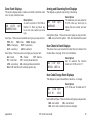
Zone Status
To display the status of a particular zone, enter the zone number
followed by the COMMAND key when the keypad displays the
Status List.
Armed Status
With Armed Status, the keypad displays the current armed condition
of areas within your security system.
The keypad displays
When
HOME SYSTEM ON
The perimeter areas is armed in a
Home/Away system.
PERIMETER ON
The perimeter is armed in an
All/Perimeter system.
ALL SYSTEM ON
All areas are on.
SLEEP SYSTEM ON
The perimeter and interior areas are on
but the bedroom area is off.
Exit Error
This is an automatic panel function that occurs if an exit door does
not close all the way after the system is armed.
How Your System Operates
Arming and Disarming
Arming Functions
Your system has been programmed to operate in one of three
modes: Area, All/Perimeter or Home/Sleep/Away.
• All/Perimeter — Your burglary protection is divided into two
areas: Interior and Perimeter.
Perimeter arming is for when you are staying inside but want
the comfort of knowing the exterior doors and windows are
armed. Perimeter arming allows you to move freely about inside
without setting off any interior alarms.
All arms both the Perimeter and the Interior of the system. You
want to arm both of these areas when leaving the building and
no one is left inside.
• Home/Sleep/Away — Your burglary protection is divided into
two or three areas: Perimeter, Interior, and Bedrooms.
Home (Perimeter) arming is for when you are staying inside but
want the comfort of knowing the exterior doors and windows are
armed.
Sleep (Perimeter and Interior) arms all areas except those near
bedrooms and nighttime areas.
Away (Perimeter, Interior, and Bedrooms) arms all three areas
for when you leave the building and no one is left inside.
• Area — Your burglary protection is divided into up to six
areas. Each area can have a custom name, be turned on or off
independently of other areas, and limit access to only those
users with proper authority.
Regardless of which mode is programmed, much of the operation
is similar. Throughout this guide, any differences between the
systems are noted for your convenience.
Arming and Disarming
XTL Series
Arming: During arming, the system verifies that all doors, windows,
and other protection devices to be armed are in normal condition.
If everything is normal, the system arms. If there is a problem on
one or more burglary zones, the keypad displays the problem and
allows you to correct the problem or bypass those zones.
If the problem can be corrected by closing a door or window, do
not bypass the zone. Instead, correct the problem and try arming
again. If the problem cannot be corrected, you can bypass the zone
or wait until the zone can be repaired by a service technician. A
bypassed zone is ignored by the system during the armed period.
In some cases the keypad might display FRONT DOOR - FAULT.
The keypad may then display PRIORITY ZONE, which is a zone that
cannot be bypassed. The problem on the zone must be corrected
before the system can be armed.
After making your arming selection, the keypad displays any zones
that are currently bypassed. These zones remain bypassed until the
system is armed and then disarmed. Any 24-hour zones in a faulted
condition also display.
Armed Message: After completing all bypasses or correcting zone
faults, the areas selected are armed.
For All/Perimeter systems the keypad displays ALL SYSTEM ON if all
areas in the system are arming or PERIMETER ON if only selected
areas are arming.
For Home/Away or Home/Sleep/Away systems the keypad displays
ALL SYSTEM ON if all areas in the system are arming, HOME SYSTEM
ON or SLEEP SYSTEM ON if only selected areas are arming.
For an Area System the keypad displays SYSTEM ON if at least one
area in the system is armed, followed by the area numbers that
were armed. The keypad displays ALL SYSTEM ON if all areas in the
system are armed.
User Guide
9
Exit Delay: The keypad then displays the exit delay time as it counts
down. If the entire system has been armed, your system beeps the
exit delay tone at eight-second intervals until the last 10 seconds
when the keypad beeps at three‑second intervals. After exiting the
building, if you re-enter during the countdown the exit countdown
restarts, allowing additional time to then disarm or again exit the
building during the countdown. This restart can occur only one
time. When the exit delay time expires, all disarmed zones are
armed. If your system uses a keyswitch to arm an area, the exit
delay time does NOT count down on the keypad display.
When you arm both the Perimeter and Interior to leave the building
but then you do not exit by the time the exit delay ends, the system
automatically arms but the interior area(s) will remain disarmed
because you have not exited.
Should you exit the building and the door does not close properly,
your system may be programmed so that when the exit delay
countdown ends, then the entry delay starts and the siren will
sound to alert you to the situation. Enter your user code to stop the
siren and disarm the system. Rearm the system, exit the building,
and make sure the door is securely closed.
ONE MOMENT . . . Message: If your system is monitored, it
may be programmed to wait for the arming report to be sent to
the monitoring station before displaying the armed message. This
verifies that the arming message was received by your monitoring
station. While the system waits, the display reads ONE MOMENT....
If the report is received, the keypad buzzes for one second and
displays the armed message.
If the report is not received, the keypad displays LOCAL ALARM
ONLY before displaying the armed message.
Key Fob Arming
Press the key fob button programmed for Arming or Toggle (Arm/
Disarm) button. A Red LED two-second acknowledgement indicates
All System On. A Green/Red two‑second acknowledgement indicates
System On with some areas armed.
Key Fob Disarming
Press the key fob button programmed for Disarming or Toggle
(Arm/Disarm) button. A Green LED two-second acknowledgement
indicates All System Off.
Area System Arming
Area Assignment: Your security system is programmed into separate
areas. The number of areas and their names are listed in the back
of this guide.
Arming or Disarming: You can arm and disarm all areas at one time
or each area individually. You can only arm or disarm areas authorized
for your user code.
All or Selective Arming: After entering your user code, the system
allows you to arm either all of the areas to which you have access
or one or more selected areas. If you choose to arm all areas, the
system begins verifying that all zones in those areas are in a good
condition. If you choose to arm selected areas, the system prompts
you to choose the areas you want to arm.
Arming the System
1. Press the COMMAND key until ARM DISARM displays.
2.Select ARM to turn on all protection.
3. Enter your user code if required. The display reads
ALL? NO YES.
4.Select NO to arm only selected areas. Go to step 5. Select
YES to arm all areas authorized for your user code.
Arming Report: Your system may be pre-programmed at installation
to send arming or zone bypass reports to a central station.
10
XTL Series User Guide
Arming and Disarming
5.If NO is selected in step 4, the display begins to list each
area to which you have access followed by NO YES.
Example: OFFICE NO YES.
5a.Select YES for each area you want to arm.
5b.Select NO for each area you do NOT want to arm.
Note: You can also simply press the area numbers you want
to arm while ALL? NO YES displays. This changes the display
to AREAS:. The numbers you select appear in the display.
For example: AREAS: 2 4. Press COMMAND when done.
6. The system displays any faulted and bypassed zones in the
following order: faulted burglary zones, bypassed burglary
zones, faulted 24-hour zones, and bypassed 24-hour zones.
7. At this point you can force arm or bypass any faulted
burglary zones. A zone that is force armed is restored into the
system if it later returns to normal. A zone that is bypassed
remains bypassed until the system is disarmed. See steps 7a
through 7d.
7a. If a problem exists on any zones, the zone name and
problem are shown followed by: OKAY BYPASS STOP.
7b.Select OKAY to force arm the zone(s) before arming.
7c.Select BYPASS to bypass the zone(s) before arming.
Note: 24-hour zones cannot be bypassed.
7d.Select STOP to stop the system from arming. Correct
the zone problem(s) and return to step 1.
8. The display reads SYSTEM ON if at least one area in the
system is armed, followed by the area numbers that were
armed. The display reads ALL SYSTEM ON if all areas in the
system are armed.
Arming and Disarming
9. The keypad then displays the exit time in seconds and
counts down the remaining time: EXIT: # # (# # = seconds
remaining). When the entire system is armed, the keypad
sounds the exit delay alert and when the delay expires, all
zones are armed.
Area System Disarming
Disarming: While the system is armed, you can only enter the premises
through an exit/entry delay door without causing an alarm. After
opening the door, the keypad sounds a prewarn tone to remind you
to disarm the system. You must disarm the system before the delay
time expires or an alarm on the door zone occurs.
During the prewarn tone, the keypad displays ENTER CODE: Enter
your user code to disarm the system. Only those areas authorized
for your user code disarm.
Note: Your keypad will silence the tone as soon as the first user
code digit key is pressed. If a valid user code is not entered within 5
seconds or an invalid user code is entered, the prewarn tone begins
sounding again.
All or Selective Disarming: After entering your user code, the system
allows you to disarm either all of the areas to which you have access
or just selected areas. If you choose to disarm all areas, the system
automatically disarms them. If you choose to disarm selected areas,
the names of those areas display on the keypad.
Alarm Display: After disarming, the keypad displays any zones that
went into alarm or any communication problems that occurred
during the armed period. All burglary zones are then disarmed and
any bypassed zones are automatically reset.
Disarmed Message: The keypad displays ALL SYSTEM OFF after the
system disarms.
Central Station Report: Your system may be pre-programmed at
installation to send a report of the disarming to the central station.
XTL Series User Guide
11
Z-Wave Lock Disarming: If your system is installed with a Z-Wave
compatible lock, a valid user code entered at the lock will unlock
the door and disarm the areas to which you have access.
Disarming During an Alarm
1. While the alarm siren sounds, enter your user code to
silence the alarm. The keypad tone silences as soon as the
first key is pressed.
For a burglary alarm, the keypad displays
IS THIS A FALSE ALARM? NO YES or CANCEL VERIFY.
This allows you to investigate the alarm prior to disarming
the system. This display remains on the keypad until a
selection is made, the Back Arrow is pressed, or the internal
system bell cutoff timer expires.
2. If a valid alarm has not occurred, select YES or CANCEL to
disarm the system and cancel the alarm.
The keypad next displays ALL SYSTEM OFF to confirm the
system is disarmed.
OR
If the alarm is valid, select NO or VERIFY to send a verify
message to the Central Station. The system will remain
armed.
Disarming an Area System
1. Press the COMMAND key until ARM DISARM displays. During
entry delay this process starts at step 3 below.
2.Select DISARM to disarm areas.
3. The keypad displays ENTER CODE: . Enter your user code
and press COMMAND. The keypad displays ALL? NO YES.
4.Select YES to disarm all areas authorized for your user
code.
12
4a.Select NO to disarm only certain areas individually. The
keypad then displays the name of each area authorized
for your code followed by the NO YES display.
4b.Select YES to disarm the area displayed.
4c.Select NO to not disarm and to display the next area.
Note: You can also just press the area numbers you want
to disarm while at the ALL? NO YES display. This changes
the display to AREAS: . The area numbers you select
appear in the display. For example: AREAS: 2 4.
To remove an area number from the display, press its
corresponding number on the keypad. Press COMMAND
when done.
5. After all areas have displayed, any alarms or communication
problems that occurred during the armed period are shown.
6.If all areas are
ALL SYSTEM OFF.
disarmed,
the
keypad
displays
All/Perimeter System Arming
Area Assignment: Your security system is divided into two separate
areas. Motion detectors, inside doors, and other interior protection
devices are assigned to the Interior area while windows and exterior
doors are assigned to the Perimeter area.
Perimeter or All: When arming an All/Perimeter system, the keypad
displays PERIM ALL. If you select ALL, you arm both the Perimeter
and the Interior of the system. You want to arm both of these areas
when leaving with nobody left inside. Selecting PERIM arms only
the Perimeter of the system. Perimeter arming is for when you are
staying inside but want the comfort of knowing the exterior doors
and windows are armed. Perimeter arming allows you to move freely
about inside without setting off any interior alarms.
XTL Series User Guide
Arming and Disarming
System Ready/System Not Ready Keypad Displays
When all zones in the system are in a normal condition, the keypad
displays SYSTEM READY. If there are one or more zones that are
not in a normal condition, the keypad displays SYSTEM NOT READY.
Pressing any Select key during this display shows the zone name
allowing you to investigate the problem.
Instant Arming
Instant: During the exit delay time, you can cancel the exit and
entry delays and cause all zones to be instant zones. Select INSTNT
while the exit delay displays. This immediately arms the exit zones.
However, no entry delay is provided and an alarm immediately
occurs should an entry door be opened.
All/Perimeter Shortcut Key Arming
Arm Perimeter — Press 6 for 2 seconds.
Arm All— Press 1 for 2 seconds.
Arming an All/Perimeter System
1. Enter your code. The keypad displays PERIM ALL.
2.Select PERIM to arm the Perimeter area only.
3.Select ALL to arm both the Perimeter and Interior areas.
4. The system displays any faulted and bypassed zones in the
following order: faulted burglary zones, bypassed burglary
zones, faulted 24-hour zones, and bypassed 24-hour zones.
5. At this point you can force arm or bypass any faulted
burglary zones. A zone that is force armed is restored into
the system if it later returns to normal. A bypassed zone
remains bypassed until the system is disarmed. See steps 5a
through 5d.
5a.If a problem exists on any zones, the zone name and
problem display followed by: OKAY BYPASS STOP.
5b.Select OKAY to force arm the zone(s) before arming.
Arming and Disarming
6.
7.
8.
9.
5c.Select BYPASS to bypass the zone(s) before arming.
5d.Select STOP to stop the system from arming. Correct
the zone problem(s) and return to step 1.
The keypad displays PERIMETER ON if only the perimeter is
being armed and ALL SYSTEM ON if both the perimeter and
interior are being armed.
The keypad next displays EXIT: ## INSTNT and begins to
count down the number of seconds remaining for you to exit.
If the entire system is armed, the keypad sounds the exit
delay alert and when the delay expires, all zones are armed.
You can select INSTNT while EXIT: ## INSTNT displays to
immediately arm all zones and make them instant. The
keypad displays INSTANT. When you select INSTANT, any
entry/exit zone that trips immediately activates an alarm
and the exit delay countdown immediately stops.
When the system is armed, the keypad displays PERIMETER
ON for perimeter arming and ALL SYSTEM ON for perimeter
and interior arming.
All/Perimeter System Disarming
Disarming: While the system is armed, you can only enter the
premises through an entry/exit delay door without causing an alarm.
After opening the door, the keypad sounds a prewarn tone to remind
you to disarm the system. You must disarm the system before the
prewarn tone expires or an alarm on the door zone occurs.
During the prewarn tone, the keypad displays ENTER CODE:. Enter
your user code to disarm the system.
Note: Your keypad will silence the tone as soon as the first user
code digit key is pressed. If a valid user code is not entered within 5
seconds or an invalid user code is entered, the prewarn tone begins
sounding again.
XTL Series User Guide
13
Alarm Display: After disarming, the keypad dis
plays any zones
that tripped or any transmission problems that occurred dur
ing
the armed period. All burglary zones are then disarmed and any
bypassed zones automatically reset.
Disarmed Message: The keypad displays ALL SYSTEM OFF after the
system disarms.
Central Station Report: Your system may be pre-programmed at
installation to send a report of the system disarming to the central
station.
Z-Wave Lock Disarming: If your system is installed with a Z-Wave
compatible lock, a valid user code entered at the lock will unlock
the door and disarm the system.
Disarming an All/Perimeter System
1. During the entry delay time, the keypad displays ENTER
CODE:. Enter your user code.
2. The keypad displays any zones that went into alarm and any
communication problems that occurred during the armed
period.
3. The keypad next displays ALL SYSTEM OFF to confirm the
system is disarmed.
Disarming During an Alarm
1. While the alarm siren sounds, enter your user code to
silence the alarm. The keypad tone silences as soon as the
first key is pressed.
For a burglary alarm, the keypad displays
IS THIS A FALSE ALARM? NO YES or CANCEL VERIFY.
This allows you to investigate the alarm prior to disarming
the system. This display remains on the keypad until a
selection is made, the Back Arrow is pressed, or the internal
system bell cutoff timer expires.
14
2. If a valid alarm has not occurred, select YES or CANCEL to
disarm the system and cancel the alarm.
The keypad next displays ALL SYSTEM OFF to confirm the
system is disarmed.
OR
If the alarm is valid, select NO or VERIFY to send a verify
message to the Central Station. The system will remain
armed.
Home/Away System Arming
Area Assignment: Your security system is divided into two or three
separate areas. Motion detectors, inside doors, and other interior
devices are assigned to an Interior and possibly Bedroom area while
windows and exterior doors, are assigned to a Perimeter area.
Arming the system: When arming a Home/Away system, the
keypad displays HOME AWAY or HOME SLEEP AWAY. If you select
AWAY, you arm all areas of the system. You want to arm all areas
when leaving with nobody staying inside.
Selecting HOME arms only the system Perimeter. Perimeter arming
is for when you are staying inside but want the comfort of knowing
the exterior doors and windows are armed.
Selecting SLEEP arms the Perimeter and Interior devices but leaves
devices near bedrooms and other nighttime areas off.
System Ready/System Not Ready Keypad Displays
When all system zones are in a normal condition and can be armed
without bypassing, the keypad displays SYSTEM READY. If there are
one or more zones that are not in a normal condition, the keypad
displays SYSTEM NOT READY. Pressing any Select key during this
display shows the faulted zone name.
XTL Series User Guide
Arming and Disarming
Home/Sleep/Away Shortcut Key Arming
Arm Home — Press 3 for 2 seconds to arm the perimeter.
Arm Sleep — Press 7 for 2 seconds to arm the perimeter and interior
areas and leave the bedroom area off.
Arm Away — Press 1 for 2 seconds.
Arming a Home/Away System
1. Enter your user code. The keypad displays HOME AWAY or
HOME SLEEP AWAY (you may have three areas).
2.Select HOME to arm the Perimeter only.
3.Select SLEEP to arm the Perimeter and Interior.
4.Select AWAY to arm the Perimeter, Interior, and Bedroom.
5. The system displays any faulted and bypassed zones in the
following order: faulted burglary zones, bypassed burglary
zones, faulted 24-hour zones, and bypassed 24-hour zones.
6. At this point you can force arm or bypass any faulted burglary
zones. A zone that is force armed is restored into the system
if it later returns to normal. A zone that is bypassed remains
bypassed until the system is disarmed. See the steps below.
6a.If a problem exists on any zones, the zone name and
problem display followed by: OKAY BYPASS STOP.
6b.Select OKAY to force arm the zone(s) before arming.
6c.Select BYPASS to bypass the zone(s) before arming.
6d.Select STOP to stop the system from arming. Correct
the zone problem(s) and return to step 1.
7. The keypad displays HOME SYSTEM ON if you selected
HOME, or SLEEP SYSTEM ON if you selected SLEEP, or ALL
SYSTEM ON if you selected AWAY.
8. The keypad next displays EXIT: ## INSTNT and begins to
count down the number of seconds remaining for you to
exit. The keypad sounds the exit delay alert and when the
delay expires, all zones are armed.
Arming and Disarming
9. You can select INSTNT while EXIT: ## INSTNT displays to
immediately arm all zones and make them instant. The
keypad displays INSTANT. When you select INSTANT, any
entry/exit zone that trips immediately activates an alarm
and the exit delay countdown immediately stops.
10.When the system is armed, the keypad displays HOME
SYSTEM ON for Perimeter arming, SLEEP SYSTEM ON for
Perimeter and Interior arming, and ALL SYSTEM ON for all
areas armed.
Home/Away System Disarming
Disarming: While the system is armed, you can only enter the
premises through an entry/exit delay door without causing an
alarm. After opening the door, the keypad sounds a prewarn tone
to remind you to disarm the system. You must disarm the system
before the prewarn tone expires or an alarm on the door occurs.
During the prewarn tone, the keypad displays ENTER CODE:. Enter
your code to disarm the system.
Note: Your keypad will silence the tone as soon as the first user
code digit key is pressed. If a valid user code is not entered within 5
seconds or an invalid user code is entered, the prewarn tone begins
sounding again.
Alarm Display: After disarming, the keypad displays any zones that
tripped or any communication problems that occurred during the
armed period. All burglary zones are then disarmed and any by
passed zones automatically reset.
Disarmed Message: The keypad displays ALL SYSTEM OFF after the
system disarms.
Central Station Report: Your system may be pre-programmed at
installation to send a report of the system disarming to the central
station and/or to your email address or cell phone.
XTL Series User Guide
15
Z-Wave Lock Disarming: If your system is installed with a Z-Wave
compatible lock, a valid user code entered at the lock will unlock
the door and disarm the system.
Disarming a Home/Away System
1. During entry delay, the keypad displays ENTER CODE:.
Enter your user code.
2. The keypad then displays any alarms or communication
problems that occurred during the armed period.
3. The keypad next displays ALL SYSTEM OFF to confirm the
system is disarmed.
Disarming During an Alarm
1. While the alarm siren sounds, enter your user code to
silence the alarm. The keypad tone silences as soon as the
first key is pressed.
For a burglary alarm, the keypad displays
IS THIS A FALSE ALARM? NO YES or CANCEL VERIFY.
This allows you to investigate the alarm prior to disarming
the system. This display remains on the keypad until a
selection is made, the Back Arrow is pressed, or the internal
system bell cutoff timer expires.
2. If a valid alarm has not occurred, select YES or CANCEL to
disarm the system and cancel the alarm.
The keypad next displays ALL SYSTEM OFF to confirm the
system is disarmed.
Keypad Shortcut Keys
Your keypad provides one‑button shortcut keys. Holding down the
selected keypad button for two seconds until the tone re-sounds
allows you to arm, monitor, or reset your system. These options can
still be accessed through the User Menu if desired.
Keypad Key
Arming System Operation
Press Key 1
Arm All for All/Perimeter systems
Arm Away for Home/Sleep/Away systems
Press Key 2
Sensor (Fire) Reset on all systems
Press Key 3
Arm Home for Home/Sleep/Away systems
Press Key 4
Check-in Report on all systems
Press Key 5
Chime (Monitor) on all systems
Press Key 6
Arm Perimeter for All/Perimeter systems
Press Key 7
Arm Sleep for Home/Sleep/Away systems
Press Key 8
Easy Exit for Home/Sleep/Away systems
All
Away
1
Chime
(Monitor)
MN
16
AB
5
9
YZ
OR
Check-in Report
(Latch Key)
Sensor Reset
(Fire Reset) Home
If the alarm is valid, select NO or VERIFY to send a verify
message to the Central Station. The system will remain
armed.
XTL Series User Guide
C
O
2
DE
6
PQ
0
F
R
3
7
ST
4
I
JK
U
VW
GH
8
CMD
L
X
Easy Exit
Sleep
Perimeter
Keypad Shortcut Keys
Arming and Disarming
Arming Function
System Operation: Home/Sleep/Away, or All/Perimeter.
You can use the Arming shortcut keys, 1, 3, 6, and 7 when the
system is disarmed. You may be prompted to enter your user code.
If any zones are faulted, select force arm or bypass. Refer to the
Arming Section for detailed arming operation.
Home/Sleep/Away Arming
Arm Home — Press 3 for 2 seconds to arm the perimeter.
Arm Sleep — Press 7 for 2 seconds to arm the perimeter and
interior areas and leave the bedroom area off. This shortcut
key is available when the system is disarmed and when the
system is armed for Home mode.
Arm Away — Press 1 for 2 seconds.
All/Perimeter Arming
Arm Perimeter — Press 6 for 2 seconds.
Arm All— Press 1 for 2 seconds.
Sensor (Fire) Reset Function
System Operation: Area, Home/Sleep/Away, or All/Perimeter.
You can use the Sensor (Fire) Reset, shortcut key 2, when the
system is armed or disarmed. When pressed, detectors that have
latched due to an alarm condition are now restored and returned
to normal function. The keypad displays SENSORS ON and SENSORS
OFF to acknowledge the shortcut key press.
Note: You are prompted to enter your User Code on Area or All/
Perimeter systems.
Arming and Disarming
Chime (Monitor) Function
System Operation: Area, Home/Sleep/Away, or All/Perimeter.
You can use the Chime (Monitor), shortcut key 5, when the system
is disarmed. When pressed, the Zone Monitor operation is initiated.
As needed, refer to the Zone Monitor section. The keypad displays
MONITOR ON and chimes or displays MONITOR OFF and no tone is
sounded.
Note: The Chime (Monitor) shortcut key applies to all Exit zones
in an Area system and to all zones assigned to the perimeter in a
Home/Sleep/Away or All/Perimeter system.
Check-in Report (Latch Key) Function
System Operation: Area, Home/Sleep/Away, or All/Perimeter.
Your system may be pre-programmed at installation to send
messages to your personal email or cell phone. You can use the
Check-in Report (Latch Key), shortcut key 4, to have a Check-in
Report message sent. Refer to Appendix D for Email/Cell phone
message information.
Easy Exit™ Function
System Operation: Home/Sleep/Away.
You can use the Easy Exit, shortcut key 8, when the system is
armed, to restart the exit delay allowing you to exit the premises
without disarming the system. For example, to let a pet out or
retrieve the newspaper. After the exit delay time expires, the
system automatically rearms.
You can also press the Easy Exit, shortcut key 8 again, to cancel
the exit delay countdown. For example, the telephone rings before
you retrieve the newspaper so you press shortcut key 8 to rearm
the system.
XTL Series User Guide
17
User Menu
BYPASS ZONES
Allows you to Bypass a zone or reset an
already bypassed zone. ZONE MONITOR
(CHIME)Allows you to add or remove a
zone from the monitor (chime) mode.
ZONE MONITOR
Allows you to add or remove a zone from
the monitor mode.
SYSTEM TEST
Tests the system siren, communication
to the central station, and backup
battery.
USER CODES
Allows you to add, delete, or change
user codes and authority levels.
The following list shows the User Menu options in order:
SCHEDULES
Menu Option
USER CHECKIN
Description
Allows check-in with the system to
indicate arrival on premises.
Allows you to add, remove, or change
system schedules.
TIME
Allows you change the Time, Day, and
Date that is currently in the system.
ZONE ACTIVITY CHECK
Allows you to monitor a zone for nonactivity.
DISPLAY EVENTS
Allows you to view the last 100 events
that occurred on your system.
SENSOR RESET
Clears Fire and Supervisory zone alarm
and trouble displays from the status
list. Reset also clears low battery
displays from wireless sensors that have
restored.
REQUEST SERVICE
Allows you to send a message to the
Central Station requesting service on
the alarm system.
WIFI VERSION
Displays the software version of the
XTLN-WiFi panel.
Many of your system features have been put into a User Menu that
you can access from a 32-character keypad. The menu requires you
to enter your user code. Only those functions to which you have
access display.
Accessing the User Menu
1. Press the COMMAND key until MENU? NO YES displays.
2.Select YES. The keypad displays ENTER CODE: — . Enter
your user code. You can now scroll down through the list of
system features available to you.
User Menu Options
The following pages detail each User Menu item and provide
instructions on when and how to use them properly.
OUTPUTS ON/OFF
Allows you to turn on or off any of the
outputs described in the System Setup
section of this guide.
FAVORITES
Allows you to activate any Favorite
described in the System Setup section of
this guide.
XTL Series User Guide
18
User Menu
User Check-in
Zone Activity Check
Function: This feature allows you to monitor the arrival of children
from school or employees to work by having a special Check-in
Report sent to your email address or cell phone if programmed.
Function: Your security system may be pre-programmed at
installation for the Zone Activity Check feature allowing you to
monitor a person for non-activity.
Appendix D describes the Email/Cell Phone option.
2. At the USER CHECKIN? display, press any Select key. The
keypad displays USER CHECKIN: 22 (22 = user number).
When no activity is detected for the programmed time period, your
keypad sounds a steady tone for a set period of time and displays
PRESS ANY KEY. Pressing any key on the keypad, before the steady
tone stops, prevents your system from sending a “User Activity
Not Detected” report to the central station. Pressing the key also
restarts the zone activity timer.
3. The panel sends the Check-in Report containing your
account number and user number to the email address or
cell phone number.
This could be used for a person living alone to detect when they
have not moved about to trip a disarmed zone within a programmed
period of time. This feature is optional.
User Code Level: Master or Standard.
User Code Level: Master or Standard.
Sending a Check-in Report
1. After disarming the system, access the User Menu.
Check-in (Latch Key) Report Shortcut Key
All Systems — Press 4 for 2 seconds, then enter your user code to
send a Check-in Report.
Note: The Zone Activity Check is disabled when a schedule is
activated to allow for sleeping hours and is automatically enabled
when an area is disarmed.
Selecting Zone Activity Check
1. At the ACTIVITY CHECK? display, press any Select key. The
keypad displays ENABLE? NO YES. The default is YES.
2.When YES is selected, the keypad displays CHECK ENABLED
for four seconds and then sends the Activity Check Enabled
message to the central station.
3.When NO is selected, the keypad displays CHECK DISABLED
for four seconds and then sends the Activity Check Disabled
message to the central station.
User Menu
XTL Series User Guide
19
Sensor Reset
3. Press any Select key.
User Code Level: Master or Standard.
4. The keypad displays OUTPUT: - ON OFF.
Function: Clears Fire and Supervisory zone alarms and trouble
keypad displays. Sensor Reset also clears low battery displays from
wireless sensors that have restored.
5. Enter the output number you want to turn on or off. The
output number appears in the display.
Make sure all smoke is cleared from around the area of the smoke
detectors before performing a Sensor Reset to prevent the alarm
from occurring again.
Resetting the Sensors
1. Access the User Menu.
2.When SENSOR RESET? displays, press any Select key. The
keypad displays SENSORS OFF for five seconds followed by
SENSORS ON.
3. The keypad returns to the status display.
Sensor (Fire) Reset Shortcut Key
All Systems — Press 2 for 2 seconds, then enter your user code if
required, to reset the system.
Outputs On Off
User Code Level: Master or Standard.
Function: Allows you to turn the system outputs on and off.
This function is used to individually turn your system outputs on
and off. Your system may use these outputs to control interior and
exterior lighting, or heating, air conditioning, or other appliances.
The system output names and numbers are located in the System
Setup section at the back of this guide.
Turning the Outputs On and Off
1. Access the User Menu.
6. With the output number displayed, Select ON or OFF. The
output is then turned on or off, depending on your selection,
and remains in that state until you change it.
7. The system automatically removes the output number and a
new output number can be entered. Refer back to step 5.
To exit the Output menu option, press the Back Arrow key until you
return to the keypad Status List.
Favorite
User Code Level: Master or Standard.
Allows you to activate a Z-Wave Favorite. Z-Wave devices can
be grouped together to create Favorites. Favorites can only be
activated, or turned on. A separate Favorite must be created to
change the conditions set by the first Favorite. For a complete
description on how to add a Favorite to activate, see Adding a
FAVORITE in Z-Wave Setup.
1. When FAVORITES? displays, press any Select key. The keypad
displays FAVORITE: -.
2. Enter a Favorite number from 1-20. Pressing COMMAND
activates the Favorite.
2. Press the COMMAND key until OUTPUTS ON/OFF? displays.
20
XTL Series User Guide
User Menu
Z-Wave Setup
User Code Level: Master only.
Your system may include a DMP Z-Wave controller module attached
at installation. The Z-Wave controller module allows short range
radio control of Z-Wave devices that you or your installation
company may provide such as lighting control modules, thermostat
controls, and door locks. Z-Wave Setup allows you to program the
system to control the Z-Wave devices. You may control your Z-Wave
devices from your iPhone/iPad or Android device using the DMP
Virtual Keypad App or from your keypad by activating a Favorite
from the Favorites User Menu. The available setup options are:
Add, List, Remove, Favorites, Transfer and Rediscover.
•
Select ADD to add a Z-Wave device to your system.
•
Select LIST to display a list of Z-Wave devices already added
and stored in your system.
•
Select REMOVE to completely remove a Z-Wave device from
your system.
•
Select FAV to Add, Edit or Remove a Favorite.
•
Select XFER to transfer Z-Wave device information from
another manufacturer’s portable Z-Wave controller to your
system.
•
Select REDISC to require your system to rediscover and
confirm radio communication with all of the added Z-Wave
devices.
User Menu
Add Z-Wave Devices (ADD)
This option allows you to ADD a Z-Wave device to your system. Once
added, a Z-Wave device may be assigned to a Favorite.
1. Access the User Menu.
2.Press COMMAND until ZWAVE SETUP? displays.
3. Press any Select key. The keypad displays ADD LIST REMOVE.
4. Select ADD. PROCESSING may briefly display. When PRESS
BUTTON ON DEVICE TO ADD displays press the program
button on the Z-Wave device. See the Z-Wave device’s
documentation for more information.
5. When the device information is received by the system, the
keypad beeps once and displays DEVICE FOUND.
6. Once added, the keypad displays the type of device and the
default device name. Press COMMAND.
7. Press any top row Select key and enter up to a 16 character
custom name for the device. See Entering Names in
Appendix D.
8. Press the COMMAND key to store the new name.
Note: A maximum of 232 Z-Wave devices can be added to the
system. When the maximum number of devices have been
added, the keypad displays ZWAVE TABLE FULL and no
additional Z-Wave devices may be added without removing
some existing devices.
List Z-Wave Devices (LIST)
This option allows you to edit the name of a Z-Wave device or
confirm radio communication with the Z-Wave device. When LIST is
selected, the first Z-Wave device stored in the system is displayed.
Remaining devices can be viewed by pressing the COMMAND key.
Lighting control modules, are displayed first, followed by door
locks and then thermostat controls.
XTL Series User Guide
21
The available LIST options are: Rename and Status.
•
Select RENAME to enter up to 16 characters for a new device
name.
•
Select STATUS to confirm radio communication with the
Z-Wave device.
RENAME Z-Wave Devices
1. Access the User Menu.
7. The device name and OKAY displays when the device stored
in the system communicates.
8. Press the COMMAND key to return to the device list and
display the next device in the list.
9. If the device stored in the system does not communicate,
the device name and FAILED displays. Press the COMMAND
key and REMOVE FAILED DEVICE displays.
3. Press any Select key. The keypad displays ADD LIST REMOVE.
10.Select YES to remove the failed device from the system
memory. Select NO to leave the device in the system
memory and to return to the device list.
4. Select LIST to display DEVICE LIST and the first Z-Wave
device stored. Press the COMMAND key to advance through
the list of Z-Wave devices.
11. When the device has been removed, the device name and
REMOVED is displayed and the system no longer tries to
communicate with the Z-Wave device.
2.Press COMMAND until ZWAVE SETUP? displays.
5. Press any Select key to display DEVICE RENAME STATUS.
6. Select RENAME and enter up to 16 characters for a new
device name. See Entering Names in Appendix D.
7.Press COMMAND to save the new Z-Wave device name and
return to the DEVICE LIST.
STATUS of Z-Wave Devices
1. Access the User Menu.
2.Press COMMAND until ZWAVE SETUP? displays.
3. Press any Select key. The keypad displays ADD LIST REMOVE.
4. Select LIST to display DEVICE LIST and the first Z-Wave
device stored. Press the COMMAND key to advance through
the list of Z-Wave devices.
Remove Z-Wave Devices (REMOVE)
Each Z-Wave device added to your system remains in your system
unless it is removed. This option allows you to remove Z-Wave
devices from your system.
1. Access the User Menu.
2.Press COMMAND until ZWAVE SETUP? displays.
3. Press any Select key. The keypad displays ADD LIST REMOVE.
4. Select REMOVE. PROCESSING may briefly display. When
PRESS BUTTON ON DEVICE TO REMOVE displays press the
program button on the Z-Wave device, the device name and
REMOVED is displayed to indicate the Z-Wave device has
been removed.
5. Press any Select key to display DEVICE RENAME STATUS.
6. Select STATUS to confirm radio communication with the
Z-Wave device.
22
XTL Series User Guide
User Menu
Favorites (FAV)
Z-Wave devices can be grouped together to create a Favorite. This
option allows you to program up to 20 Favorites in your system and
then ADD, EDIT OR REMOVE up to 25 Z-Wave devices in a Favorite.
When activated from the FAVORITE user menu, a command is sent
to its Z-Wave Devices. A Favorite can only be activated, or turned
on. A separate Favorite must be created to change the conditions
set by the first Favorite. For example, a Favorite called “Movie
Night” could lock the exterior doors, close the garage door, adjust
the temperature, and dim the lights in the family room to the
desired level. Another Favorite called “Wakeup” could then turn on
the lights, adjust the temperature, unlock the exterior doors, and
raise the garage doors.
Adding a FAVORITE
1. Access the User Menu.
2. Press COMMAND until ZWAVE SETUP? displays.
3. Press any Select key. The keypad displays ADD LIST REMOVE.
4. Press COMMAND again to display FAV XFER REDISC. Select
FAV and FAVORITE NUMBER: - is displayed.
5. Enter a Favorite number between 1 and 20 and press
COMMAND. If the Favorite number entered is unassigned,
*UNUSED* displays. If the Favorite is already assigned, you
may change the name or press the back arrow and enter a
new number.
6. Press any Select key and a cursor displays. Enter a Favorite
name up to 16 characters. To remove a Favorite, press
Command without entering a name.
7.Press COMMAND to save the Favorite and the Favorite name
and ADD EDIT REMOVE displays.
ADD Devices to FAVORITES
2.Press COMMAND until ZWAVE SETUP? displays.
3. Press any Select key. The keypad displays ADD LIST REMOVE.
4.Press COMMAND again to display FAV XFER REDISC. Select
FAV and FAVORITE NUMBER: - is displayed.
5. Enter a Favorite number between 1 and 20 and press
COMMAND.
6.The Favorite number and name displays. Press COMMAND
and the Favorite Name and ADD EDIT REMOVE displays.
7. Select ADD and the first Z-Wave device stored in the
system that has not already been added to this Favorite is
displayed. Remaining devices can be viewed by pressing the
COMMAND key.
8. Press any Select key to assign the displayed device to the
Favorite. The device name and the current device settings
display. When added to a Favorite, a Z-Wave device can be
programmed to respond to various ON/OFF/LOCK/UNLOCK/
HEAT/COOL commands based on your desired settings. To
change a device setting, See Device Settings in Favorites.
Device Settings in FAVORITES
Lights
1. Press any Select key at SETTING: and ON OFF DIM
displays. Press the Select key under the desired setting.
2. For ON or OFF setting, when selected, the Favorite
name and the next Z-Wave device stored in the system
displays.
3. For DIM setting, DIM LEVEL: with the current setting
displays. To change the setting, press any Select key
and enter the new level (1 - 10) and Press COMMAND.
4.The Favorite name and the next Z-Wave device stored
in the system displays.
1. Access the User Menu.
User Menu
XTL Series User Guide
23
Locks
1.Press any Select key at SETTING: and LOCK UNLOCK
displays. To change the setting, press the Select key
under the new setting.
2.The Favorite name and the next Z-Wave device stored
in the system displays.
Thermostats
EDIT Devices in FAVORITES
1. Press any Select key at SYSTEM: and OFF CL HT
displays. To change the setting of OFF, COOL or HEAT,
press the Select key under the new setting.
2. Select OFF to display FAN SETTING:.
3. Press any Select key and ON AUTO displays. Press the
Select key under the desired new setting to change.
4. Select CL to display COOL.
5. To change the setting, press any Select key, enter the
new temperature and press COMMAND.
6.Press any Select key and the keypad displays
FAN SETTING:.
7. Press any Select key and ON AUTO displays. Press the
Select key under the desired new setting to change.
8. Select HT to display HEAT.
9. To change the setting, press any Select key and enter
the new temperature and Press COMMAND.
10.
Press any Select key and the keypad displays
FAN SETTING:.
11. Press any Select key and ON AUTO displays. Press the
Select key under the desired new setting to change.
12.The Favorite name and the next Z-Wave device stored
in the system displays.
24
Note: A maximum of 25 devices can be assigned to each Favorite.
When attempting to add a device and the maximum number
of devices has been assigned, FAVORITE FULL is displayed.
No additional Z-Wave devices may be added to this Favorite,
however a new Favorite may be created and devices added
to the new Favorite.
1. Access the User Menu.
2.Press COMMAND until ZWAVE SETUP? displays.
3. Press any Select key. The keypad displays ADD LIST REMOVE.
4.Press COMMAND again to display FAV XFER REDISC. Select
FAV and FAVORITE NUMBER: - is displayed.
5. Enter a Favorite number between 1 and 20 and press
COMMAND.
6.The Favorite number and name displays. Press COMMAND
and the Favorite Name and ADD EDIT REMOVE displays.
7. Select EDIT and the first Z-Wave device stored in the Favorite
displays. Remaining devices can be viewed by pressing the
COMMAND key.
Note: Z-Wave devices are displayed by device type; Lights first,
followed Locks, and Thermostats last. By pressing the
COMMAND key you can scroll through the devices assigned to
the selected Favorite.
8. Press any Select key to display the device name and the
setting for the device.
9. To change the setting, See Device Settings in Favorites.
10.Once the device settings have been entered, the Favorite
name and the next Z-Wave device stored in the selected
Favorite displays.
XTL Series User Guide
User Menu
REMOVE Devices from FAVORITES
1. Access the User Menu.
2.Press COMMAND until ZWAVE SETUP? displays.
3. Press any Select key. The keypad displaysADD LIST REMOVE.
4.Press COMMAND again to display FAV XFER REDISC. Select
FAV and FAVORITE NUMBER: - is displayed.
5. Enter a Favorite number between 1 and 20, press COMMAND.
6.The Favorite number and name displays. Press COMMAND
and the Favorite Name and ADD EDIT REMOVE displays.
7. Select REMOVE and the first Z-Wave device stored in the
Favorite displays. Remaining devices can be viewed by
pressing the COMMAND key.
8. Press any Select key to remove the device from the Favorite.
REMOVE DEVICE FROM FAV? NO YES displays. When YES is
selected, the device is removed from the Favorite.
User Menu
Transfer Controller (XFER)
This option allows the transfer of all existing Z-Wave devices that
are currently programmed in another manufacturer’s Z-Wave
portable controller to your system.
T
his operation will overwrite all Z-Wave devices that are
programmed in your system. This option typically occurs at
the time your DMP Z-Wave controller is installed.
Initiate the transfer at the other manufacturer’s Z-Wave portable
controller after starting the transfer on the DMP keypad. Z-Wave
devices are NOT overwritten until the transfer has been initiated at
the other manufacturer’s Z-Wave portable controller. The transfer
should not be stopped once the process has been initiated from the
other manufacturer’s Z-Wave portable controller.
Transfer Operation:
1. Access the User Menu.
2.Press COMMAND until ZWAVE SETUP? displays.
3.
Press
any
Select
key.
The
keypad
displays
ADD LIST REMOVE.
4.Press COMMAND again to display FAV XFER REDISC. Select
XFER. The keypad displays XFER WILL DELETE EXISTING
DEVICES then displays XFER CNTRL SURE? YES NO.
5. Select YES to to allow receipt of Z-Wave devices to your
system. The keypad
displays TRANSFERRING Z-WAVE
DEVICES. Pressing the Back Arrow key cancels the transfer.
Select NO to exit the XFER menu and return to ZWAVE
SETUP?. All programming will still be intact on the DMP
Z-Wave controller and will cancel the transfer.
XTL Series User Guide
25
6. Initiate the transfer at the other manufacturer’s Z-Wave
portable controller. All Z-Wave devices are added to the
system with a default name (device type and number). A
16-character name may be assigned to the Z-Wave devices
after the transfer is complete. When the transfer is
complete the screen will display ZWAVE SETUP?.
Note: If TRANSMISSION FAILED displays on the screen, your system
memory is cleared of all prior Z-Wave devices programming
and will need to add each Z-Wave device individually.
Rediscover (REDISC)
This option allows your system to search for and re-establish
communication with Z-Wave devices that may have failed to
communicate. Only Z-Wave devices already programmed into your
system are included in the rediscovery search. Any programmed
Z-Wave device that is not found during rediscovery will be deleted
from your system.
1. Access the User Menu.
2.Press COMMAND until ZWAVE SETUP? displays.
3. Press any Select key. The keypad displays ADD LIST REMOVE.
4.Press COMMAND again to display FAV XFER REDISC.
5. Select REDISC, the keypad displays REDISCOVERING ZWAVE
DEVICES while the system is searching for Z-Wave devices.
6. When the rediscovery is complete, the keypad returns to
ZWAVE SETUP?
26
Bypass Zones
User Code Level: Master or Standard.
Function: Allows you to bypass a zone prior to arming the system.
Bypassing is usually done when a zone cannot be restored to normal
and you want to arm the system. Once bypassed, the system does
not respond to any activity on the zone.
A zone can be bypassed only while it is disarmed. Since Fire, Panic,
Emergency, and Supervisory zones are always armed, they can
never be bypassed.
The Bypass Zones function can also be used to restore a bypassed
zone back into the system. This can only be done while the zone is
disarmed. Disarming always resets a bypassed zone.
Your system may be pre-programmed at installation to send a bypass
report to your central station when Bypass Zones is selected.
Using the Bypass Zones Function
1. Access the User Menu.
2. Press the COMMAND key until BYPASS ZONES? displays.
3. Press any Select key. The keypad displays ZONE BYPS.
RST
4. To reset a zone, enter the zone number and Select RST.
5. To Bypass a zone, enter the zone number and Select BYPS.
XTL Series User Guide
User Menu
Zone Monitor (Chime)
Using the Zone Monitor Function
User Code Level: Master or Standard.
1. Access the User Menu.
Function: Allows the system to monitor selected disarmed zones
(doors, windows, or motion detectors). When a monitored zone
trips, the keypad sounds a chime tone and displays the zone name.
This is an ideal feature for monitoring door zones to tell when
someone comes in or goes out and for system testing.
You can place any combination of disarmed zones in Zone Monitor
but only the most recently tripped zone displays. The displayed
zone name clears automatically after a short time or when the zone
is armed. Zone Monitor does not function while the system is armed
but a zone placed into the Zone Monitor is still monitored when the
system is disarmed.
Using Zone Monitor as part of your weekly system test: After
using the System Test function, place all zones in Zone Monitor.
Starting at the front door, walk around and open and then close
each door and window. You should hear the keypad beep each time.
The keypad also displays the name of each zone as its device is
opened.
Once all protected doors and windows are tested, walk in front of
each motion detector and trip any other protection devices on the
system. The keypad should beep to confirm their operation. If at
any time during your weekly testing a device does not cause the
keypad to beep, call the service department for assistance.
2. Press the COMMAND key until ZONE MONITOR? displays.
3. Press any Select key.
The keypad displays PERIM ALL NBR.
4.Select PERIM to place all disarmed perimeter zones into
Zone Monitor.
4a. The keypad displays PERIM? ADD RMV.
4b.Select ADD to add all perimeter zones to Zone Monitor.
4c.Select RMV to remove all perimeter zones.
5.Select ALL to place all disarmed zones into Zone Monitor.
5a. The keypad displays ALL? ADD RMV.
5b.Select ADD to add all disarmed zones to Zone Monitor.
5c.Select RMV to remove all disarmed zones.
6.Select NBR to enter a specific zone number for zone monitor.
7.If NBR is selected, the keypad displays ZONE : - ADD RMV.
7a. Enter any zone number and select ADD to add this zone.
7b. Enter any zone number and select RMV to remove the
zone.
8. The zone number automatically disappears and a new zone
number can then be entered. See step 7.
Monitor (Chime) Shortcut Key
All Systems — Press 5 for 2 seconds when the system is disarmed.
This initiates the Zone Monitor operation for all Exit zones in an
Area system or all zones assigned to the perimeter in a Home/
Sleep/Away or All/Perimeter system. The keypad displays MONITOR
ON and chimes or displays MONITOR OFF and no tone is sounded.
User Menu
XTL Series User Guide
27
System Test
User Codes
User Code Level: Master or Standard.
User Code Level: Master only.
Function: System Test is used to test the battery, alarm siren, and
central station communication. The System Test function begins
automatically as soon as you select it.
Function: Allows you to add or delete a user from the system or
change their user code or authority level.
Using the System Test Function
1. Access the User Menu.
2. Press the COMMAND key until SYSTEM TEST? displays.
3. Press any Select key. The system test begins automatically
and the keypad displays:
1) SIREN SOUNDING during a two second siren test, then:
2) KEYPAD SOUNDING during a two second keypad test,
then:
3) BATTERY - OKAY or BATTERY
battery condition, then:
- TRBL to indicate the
4) TRANSMIT TEST * and ATTEMPT NO : 1 during the
transmit test, then:
5) TRANSMIT OKAY or TRANSMIT FAILED to show the
transmit test results, then:
6) TEST END to indicate the System Test is complete.
7) Press the Back Arrow key to end the system test.
* The transmit test does not occur on local systems.
Testing your system burglary protection: The System Test function
should be part of your weekly testing and should be followed by
placing the interior and perimeter burglary devices in Zone Monitor
mode. This allows you to open and then close each protected door
and window while listening for the keypad to beep confirming its
operation. See Zone Monitor.
28
XTL Series
User code characteristics: There are three characteristics
associated with each user code that define its capabilities within
the system.
Characteristic
Example
User Number
22
User Code
3848
User Name
John Smith
Authority Level
Master
User Number - The XTL Series panel supports 30 users. Each user is
numbered from 1 to 30. This number identifies them to the system
and can be transmitted to the central station (if your system is
monitored) when they arm or disarm the system.
User Code - Users also have a 4-digit user code they enter into the
keypad when arming or disarming. This user code is kept secret
from other users and is not transmitted to the central station when
they arm or disarm.
Note: A User Code cannot begin with zero and cannot be left
blank.
User Names - Each code may also be programmed with the user
name. You may enter up to 16 characters for the name. As needed,
refer to Appendix C for Entering User Names information.
Authority Level - The user is also assigned a level of authority
(Master or Standard) by the person administrating the system to
determine the functions the user can access.
User Guide
User Menu
The table below lists system functions users are allowed to access
based on the authority level assigned to their codes at the time
they are added to the system.
User Menu Option Standard
Master
Door Access
Y
Y
Arm and Disarm
Y
Y
Alarm Silence
Y
Y
User Checkin
Y
Y
Zone Activity Check
Y
Y
Sensor Reset
Y
Y
Outputs On/Off
Y
Y
Favorites
Y
Y
Z-Wave Setup
Y
Bypass Zones
Y
Y
Zone Monitor
Y
Y
System Test
Y
Y
User Codes
Y
Schedules
Y
Extend
Y
Y
Set Time
Y
Display Events
Y
Y
Service Request?
Y
Adding User codes
User Code Level: Master only.
1.Access the User Menu.
2. Press the COMMAND key until USER CODES? displays.
3. Press any Select key.
The keypad displays ADD DEL CHG SEND.
4.Select ADD to add a new user code.
5. At the USER NUMBER: — prompt, enter a user number and
press COMMAND.
User Menu
6. The displays changes to CODE NO:. Enter the four-digit
user code and press COMMAND.
This is the number the user enters each time they arm,
disarm, or make changes to the system.
If the code you entered is already in use, or is a code used
internally by the system, the keypad displays ALREADY IN
USE. You must enter a different 4-digit user code.
7. A 16-character name may be entered to identify the user.
Press any top row key to clear the current text “user name”.
You may then enter the new name. After entering the name
press COMMAND. See Entering Names in Appendix C.
8. The display changes to MASTER? NO YES.
9. Select YES to make the user code a Master user. Select NO
to make the user code a Standard user. The following user
code options can then be selected:
9a. TEMP CODE NO YES.
Select NO to make this a permanent user code.
Select YES to make this a temporary code. The keypad
displays TEMP DAYS: - . Enter the number of days
(1 to 250) that the temporary use code can operate.
Default is seven days. Temporary users are deleted
from the system at 12:00 AM on the last day. You can
delete a Temporary user code at any time before the
programmed period ends.
9b. AREAS: (Displays in Area systems only).
Enter the area numbers where this user is to have access.
For example: if you want this user to only have access to
areas 1 and 2, enter the numbers 1 and 2.
Once the correct area numbers display, press COMMAND.
9c. ARM ONLY NO YES.
Select NO to allow this user to arm and disarm the
system and access all Standard level functions in the
User Menu.
XTL Series User Guide
29
Select YES to restrict this user to arming only.
The Arm Only user code can bypass zones not in a normal
condition at the time of arming.
10.After you complete your selections, the keypad displays
USER # ADDED.
11. Press the Back Arrow key once to add another user or twice
to exit the User Menu.
Changing User codes
User Code Level: Master only.
1. Access the User Menu.
2. Press the COMMAND key until USER CODES? displays.
3. Press any Select key.
The keypad displays ADD DEL CHG SEND.
4.Select CHG to change a user code.
5. At the USER NUMBER: — prompt, enter the user number to
change and press COMMAND.
6. The display changes to CODE NO: * * * *. Enter the new
user code.
If the code you entered is already in use, or is a code used
internally by the system, the keypad displays ALREADY IN
USE. You must enter a different 4-digit user code.
7. The display then shows the current user name. Press any
top row key to clear. See Entering Names in Appendix C to
enter a new name.
8. If you are changing a code other than your own, the keypad
next displays MASTER? NO YES
Refer to item number 9 in the Adding User Codes section on
the previous page.
Note: Changing a user code does not change the user number. User
number 2 may have their user code changed from 1234 to 5678 but
they are still user number 2.
30
XTL Series
Deleting User codes
User Code Level: Master only.
1. Access the User Menu.
2. Press the COMMAND key until USER CODES? displays.
3. Press any Select key.
The keypad displays ADD DEL CHG SEND.
4.Select DEL to delete a user code from the system.
5. At the USER NUMBER: — prompt, enter the user number you
want to delete and press COMMAND. The display changes to
USER # DELETED.
6. The display then changes back to USER NUMBER: — for you
to delete another user. Press the Back Arrow key twice to
exit the User Menu.
Sending User codes to Z-Wave locks
User Code Level: Master only.
Your system may be pre-programmed at installation to support ZWave door locks. This option allows you to send user codes for
user numbers 2-20 (Master and Standard) to all compatible Z-Wave
locks. Once codes have been received by the lock, a valid user
code entered at the lock (by user number 2-20) will lock the door
or unlock and disarm the system according to the user’s privileges.
1. Access the User Menu.
2. Press the COMMAND key until USER CODES? displays.
3. Press any Select key. The keypad displays ADD DEL CHG
SEND.
4.Select SEND to send user codes of user numbers 2-20
(Master and Standard) to all compatible Z-Wave locks on
your system.
The keypad displays the progress of user codes being sent.
The process may take several minutes.
5. If all locks receive the user codes, the display will return to
the Status List.
6. If a lock does not receive the user codes, the keypad displays
CODES NOT SENT TO ALL LOCKS.
User Guide
User Menu
Schedules
User Code Level: Master only.
Function: The Schedules function allows you to program the times
at which you normally turn your burglary protection on and off
each day of the week. This information can then be used by the
system to automatically arm or disarm the burglary protection.
You can also use the Closing Check/Extend feature with Schedules
to ensure your system is armed by an authorized user at a specific
time. This option sounds the keypad buzzer and displays CLOSING
TIME! when a schedule expires. Users still on the premises are
required to arm the system or extend the schedule. If the system
is not armed, or the schedule not extended, a report can be sent
to the central station and/or a cell phone.
When a schedule expires and CLOSING TIME! displays, the keypad
next displays ENTER CODE: -. To silence the keypad buzzer and
extend the schedule for one hour, a user must either enter a valid
user code or present a card to the card reader.
Also, when a closing schedule expires, your system may turn on
the Late to Close Output. This output turns off anytime your
system is armed, or a schedule is extended or changed. See
System Setup for Output information.
Your system provides you with three different types of schedules:
Permanent Schedules
User Code Level: Master only.
1. Access the User Menu.
2. Press the COMMAND key until SCHEDULES? displays. Press
any Select key. The keypad displays PRM EXT. Select PRM.
3. The keypad next displays the day of the week you want
the schedule to start as SUN MON TUE WED. Press the
COMMAND key to show the remaining days of the week and
then Select the start day.
4. The keypad displays OPENING TIME?. Press COMMAND. The
keypad now displays MON – : AM PM. Enter the time you
want the burglary protection to be turned off. Use a 12 hour
clock only (12:00 to 11:59). Select AM or PM.
5. The keypad then displays CLOSING TIME?. Press the
COMMAND key. The keypad then displays MON – : AM
PM. If you want the schedule to be for consecutive days,
Select MON to increment the days of the week. When the
correct day is shown, enter the time you want the burglary
protection to turn on.
6. To clear a schedule, press DELETE and then AM when the
opening time is requested. Press the Back Arrow key to exit
the User Menu.
Extending Schedules
User Code Level: Master or Standard.
Function: This option allows users to extend today's programmed
closing time schedule.
Extending a Closing Schedule
1. Access the User Menu.
Extend schedules allow an authorized user to extend the present
2. Press the COMMAND key until SCHEDULES? displays. Press
day's permanent scheduled closing time.
any Select key.
3. The keypad displays PRM EXT. Select EXT. The keypad
displays – : AM PM. Enter in the new time for the closing
schedule to expire.
User Menu
XTL Series User Guide
31
Permanent schedules are used for automatic arming and
disarming and always occur at the same time until you change or
delete them.
Time and Date
User Code Level: Master only.
Function: Allows you to change the current date and time displayed
on the keypad and used by the system for schedules and Display
Events.
Setting the Time and Date
1. Access the User Menu.
2. Press COMMAND until TIME? displays. Press any Select key.
3. The keypad displays the current day and time. Press
the COMMAND key to display the current date. Press the
COMMAND key again to make any changes.
4. The keypad displays TIME DAY DATE. Select TIME to
change the time. The keypad displays – : AM PM. Enter
the current time and select AM or PM.
5. The display changes back to TIME DAY DATE.
6.Select DAY to change the day of the week. The keypad
displays SUN MON TUE WED. If the current day does not
display, press the COMMAND key. Select the correct day.
7.Select DATE to change the date. The keypad displays:
MONTH: - Enter up to two digits for the month.
Press COMMAND.
DAY: - Enter up to two digits for the day.
Press COMMAND.
YEAR: - Enter up to two digits for the year.
Press COMMAND.
The display returns to TIME DAY DATE. Press the Back Arrow
key to exit the User Menu.
Display Events
User Code Level: Master or Standard.
Function: Allows you to view up to 100 past events that occurred
on your system from any keypad. Any event older than 45 days
automatically clears from the system memory. Once the full 100
events are reached, any new event received clears the oldest event
from the list.
Refer to Appendix A for detailed Display Events information.
Request Service?
User Code Level: Master only.
Function: Allows you to send a Request for Service message to the
central station when there is a problem on your system.
After the Display Events option in the keypad User Menu, the
REQUEST SERVICE? option displays if a master code was used to
enter the menu. This feature does not display if it is not enabled
on your system.
If your system is monitored by a central station and you need to send
a Request for Service report to the central station, press any Select
key while REQUEST SERVICE? displays. After the Request for Service
report is sent, the keypad displays REQUEST MADE for four seconds.
If there is a problem with the telephone line connected to the
system, you must contact our service department directly for
assistance.
WiFi Version
User Code Level: Master or Standard.
Displays the software version of the XTLN-WiFi panel.
32
XTL Series User Guide
User Menu
System Setup
System Setup Record
Protection Areas
This System Setup section is provided to allow you to track the
current status of programmable options on your XTL Series
system. If you make changes to the system, you should update the
information contained on these pages.
Your system may be divided into six separate areas, each area can
have a name or description that displays at the keypad. This can help
you easily track events when they occur elsewhere in your system.
Your system is monitored by a central station.
Yes No
1
________________________________________
2
________________________________________
C/S Name: _________________________________________
3
________________________________________
4
________________________________________
5
________________________________________
6
________________________________________
Address: ___________________________________________
City/State: ________________________________________
Area #
What it Controls
Emergency Phone: __________________________________
Output Record
Service Phone: _____________________________________
Your system has outputs that can be used for various functions. The
list below identifies the output numbers and device names.
Service Manager: ___________________________________
Output #
Your system sends Opening and Closing reports.
Yes No
___________
________________________________________
___________
________________________________________
Your system sends Zone Bypass reports.
Yes No
___________
________________________________________
___________
________________________________________
Your system sends Ambush reports.
Yes No
___________
________________________________________
___________
________________________________________
___________
________________________________________
What it Controls
Use the Output number in the User Menu when using the Outputs
On Off option to manually operate the relays.
System Setup
XTL Series User Guide
33
Z-Wave Device Name
1
____________________________________________________
21 ____________________________________________________
2
____________________________________________________
22 ____________________________________________________
3
____________________________________________________
23 ____________________________________________________
4
____________________________________________________
24 ____________________________________________________
5
____________________________________________________
25 ____________________________________________________
6
____________________________________________________
26 ____________________________________________________
7
____________________________________________________
27 ____________________________________________________
8
____________________________________________________
28 ____________________________________________________
9
____________________________________________________
29 ____________________________________________________
10 ____________________________________________________
30 ____________________________________________________
11 ____________________________________________________
31 ____________________________________________________
12 ____________________________________________________
32 ____________________________________________________
13 ____________________________________________________
33 ____________________________________________________
14 ____________________________________________________
34 ____________________________________________________
15 ____________________________________________________
35 ____________________________________________________
16 ____________________________________________________
36 ____________________________________________________
17 ____________________________________________________
37 ____________________________________________________
18 ____________________________________________________
38 ____________________________________________________
19 ____________________________________________________
39 ____________________________________________________
20 ____________________________________________________
40 ____________________________________________________
34
XTL Series User Guide
System Setup
Favorite List
Your system has Favorites that can be used for various functions. The list below identifies the Favorite number, name, and devices.
Favorite #
Favorite Name
___________
_________________
_________________________________________________________________________________
___________
_________________
_________________________________________________________________________________
___________
_________________
_________________________________________________________________________________
___________
_________________
_________________________________________________________________________________
___________
_________________
_________________________________________________________________________________
___________
_________________
_________________________________________________________________________________
___________
_________________
_________________________________________________________________________________
___________
_________________
_________________________________________________________________________________
___________
_________________
_________________________________________________________________________________
___________
_________________
_________________________________________________________________________________
___________
_________________
_________________________________________________________________________________
___________
_________________
_________________________________________________________________________________
___________
_________________
_________________________________________________________________________________
___________
_________________
_________________________________________________________________________________
___________
_________________
_________________________________________________________________________________
___________
_________________
_________________________________________________________________________________
___________
_________________
_________________________________________________________________________________
___________
_________________
_________________________________________________________________________________
___________
_________________
_________________________________________________________________________________
___________
_________________
_________________________________________________________________________________
System Setup
Devices included
XTL Series User Guide
35
Key Fob Button Programming
User Codes
Enter the user name assigned to each key fob and the button
action programmed for each button in the table below. Refer to
the Introduction and Appendix B for more information.
The XTL Series system provides 30 user codes you can program
for individual users. As you add new users or change current user
codes, you can keep track of their name, user number, and other
information here in this section. Use a pencil to allow for changes
in the table on the next page.
Key Fob User Name
Button
TOP
BTM
LFT
RGT
TOP
BTM
LFT
RGT
TOP
BTM
LFT
RGT
TOP
BTM
LFT
RGT
TOP
BTM
LFT
RGT
TOP
BTM
LFT
RGT
36
Programmed Action
XTL Series User Guide
System Setup
User #
System Setup
User Name
Level* Temp Code Temp Days
Areas
Arm Only
Y N
1 2 3 4 5 6
Y N
Y N
1 2 3 4 5 6
Y N
Y N
1 2 3 4 5 6
Y N
Y N
1 2 3 4 5 6
Y N
Y N
1 2 3 4 5 6
Y N
Y N
1 2 3 4 5 6
Y N
Y N
1 2 3 4 5 6
Y N
Y N
1 2 3 4 5 6
Y N
Y N
1 2 3 4 5 6
Y N
Y N
1 2 3 4 5 6
Y N
Y N
1 2 3 4 5 6
Y N
Y N
1 2 3 4 5 6
Y N
Y N
1 2 3 4 5 6
Y N
Y N
1 2 3 4 5 6
Y N
Y N
1 2 3 4 5 6
Y N
Y N
1 2 3 4 5 6
Y N
XTL Series User Guide
HOW TO FILL IN THIS
TABLE
User # - The User Number of
the person authorized to use
the system.
Level* - Master or Standard
authority.
Temp Code - Is this code set
to expire?
Temp Days - The number of
days a temporary user has
authority to use the system.
Areas - What areas does this
user have the authority to
arm and disarm?
Arm Only - Is this user
restricted to just arming?
Refer to the User Codes
section of this User’s Guide
for additional information.
* Master (MST)
Standard (STD)
(Photocopy this page before using.)
Circle Your Selections
37
Appendix A
About the Display Events Section
Zone Activity Check Event Display
User Code Level: Master or Standard.
While in the Display Events function, use the COMMAND and Back
Arrow keys to move forward or backward through the list of events.
To view more information about each display, press the Select key
as directed in the explanations below.
Using the Display Events Function
1. Access the User Menu.
2. Press the COMMAND key until DISPLAY EVENTS? displays.
Press any Select key.
3. The keypad displays FIRST LAST.
Select FIRST to view events starting from the oldest to the
newest. If you select FIRST, use the COMMAND key to scroll
up through the events displays.
Select LAST to view events starting from the newest to the
oldest. If you select LAST, use the Back Arrow key to scroll
down through the event displays.
Display Events allows you to view up to 100 past events that
occurred on your system from any keypad. Any event older than 45
days automatically clears from the system memory. Once the full
100 events are reached, any new event received clears the oldest
event from the list.
38
This displays the date and time the Zone Activity Check was enabled
or disabled.
Description
The Zone Activity Check was
MSG 5:18P10/17
disabled at 5:18 PM on October 17.
ACT DISABLED
Activity Check Event Types - There are three event types:
ACT DISABLED
ACT ENABLED
NO ZONE ACTIVITY
Zone Bypass Event Displays
This displays the system zones bypassed.
Description
The east window zone was
Byp 5:18P10/17
bypassed. Press any Select key for
East window
the zone number and user number.
Bypass Event Types - There are three event types:
BYP - Bypass
RST - Restore FRC - Force Arm
Note: You may sometimes see the user as SWG. This is short for
Swinger Bypass which is an automatic function that allows the
system to bypass a zone.
XTL Series User Guide
Appendix A
Zone Event Displays
Arming and Disarming Event Displays
This section displays alarms, troubles, and other events that could
occur on your protection zones.
This displays any system areas arming or disarming.
Description
An alarm occurred at 10:23 PM on
ALR 10:23P 10/17
October 17. Press any Select key
Basement door
to see the zone number and zone
type.
Zone Type - There are seven possible zone types you may see here.
FIRE - Fire
PANC - Panic
BURG - Burglary
EMRG - Emergency
SUPV - Supervisory
AUX1 - Auxiliary 1
AUX2 - Auxiliary 2
Event Types - There are seven event types you may see here:
ALR - Alarm
TBL - Trouble
RST - Restore
FLT - Zone Fault
SVC - Service Smoke Detector
LOW - Low battery MIS - Missing wireless transmitter
Note: LOW and MIS are for wireless systems only.
Description
The warehouse area was armed at
ARM 5:10P10/17
5:10 PM. Press any Select key to
WAREHOUSE
display the area number and user
number.
Arming Event Types - There are two event types you may see here:
ARM - User armed the system DIS - User disarmed the system
User Check-in Event Displays
This shows when a user selected the email Check-in feature from
the User Menu. See page 16 for more information.
Description
User 16 selected the Check-in
MSG 3: 31P 10/17
feature at 3:31 PM on Oct. 17.
CHECKIN
USER: 16
User Code Change Event Displays
This displays any user code additions, deletions, or changes.
Description
At 11:41 AM user 12 added user 19.
Add 11:41A10/17
US:19byuS:12
User Code Event Types - There are three event types you may see here:
ADD - User added
DEL - User deleted
CHG - User code or authority level was changed.
Appendix A
XTL Series User Guide
39
Supervisory Event Displays
Wireless Jamming Event Displays
This displays the automatic test report date and time.
This displays wireless interference events that have occurred.
Description
The test report was sent to the
MSG 11:58P10/17
central station at the date and time
Auto recall
shown.
Keypad Display
System Monitor Event Displays
This displays any problems with the system AC power or battery.
Description
An AC failure occurred at 11:41 AM
Tbl 11:41A10/17
on October 17.
AC Power
ALR 11:41A10/17
WIRELESS
Description
The DMP wireless receiver detected
interference on October 17 at 11:41
AM.
Wireless Jamming Event Types - There are three event types:
TBL - Trouble (an interference event occurred when the panel
was disarmed)
ALR - Alarm (an interference event occurred when any area
was armed)
RST - Restore
System Monitor Event Types - There are two event types:
TBL - Trouble
RST - Restore
System Monitor Event Names - There are two system monitors:
AC POWER BATTERY
40
XTL Series User Guide
Appendix A
Appendix B
1100 Series Wireless Description
If your system uses wireless devices and includes key fob(s), refer
to the following information. The wireless section includes a
brief discussion of key fob(s) and a drawing identifying the key
fob buttons. Refer to the System Setup section of this guide to
check the button programming list for key fob(s) connected to your
system.
For best operation, allow the LED to turn on and then turn off
before pressing another button. The key fob may not complete
sending the signal for the button press if another button is pressed
too soon.
LED Status Operation
Depending on the programmed action of a key fob button, the
Status LED lights to acknowledge a button press or to indicate the
armed state of the system.
•
When the button is programmed for Panic, Panic 2,
Emergency, Emergency 2, Output, or Sensor Reset, a 1/2
second Green light displays to acknowledge the button
press.
•
When the button is programmed for Arm, Disarm, Toggle
(Arm/Disarm), or Status, the system armed status is
received by the key fob and the LED lights once as shown in
the table to the right.
LED Color
Duration
Description
Red
2.0 Seconds All System On
Green
2.0 Seconds All System Off
Green/Red
2.0 Seconds
System On
(Some Areas Armed)
When a button is pressed that is not programmed, the LED does
not operate.
Appendix B
XTL Series User Guide
41
Appendix C
User’s Guide
This section of the user’s guide provides information on using the XTL Series card read capability if enabled for your system. The card
reader is located under the keypad logo. The keypad displays for All/Perimeter or Home/Away operation are dependent on how your
keypad was programmed by your alarm dealer.
There are two different operating modes: Arming and Disarming, and Entry Delay. All of the examples below assume that your system
requires a user code to arm and disarm the protection.
ARMING AND DISARMING AN ALL/PERIMETER SYSTEM
PERIM
Press COMMAND. The keypad displays PERIM ALL (when arming) or DISARM?. Press the Select key under the
desired option. The keypad displays ENTER CODE: -.
or
DISARM?
ALL
Present your card to the keypad logo. Once the system validates the card, if you choose PERIM, only the
perimeter arms. If you choose ALL, both areas arm. If programmed, ALL is automatically chosen for you after a
short delay. All armed areas disarm automatically.
ARMING AND DISARMING A HOME/AWAY SYSTEM
Present your card to the keypad logo. If the system is armed, once the system
validates the card, all areas are disarmed and the keypad displays ALL SYSTEM OFF.
ABC SECURITY
HOME SLEEP AWAY
If the system is disarmed when you present your card, once the system validates the
card, HOME SLEEP AWAY displays. You can manually press the Select key under the
desired option or after short time all areas automatically arm in the AWAY mode.
42
XTL Series User Guide
Appendix C
ARMING AND DISARMING AN AREA SYSTEM
Press COMMAND, the keypad displays ARM
DISARM?. Press the Select key under
either option.
ABC SECURITY
ARM
DISARM
ABC SECURITY
ENTER CODE: –
ABC SECURITY
ALL?
NO YES
The keypad displays ENTER CODE: -.
Present your card to the keypad logo.
Once the system validates the card, all
areas accessible by you arm or disarm
automatically.
ENTRY DELAY
All Systems - Once the protected door is opened and the entry
delay starts, the keypad displays ENTER CODE: - . Present your
card to the keypad logo and, once validated, the system disarms
all areas. The top line of 32‑character keypads displays the zone
name. Area systems provide a delay to allow selected areas only
to be disarmed. See Arming and Disarming above and on the
previous page.
ABC SECURITY
ENTER CODE: –
Using the access reader for user menu access
You can also use a card read to access the User Menu when MENU? NO YES displays.
Appendix C
XTL Series User Guide
43
Entering User Names
Refer to the following when entering names information into the keypad.
Once you've cleared the default
name, a dash appears
on the left side of the display.
-
1
{
To enter a custom name into
the keypad, you use the
three rows of number keys.
1
2
3
4
5
6
7
8
9
0
CMD
3
1
With the number displayed, press
the SELECT key/area that matches
the letter position. See example.
1
2
Under each number key are
three letters.
To enter a custom name,
press the number key above
the letter you want to enter.
B
A
C
4
Once the letter you want displays,
press the number key above the
next letter you want to enter.
A
1
2
3
5
6
7
9
0
4
You can enter up to 16 characters
for each name into the keypad.
8
CMD
The nine and zero keys . .
9
Y
0
Z (space)
Pressing the 9 key provides you
with Y, Z, and a space to use
between names. For example:
BOB SMITH.
44
–
.
*
#
Pressing the 0 (zero) key provides
you with a – (dash), . (period),
* (asterisk), and a # (pound sign).
XTL Series User Guide
Appendix C
Appendix D
Email/Cell Phone Message User’s Guide
Your XTL Series security system’s reporting capability can be used
to send reports to an email address or cell phone number (XTL and
XTLC only) in much the same way as someone sending you an email
would do. You can receive reports of alarms, troubles, or system
armings and disarmings and know at a glance your system status.
The following are types of messages that can be sent:
* Zone Alarms by Zone Name
* Zone Troubles by Zone Name
* Zone Bypass by User
* Armings (Closings) by User
* Disarming (Openings) by User
* Late to Close
* Late to Open
* Early to Close
* AC Power (and restoral)
* System Low Battery
* Ambush
* Abort & Cancel by User
* Alarm Verified by User
* Check-in by User
* In-Activity
For alarm messages, the message provides the system name, zone
name, zone number, message type, and the time at which the
panel sent the message.
For alarm messages sent to a cell phone number, you have the
option to reply with “cancel” to cancel the existing alarm.
Appendix D
From: John's Home System (mailto: [email protected])
Sent: Wednesday, October 07, 2009 8:33 AM
To: [email protected]
Subject: Fire Alarm Message
The John's Home System has a **Fire Alarm** on the Hall Smoke Alarm.
Message sent at: 8:31 AM
From: John's Home System (mailto: [email protected])
Sent: Wednesday, October 07, 2009 9:01 AM
To: [email protected]
Subject: Check-in Message
Cindy H has checked in at the John's Home System.
Message sent at: 9:00 AM
From: John's Home System (mailto: [email protected])
Sent: Wednesday, October 07, 2009 10:05 AM
To: [email protected]
Subject: System Message
John's Home System has an AC Power Failure.
Message sent at 10:02 AM
XTL Series User Guide
Examples of email messages
45
MyAccess™ Text Messaging Commands
For use with the XTL and XTLC only
Your system may be programmed to allow simple text messages to
be sent to the security system and perform basic user operations.
By texting a message from your cell phone, the following actions
can be performed: Arm/Disarm, Cancel Alarm, turn Outputs On/
Off, check Armed Status, Turn on and off lights, Lock and unlock
doors, and Set the thermostat.
The user that is texting commands to the system must have the
authority to perform the commands as if it occurred at the keypad. The
cell phone number and user numbers are setup during programming.
After programming is completed, you will receive a welcome message
text from the panel. Write down the phone number that the message
comes from. This will be the number you use to text user operations
to the system.
Note: When texting commands listed below, the commands can be
either upper or lowercase.
A list of text commands can be obtained by texting “help” to the
system phone number. Store this number in your cell phone and
write the number on the Quick Reference Wallet Card located at
the back of this manual.
Arming All Areas with Text Message Commands
•
SLEEP: To arm the perimeter and interior of a Home/
Sleep/Away system.
• HOME: To arm just the perimeter of a Home/Away/
Sleep system.
• PERIM: To arm the perimeter of an All/Perimeter system.
• ARM “Area Number” or ARM “Area Name”: To arm specific
areas of an Area system.
The NAME should identify the area name. The NUMBER should
identify the area number. Names and numbers can be mixed, and a
comma should separate the areas. If ARM is sent without any other
words, all areas are armed.
If the system is already armed, you can arm it again only if you are
arming more areas than were originally armed.
Disarming All Areas with Text Message Commands
1. Text message your system panel with the following
command:
• DISARM: To disarm all areas.
Disarming Partial Areas with Text Message Commands
1. Text message your area system panel with the following
command:
• DISARM “Area Number” or DISARM “Area Name”: To
disarm specific areas of an Area system.
The NAME should identify the area name. The NUMBER should
identify the area number. Names and numbers can be mixed, and
a comma should separate the areas. If DISARM is sent without any
other words, all areas will be disarmed.
If the system is already disarmed, you will receive a message saying
that the system is already disarmed.
1. Text message your system panel with the following
command:
• ARM, AWAY, or ALL: To arm all areas, depending on your
system
Arming Partial Areas with Text Commands
1. Text message your system panel with the following
command:
46
XTL Series User Guide
Appendix D
Cancelling an Alarm with Text Messaging
While the alarm siren sounds, you may choose to cancel the alarm
via text messaging.
1. If a valid alarm has not occurred, text CANCEL to disarm
the system and cancel the alarm.
Turning Outputs On/Off/Momentary with Text
Messaging
Allows you to set the state of any output to on, off, or momentary.
1. To set the Output to ON Steady, text ON followed by the
Output name or number. For example, to turn Output 3 on,
you would text: ON Lights or ON 3.
2. To turn the Output to OFF, text OFF followed by the Output
name or number. For example, to turn Output 3 off, you
would text: OFF 3 or OFF LIGHTS.
3. To turn the Output to ON MOMENTARY (the output turns on
for one second, and then off), text MOMENTARY (or MOM)
followed by the Output name or number. For example, to turn
Output 3 to momentary, you would text: MOMENTARY 3 or
MOM 3.
Turning Lights On/Off with Text Messaging
Allows you to turn Z-Wave compatible lights on or off.
1. To turn a specific light on, text TURN ON followed by the
light name. For example, to turn Bedroom Light on, you
would text: TURN ON BEDROOM LIGHT.
2. To turn a specific dimmer light on to a certain level, text
TURN ON followed by the light name and the dimmer level
(1-10). For example, to turn Front Dimmer Light on to level
8, you would text: TURN ON FRONT DIMMER 8.
3. To turn a specific light off, text TURN OFF followed by the
light name. For example, to turn Bedroom Light off, you
would text: TURN OFF BEDROOM LIGHT.
Appendix D
Locking/Unlocking Door Locks with Text Messaging
Allows you to lock/unlock Z-Wave compatible door locks.
1. To lock a specific lock, text LOCK followed by the lock
name. For example, to lock the Front Door, you would text:
LOCK FRONT DOOR.
2. To unlock a specific lock, text UNLOCK followed by the lock
name. For example, to unlock the Front Door, you would
text: UNLOCK FRONT DOOR.
Setting Thermostat with Text Messaging
Allows you to set Z-Wave compatible thermostats with specific
temperatures.
1. To set the thermostat to Cool or Heat with a specific
temperature, text SET followed by the thermostat name
followed by HEAT or COOL followed by the temperature.
For example, to turn Main Thermostat on to COOL and 65°,
you would text: SET MAIN THERMOSTAT COOL 65.
2. To set the thermostat to Auto with specific heat and cool
temperatures, text SET followed by the thermostat name
followed by AUTO followed by the high temperature and the
cool temperature. For example, to turn Main Thermostat on
to AUTO with temperatures of 80° and 60°, you would text:
SET MAIN THERMOSTAT AUTO 80 60.
3. To set the thermostat fan to Auto or On, text SET followed
by the thermostat name followed by FAN followed by ON or
AUTO. For example, to turn the Main Thermostat fan on,
you would text: SET MAIN THERMOSTAT FAN ON.
Activating Favorites with Text Messaging
Allows you to activate a Favorite of Z-Wave compatible devices.
1. To activate a Favorite, text ACTIVATE followed by the Favorite
name. For example, to activate the Favorite named House
Lights, you would text: ACTIVATE HOUSE LIGHTS.
XTL Series User Guide
47
Check Armed Status Text Command
Allows you to check the system armed status. If armed, the system
will send a message stating the type of system you have followed by
ON, such as ALL SYSTEM ON or HOME SYSTEM ON. If disarmed and no
open zones, the system will send SYSTEM READY. If disarmed with
open zones, it will send SYSTEM NOT READY followed by any open
zones. A message of AC POWER TROUBLE will indicate when a power
failure occurs. If in alarm or trouble, the system will send ALARM ON
or TROUBLE ON followed by up to 3 zone names that are in alarm
or trouble.
1. To receive the Armed Status, text: STATUS.
Check Status of Lights, Locks, and Thermostats Text
Command
Allows you to check the status of Z-Wave compatible lights, locks,
and thermostats. The status shows which devices are currently on
and any devices that are not responding
1. To receive the Status of Z-Wave compatible lights, text:
STATUS LIGHTS.
2. To receive the Status of Z-Wave compatible locks, text:
STATUS LOCKS.
3. To receive the Status of Z-Wave compatible thermostats,
text: STATUS THERMOSTATS
48
Subscribe to Text Messages
Allows you to set which text messages you receive from the panel.
When your system is programmed to allow text messages, you will
automatically be subscribed to ALL as described below. To change
your subscription status, follow the instructions below for desired
messages.
1. Text the words SUBSCRIBE STATUS ALL to receive a text
message for all arming and disarming occurrences in
addition to any alarm.
2. Text the words SUBSCRIBE STATUS NONE to not receive a
text message for arming and disarming occurrences, but
still receive a text message for any alarm.
3. Text the words SUBSCRIBE STATUS OTHERS to receive a
text message for all arming and disarming occurrences
originating from other users, in addition to any alarm. This
option will send a text message for all arming and disarming
occurrences except for the ones you initiate at a keypad.
4. Text the word SUBSCRIBE to show the current subscription
status and the available subscription options.
XTL Series User Guide
Appendix D
Common Keypad Displays
Listed below are several keypad messages you may see on the display. Follow the instructions in the Possible Solutions column to
correct the problem. In many cases, you need to call a service person to correct the problem. Displays not discussed here indicate your
service representative should be called.
Message
Tone at
Keypad
Invalid Code
No
The user code you entered is not recognized by the system.
Check the user code and try again.
Closing Time
Yes
The schedule has expired but the system has not been armed.
Users still on the premises are reminded to arm the system or
extend the schedule to a later time.
AC Trouble
Yes
The system is not getting proper AC power.
Contact your service person if other electrical devices in your home
are working.
Meaning
Possible Solutions
Battery Trouble
Yes
The battery is either low or missing.
Contact your service person.
System Trouble or
Service Required
Yes
There is a problem with one or more components in the system.
Contact your service person.
System Busy
No
The system is performing another task with a higher priority.
Wait a few moments for the system to complete the task.
Contact your service person if the problem remains.
Transmit Fail
Yes
ZWAVE BUSY
No
Appendix D
The panel has attempted to communicate with the central
station and has not succeeded.
Only one keypad at a time can access Z-Wave Setup. If a
user attempts to access the menu from a second keypad
Z-WAVE BUSY will be displayed.
XTL Series User Guide
Contact your service person if the problem remains.
The user must exit Z-Wave Setup in one keypad before
accessing it in a second keypad.
49
Index
A
ALARM display 6
Alarm Silence b, 4, 12, 14, 16
All/Perimeter System 12
Alarm Silence 12, 14
Arming 12
Disarming 14, 16
Shortcut Keys 13, 17
Area System
Arming 10
Disarming 11
Schedules 31
Arming 9
All/Perimeter 12, 42, 43
Area 10
Home/Away 14, 42
Instant 13
Key Fob 10
Shortcut Keys 13, 15, 17
Arming/Disarming Event Display 39
B
Back Arrow (<—) Key 4
Backlighting 4
Bypassing zones 9, 15, 18, 21
C
Cancel Alarm 12, 14, 16, 47
Central Station Monitoring 8
Changing User codes 30
Check-in Report to Pager 17, 19
COMMAND 20, 21, 22, 23, 24, 25, 26
COMMAND (CMD) Key 4
Common Keypad Displays 46
50
D
Data Entry Keys 4
Disarming 11
All/Perimeter 13, 42
Area 11
Home/Away 16, 42
Key Fob 10
Display Events 38
Arming and Disarming 39
Supervisory 40
System Monitor 40
User Events 39, 40
Wireless Events 40
Zone Events 38, 39
E
Easy Entry™ User’s Guide 42
Easy Exit™ Shortcut Key 17
Emergency Evacuation Plans 2
ENTER CODE display 6
Entering User Names 44
Entry Delay 43
Entry or Exit Zone 7
Event Displays 38
Arming and Disarming 39
Supervisory 40
System Monitor 40
User Check-In 39
User Code Change 39
Wireless Jamming 40
Zone Activity check 38
Zone Bypass 38
Zone Events 39
Exit Error 8
Extending Schedules 31
XTL Series User Guide
F
False Alarms 1
Favorite 20, 21, 23, 24, 25
H
Home/Away System 14
Arming 15
Disarming 15
Easy Exit™ Shortcut Key 16
Shortcut Keys 15, 17
Home/Sleep/Away System
Alarm Silence 16
How Your System Operates 9
I
Instant Arming 13
Instant Zone 8
K
Key Fob
Button Layout 5
User Record 35
Keypad
2-Button Panic Keys 3, 7
Alarm 6
Backlighting 4
Displays 49
Key Definitions 4
Select Keys 3
Shortcut Keys 16
SYSTEM TROUBLE 6
Tones 4
Types 3
User Menu 1
User Options 4
Volume 4
Wireless Displays 6
Index
Key Fob 5, 36, 41
Arming 10
Button Programming 36
Disarming 10
LED Operation 41
Status Table 41
User Record 34
L
LED Operation 3, 41
O
Outputs On Off 20
P
Pager Direct™ 45
Permanent Schedules 31
PhoneAccess™ 52
Power LED 3, 7
R
Resetting the Sensors 17, 20
S
Schedules
Extending 31
Permanent 31
Security Command™ Keypad 1
Displays 6
Tones 4
Security System Terms 7
Select Keys 3
Sensor Reset 20
Setting the Date and Time 32
Shortcut Keys 13, 15, 19, 20, 27
Arming Function 13, 15, 17
Check-in (Latch Key) Report Function 17, 19
Easy Exit™ Function 17
Index
Monitor (Chime) Function 17, 27
Sensor (Fire) Reset Function 17, 20
Silencing an Alarm b, 5
Status List 8
Supervisory Event Display 40
System Monitor Event Display 40
System Ready/System Not Ready 13, 14
System Setup Record 33
System Test 28
Z-Wave Favorite 20
Z-Wave Setup 21, 49
T
Test Your System Weekly 1
TROUBLE display 6
Trouble Tone Response b, 5
U
User Check-In Event Display 39
User Codes 28
Authority Levels 28
Change Event Display 39
Changing 30
Deleting 30
Names 28, 44
Table 37
User Menu Options 18, 29
V
Verify Alarm 12, 14, 16
W
Wireless 5, 41
Z
Zone 7
Zone Activity Check 19
Zone Event Display 39
Z-Wave 20, 21, 22, 23, 24, 25, 26, 30
Z-Wave devices 20, 21, 22, 23, 24, 25, 26
XTL Series User Guide
51
Quick Reference Wallet Cards
Quick Reference Wallet Cards
Text Messaging Quick Commands
MyAccess™ Text Messaging Quick Commands
Panel Phone Number: ________________________
Text
HELP
ARM, AWAY, ALL
SLEEP
HOME
PERIM
ARM NAME, #
DISARM
DISARM NAME, #
For this action
List of text commands
Arm all areas of your system
Arm Perimeter and interior of a Home/Sleep/Away System
Arm perimeter of a Home/Sleep/Away System
Arm perimeter of an All/Perimeter System
Arm specific areas (enter area NAME or #) of an Area System
Disarm all areas of your system
Disarm specific areas (enter area NAME or #) of an Area System
Area Names:
1. _____________________________ 4. ______________________________
2. _____________________________ 5. ______________________________
3. _____________________________ 6. ______________________________
MyAccess™ Text Messaging Quick Commands
Panel Phone Number: _______________________
Text
HELP
ARM, AWAY, ALL
SLEEP
HOME
PERIM
ARM NAME, #
DISARM
DISARM NAME, #
Status
Cancel
ON (Output name or #)
OFF (Output name or #)
For this action
List of text commands
Arm all areas of your system
Arm Perimeter and interior of a Home/Sleep/Away System
Arm perimeter of a Home/Sleep/Away System
Arm perimeter of an All/Perimeter System
Arm specific areas (enter area NAME or #) of an Area System
Disarm all areas of your system
Disarm specific areas (enter area NAME or #) of an Area System
To receive a status update
Cancel alarm while the alarm bell or siren sounds
Turns the Output specified to ON Steady
Turns the Output specified to OFF
Cut along dotted lines.
Panel Phone Number: _______________________
Text
HELP
ARM, AWAY, ALL
SLEEP
HOME
PERIM
ARM NAME, #
DISARM
DISARM NAME, #
STATUS
CANCEL
ON (Output name or #)
OFF (Output name or #)
For this action
List of text commands
Arm all areas of your system
Arm Perimeter and interior of a Home/Sleep/Away System
Arm perimeter of a Home/Sleep/Away System
Arm perimeter of an All/Perimeter System
Arm specific areas (enter area NAME or #) of an Area System
Disarm all areas of your system
Disarm specific areas (enter area NAME or #) of an Area System
To receive a status update
Cancel alarm while the alarm bell or siren sounds
Turns the Output specified to ON Steady
Turns the Output specified to OFF
MyAccess™ Text Messaging Quick Commands
Panel Phone Number: ________________________
Area Names:
1. _________________________ 2. __________________________
3. _________________________ 4. __________________________
5. _________________________ 6. __________________________
Output Names:
1. _________________________ 2. __________________________
3. _________________________ 4. __________________________
31. _______________________ 32. __________________________
33. _______________________ 34. __________________________
41. _______________________ 42. __________________________
43. _______________________ 44. __________________________
Cut along dotted lines.
Text
OFF (Output name or #)
MOMENTARY (Output name or #)
Z-WAVE HELP
STAUS LIGHTS
TURN ON (Light name)
TURN ON (Light name) (Dimmer level)
TURN OFF (Light name)
STATUS LOCKS
LOCK (Lock name)
UNLOCK (Lock name)
STATUS THERMOSTAT
SET (thermometer name) COOL (Temp)
SET (thermometer name) HEAT (Temp)
SET (therm name) AUTO (Hi & Lo Temp)
ACTIVATE (Favorite name)
For this action
Turns the Output specified to OFF
Turns the Output specified to MOMENTARY
List of Z-Wave compatible text commands
To receive a status update for all light devices
Turns the specified light to ON
Turns dimmer light on to a specific temp
Turns the specified light to OFF
To receive a status update for all lock devices
Locks the specified door lock
Unlocks the specified door lock
To receive a status update for the thermostat
Set thermostat to Cool with specific temp
Set thermostat to Heat with specific temp
Set thermostat to Auto with specific temps
Activate the devices in the Favorite
Z-Wave Device Names:
Device #
Z-Wave Device Name
Cut along dotted lines.
1. Call the panel phone number. The panel answers and sounds one
short tone.
2. Enter your code within eight seconds. One beep means the code is
good. Four short beeps means enter it again. You have three tries.
3. You have 30 seconds to enter the first command (see other side)
and 30 seconds for each additional command.
If
All areas are armed
Area 1 (Perimeter) is armed
Any area is armed
All areas are disarmed
Text
OFF (Output name or #)
MOMENTARY (Output name or #)
Z-WAVE HELP
STATUS LIGHTS
TURN ON (Light name)
TURN ON (Light name) (Dimmer level)
TURN OFF (Light name)
STATUS LOCKS
LOCK (Lock name)
UNLOCK (Lock name)
STATUS THERMOSTAT
SET (thermometer name) COOL (Temp)
SET (thermometer name) HEAT (Temp)
SET (therm name) AUTO (Hi & Lo Temp)
ACTIVATE (Favorite name)
You will hear
3 short beeps
1 short beep
2 short beeps
1 long beep
For this action
Turns the Output specified to OFF
Turns the Output specified to MOMENTARY
List of Z-Wave compatible text commands
To receive a status update for all light devices
Turns the specified light to ON
Turns dimmer light on to a specific temp
Turns the specified light to OFF
To receive a status update for all lock devices
Locks the specified door lock
Unlocks the specified door lock
To receive a status update for the thermostat
Set thermostat to Cool with specific temp
Set thermostat to Heat with specific temp
Set thermostat to Auto with specific temps
Activate the devices in the Favorite
Cut along dotted lines.
LT-1109 1.03
14185