1
OVERVIEW
SECTION 1
Box Contents
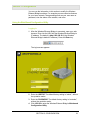
Your box contains the following:
Antenna
Ethernet
Cable
CD-ROM
Base Station Stand
WE800G
Power
Adapter
Power
Cord
Quick Start
Guide
Understanding Functions
The various technologies and features used by your Wireless
Ethernet Bridge require some conceptual explanation so that you can
make the correct choices when configuring your unit.
Wireless Ethernet Bridge Connectivity
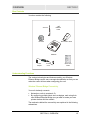
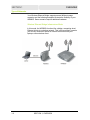
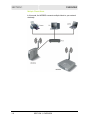
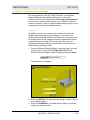
Your unit wirelessly connects:
!
Networks or units to a network, Or
!
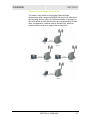
By configuring multiple clients such as laptops, each using their
own Wireless Ethernet Bridge, are you able to create your own
private wireless Ad-Hoc network
The mechanics behind the connectivity are explained in the following
subsections.
SECTION 1, OVERVIEW
1-3