1
8
9
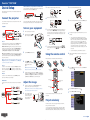
Choose Connection Mode, press
, select Quick (for a direct
connection to a computer, tablet, or smartphone) or Advanced
(for a connection to a router or access point), then press
again.
When you’re finished, press Esc to return to the Wireless LAN menu.
If you chose the Advanced connection mode, select SSID, press
and enter your network name (SSID) in the screen that appears.
Notices
Mobile device
To project from an iOS® or Android™ tablet or smartphone,
download and install the Epson iProjection™ app. Visit
www.epson.com/projectorapp (U.S.) or
www.epson.ca/projectorapp (Canada) for more information.
Declaration of Conformity
According to 47CFR, Part 2 and 15, Class B Personal Computers and
Peripherals; and/or CPU Boards and Power Supplies used with Class B Personal
Computers
,
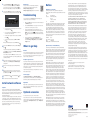
Troubleshooting
If you see a blank screen or the No signal message after turning on your
computer or video device, check the following:
• To select a character, use the arrow buttons on the remote control
to highlight it, then press
.
•
To enter a number, hold down the Num button on the remote
•
To switch between uppercase and lowercase letters, select CAPS
•
•
Make sure the Status light on the projector is blue and not flashing, and
•
Press the Source Search button on the projector or the remote control
•
If you’re using a Windows laptop, press the function key on your
•
If you’re using a Mac laptop, open System Preferences and
control and press the numeric button.
and press
.
To change the displayed symbols, select SYM1 or SYM2 and
press
.
W
hen you’re finished entering the SSID, select Finish and press
the A/V Mute slide is open.
to switch to the correct image source, if necessary.
keyboard that lets you display on an external monitor. It may be labeled
CRT/LCD or have an icon such as
. You may have to hold down the
Fn key while pressing it (such as Fn + F7). Wait a moment for the display
to appear.
.
Where to get help
If your network assigns addresses automatically, turn on DHCP. If not,
Manuals
To enter numbers, hold down the Num button on the remote control
For more information about using the projector, click the icons on your desktop
to access the online manuals (requires an Internet connection). If you don’t
have icons for the manuals, you can install them from the projector CD or go to
the Epson website, as described below.
11To prevent the SSID and IP address from appearing on the network
Telephone support services
.
turn off DHCP and enter the projector’s IP Address, Subnet Mask, and
Gateway Address, as needed.
and press the numeric buttons. When you’re finished, press Esc to return
to the Wireless LAN menu.
standby screen, set the SSID Display and/or IP Address Display
settings to Off.
12 When you’re finished selecting settings in the Wireless LAN menu,
press Esc.
13 If you are connecting the projector to a secure network, select the
Security menu and press
. Then select settings as necessary and
press Esc when you’re finished.
14 Select Complete and press
. Then select Yes and press
again.
15 See “Install network software” for additional instructions.
Install network software
Computer
To project over the network, download and install the EasyMP® Network
Projection software on each computer that you will project from. To monitor
and control your projector over the network, download and install the EasyMP
Monitor software (Windows only). Click the icons on your desktop to access
the software download pages.
For instructions on installing and using your network software, click the icons
on your desktop to access the online EasyMP Network Projection Operation
Guide or EasyMP Monitor Operation Guide (requires an Internet connection).
If you don’t see the software download or guide icons on your desktop,
you can install them from the projector CD or go to the Epson website, as
described in “Where to get help.”
Epson
LCD Projector
H551F/H550F
PowerLite 1222/PowerLite 1262W
Epson America, Inc. Limited Warranty
Two-Year Projector Limited Warranty and 90-Day Lamp Limited Warranty
To use the Epson® PrivateLine® Support service, call (800) 637-7661. This service
is available for the duration of your warranty period. You may also speak with
a support specialist by calling (562) 276-4394 (U.S.) or (905) 709-3839 (Canada).
Support hours are 6 am to 8 pm, Pacific Time, Monday through Friday, and 7
to 4 pm, Pacific Time, Saturday.
Epson America, Inc.
3840 Kilroy Airport Way
MS: 3-13
Long Beach, CA 90806
(562) 981-3840
Declare under sole responsibility that the product identified herein, complies
with 47CFR Part 2 and 15 of the FCC rules as a Class B digital device. Each
product marketed, is identical to the representative unit tested and found
to be compliant with the standards. Records maintained continue to
reflect the equipment being produced can be expected to be within the
variation accepted, due to quantity production and testing on a statistical
basis as required by 47CFR 2.909. Operation is subject to the following two
conditions: (1) this device may not cause harmful interference, and (2) this
device must accept any interference received, including interference that may
cause undesired operation.
Trade Name: Type of Product:
Model:
Marketing Name:
select Displays. Select the Display or Color LCD option if necessary,
then click the Arrange or Arrangement tab, and select the Mirror
Displays check box.
10If you chose the Advanced connection mode, select IP settings and
press
We:
Located at: Tel:
am
Days and hours of support are subject to change without notice. Toll or long
distance charges may apply.
Internet support
Visit www.epson.com/support (U.S.) or www.epson.ca/support
(Canada) for solutions to common problems. You can download utilities and
documentation, get FAQs and troubleshooting advice, or e-mail Epson.
Registration
Register today to get product updates, special promotions and customer-only
offers. You can use the CD included with your projector, or register online at
www.epson.com/webreg.
Optional accessories
For a list of optional accessories, see the online User’s Guide.
You can purchase screens or other accessories from an Epson authorized
reseller. To find the nearest reseller, call 800-GO-EPSON (800-463-7766). Or you
can purchase online at www.epsonstore.com (U.S. sales) or www.epson.ca
(Canadian sales).
What Is Covered: Epson America, Inc. (“Epson”) warrants to the original retail
purchaser of the Epson projector product enclosed with this limited warranty
statement that the product, if purchased new and operated in the United
States, Canada, or Puerto Rico will be free from defects in workmanship and
materials for a period of two (2) years from the date of original purchase.
This limited warranty applies only to the projector and not to the projector
lamp, which carries a limited warranty period of ninety (90) days from the
date of original purchase. For warranty service, you must provide proof of
the date of original purchase.
What Epson Will Do To Correct Problems: If your product requires service
during the limited warranty period, please call Epson at the number on
the bottom of this statement and be prepared to provide the model, serial
number, and date of original purchase. Epson will, at its option, repair
or replace the defective unit, without charge for parts or labor. If Epson
authorizes an exchange for the defective unit, Epson will ship a replacement
product to you, freight prepaid, so long as you use an address in the United
States, Canada, or Puerto Rico. You are responsible for securely packaging
the defective unit and returning it to Epson within five (5) working days of
receipt of the replacement. Epson requires a debit or a credit card number
to secure the cost of the replacement product in the event that you fail to
return the defective one. If Epson authorizes repair instead of exchange,
Epson will direct you to send your product to Epson or its authorized service
center, where the product will be repaired and sent back to you. You are
responsible for packing the product and for all costs to and from the Epson
authorized service center. When warranty service involves the exchange of
the product or of a part, the item replaced becomes Epson property. The
exchanged product or part may be new or refurbished to the Epson standard
of quality, and at Epson’s option, the replacement may be another model of
like kind and quality. Epson’s liability for replacement of the covered product
will not exceed the original retail selling price of the covered product.
Exchange or replacement products or parts assume the remaining warranty
period of the product covered by this limited warranty. If Epson replaces the
lamp as part of the warranty service, the replacement lamp carries the limited
90-day warranty stated above.
misuse, abuse, improper installation, neglect, improper shipping, damage
caused by disasters such as fire, flood, and lightning, improper electrical
current, software problems, the use of non-Epson lamps, add-in cards or
cables, interaction with non-Epson products, or service other than by Epson
or an Epson Authorized Servicer. Postage, insurance, or shipping costs incurred
in presenting your Epson product for carry-in warranty service are your
responsibility. Epson will pay for all freight charges if you choose to send your
unit to Epson for repair. If a claimed defect cannot be identified or reproduced
in service, you will be held responsible for costs incurred.
DISCLAIMER OF WARRANTIES: THE WARRANTY AND REMEDY PROVIDED
ABOVE ARE EXCLUSIVE AND IN LIEU OF ALL OTHER EXPRESSED OR
IMPLIED WARRANTIES INCLUDING, BUT NOT LIMITED TO, THE IMPLIED
WARRANTIES OF MERCHANTABILITY, FITNESS FOR A PARTICULAR PURPOSE
AND NON-INFRINGEMENT. UNLESS STATED HEREIN, ANY STATEMENTS OR
REPRESENTATION MADE BY ANY OTHER PERSON OR FIRM ARE VOID.
Remedies: Your exclusive remedy and Epson’s entire liability for a material
breach of this Agreement will be limited to a refund of the price paid for
the Epson products covered by this Agreement. Any action for breach of
warranty must be brought within 3 months of the expiration date of the
warranty. Epson is not liable for performance delays or for nonperformance
due to causes beyond its reasonable control. Except as provided in this
written warranty, neither Epson nor its affiliates shall be liable for any
loss, inconvenience, or damage, including direct, special, incidental or
consequential damages, including lost profits, cost of substitute equipment,
downtime, claims of third parties, including customers, or injury to property,
resulting from the use or inability to use the Epson products, whether
resulting from a breach of warranty or any other legal theory. Some
jurisdictions do not allow limits on warranties or remedies for breach in
certain transactions. In such jurisdictions, the limits in this paragraph and the
preceding paragraph may not apply.
In Canada, warranties include both warranties and conditions. Arbitration,
Governing Laws: Any disputes arising out of this Agreement will be settled
by arbitration to be conducted in Los Angeles, California, in accordance with
the commercial Arbitration Rules of the American Arbitration Association,
and judgment upon the award rendered by the arbitrator(s) may be entered
in any court having jurisdiction thereof. This Agreement shall be construed
in accordance with the laws of the State of California, except this arbitration
clause which shall be construed in accordance with the Federal Arbitration Act.
To find the Epson Authorized Reseller nearest you, please visit our website at:
www.epson.com.
To find the Epson Customer Care Center nearest you, please visit
www.epson.com/support.
To contact the Epson ConnectionSM , please call (800) 637-7661 or
(562) 276-4394 in the U.S. and (905) 709-3839 in Canada or write to
Epson America, Inc., P.O. Box 93012, Long Beach, CA 90809-3012.
What This Warranty Does Not Cover: This warranty covers only normal use
in the United States, Canada, or Puerto Rico. Excessive continual use is not
considered normal use. This warranty does not cover consumables such as
filters. This warranty is not transferable. Epson is not responsible for warranty
service should the Epson label or logo or the rating label or serial number be
removed. Epson is not responsible for warranty service should the product
fail to be properly maintained or fail to function properly as a result of
EPSON, EasyMP, and PowerLite are registered trademarks, Epson iProjection is a trademark, and EPSON Exceed
Your Vision is a registered logomark of Seiko Epson Corporation. PrivateLine is a registered trademark and Epson
Connection is a service mark of Epson America, Inc.
General Notice: Other product names used herein are for identification purposes only and may be trademarks of
their respective owners. Epson disclaims any and all rights in those marks.
This information is subject to change without notice.
© 2013 Epson America, Inc. 6/13
Printed in XXXXXX
CPD-39522