1
C
O
M
M
E
R
C
I
In Pause
mode, you
A
L
P
R
O
D
U
C
T
S
D
I
V
I
S
I
O
N
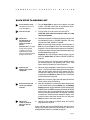
This is what happens...,
resume pedaling Returns to the course and the workout statistics continue from
where you left off.
press Reset
Displays the Workout Summary banner. See Reset on the
previous page.
exceed time limit The EFX exits Pause mode, resets the displays, and returns
to the Precor banner.
Note: The factory setting for Pause mode is 2 minutes (120 seconds). The club
has the option to change the setting. A duration can be set between 1 and 120
seconds and limits how long a user can pause his or her workout. Refer to Club
Information on page 17.
In Cool down,
mode
no pedaling
is detected.
(for 6 seconds)
This is what happens...,
Enter Cool-down, Pause mode. Time stops accruing, but
the display features remain, so you can review your workout
statistics. Note that the Pause mode has a time limit and the
club has the option to determine the setting. If you enter
Pause mode, it is of limited duration. Check with club personnel or refer to Club Information on page 17.
you press Reset Displays the Workout Summary banner. See Reset on the
(1 second or more) previous page. If you enter Pause mode during your cool
down, it is of limited duration.
it ends.
Displays the Workout Summary banner. See the information about Reset on page 25.
At Workout Summary
banner, you
This is what happens,...
press Reset
Returns to the Precor banner. When you complete the cool
down period (or exit from a paused mode by pressing
Reset), the Workout Summary banner appears. Workout
statistics except TIME, STRIDES and CALORIES reset to
zero. (Note that the TIME display shows the accumulated
workout time including warm-up and cool down periods.) You
are given 2 minutes to review your workout statistics before
the display automatically resets to the Precor banner. You
can also press Reset, to return to the Precor banner.
page 31