1
d
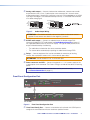
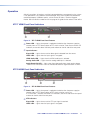
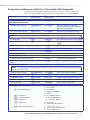
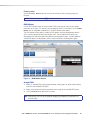
RS-232 Over XTP port — To pass bidirectional serial, Infrared, or other
control signals between XTP-compatible devices, connect a control device
to the 5-pole captive screw connector. The port includes only the 3 poles
labeled “RS-232.”
RS-232
IR Over XTP port — To enable the ability to transmit and receive IR
signals (up to 40 kHz), connect a control device to the 5-pole captive screw
connector. This port includes only the 2 poles labeled “IR” and shares the
ground pole with the RS-232 port.
RS-232
IR
Tx Rx G Tx Rx
IR
Tx Rx G Tx Rx
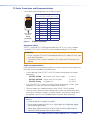
NOTE: RS-232 and IR data can be transmitted simultaneously (see
RS-232 and IR Communication on page 10 for wiring details).
e
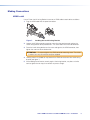
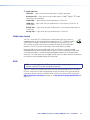
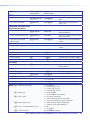
XTP connector — Connect a twisted pair cable to the RJ-45 connector labeled
XTP Out and the XTP input port on another XTP device to pass all signals (see TP
Cable Termination and Recommendations on page 9). This cable carries the
following signals:
•
Digital video
•
Digital audio
•
Bidirectional RS-232 and IR commands
•
Remote power
•
Ethernet communication
•
System communication
The Link LED lights amber when XTP devices are connected and communication is
established.
The Signal LED lights green when the transmitter outputs video signal or test pattern.
ATTENTION:
• Do not connect this connector to a computer data or telecommunications
network.
• XTP remote power is intended for indoor use only. No part of the network that
uses XTP remote power should be routed outdoors (see Remote power on
page 12).
f
LAN connector — Connect a control device or device to be controlled to the
transmitter for 10/100 Ethernet communication through this pass-through port. LEDs
on the connector indicate link and activity status.
g
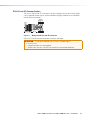
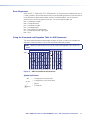
Power connector and LED — Connect the external 12 V, 1.0 A power supply into the
2-pole captive screw connector. The Power LED lights to indicate the device is receiving
power.
NOTE: XTP HDMI transmitters and receivers can also be powered remotely
(see Power Connection on page 11).
XTP T HDMI Transmitter and XTP R HDMI Receiver • Installation
5