1
BM 2609140574 08-08
9/3/08
8:40 AM
Page 5
Operating Instructions
SWITCHING ON
Before switching the multi-detector on, make
sure that the sensor area 9 is not moist. If
required, wipe the multi-detector dry using a cloth.
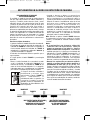
MARKING OBJECTS
Detected objects can be marked as required.
For this, remove the pencil 11 from the multidetector and carry out the scan as usual.
Once you have found the limits or the center
of an object, simply mark the sought after
location through the marking opening 2. It is a
good idea to establish a consistent practice of
making one type of mark over places in which
you do not want to penetrate (drill, nail, cut),
such as O, and a different symbol over places in
which you do want to penetrate, such as an X.
The multi-detector detects objects that are
below the sensor area 9.
If the multi-detector was subject to an
extreme temperature change, allow it to
adjust to the ambient temperature before
switching on.
To switch the multi-detector on, press any button.
SWITCHING OFF
To switch the multi-detector off, press the
“on/off” button 7.
• When switching the multi-detector on with
the wood detection mode button 5 or with the
metal-detection mode button 6, it will
automatically be in the respective detection
mode. After a brief self-check, the multidetector is ready for operation.
• If none of the multi-detector buttons are
pressed for approx. 5 minutes, the multidetector switches off automatically in order to
extend the service life of the battery.
• When switching the multi-detector on with
the “on/off” button 7 or with the “ZOOM”
button 4, it will be in the detection mode last
used. After a brief self-check, the multidetector is ready for operation.
SWITCHING OFF THE SIGNAL TONE
The signal tone can be switched on and off.
For this, press the metal-detection mode
button 6 and the wood-detection mode button
5 at the same time. When the signal tone is
switched off, the switched-off audio signal
indicator j appears on the display. The signal
tone setting is maintained after switching the
multi-detector off and on again.
• When the multi-detector is in the metaldetection mode, the service readiness is
indicated through a check mark behind the
“AutoCal” calibration indicator g.
RECOMMENDATIONS FOR
PROPER SCANNING
• Avoid wearing jewelry such as rings or
watches when using the detector. The metal
may cause inaccurate detection.
• Move the multi-detector uniformly the surface
without lifting it off or changing the applied
pressure.
• During the scan, all three of felt pads 8 must
always have contact with the surface.
• Make sure that your fingers of the hand
holding the multi-detector do not touch the
surface being scanned, which could interfere
with the tool’s ability to effectively detect
items below the surface.
• Do not touch the surface being scanned with
your other hand or any other part of part of
your body, because the moisture may affect
the scanning.
• Always measure SLOWLY to achieve
maximum sensitivity.
-5-