1
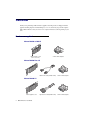
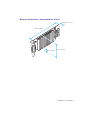
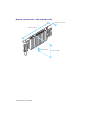
For M9140 – Secure the bracket to your graphics card
WARNING: To support the weight of your quad-monitor cable and avoid damaging your graphics
card, you need to secure the bracket of your graphics card to your computer.
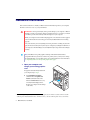
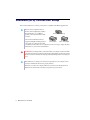
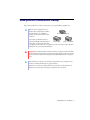
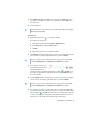
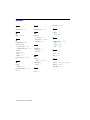
After you install your Matrox
graphics card in your computer,
but before you connect the
quad-monitor cable, properly
secure the large washer to the
metal frame of your computer.
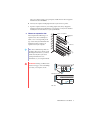
To secure the washer, slip it over
the monitor connector, then
screw the washer onto the
bracket of your graphics card.
Make sure the washer lies flat
against the frame of your
computer.
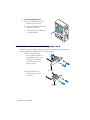
washer
(small)
washer
(large)
washer
graphics
card
Note: Two washers are provided with your Matrox product. Use the small washer if the large
washer doesn’t fit on the frame of your computer.
Matrox M-Series – User Guide
7