1
5603 Wireless Handset User Guide
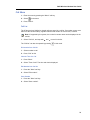
Dial a Number from the Company Phonebook
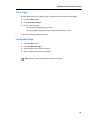
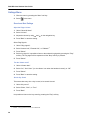
1. Press the "Menu" Soft key.
2. Select "Contacts".
3. Select "Call contact".
4. The local and company phonebook appears in the same list but the company names are
indicated by a “Locked entry” icon in front of the name. Select contact from list, or search
name/number by entering characters in the "Search" field.
5. Press
or the "Call" key to make the call.
Note: It is also possible to access the Company phonebook by pressing the soft
key
in idle mode.
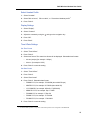
Answer a Call
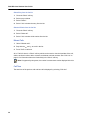
The flashing LED, accompanied by a ring signal and/or a vibrating handset, give you notice of
a call. Ring signal and vibrator can be disabled. The calling party’s handset number or name
is shown. The name will be shown if the calling party’s handset number is stored in the local
phonebook or if calling line information is available. Press the Off-hook key to answer the call.
When a headset is connected to the handset, the answering button on the headset can be used
to answer the call.
Other answering methods can also be set in the Settings menu, see “Settings Menu” on page 36.
The answering methods are; "Automatically" and "Loudspeaking".
When “Automatically” is enabled, all incoming calls will be connected automatically.
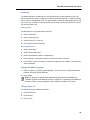
Answer a Call
When the signal sounds press
to answer the call, or press the soft key
to answer the
call in loudspeaking mode. The name/number of the calling party is displayed if calling line
information is available.
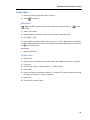
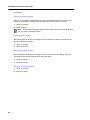
End a Call
Press
to end the call. The duration of the call is shown in the display. The total time of the
call can also be retrieved from the Calls menu > Call time.
15