1
color900.book Page 160 Wednesday, January 6, 1999 12:39 PM
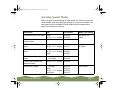
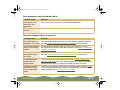
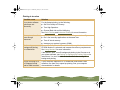
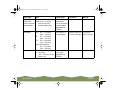
Possible cause
Solution
The Halftoning and
Color Adjustment
Mode options are set
incorrectly for your
document type.
Use the correct settings for the project you’re printing, following the
instructions in Customizing Print Quality and Special Effects and
Customizing Color Settings.
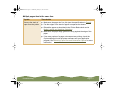
The ICM (Windows 95
and Windows 98),
sRGB (Windows 98),
or Color Sync
(Macintosh) settings
are incorrect for your
document.
Use the Automatic mode setting or different project type. See
Customizing Color Settings or Using ColorSync on the Macintosh for
more information.
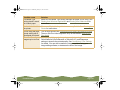
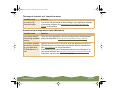
The print head
nozzles are clogged.
Clean the print head. See Cleaning the Print Head for instructions.
The ink cartridges are
low on ink or one or
more ink colors are
empty.
Check the B black and A color ink out lights to see which cartridge you
may need to replace. See Replacing an Ink Cartridge for instructions.
Troubleshooting
Page 160