1
•
•
•
•
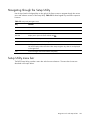
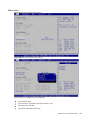
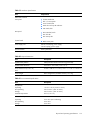
View system serial number.
View NIC MAC addresses.
Set asset tag.
Configure POST F1 prompt.
Advanced menu
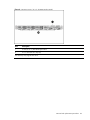
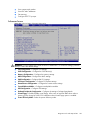
Figure 101 Advanced Menu of the BIOS Setup Utility
WARNING: Incorrect settings may cause the server to malfunction. To correct the settings, press the
F9 key to restore the default settings.
•
•
•
•
•
•
•
•
•
•
•
•
CPU Configuration—Configure CPU settings.
SATA Configuration—Configure the SATA device(s).
Memory Configuration—Configure the memory settings.
AHCI Configuration—Configure the AHCI settings.
IPMI Configuration—Configure IPMI 2.0 settings.
PCI Express Configuration—Configure PCI Express settings.
Remote Access Configuration—Configure the remote access settings.
Trusted Platform Module—Configure trusted platform module.
USB Configuration—Configure USB settings.
OnBoard Peripherals Configuration—Configure the settings of onboard peripherals.
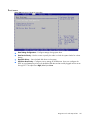
Virtual Floppy—Disable/Enable virtual floppy. Allow users to load SW RAID driver without
pressing F6 key during MS W2K3 OS installation when Virtual Floppy option is enabled.
Power Efficiency Mode—Select the power efficiency mode.
Diagnostic tools and setup utilities 105