1
Diagnostic tools and setup utilities
This chapter provides an overview of the Power-On Self-Test (POST), the POST error messages, and
BIOS, SAS and SATA setup utilities.
BIOS software
The server uses BIOS to boot up the system. BIOS software is a ROM-based firmware that allows
reliability, manageability, and connectivity for the server platforms. This software contains a set of
programs permanently stored in an EEPROM chipset located on the system board. These programs
assist in managing, initializing, and testing the hardware devices installed on the computer.
BIOS software allows you to:
•
Perform configuration from the BIOS Setup Utility
Using the Setup Utility, you can install, configure, and optimize the hardware devices on the
system board. In addition, you can set various features such as serial console redirection, PXE
boot, and much more.
•
Initialize hardware at boot up using POST routines
During power-on or warm reset, the BIOS perform POST routines to test system components,
allocate resource for various hardware devices, and prepare the system to boot to various
operating systems.
BIOS Setup Utility
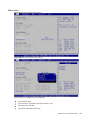
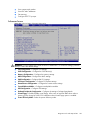
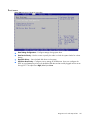
The HP server BIOS Setup Utility is used to configure five primary menu selections:
•
•
•
•
•
Main
Advanced
Boot
Security
Exit
Accessing the BIOS Setup Utility
1.
Turn on the monitor and server.
2.
If the server is already turned on, save your data and exit all open applications, then restart the
server.
3.
When the HP logo is displayed during POST, press F10 into BIOS Setup Utility. If you fail to
press F10 before POST is completed, you will need to restart the server.
4.
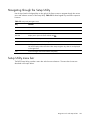
The first page displayed is the Main menu showing the Setup Utility menu bar. Use the “← ” or
”→ ” key to move between selections on the menu bar. Use the <Enter> key to select items within
a menu.
Diagnostic tools and setup utilities 102