1
3
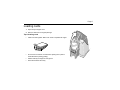
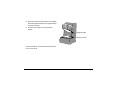
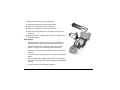
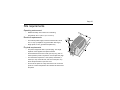
Place the cards in the input hopper. The diagram
shows the typical locations for the magnetic stripe
and smart card chip.
4
Push the input hopper cover closed until it
latches.
Magnetic stripe
Smart card chip
See Info Central for current information about cards
to use in the printer.
.
Page 6