1
Mitel 5330e/5340e IP Phones User Guide
Using the Volume Keys on Cordless Device ..................................................................... 76
USING THE MITEL CORDLESS HANDSET .......................................................... 77
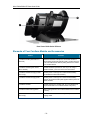
Elements of the Cordless Handset .................................................................................... 77
Answer a Call..................................................................................................................... 78
Hang up ............................................................................................................................. 78
Dialing – Auto Dial Disabled .............................................................................................. 78
Dialing – Auto Dial Enabled ............................................................................................... 78
Handset Alerting Tones and LEDs .................................................................................... 79
USING THE MITEL DECT CORDLESS HEADSET ................................................ 81
Answer a Call..................................................................................................................... 81
Hang Up............................................................................................................................. 82
Dialing – Auto Dial Disabled .............................................................................................. 82
Dialing – Auto Dial Enabled ............................................................................................... 82
Headset Alerting Tones and LEDs .................................................................................... 82
USING A BLUETOOTH HEADSET......................................................................... 84
Answer a Call..................................................................................................................... 84
Hang Up............................................................................................................................. 84
Dialing – Auto Dial Disabled .............................................................................................. 84
Dialing – Auto Dial Enabled ............................................................................................... 85
USING THE CORDLESS DEVICES APPLICATION............................................... 86
Low Battery Level .............................................................................................................. 86
Viewing Cordless Module Information ............................................................................... 86
Enabling/Disabling Auto-Connect on a Bluetooth Headset ............................................... 87
Connecting/Disconnecting a Bluetooth Headset ............................................................... 87
Editing a Bluetooth Headset Name.................................................................................... 87
Auto Dial ............................................................................................................................ 88
USING IP PROGRAMMABLE KEY MODULES 12 AND 48 ................................... 89
- viii -