1
Mitel 5330e/5340e IP Phones User Guide
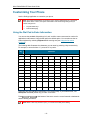
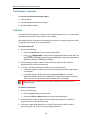
Using the On-Screen Keyboard to Enter Information
The onscreen keyboard can be used to enter name and number information into applications
and features.
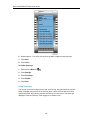
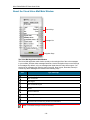
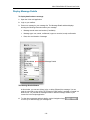
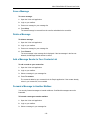
1. When prompted to enter name/number information, press Keyboard to display the onscreen keyboard.
2. Press Next Page and Previous Page to navigate to the set of characters needed for
your input.
3. Repeatedly press the key next to the character you want to enter until that character is
highlighted. The character is automatically inserted after a one-second delay. If you make
or
at the bottom of the set to move the cursor
an error, press
backwards or forwards. This does not delete any characters. You can press Backspace
or Clear (5340e only) to delete characters.
4. After you have entered all the characters, press Save.
5. Continue with text entry as required by the application or press Close.
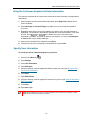
Specify User Information
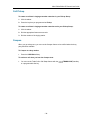
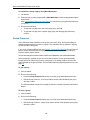
To specify the phone number displayed on your phone:
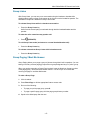
1. Press the blue Menu key
.
2. Press Settings.
3. Press User Information.
4. Press Edit Name.
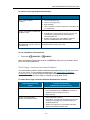
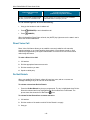
5. Using the dial pad, press the appropriate letters to spell your name (see Using the Dial
Pad to Enter Information).
6. Press Save.
7. Press Edit Number.
8. Using the dial pad, press the appropriate numbers for your line (see Using the Dial Pad to
Enter Information).
9. Press Save.
10. Press Save again.
Note: Press Cancel at any time to exit this application without making any changes or press
Clear to clear the entered name and number.
- 13 -