1
Chapter 4 Configuration
Installation and Operation Manual
Optimux-108
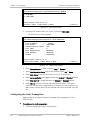
Inventory
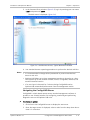
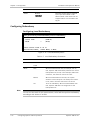
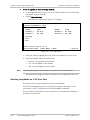
1. Device Number
> (Local)
Device type
> (Optimux-108)
Boot version
… (1.02 mng 10.03)
SW version
… (6.10E04)
HW version
… (0.00/A_Firmware: 4A Ver. 1.00)
INTERFACES INFORMATION
Link A
… (Module not installed)
Link B
… (Module not installed)
E1 Channel 1-4
… (COAX, Unbalanced(75ohm))
V.35
… (Smart Serial)
ETH-MNG
… (RJ-45, 10/100BaseT)
Dry Contact
… (RJ-45)
Control Port
… (Mini USB 5, RS-232)
PS A type
> (AC/DC)
PS B type
> (AC/DC)
>
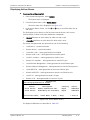
Please select item <1 to 1>
ESC-prev. menu; !-main menu; &-exit
1 user(s)
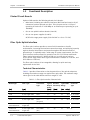
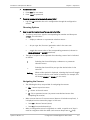
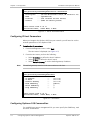
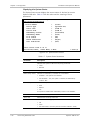
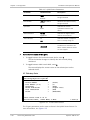
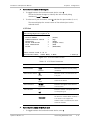
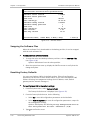
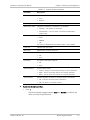
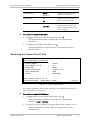
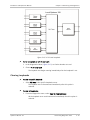
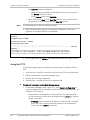
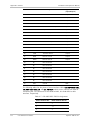
Figure 4-17. Inventory Screen for Optimux-108 with V.35 User Port
Displaying Optimux-108 Status
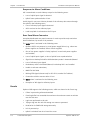
The Optimux-108 software provides access to the following status information:
•
•
System level – MAC address, connection status, system uptime period, link
protection (redundancy) status
Physical ports status – Uplink, E1 tributary ports, Ethernet ports
(Management and optional User), optional V.35 user port
The status information is available via the Monitoring menu.
³
To access the Monitoring menu:
•
From the Main menu, select Monitoring.
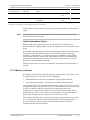
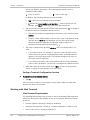
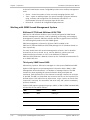
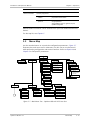
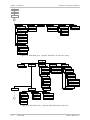
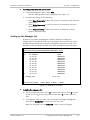
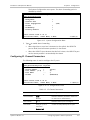
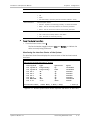
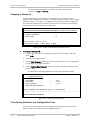
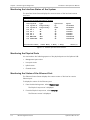
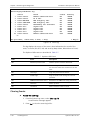
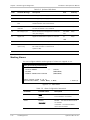
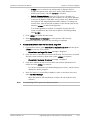
The Monitoring menu appears (see Figure 4-18).
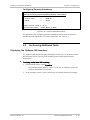
Optimux-108
Monitoring
1. System
>
2. Physical Layer >
ESC-prev. menu; !-main menu; &-exit
1 user(s)
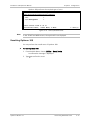
Figure 4-18. Monitoring Menu
Displaying System Status Information
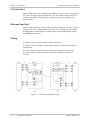
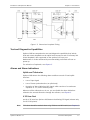
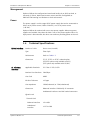
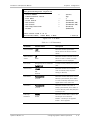
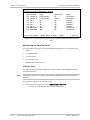
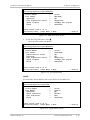
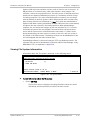
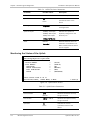
The System menu specifies MAC address of the Optimux-108 unit and system
uptime period, and provides access to the information on the interface
connection status, and link protection (redundancy) status. For description of
Optimux-108 system messages, which are displayed via the Event Log and Active
Alarms screen, refer to Chapter 5.
4-14
Performing Additional Tasks
Optimux-108 Ver. 6.1