1
Chapter 4 Configuration
Installation and Operation Manual
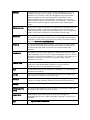
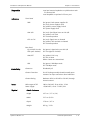
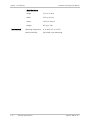
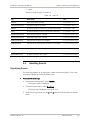
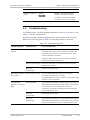
Parameter
Possible Value
Description
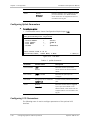
Alarms
Masked
Identifies whether alarms triggered by this
port are masked or not. When masked,
these alarms are not trapped and are not
recorded in the log file.
Unmasked
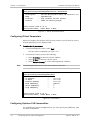
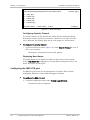
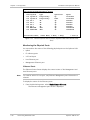
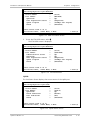
Configuring Uplink Parameters
³
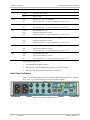
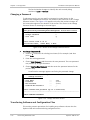
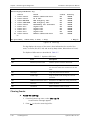
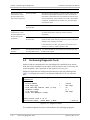
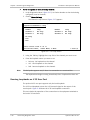
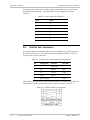
To configure uplinks:
•
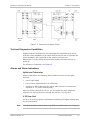
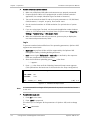
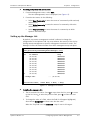
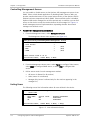
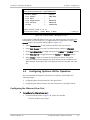
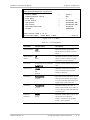
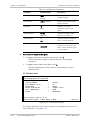
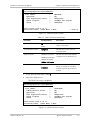
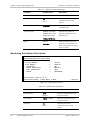
From the Main menu, choose Configuration>Physical Layer>Link.
Optimux-108
Configuration>Physical Layer>Link
1.
2.
3.
4.
Device Number
Port number
Port Name
Alarms
>
>
...
>
(Local)
(LINK A)
()
(Unmasked)
>
Please select item <1 to 4>
ESC-Previous menu; !-Main Menu; &-Exit
1 User(s)
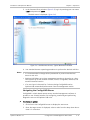
Figure 4-13. Link Menu
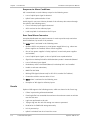
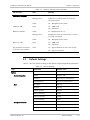
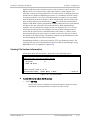
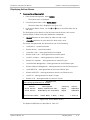
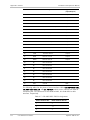
Table 4-3. Uplink Parameters
Parameter
Possible Value
Description
Device Number
Local
Identifies whether parameters
shown are for the local or remote
device.
Remote
Port number
LINK A or LINK B
Identifies the uplink port to
configure.
Port Name
String of up to 15 characters
A name to easily identify this uplink
port.
Default: Null
Alarms
Masked
Unmasked
Identifies whether alarms triggered
by this port are masked or not.
When masked, these alarms are not
trapped and are not recorded in the
log file.
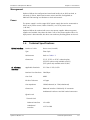
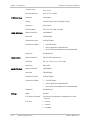
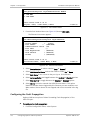
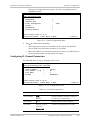
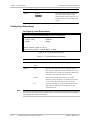
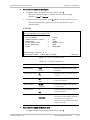
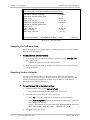
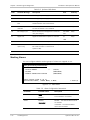
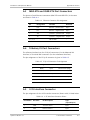
Configuring V.35 Parameters
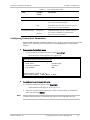
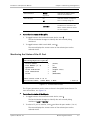
The following menu is used to configure parameters of the optional V.35
interface.
4-10
Configuring Optimux-108 for Operation
Optimux-108 Ver. 6.1