1
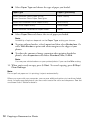
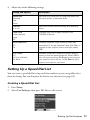
3. Select Speed Dial Setup, then press OK.
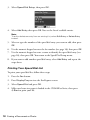
4. Select Add Entry, then press OK. You see the list of available entries.
Note:
To edit or delete an entry from an existing list, select Edit Entry or Delete Entry
instead.
5. Select or type the number of the speed dial entry you want to add, then press
OK.
6. Use the numeric keypad to enter the fax number (see page 16), then press OK.
7. Use the numeric keypad to enter a name to identify the speed dial entry (see
page 16), then press OK. You return to the Speed Dial Setup menu.
8. If you want to add another speed dial entry, select Add Entry and repeat the
steps above.
Printing Your Speed Dial List
To print your speed dial list, follow these steps:
1. Press the Fax button.
2. Press Display/Crop to view the Fax Reports screen.
3. Select Speed Dial and press OK.
4. Make sure letter-size paper is loaded in the CX9400Fax Series, then press
x Start to print your list.
18 Faxing a Document or Photo