1
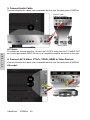
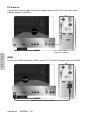
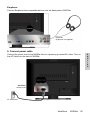
3. Connect Audio Cable
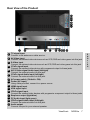
Connect Video/Audio cables from compatible devices into the back panel of N3250w.
Audio in Cable
(Cable not supplied)
Stereo system
E
N
G
L
I
S
H
OPTIONAL:
To connect an external amplifier, connect the L/R RCA cable from the TV AUDIO OUT
port to the appropriate AUDIO IN port on a compatible amplifier as shown on the right.
4. Connect AV, S-Video, YCbCr, YPbPr, HDMI to Video Devices
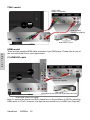
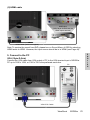
Connect Video/Audio cables from compatible devices into the back panel of N3250w.
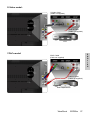
AV model:
RCA A/V Cable
VCR
ViewSonic
N3250w
20