1
About Your Hardware
Visit www.soundblaster.com for the latest Sound Blaster news and products.
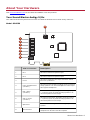
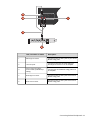
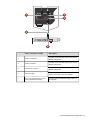
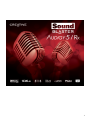
Your Sound Blaster Audigy 5/Rx
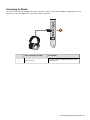
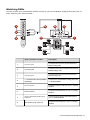
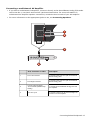
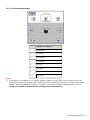
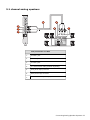
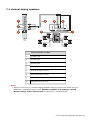
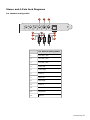
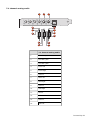
Your audio card has these jacks and connectors to enable the attachment of a wide variety of devices:
Model: SB1550
8
1
2
3
4
5
6
7
Jack or Connector
Description
1.
Mic 1
Connects to a Mono microphone input 1
2.
Mic 2
Connects to a Mono microphone input 2
3.
Line In
Connects to analog line level output from other devices
like music synthesizers
4.
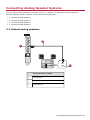
Front / Headphone Out
(Line Out 1)
Connects to Front Left and Front Right inputs on powered
analog speakers or an external amplifier for audio output
Also supports headphones
5.
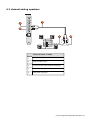
Rear / Side R
(Line Out 2)
Connects to Rear Left, Rear Right, and Side Right (only on
7.1 systems) inputs on powered analog speakers or an
external amplifier for audio output
6.
Sub / C / Side L
(Line Out 3)
Connects to Front Center, Subwoofer, Side Left (only on
7.1 systems) inputs on powered analog speakers or an
external amplifier for audio output
7.
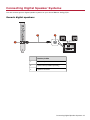
Optical Out
Connects to external digital devices or digital speaker
systems
8.
HD Front Panel
Connects to front panel connectors like microphone and
headphones on PC that is Intel HD compliant
About Your Hardware 3