1
7.11
HFS CD
HFS is the name of the Apple Macintosh file system. Nero can burn so-called
Hybrid CDs (which contain both ISO Level 1, ISO Level 2, Joliet and HFS data;
see 'Creating a Hybrid CD') and 'pure' HFS-CDs (which can only be read on
Apple Macintosh computers!). An SCSI harddisk with the HFS data must be
connected up to the PC for this to work. The data can only be generated and
edited with an Apple Macintosh PC. The layout of the file icons, the drive icon
and the window positions on the Apple Mac are defined by the settings on the
selected HFS partition.
When connecting the hard disk with the HFS data, the SCSI harddisk must of
course be connected and powered up before the PC is turned on. There must
also be no duplication of SCSI device numbers. You should also ensure that the
HFS data do not exceed 640 MB otherwise they will not 'fit' on the CD.
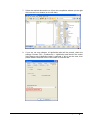
1. From the 'Recorder' menu, select 'Burn HFS Partition...'.
This opens a dialog box with list of available HFS partitions. If the list is blank
then no SCSI harddisk with HFS data has been found.
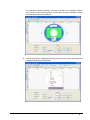
2. Now select the required HFS partition from the list and click 'OK'.
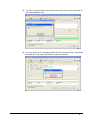
You will now see the familiar Nero tab where you can start the write process
in the normal way.
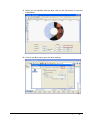
3. The tab contains a number of checkboxes, some of which are already
enabled.
All settings on this and the other tabs can now be reviewed and changed if
required.
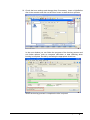
4. Confirm your selection by clicking on the Burn button. All the selected steps
now run in sequence until writing is complete. You can monitor progress in a
status window which shows the individual steps being logged as they are
executed. A typical final message would be: 'Burn process was successful
with 12x (1800 KB/s)‘. The CD is then ejected. The messages shown can
either be saved, printed or discarded. Close the window by clicking on the
Discard or Close buttons.
7.12
Hybrid CDs
A Hybrid CD contains files for the PC based on the ISO Level 1, ISO Level 2,
Joliet standard and for Apple Macintosh computers based on the HFS standard.
Nero creates so-called 'non shared' Hybrid CDs. This means that if you wish
to use files on the Mac and on a PC then they must be on the CD twice: Once in
the ISO sector and once in the HFS sector.
Caution: If you want to make a Hybrid CD from a PC, the HFS input data must
be on an SCSI harddisk connected to the PC. Remember however that the data
on the SCSI harddisk can only be created with an Apple Mac computer.
7.12.1
Creating a Hybrid CD
An SCSI harddisk with the HFS input data must be connected up to the PC
before a Hybrid CD can be created. The SCSI harddisk must be connected and
Nero
Creating a CD/DVD • 84