1
Bash Guide for Beginners
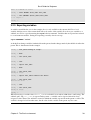
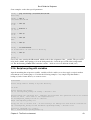
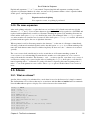
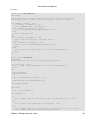
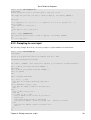
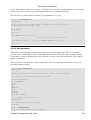
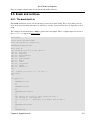
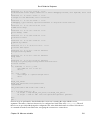
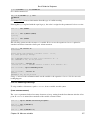
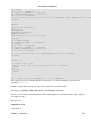
bzip2 "$TAR"
echo "...done." >> "$LOGFILE"
echo "Copying to $SERVER..." >> "$LOGFILE"
scp "$BZIP" "$SERVER:$RDIR" > /dev/null 2>&1
echo "...done." >> "$LOGFILE"
echo −e "Done backing up Linux course:\nSource files, PNG and EPS images.\nRubbish removed." >> "
rm "$BZIP"
}
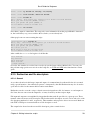
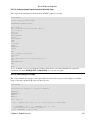
bupbash()
{
DIR="/nethome/tille/xml/db/"
TAR="Bash.tar"
BZIP="$TAR.bz2"
FILES="bash−programming/"
SERVER="rincewind"
RDIR="/var/www/intra/tille/html/training/"
cd "$DIR"
tar cf "$TAR" "$FILES"
echo "Compressing $TAR..." >> "$LOGFILE"
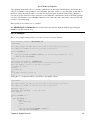
bzip2 "$TAR"
echo "...done." >> "$LOGFILE"
echo "Copying to $SERVER..." >> "$LOGFILE"
scp "$BZIP" "$SERVER:$RDIR" > /dev/null 2>&1
echo "...done." >> "$LOGFILE"
echo −e "Done backing up Bash course:\n$FILES\nRubbish removed." >> "$LOGFILE"
rm "$BZIP"
}
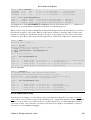
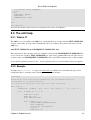
DAY=`date +%w`
if [ "$DAY" −lt "2" ]; then
echo "It is `date +%A`, only backing up Bash course." >> "$LOGFILE"
bupbash
else
buplinux
bupbash
fi
echo −e "Remote backup `date` SUCCESS\n−−−−−−−−−−" >> "$LOGFILE"
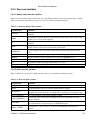
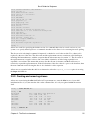
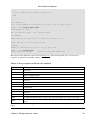
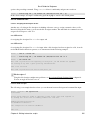
This script runs from cron, meaning without user interaction, so we redirect standard error from the scp
command to /dev/null.
It might be argued that all the separate steps can be combined in a command such as
tar c dir_to_backup/ | bzip2 | ssh server "cat > backup.tar.bz2"
However, if you are interested in intermediate results, which might be recovered upon failure of the script, this
is not what you want.
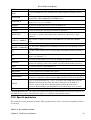
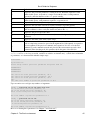
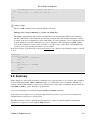
The expression
command &> file
is equivalent to
Chapter 11. Functions
134