1
42
Chapter 3: Configuration and Manual Operation
VStack User Guide
Adjusting the Plate Specific Grip Offset
Definition
The VStackBioNet Diagnostics software’s Plate specific grip offset
specifies the distance below the standard Grip teachpoint.
When To Adjust
Adjust this value only if the VStack is not gripping the plates at the
correct position.
The Plate Specific
Grip Offset Is a
Proxy
The Plate specific grip offset is a property of the plate and not a property
of the VStack. It is actually a proxy of the labware editor’s Stacker gripper
offset property, meaning that if you change the value of the plate specific
grip offset, the same change is made in the labware editor for that
particular type of plate. The reverse is also true.
For more information about the labware editor, see the Database and
Security User Guide.
Procedure
To change the plate specific grip offset:
1. Place at least two plates in the rack.
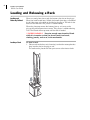
2. Load the rack onto the VStack.
For more information, see “Loading and Releasing a Rack” on
page 28.
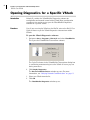
3. Open the VStackBioNet Diagnostics software.
For more information, see “Opening Diagnostics for a Specific
VStack” on page 36.
4. Select the appropriate plate type.
5. Load the rack by clicking Release Stack.
6. Look at the grippers from the side through the rack.
If the grip position is where you want it, do not change the gripper
offset.
If it is not, continue with step 7.
7. Click Release Stack to move the plate out of the grippers.
8. Change the Plate specific grip offset value, which is in millimeters,
and click Apply.
Enter a number higher than the set value to grip the plate above the
current grip point.
Enter a number lower than the set value to grip the plate below the
current grip point.
9. Click Release Stack to load the plate into the grippers.