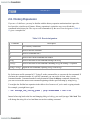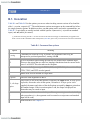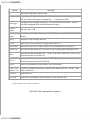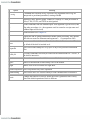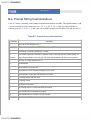
1
< Day Day Up >
Appendix D. Programmable Completion
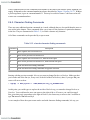
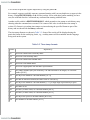
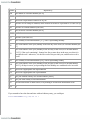
Programmable completion is a feature that was introduced in bash 2.0. [1] It extends the built-in textual completion
that is discussed in Chapter 2 by providing hooks into the completion mechanism. This means that it is possible to
write virtually any form of completion desired. For instance, if you were typing the man command, wouldn't it be
nice to be able to hit TAB and have the manual sections listed for you. Programmable completion allows you to
do this and much more.
[1]
Technically it was added in bash Version 2.04.
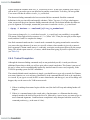
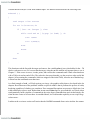
This Appendix will only look at the basics of programmable completion. While completion is a feature you are
very likely to use in everyday shell operation, you are unlikely to need to delve into the inner depths and actually
write your own completion code. Fortunately the feature has been around for some time and there are already
several libraries of completion commands developed by other people. We'll just outline the basic commands and
procedures needed to use the completion mechanism should you ever need to work on it yourself.
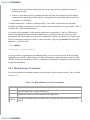
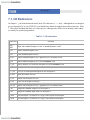
In order to be able to do textual completion in a particular way you first have to tell the shell how to do it when
you press the TAB key. This is done via the complete command.
The main argument of complete is a name that can be the name of a command or anything else that you want
textual completion to work with. As an example we will look at the gunzip command that allows compressed
archives of various types to be uncompressed. Normally, if you were to type:[2]
[2]
For the rest of this Appendix we will denote typing a TAB character as [TAB].
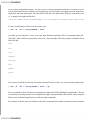
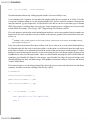
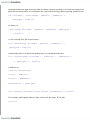
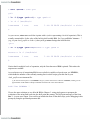
$ gunzip [TAB][TAB]
you would get a list of filenames from which to complete. This list will include all kinds of things that are
unsuitable for the gunzip command. What we really would like is the subset of those files that are suitable for the
command to work on. We can set this up by using complete :[3]
[3]
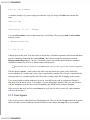
In order for @(...) to work you will need extended pattern matching switched on (shopt -s extglob ).
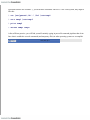
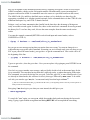
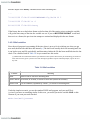
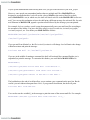
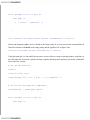
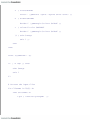
complete -A file -X '!*.@(Z|gz|tgz)' gunzip
Here we are telling completion mechanism that when the gunzip command is typed in we want it to do something
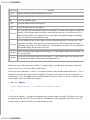
special. The -A flag is an action and takes a variety of arguments. In this case we provide file as the argument,
which asks the mechanism to provide a list of files as possible completions. The next step is to cut this down by