1
Example Use of Function
FreeMaster
LEDs
FreeMaster
RS-232
Interface
BDM
Interface
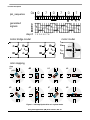
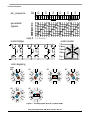
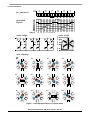
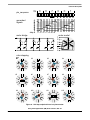
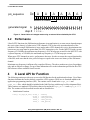
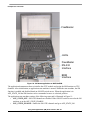
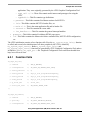
Figure 10. . SM demo application on MCF523xEVB.
The application demonstrates how to initialize the eTPU module and assign the SM function to eTPU
channels. After initialization, an application state machine is started. Within the state machine, the SM
function is enabled and disabled based on ON/OFF switch moves. When the application is in
APP_STATE_ON the SM function can be commanded to move to a desired position.
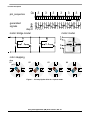
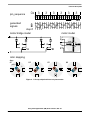
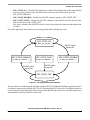
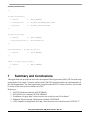
The application state machine consists of the following states and is illustrated in Figure 11:
• APP_STATE_OFF—SM eTPU channels are disabled. If the ON/OFF switch is moved to the ON
position, go to the APP_STATE_ENABLE.
• APP_STATE_ENABLE—Enable the SM eTPU channels and go to APP_STATE_ON.
Using the Stepper Motor (SM) eTPU Function, Rev. 0.1
20
Freescale Semiconductor