1
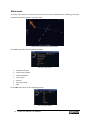
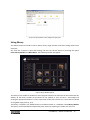
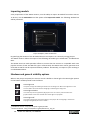
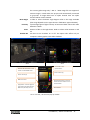
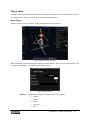
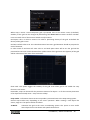
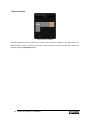
Project Examples folder with predefined stage types. Using library The SPACE Resource includes a built‐in library of key stage elements and some exiting whole‐scene examples. Any time that a project is open and running, the user can call the library by choosing the option Insert Library Model from Main Menu. The following window will appear: Import Library Model window The library of the models is divided into sub‐categories listed on left hand side of the window box. By default, all the library models are presented in the window. A user can filter a sub‐category by clicking the appropriate button. To insert a particular model, left click the icon. The model is inserted at the global origin point (0, 0, 0). The library is located in the SPACE Resource installation folder as a subfolder called Library Models. The library can be extended and replaced by new version by replacing this folder with new one. FusedWorks | SPACE User Manual 27