1
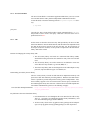
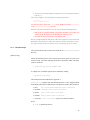
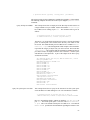
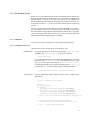
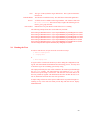
1. javax.security.sasl.client.pkgs:
This property has to be set to “org.globus.mds.gsi.netscape” while using
Netscape Directory SDK and “org.globus.mds.gsi.jndi” while using the JNDI/LDAP
provider. It basically specifies the package that provides implementation for
the SASL mechanism.
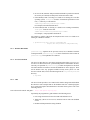
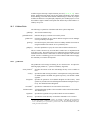
2. javax.security.sasl.qop:
It specifies what Quality-Of-Protection (QOP) to use. It is a list of QOP
values put in order of preference. Allowed QOP values are :
auth :
auth-int :
auth-conf :
- authentication only
- authentication with integrity protection (GSI without encryption)
- authentication with integrity and privacy protections (GSI with encryption)
If the property is not specified, it defaults to ”auth”.
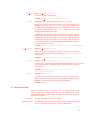
3. javax.naming.Context.SECURITY CREDENTIALS:
It specifies the credentials to use for SASL authentication. If the property is
not set, the default credentials will be used.
4. javax.security.sasl.strength:
It specifies the strength of encryption. But it is currently not used by the
library.
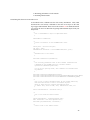
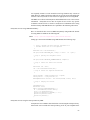
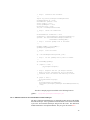
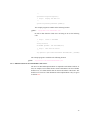
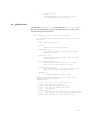
Authenticated Access Using JNDI/LDAP library:
In order to establish authenticated access to MDS using JNDI, you need version
1.2.3 or above of the JNDI/LDAP library. For setting up a secure connection with
MDS replace the Step 2 of Anonymous Access Using JNDI/LDAP library Section
7.4.4 with the following steps:
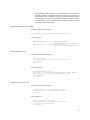
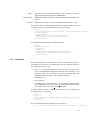
/* This property specifies where the implementation of
* the GSI SASL mechanism for JNDI can be found.
*/
env.put("javax.security.sasl.client.pkgs",
"org.globus.mds.gsi.jndi");
/* This property specifies the quality of protection
* value.
*/
env.put("javax.security.sasl.qop", "auth" );
/* Specify the particular SASL mechanism to use.
*/
env.put(Context.SECURITY_AUTHENTICATION, "GSIMechanism.NAME");
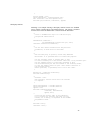
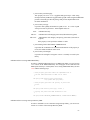
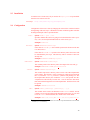
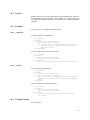
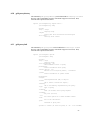
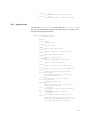
Authenticated Access Using Netscape Directory SDK:
In order to establish a secure connection using Netscape library, you need to use
Version 4.1 or above of the Netscape Directory SDK.
67