1
Switch Maintenance Tasks
7
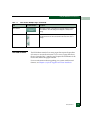
ATTENTION! This operation will reset all configuration data and
non-volatile settings to the factory default values. All optional features will
also be disabled. You will need to activate optional features after completing
the product reset.
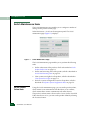
Before resetting the product, review the kinds of data that will be
reset by browsing the Configure menu and associated options.
If the product configuration is reset, management access of the
product may be lost until the network information is restored. The
product must be offline before the configuration can be reset. Refer to
Set the Product Online State on page 7-2 for instructions for setting the
product offline.
ATTENTION! Since the current IP address for the product may not match
the factory default values, the Ethernet link between the product and the
service processor may drop and not reset. Make sure you record the
product’s current IP address as you will want to enter that value in the IP
Address, under the Switch Network configuration page. Refer to
Configuring Network Parameters for the Switch on page 3-16 for instructions.
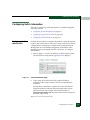
After you reset the product configuration, view the product
information page as described in Viewing Product Information on
page 7-15. Save the product information page to a file or print the
page to verify the changes you made and to identify the default
values.
7-4
EFCM Basic User Manual