1
Contents
1
Introduction..................................................................................................................................................................... 3
1.1
Before you start installing ................................................................................................................................... 3
1.2
Quick installation overview ................................................................................................................................ 3
2
Cautions and warnings .................................................................................................................................................. 4
2.1
Warranty................................................................................................................................................................. 4
3
Important Note .............................................................................................................................................................. 4
3.1
SimView Security and Privacy concerns .......................................................................................................... 4
3.2
Whose responsibility is it to secure the SimView Server? ......................................................................... 4
3.3
Anti-virus and Firewalls ....................................................................................................................................... 4
3.4
Privacy...................................................................................................................................................................... 4
3.5
Unauthorized access to SimView content ...................................................................................................... 5
3.6
Axis IP Cameras .................................................................................................................................................... 5
3.7
File security and backup of data ........................................................................................................................ 5
4
Setup ................................................................................................................................................................................. 6
4.1
Computer name .................................................................................................................................................... 6
4.2
Microphone installation ....................................................................................................................................... 6
4.3
External Audio Equipment .................................................................................................................................. 6
4.4
USB Web-cam install............................................................................................................................................ 6
4.5
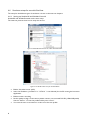
SimView extension installation and configuration ......................................................................................... 7
4.6
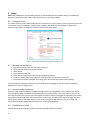
Simulator setups for use with SimView. .......................................................................................................... 8
5
SimView .......................................................................................................................................................................... 10
5.1
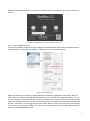
Software installation ........................................................................................................................................... 10
5.2
Configuration ....................................................................................................................................................... 10
6
Using SimView Server ................................................................................................................................................. 21
6.1
The login screen .................................................................................................................................................. 21
6.2
The Home screen: .............................................................................................................................................. 21
6.3
The View & setup window ............................................................................................................................... 22
6.4
Video windows .................................................................................................................................................... 23
6.5
Recording a scenario .......................................................................................................................................... 25
6.6
Controlling SimView from the Instructor Application............................................................................... 25
6.7
Operating the IP cameras ................................................................................................................................. 26
6.8
Debriefing ............................................................................................................................................................. 27
6.9
Sharing simulations ............................................................................................................................................. 29
6.10 Simulation sessions ............................................................................................................................................. 31
7
Maintenance................................................................................................................................................................... 33
7.1
Backup strategy ................................................................................................................................................... 33
7.2
What to back-up?................................................................................................................................................ 33
7.3
Hard disk “clean-up” of unsaved simulations ............................................................................................... 33
7.4
System notification.............................................................................................................................................. 34
8
Troubleshooting ........................................................................................................................................................... 35
9
Index................................................................................................................................................................................ 38