1
Chapter9
The Init Button
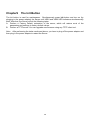
The Init button is used for maintenance: Simultaneously press Init button and turn on (by
plugging in the power adaptor) the Server until USB1 and USB2 LED indicators simultaneously
blink. After that, the Server will do the following tasks:
A. Perform a Factory Default restoration of the server, which will restore most of the
parameters and settings to factory default values.
B. Perform a TFTP server. You can upgrade new firmware using any TFTP client tool.
Note: After performing the tasks mentioned above, you have to plug off the power adaptor and
then plug in the power adaptor to restart the Server.
36